

Recommended Checklist Workflow
For organizations new to compliance, we recommend this simple workflow for using checklists:
Step 1: Assign Core Tasks
Add these fundamental tasks to the default Scrut checklist:
- Policy Acknowledgments: Assign all company policies (auditors typically require personnel to acknowledge all policies).
- Security Training: Assign all available training modules (Scrut automatically includes training for your compliance frameworks).
- Device Compliance: Require Scrut Agent installation or MDM enrollment.
- Background Verification: Set the effective date to the current date (this applies to future hires only; retroactive checks are typically not required).
Step 2: Use the Default Group
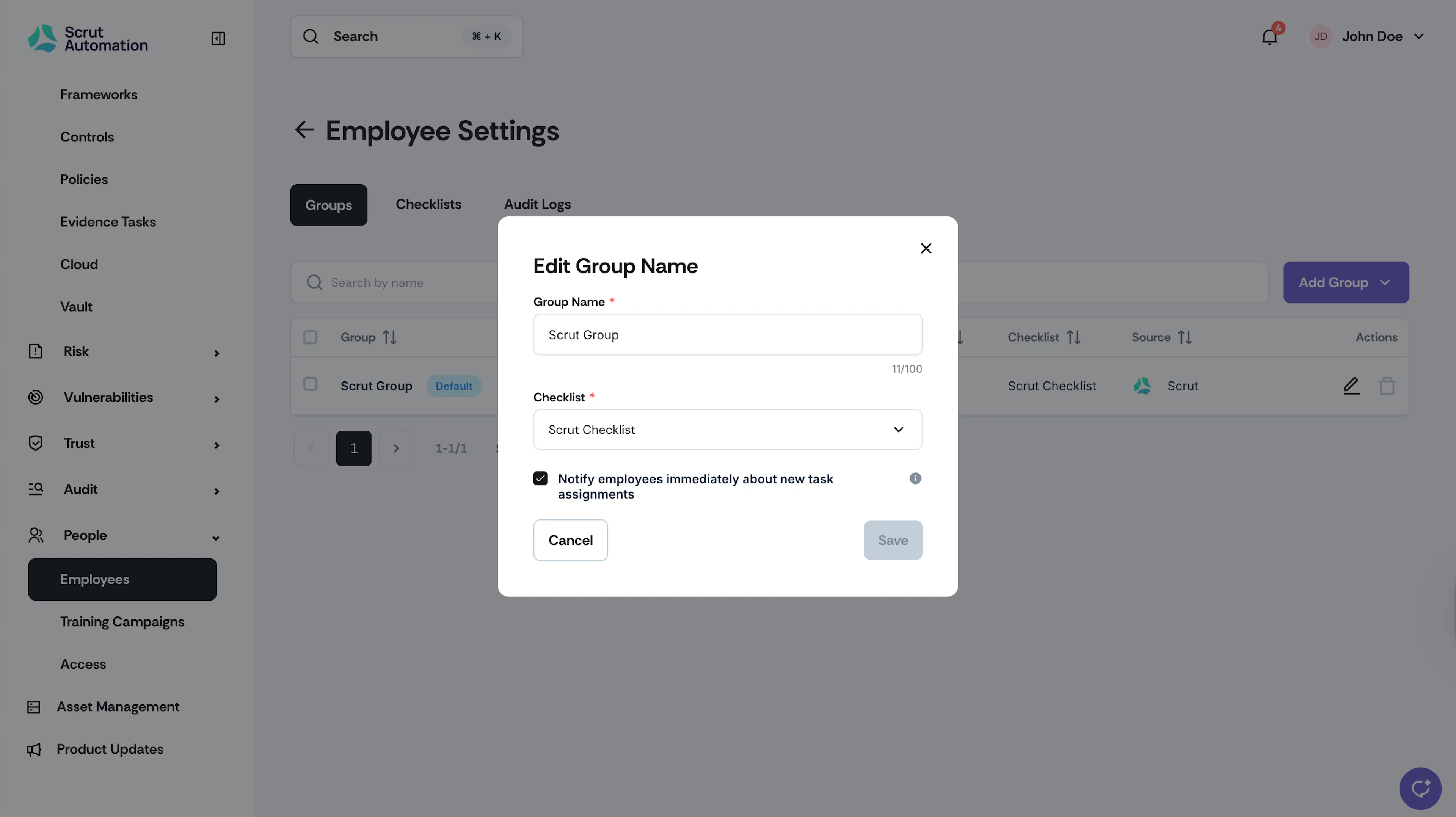
Initially, keep all personnel in the default group for full coverage. Assign the default checklist to this group and select the “Notify employees immediately about new task assignments” checkbox to receive timely reminders about new tasks.
Step 3: Enable Notifications
Turn on personnel notifications to ensure your team stays informed about their compliance requirements.
Additionally, you can also:
- Send manual or bulk task reminders to employees to complete their pending tasks
- Send manual or bulk campaign reminders
Step 4: Monitor Employee Compliance
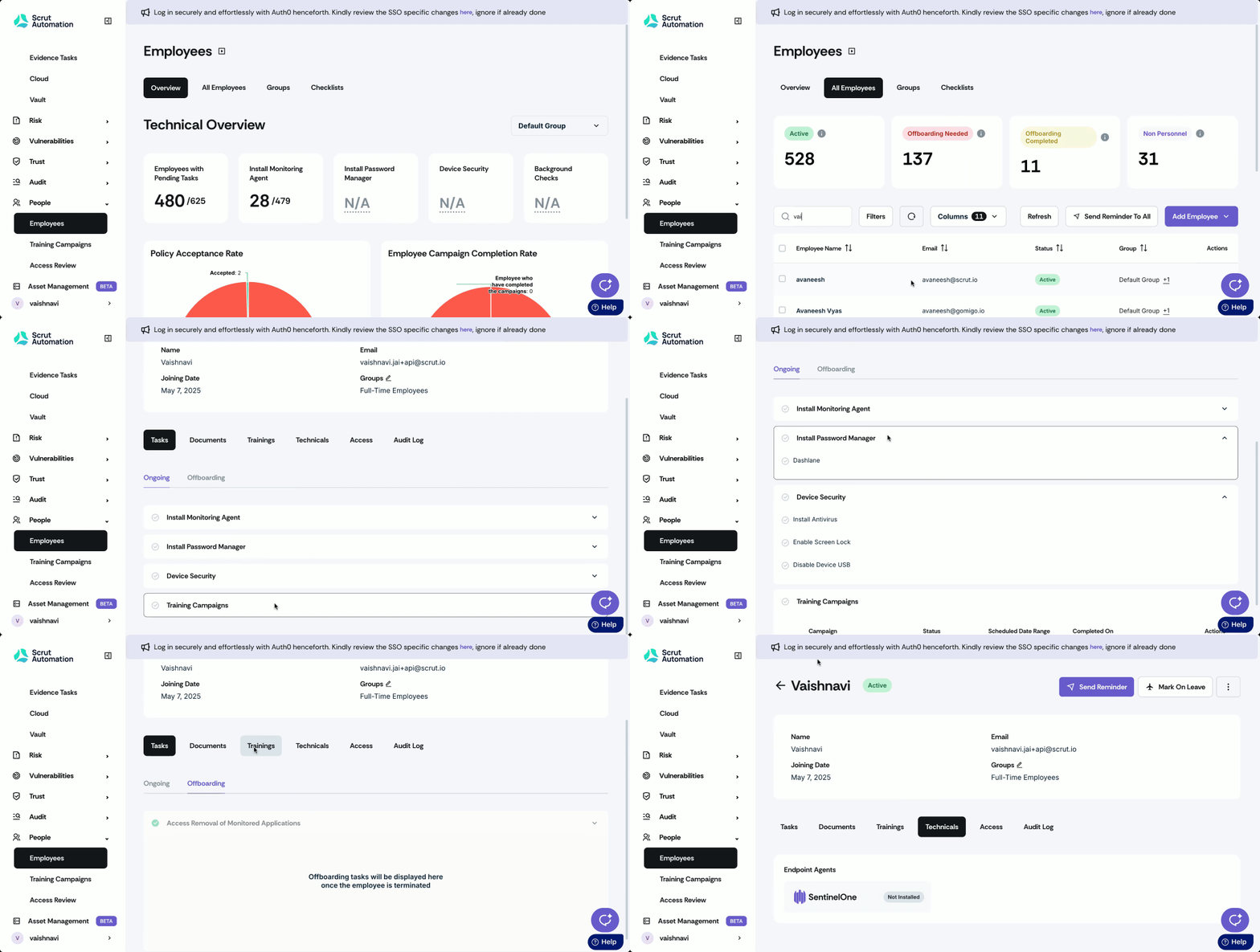
When employees begin working on the tasks you've assigned in a checklist, the results will automatically sync to Scrut. Navigate to People → Employees → All Employees, and select a specific employee to view their details. Once you’re on their profile, you can check the following sections:
- Tasks: This tab shows the status of task completion.
- Training: This tab shows the training results for each employee.
- Technicals: This section provides details about the security status of the employee's device, as captured by the Mobile Device Management (MDM) system.
Best Practices
- Start simple with the default group and core tasks.
- Use HRIS or IdP integrations to quickly import all your employees into Scrut.
- Leverage Scrut's built-in training content for comprehensive coverage.
- Monitor task completion rates and follow up with non-compliant employees as needed.