

View Audit Logs in Employee Module
The Audit Log in the Employee module provides a complete history of all activities within the module.
Audit Log for the Employee Module
-
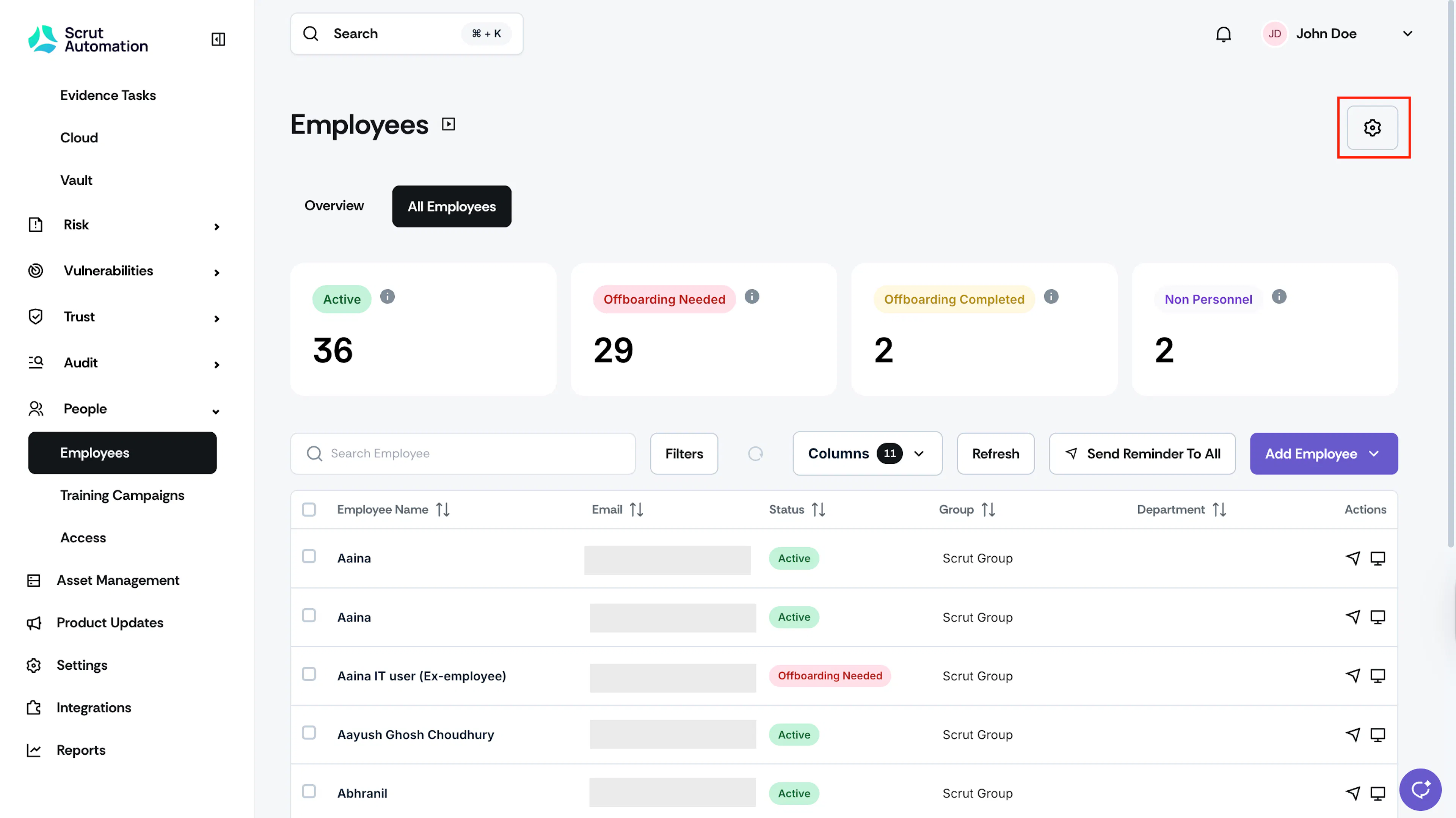
Click People → Employees on the left navigation menu, and click the Settings icon on the top-right.
-
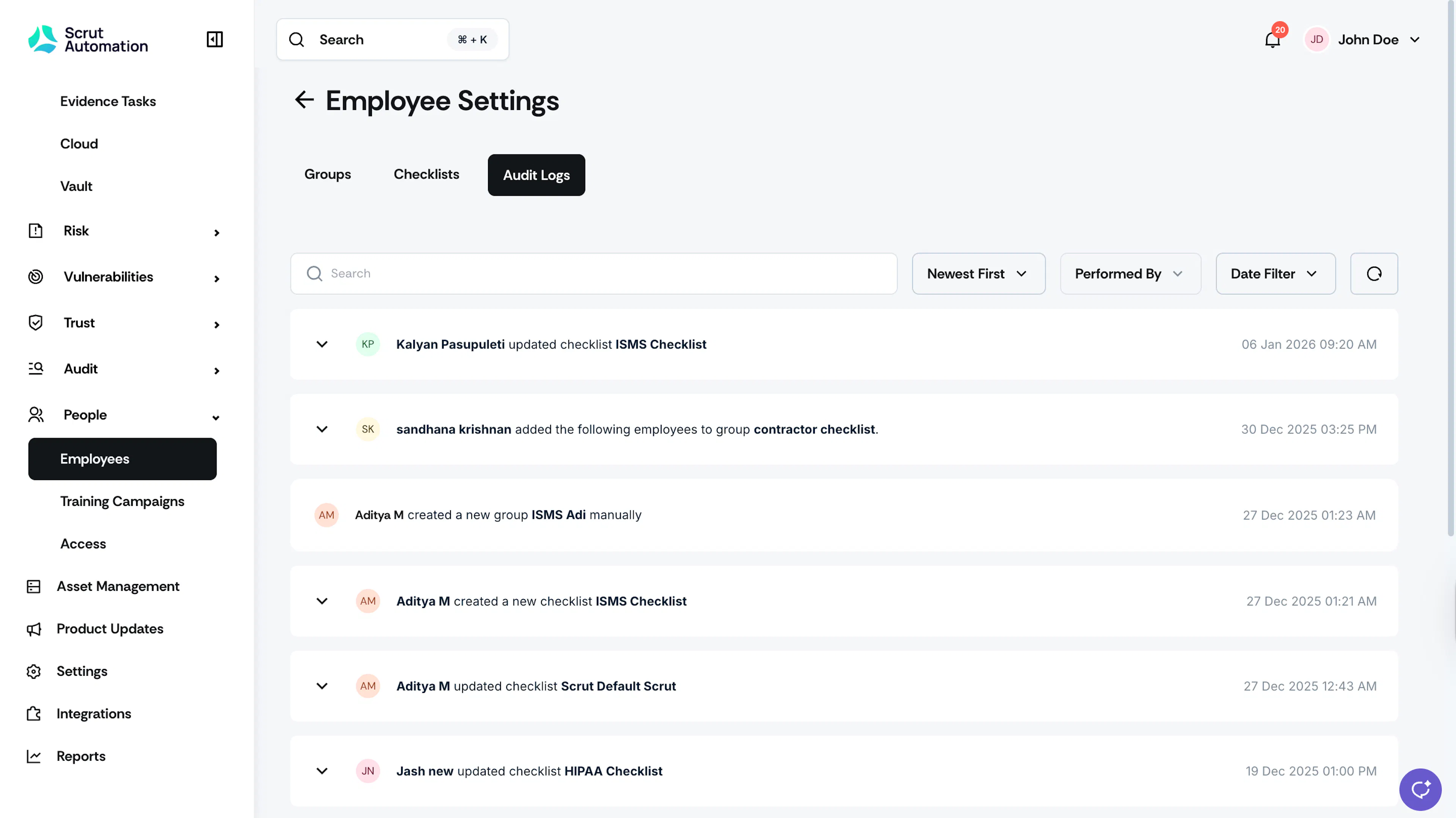
Navigate to the Audit Log tab.
-
Here you can find detailed information about actions performed, including:
- Group Actions: Group created, edited, deleted
- Checklist Actions: Checklist created, edited, and configuration changes
-
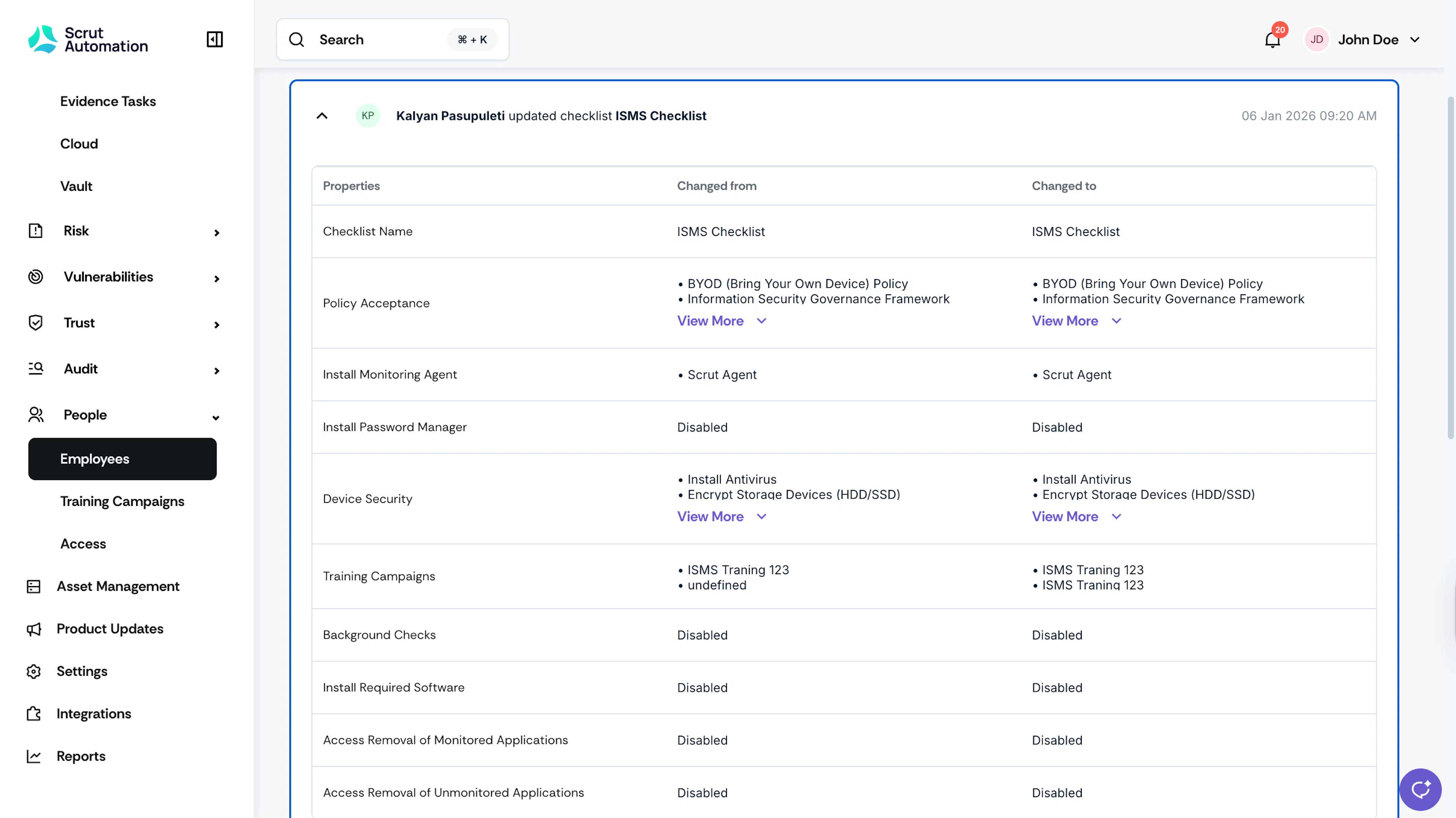
Expand any log entry for more information about the action.
-
Use the search bar and filters to quickly find specific actions.
- Search Bar: Use it to quickly find specific actions, keywords, or details within the audit logs.
- Sort By: Use this filter to sort the logs by newest or oldest.
- Performed By: Use this filter to find actions performed by a specific user quickly.
- Date Filter: Use this filter to find logs based on specific criteria, such as the current month, the previous month, or a custom range
Audit Log for Individual Employee Records
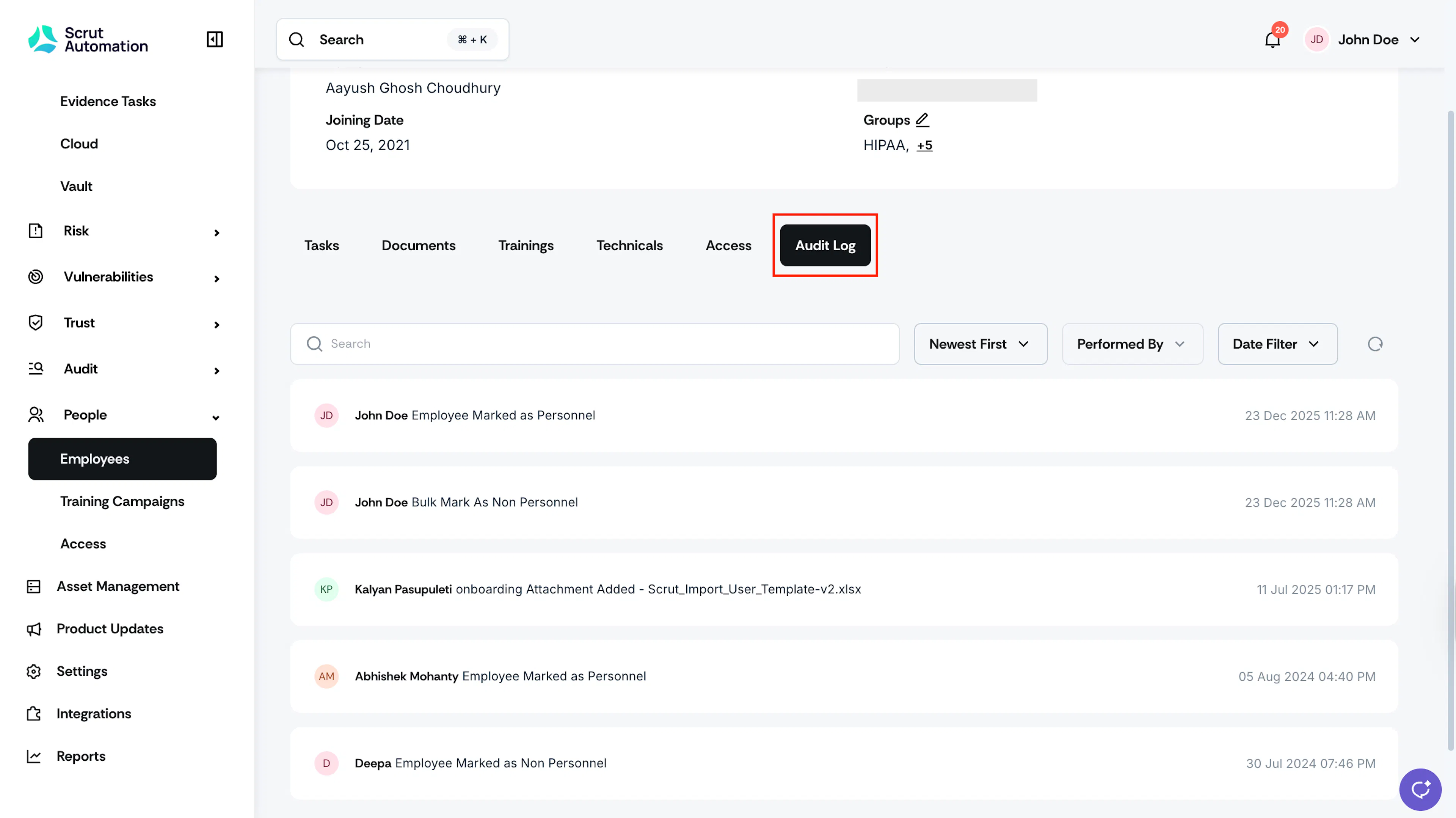
These audit logs track all changes and activities performed on a specific employee record, providing a complete history of who did what and when.
- Navigate to People → Employees → All Employees and select a specific employee from the table.
- Click the Audit Log tab to view log entries specific to this employee’s record.
Was this page helpful?