

How To Offboard an Employee
When an employee leaves your organization, follow proper offboarding procedures to ensure compliance with regulatory and internal requirements. Scrut offers a streamlined three-step process to track and manage employee offboarding:
- Step 1: Mark Employee as Terminated
- Step 2: Upload Offboarding Documents
- Step 3: Complete Offboarding
Step 1: Mark Employee as Terminated
For Employees Synced from HRIS/IDP
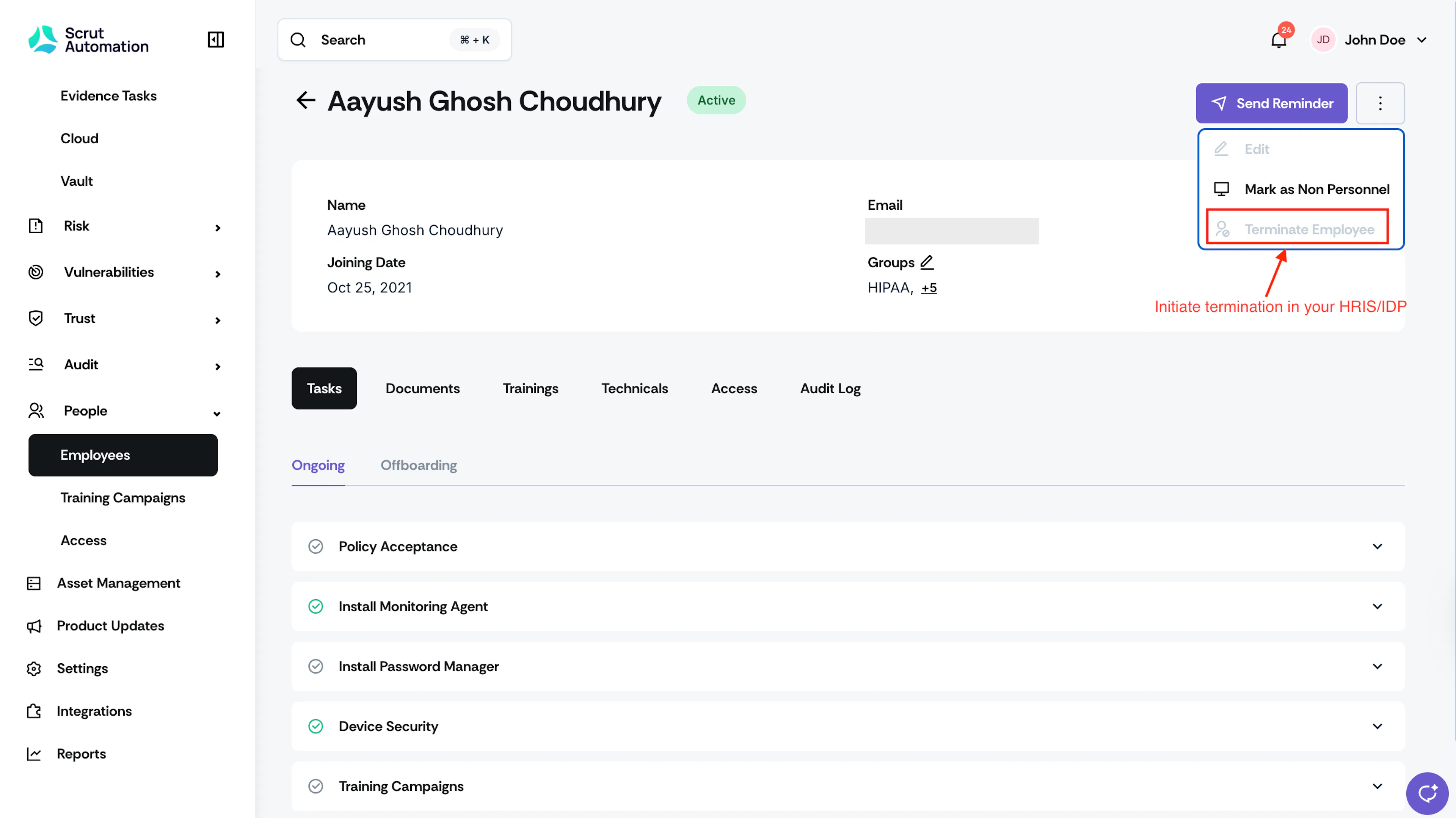
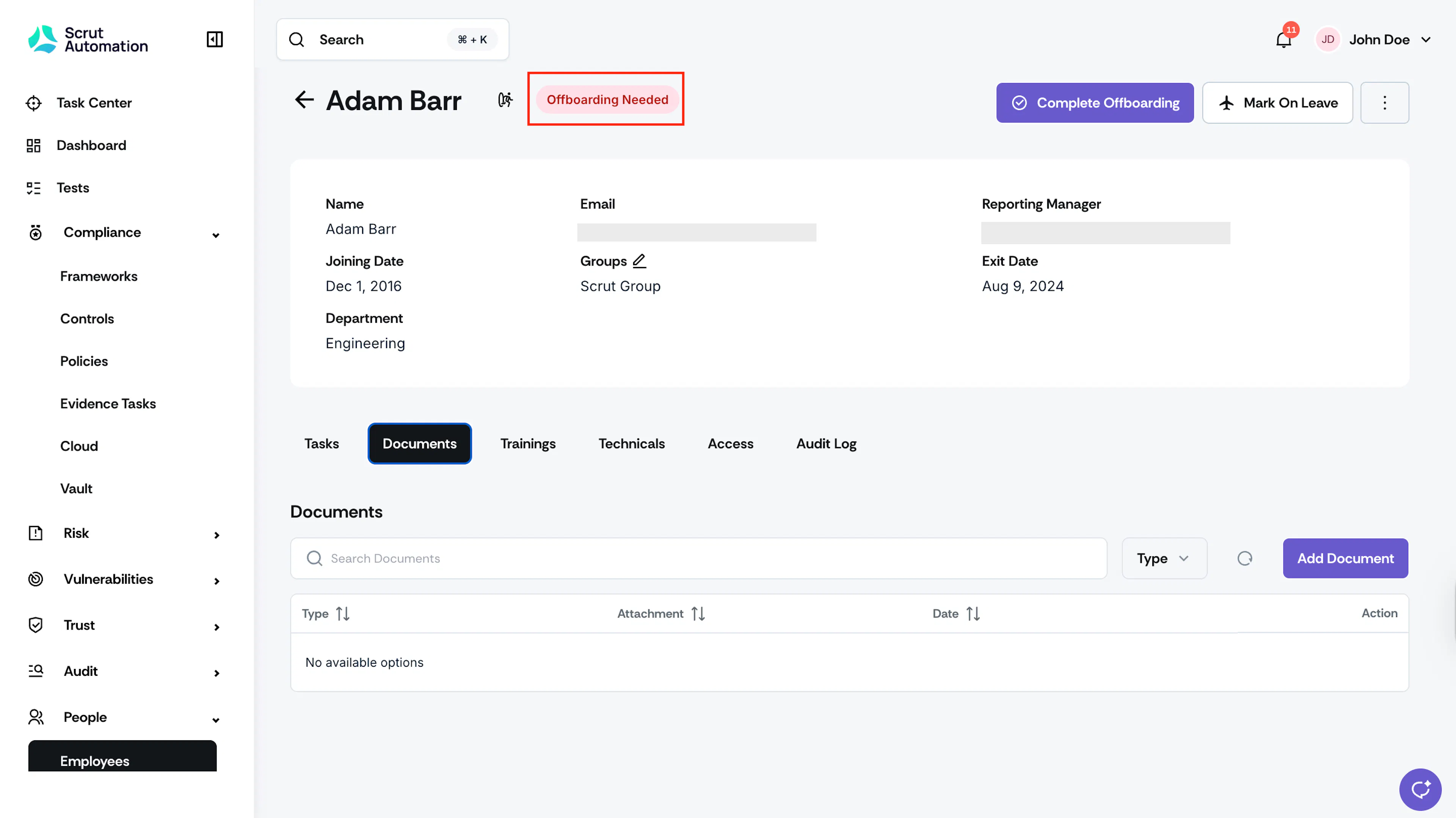
For employees synced from your HRIS or IDP, you cannot initiate termination directly in Scrut. You must initiate termination in your HRIS/IDP. Once you mark them as terminated in your HRIS/IDP, their status will change to “Offboarding Needed” in Scrut.
For Manually Added Employees
-
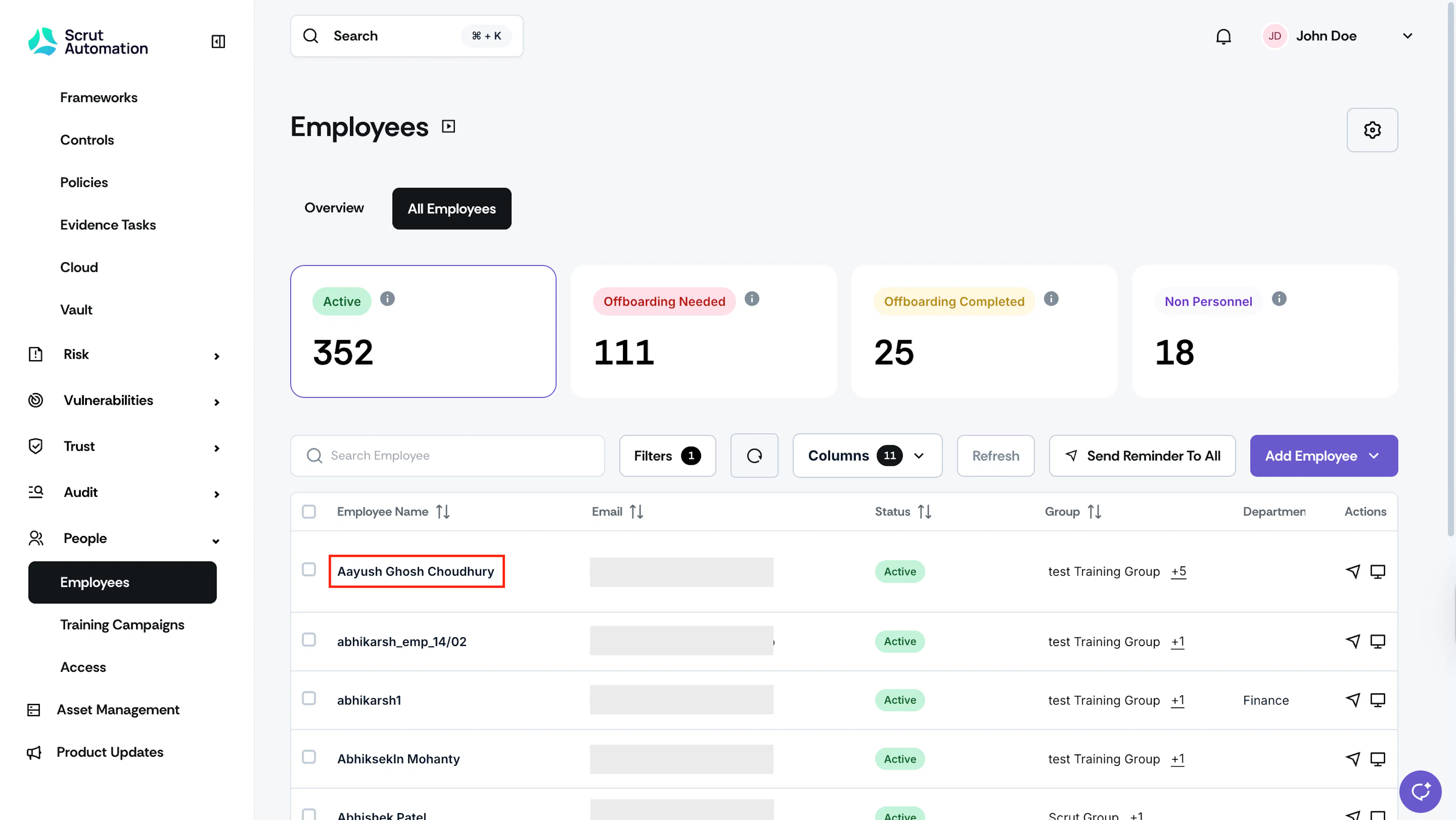
Navigate to People → Employees from the left navigation panel.
-
Select the employee you want to offboard.
-
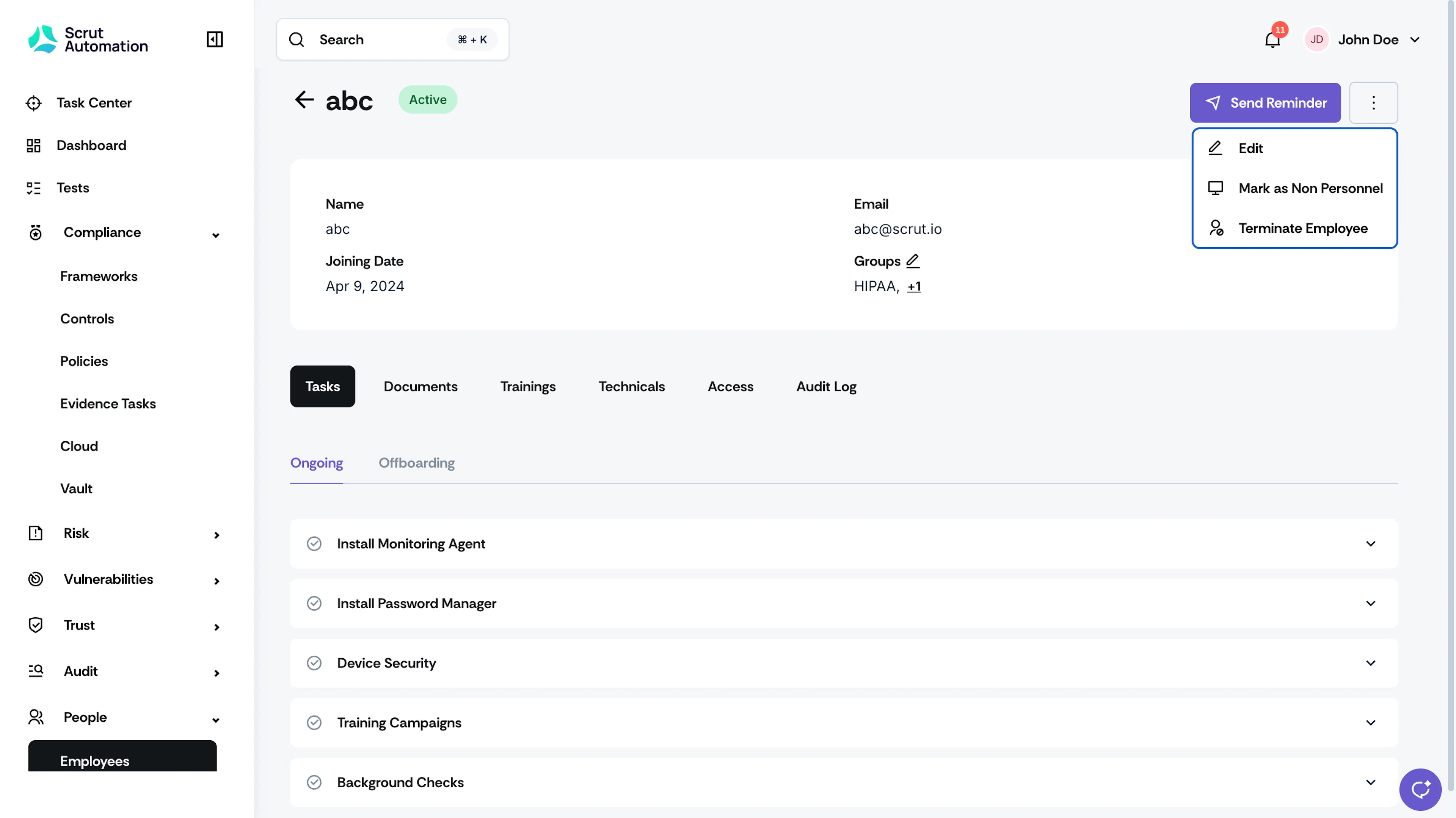
Click the **three-dot menu ** in the employee profile.

-
Select Terminate Employee.
-
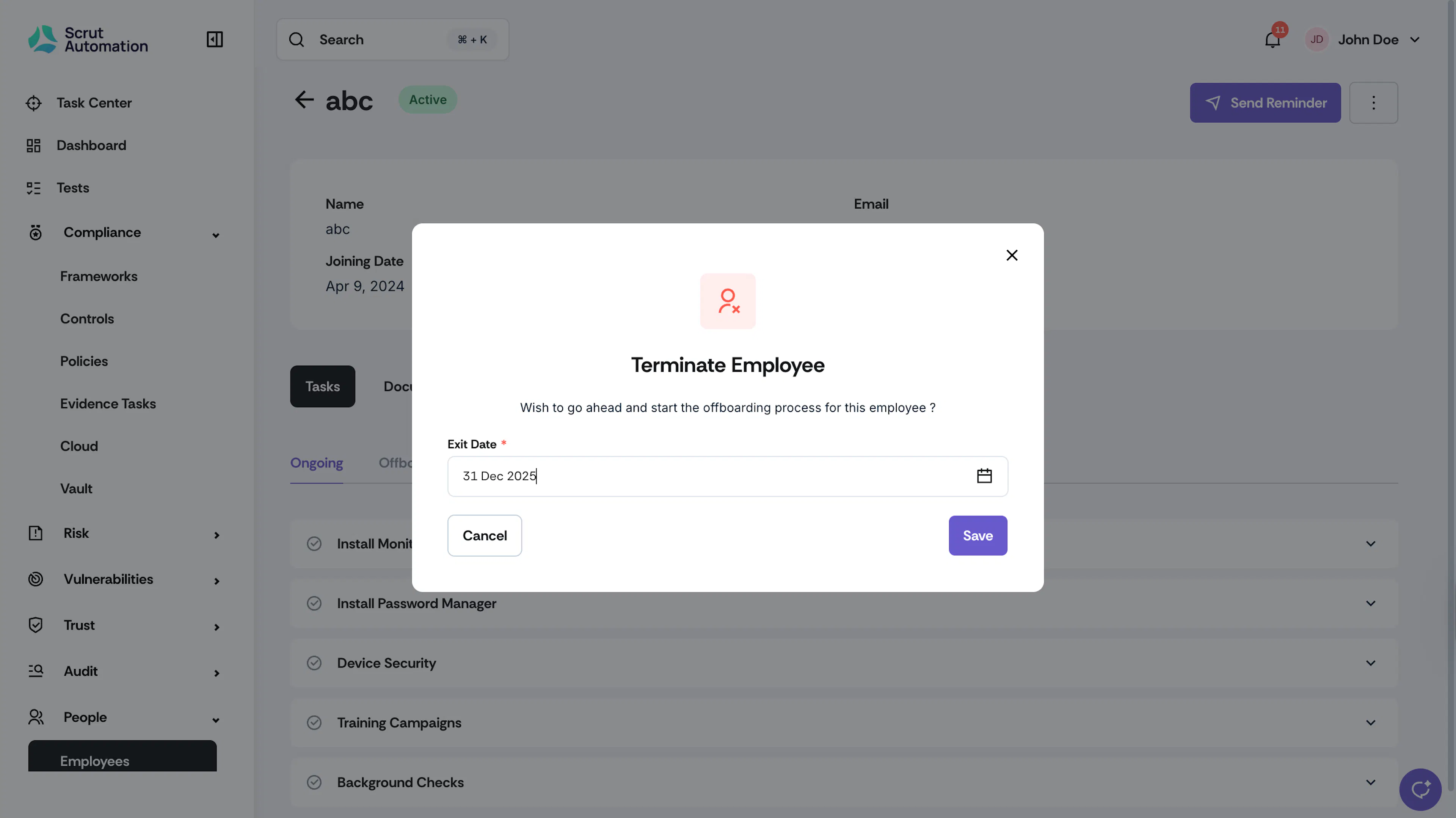
In the Exit Date field, select the employee's official last day.
-
Click Save.
What Happens Next?
The employee’s status automatically changes to “Offboarding Needed.”
Step 2: Upload Offboarding Documents
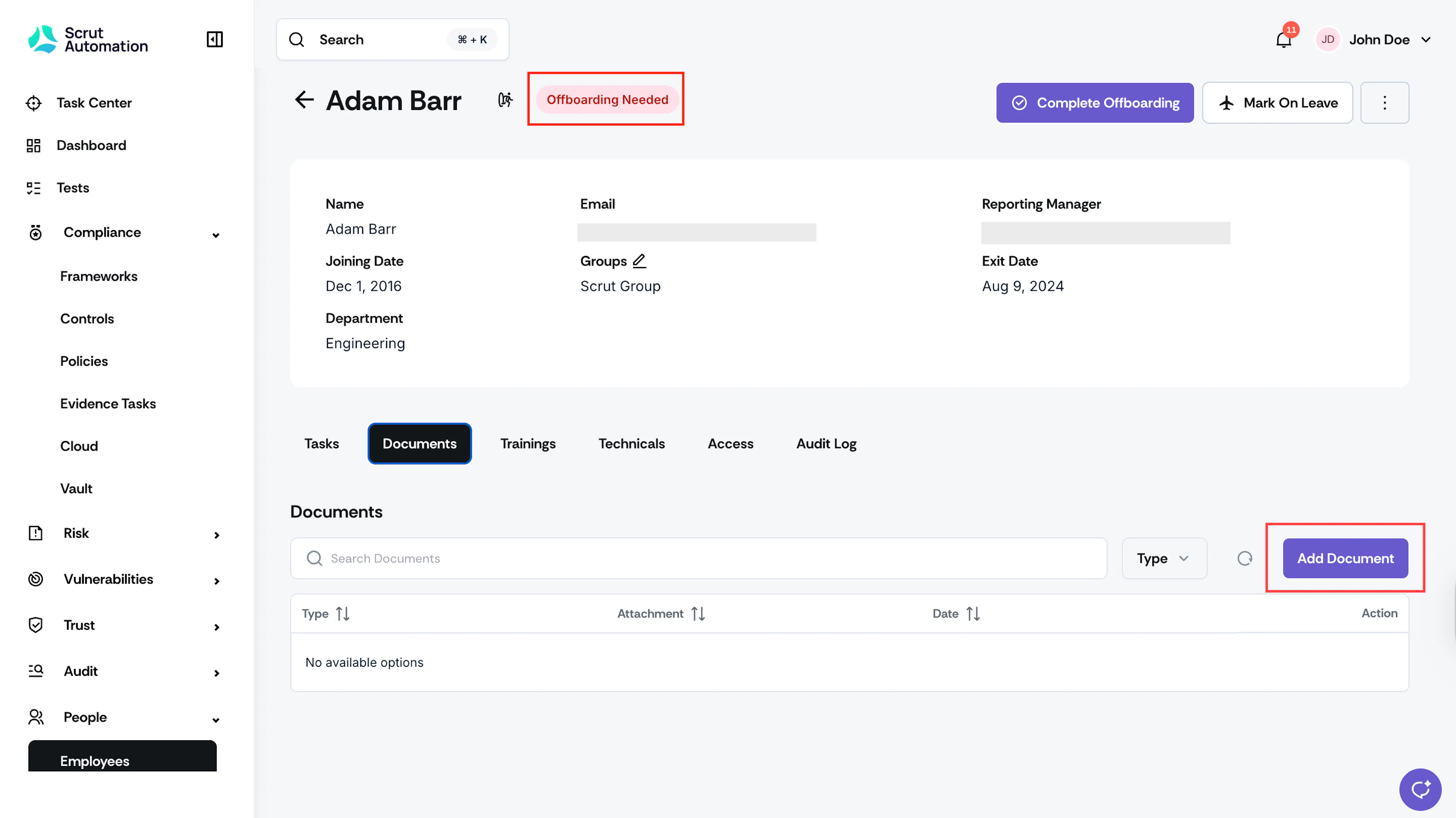
The next step is to upload relevant offboarding documentation, such as:
- Access ticket
- Clearance form
- Exit interview forms
- Equipment return receipts
- Non-disclosure agreement acknowledgments
- Final access removal confirmations
- Any other compliance-required documentation
See here for step-by-step instructions on uploading offboarding documents.
Note:
Ensure all required documents are uploaded before proceeding to the final step.
Step 3: Complete Offboarding
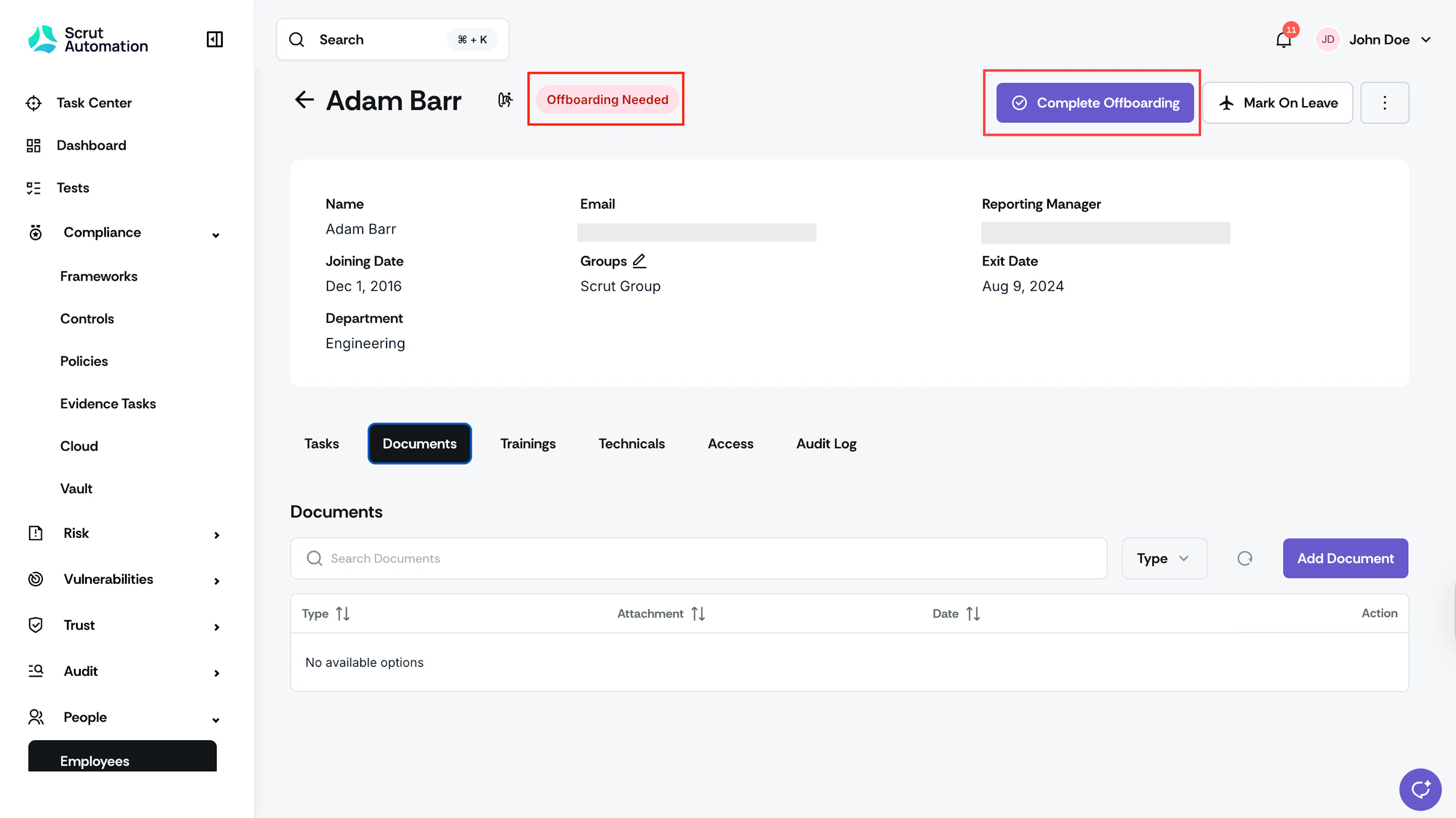
Once you've completed all offboarding tasks and uploaded the required documentation, you can mark an employee's offboarding as completed individually or in bulk.
For a Single Employee
-
Navigate to People → Employees → All Employees and open the employee's profile.
-
Click Complete Offboarding.
What Happens Next?
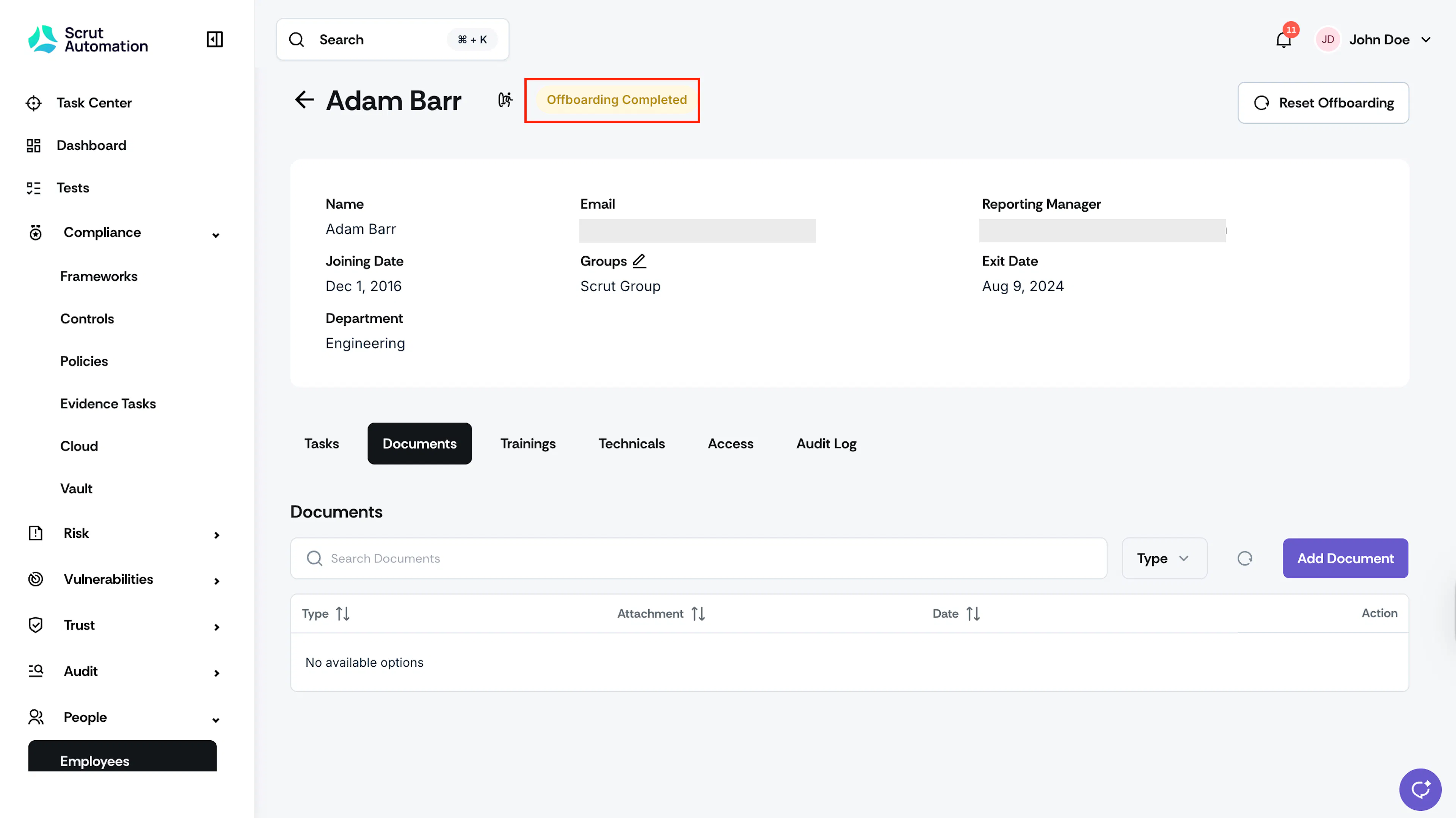
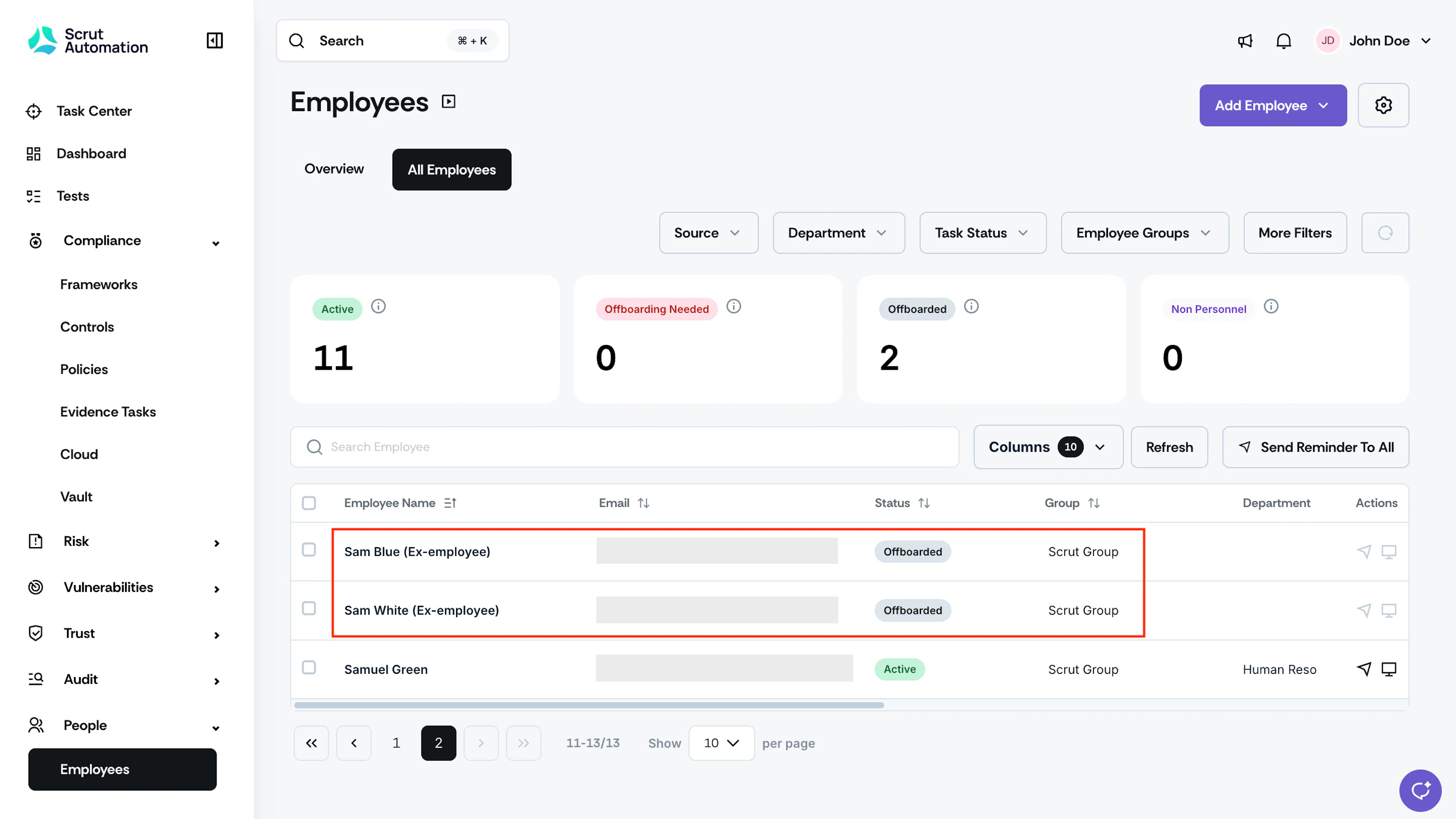
- Employee status changes from "Offboarding Needed" to "Offboarded."
- The label "ex-employee" is added beside the employee's name.
- The employee record is archived but remains accessible for compliance and reporting.
For Multiple Employees (Bulk)
Use bulk actions to close out offboarding for several employees in a single action.
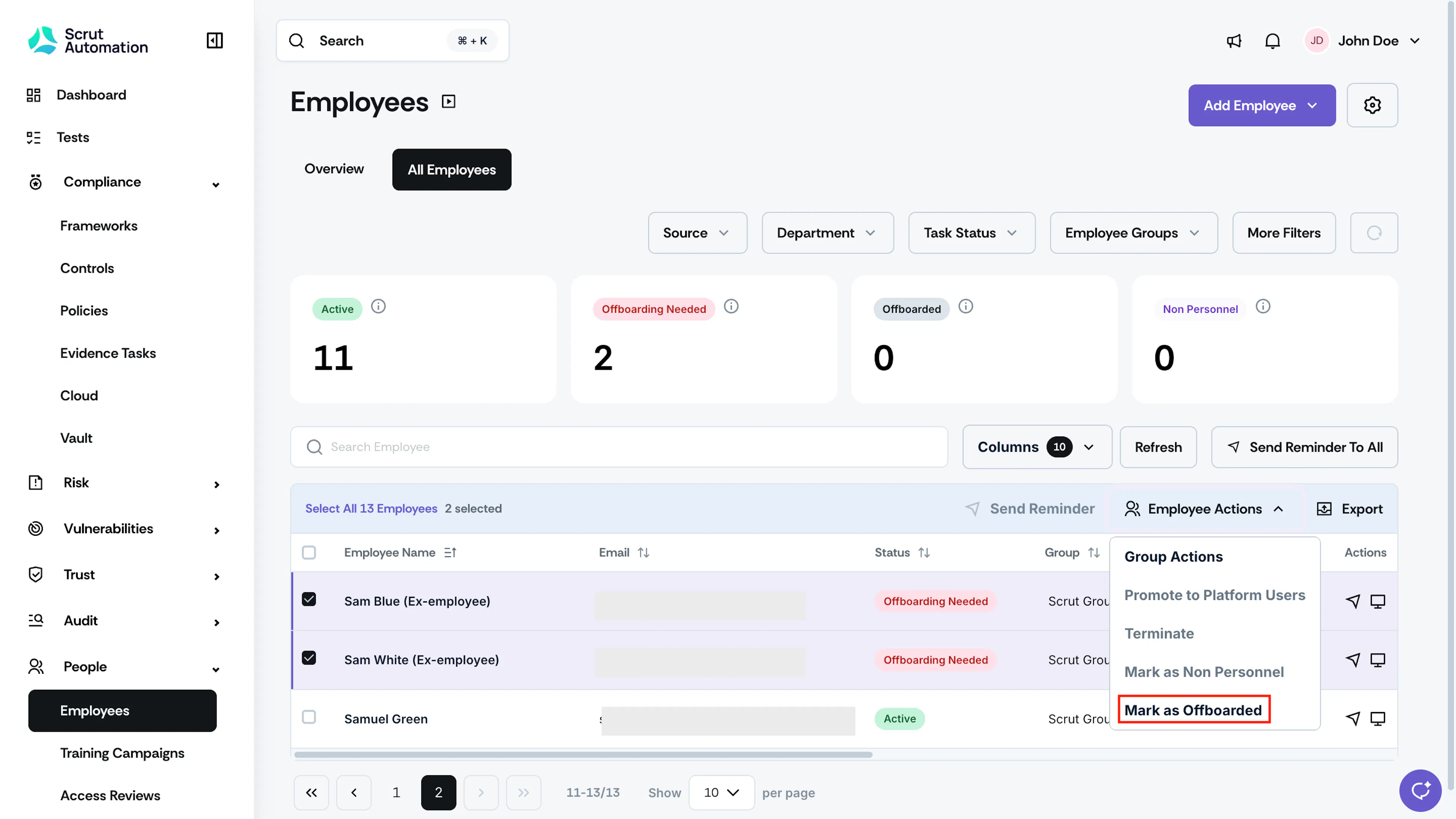
-
Navigate to People → Employees → All Employees.
-
Select the checkboxes next to the employees you want to offboard.
-
Click Edit at the top of the table.
-
Select Mark as Offboarded from the dropdown.
Note: This option is only available when every selected employee is in the Offboarding Needed status. If even one selected employee is in a different status, this option stays disabled.
-
Review the confirmation dialog. It shows how many of the selected employees still have pending offboarding tasks.
-
Select Confirm to proceed, or Cancel to go back without making changes.
Important: Confirming this action skips any pending offboarding checklist tasks for the selected employees and finalizes their offboarding status right away. If you need to reverse this afterward, use Reset Employee Offboarding.
What Happens Next?
- All selected employees move from "Offboarding Needed" to "Offboarded."
- The label "ex-employee" is added beside each employee's name.
- Their records are archived but remain accessible for compliance and reporting.
Best Practices
- Status Tracking: Monitor employee status throughout the offboarding process to ensure timely completion.
- Document Retention: Store all offboarding documents securely within Scrut for audit and compliance purposes.
- Access Revocation: Coordinate with IT to revoke system access for offboarded employees in accordance with your organization's security policies.
- Timeline: Complete the offboarding process promptly to maintain accurate records and compliance.