

Create a New Checklist
Follow these steps to create a new checklist:
-
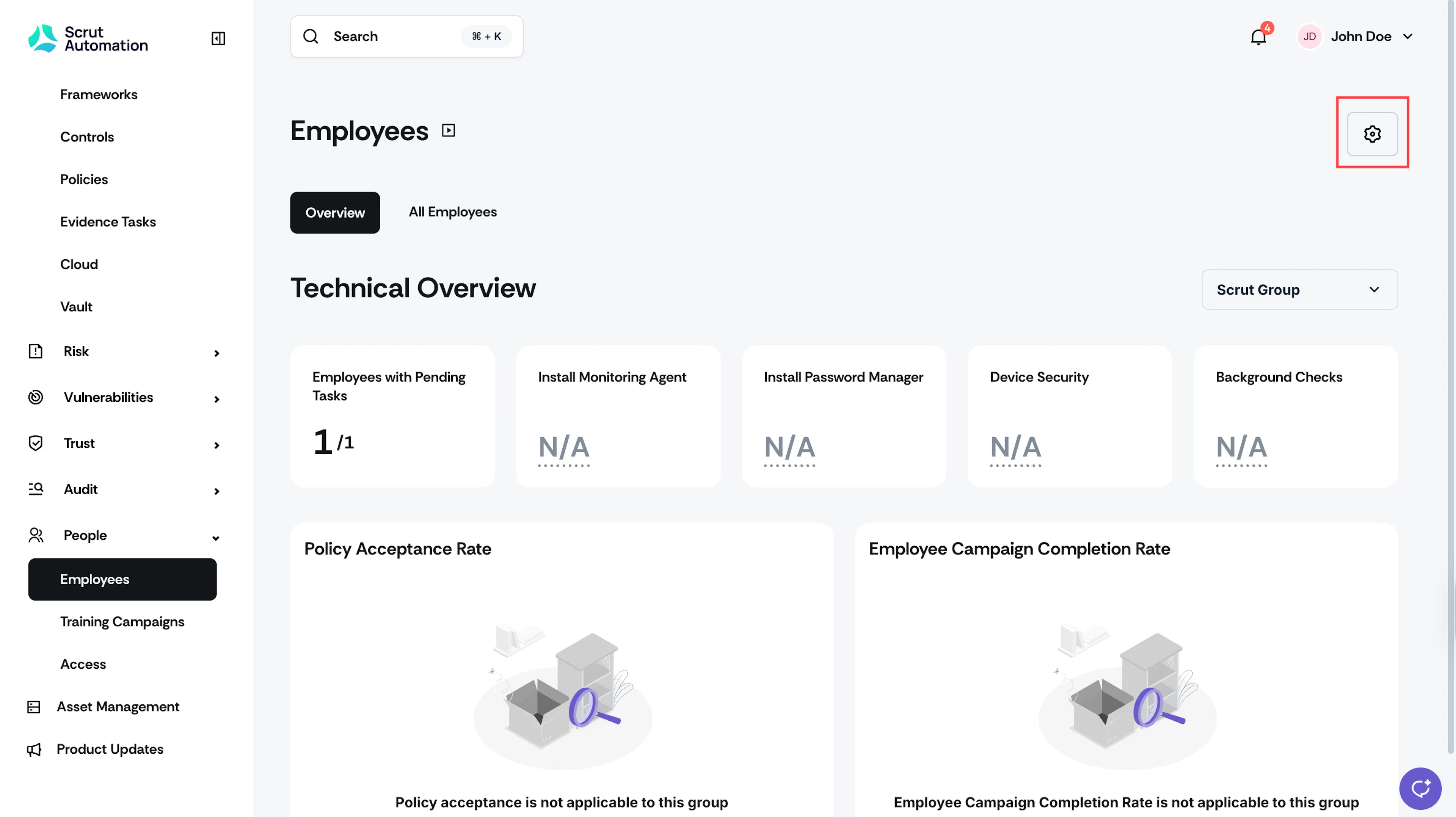
Navigate to People → Employee module, click the Settings icon on the top-right.
-
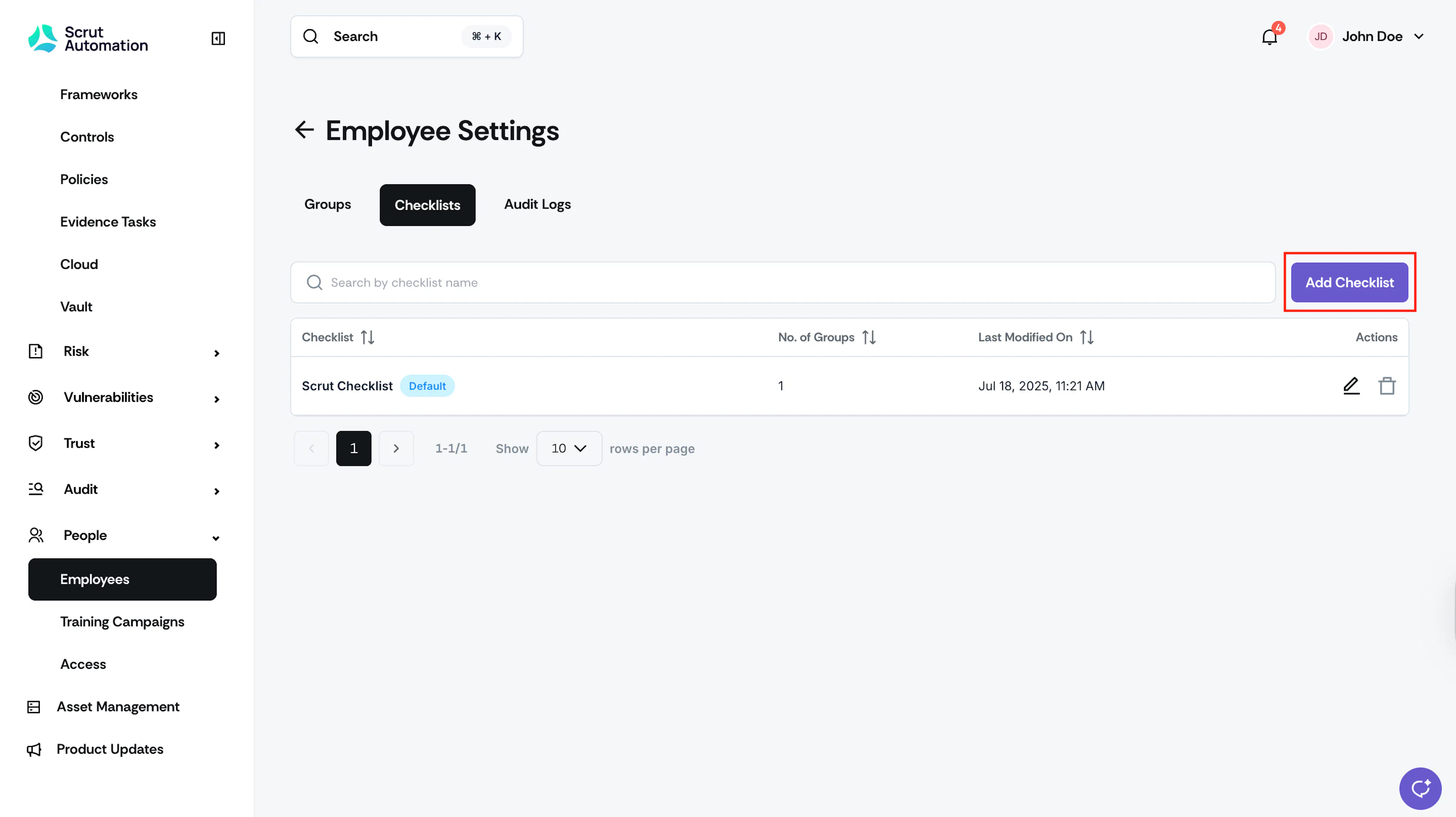
Navigate to the Checklists tab.
-
Click the Add Checklist button.
-
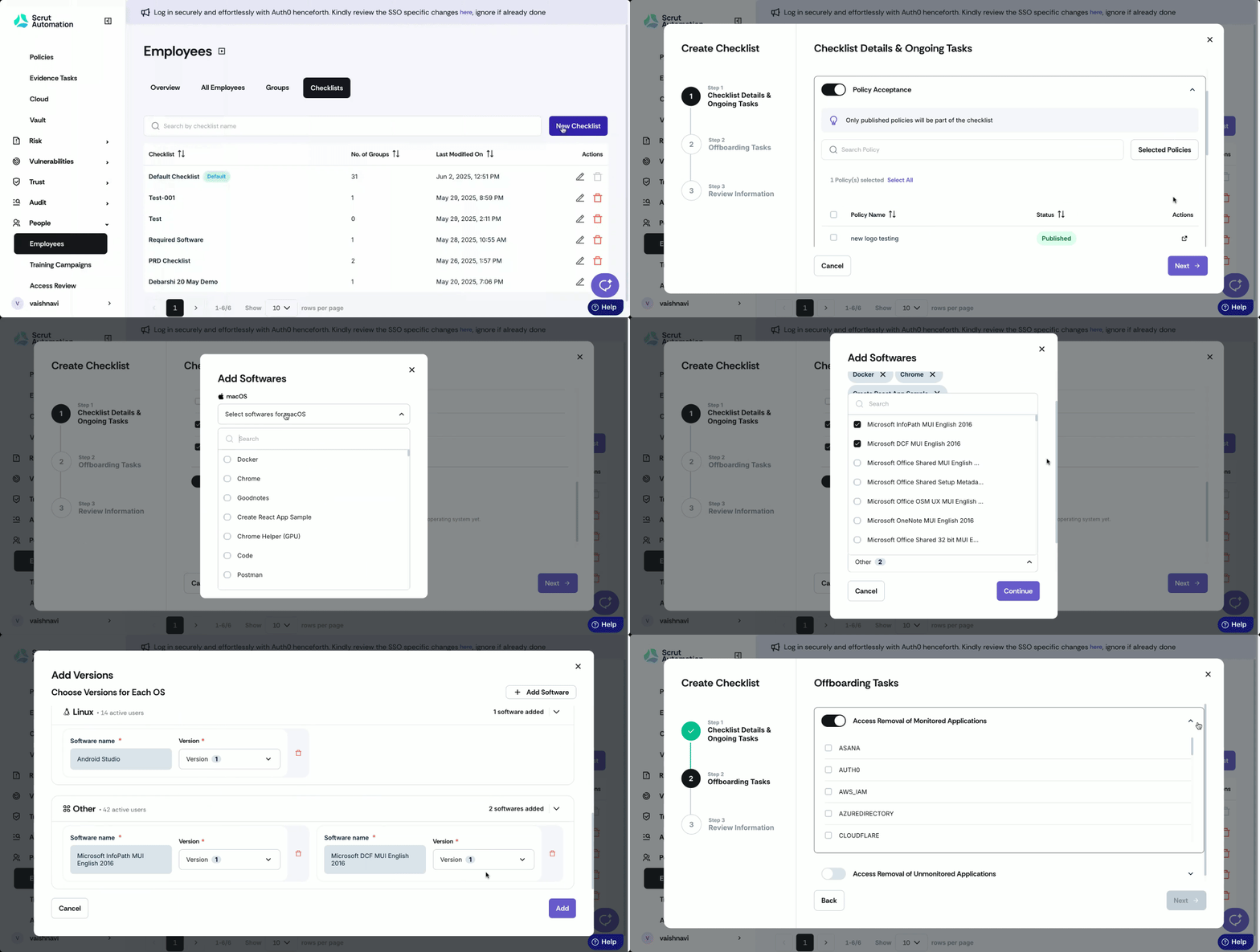
Enter the name for your checklist.
-
Configure required ongoing and offboarding tasks.
-
Review the selections you made in the previous steps and save your changes.
-
The new checklist will be visible in the People → Employee → Settings → Checklists tab.
Was this page helpful?