

Monitor a Risk
Who can use this feature
- Supported on Foundation, Growth, and Scale plans
Dynamic risk monitoring continuously assesses risks to ensure controls are effective and to identify new risks, enhancing the organization’s risk management strategy with greater clarity and control.
How To Monitor a Risk
-
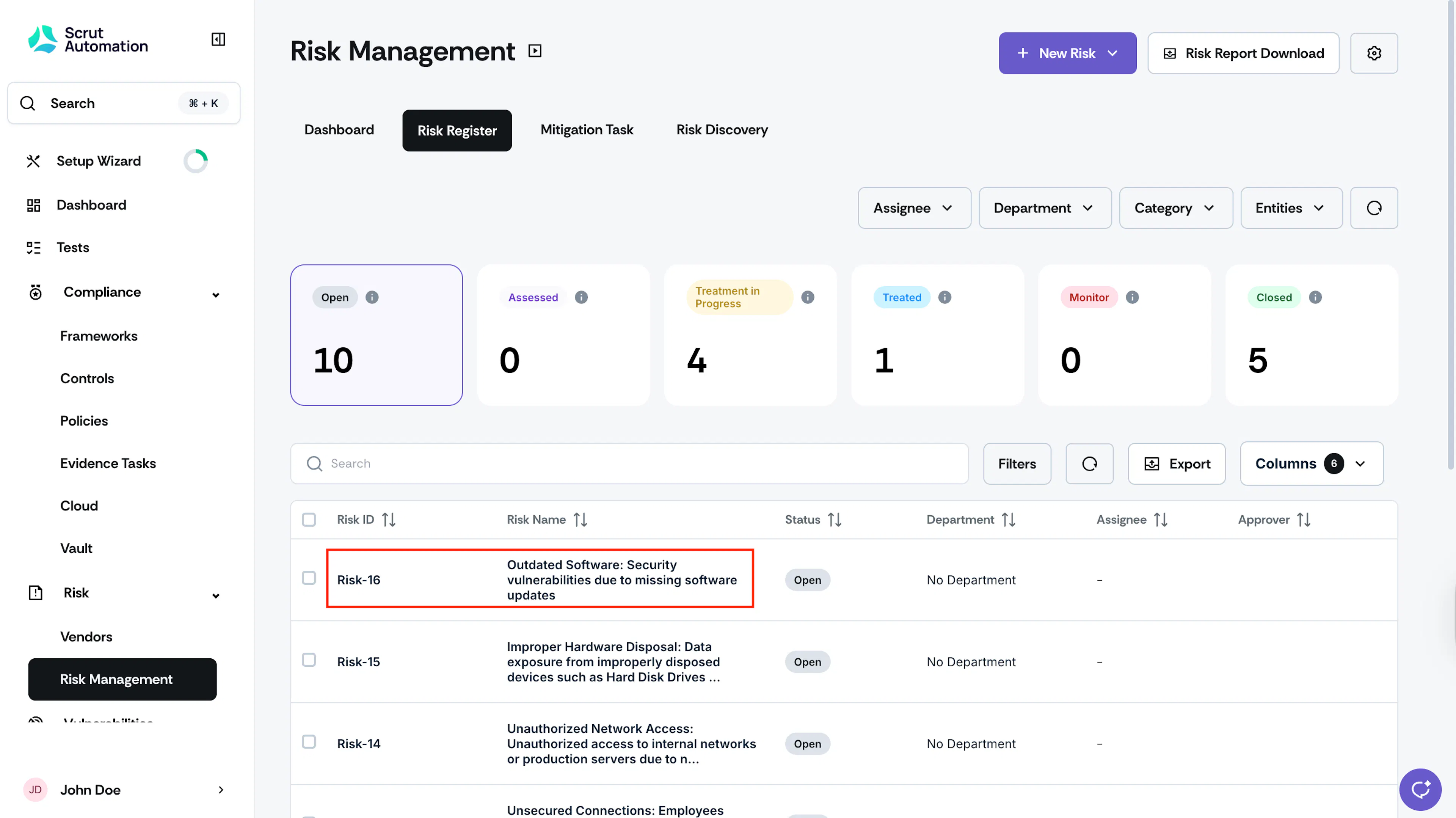
Click Risk → Risk Management on the left navigation panel, and go to the Risk Register tab.
-
Click on the risk you want to monitor.
-
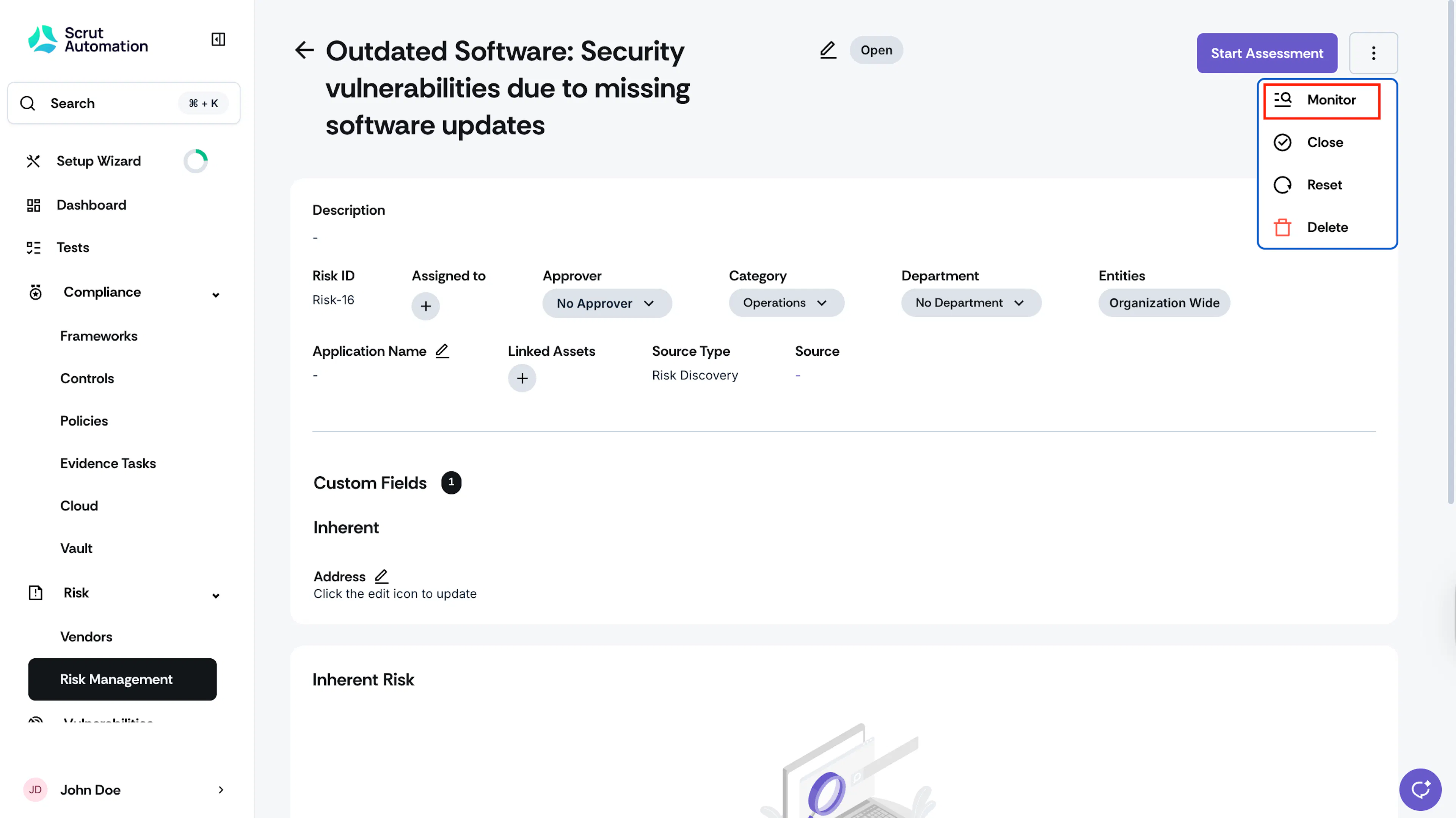
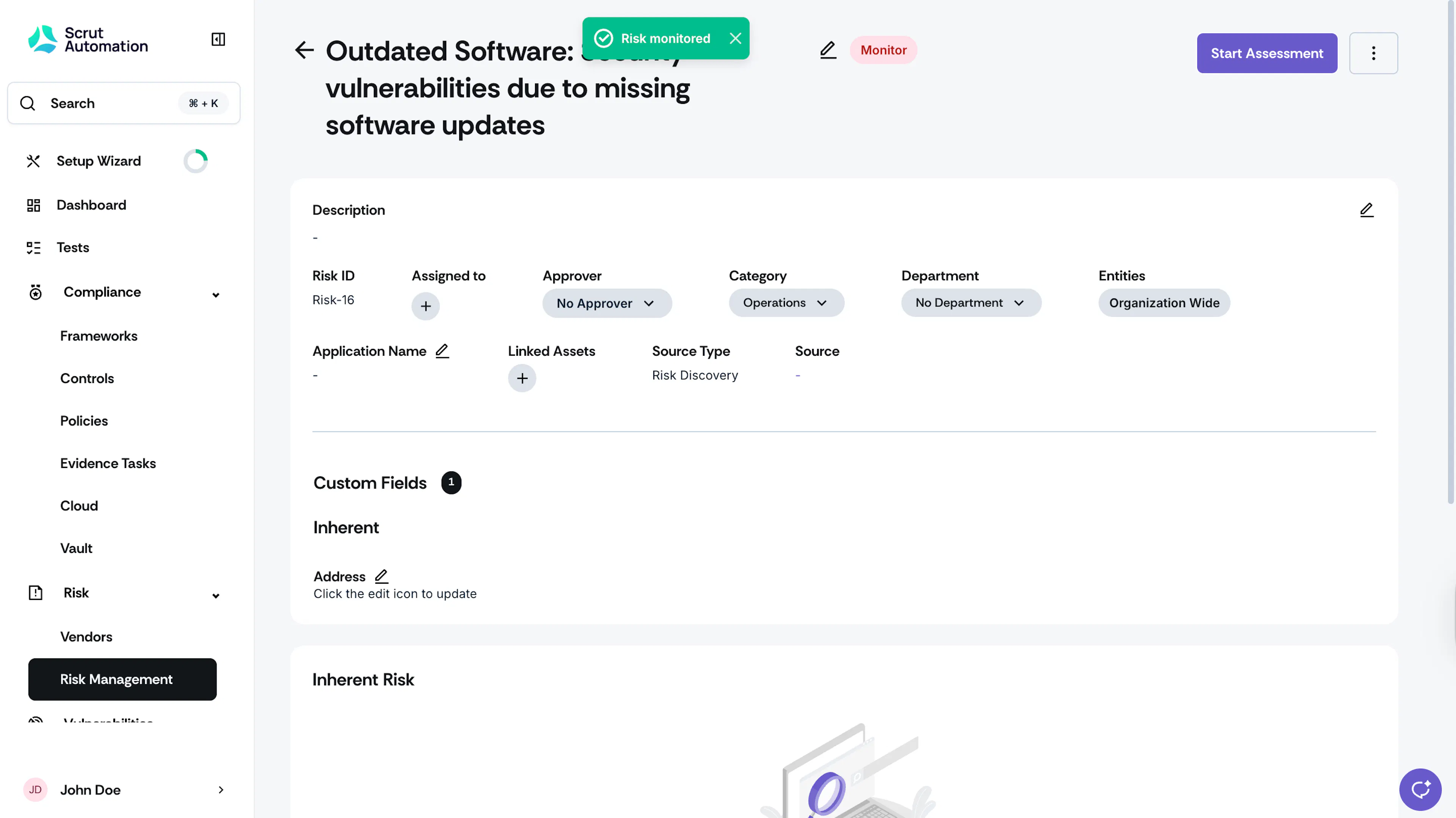
Click the three-dots icon at the top right, and click Monitor.
Monitoring Multiple Risks
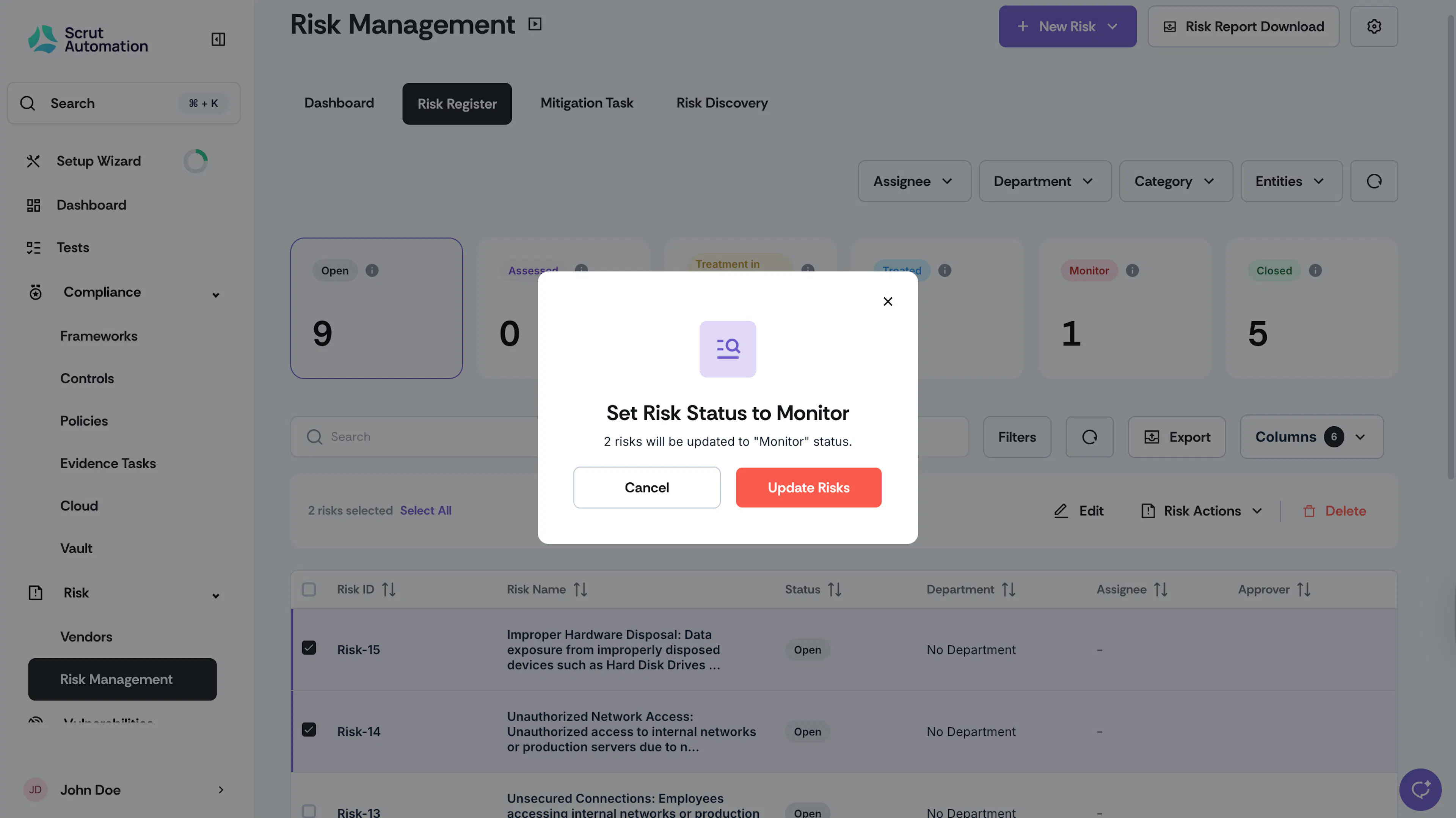
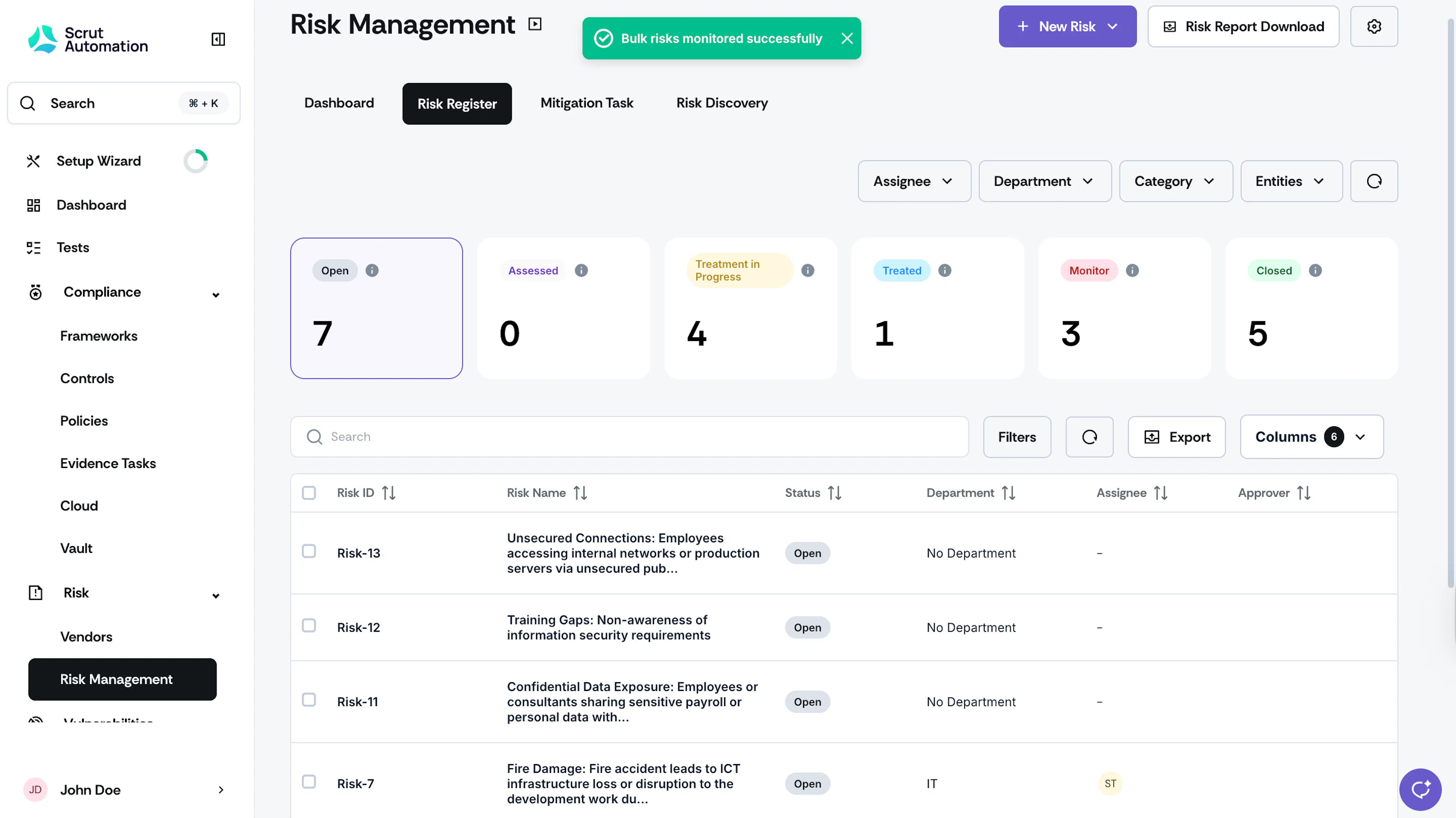
You can also update the status of multiple risks to Monitor:
-
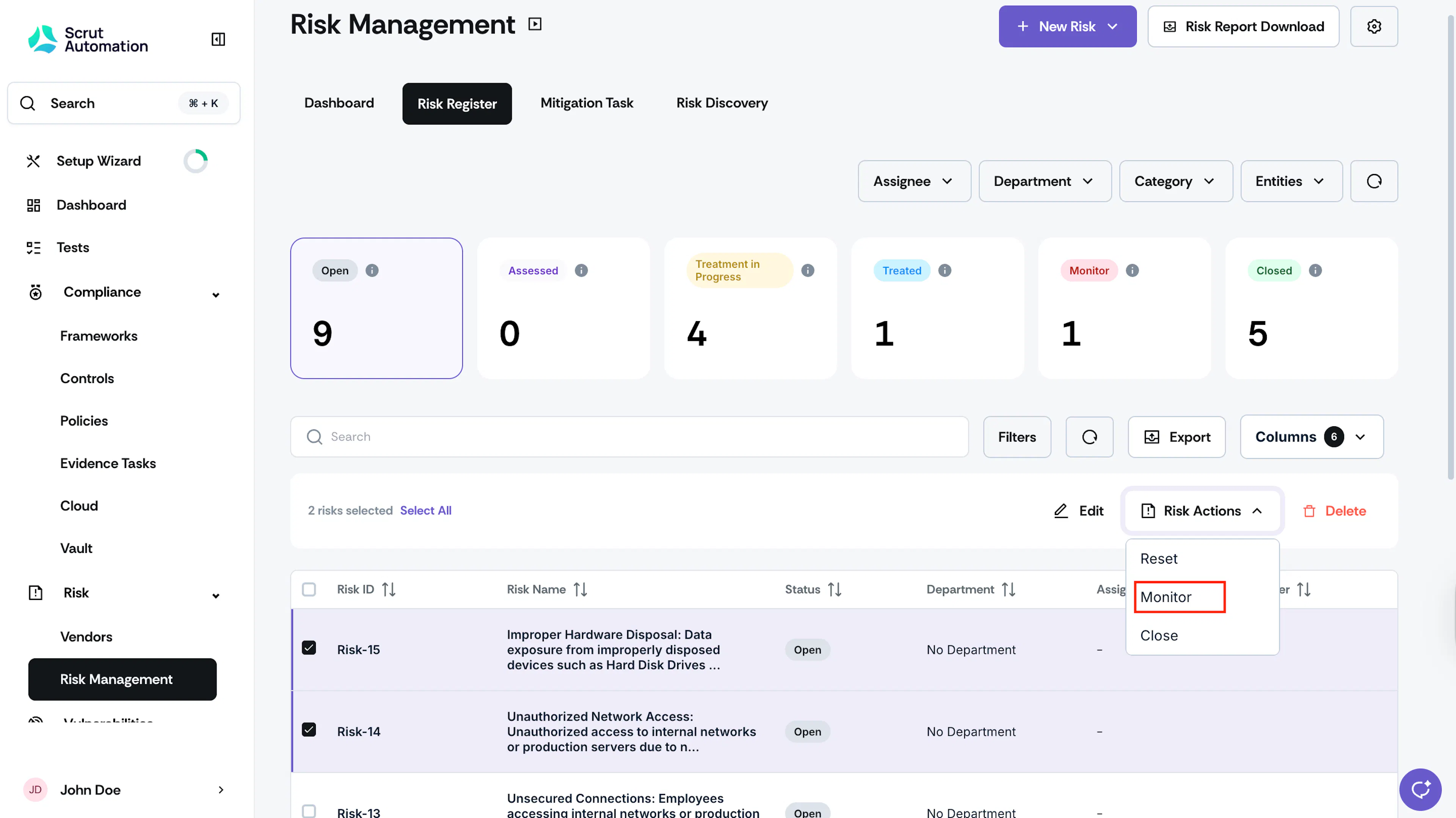
Click Risk → Risk Management on the left navigation panel, and go to the Risk Register tab.
-
Select the risks you want to monitor.
-
Click Risk Actions and choose Monitor.
Note:
User actions may impact the status of a monitored risk. For example:
- Conducting an inherent assessment on a monitored risk changes its status to Treatment in Progress.
- Performing a residual assessment on a monitored risk changes its status to Treated.
- Adding a mitigation task to a monitored risk changes its status to Treatment-in-progress.
Was this page helpful?