

Reset a Risk
Who can use this feature
- Supported on Foundation, Growth, and Scale plans
In risk management, resetting a risk refers to re-evaluating a particular risk based on new information. Resetting a risk ensures that its current status, scores, and linked controls are updated to null, allowing for new evaluations and assessments.
How To Reset a Risk
-
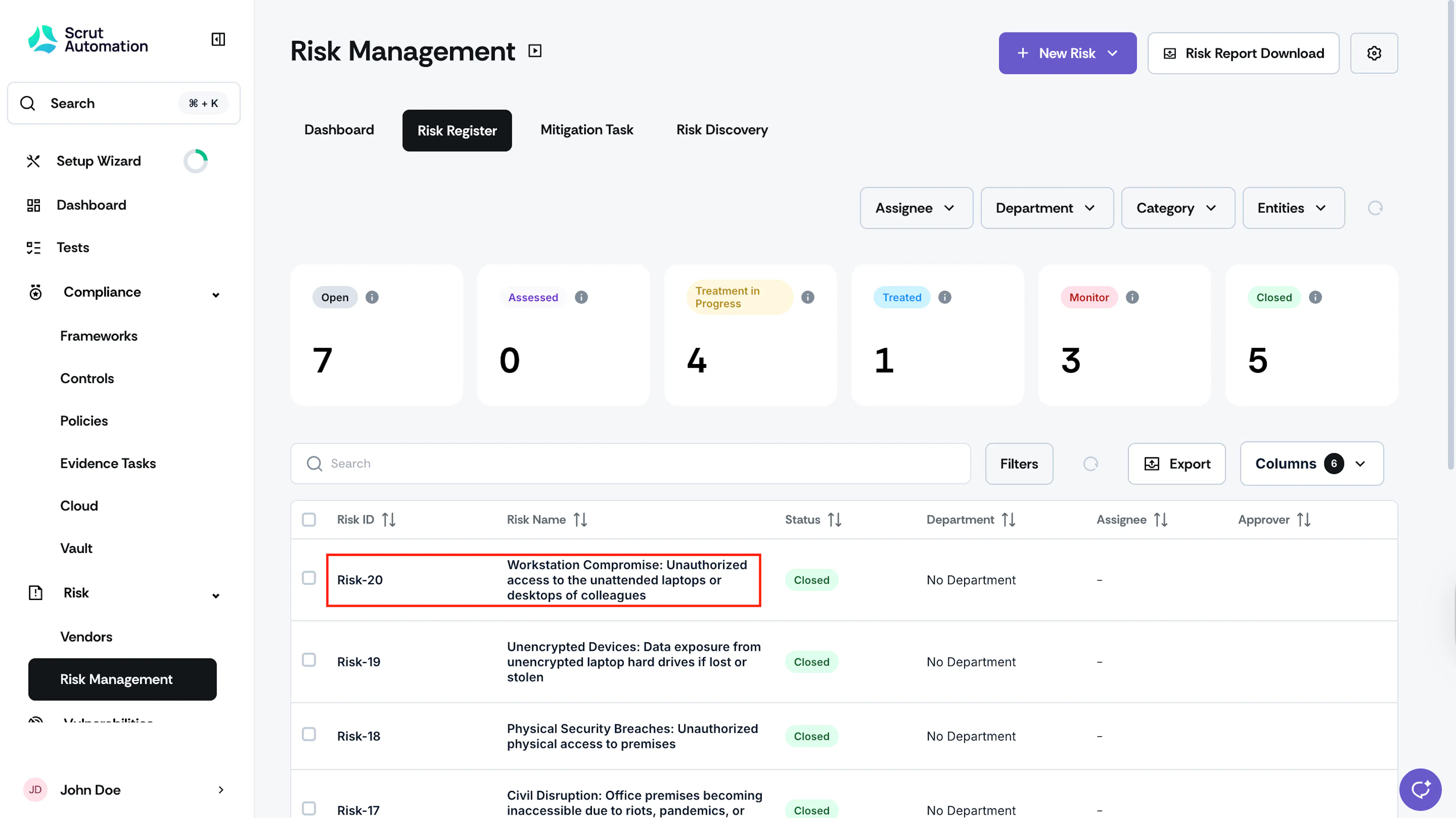
Click Risk → Risk Management on the left navigation panel, and go to the Risk Register tab.
-
Click on the risk you want to reset.
-
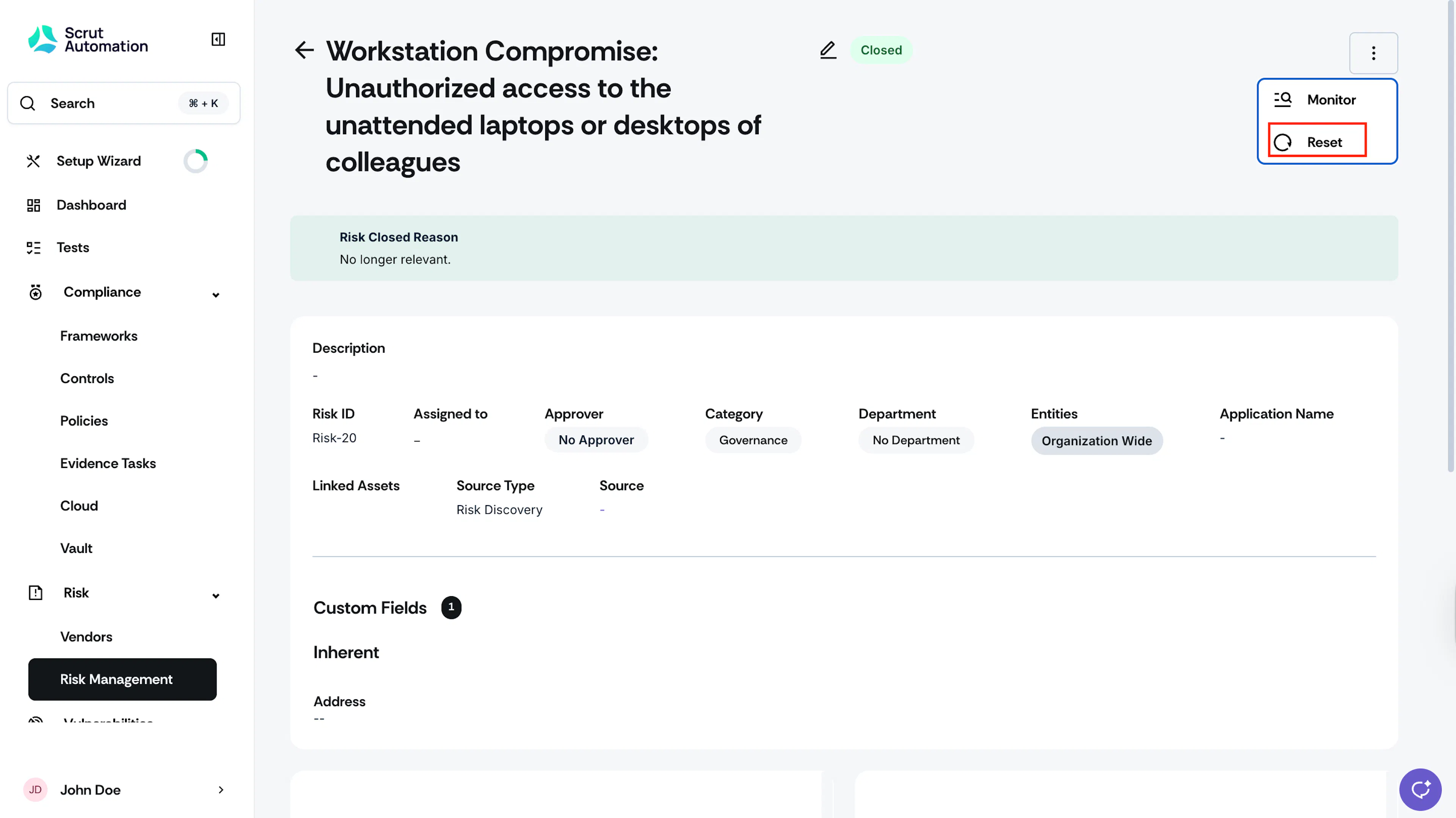
Click the three-dots icon at the top right, and click Reset.
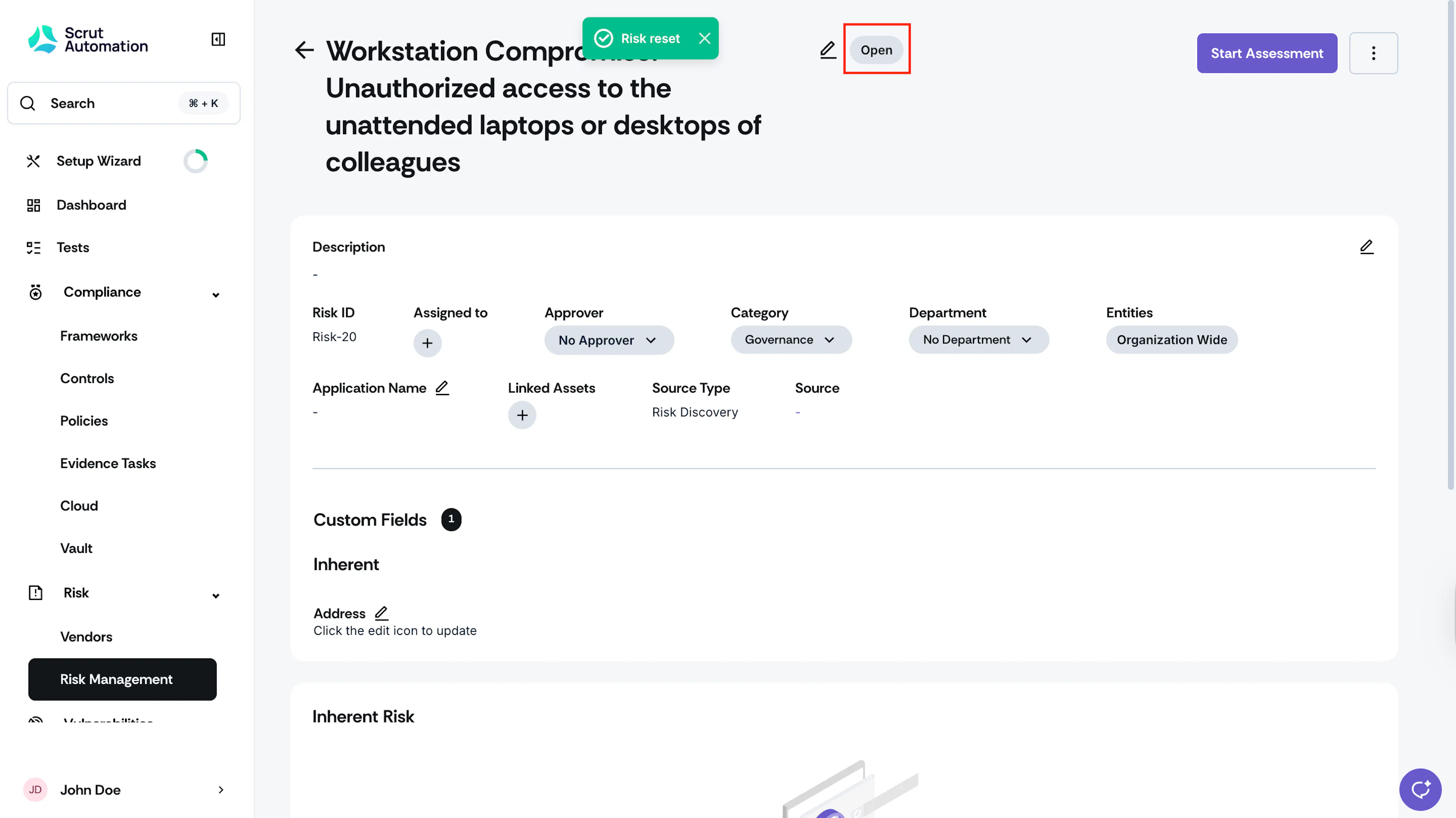
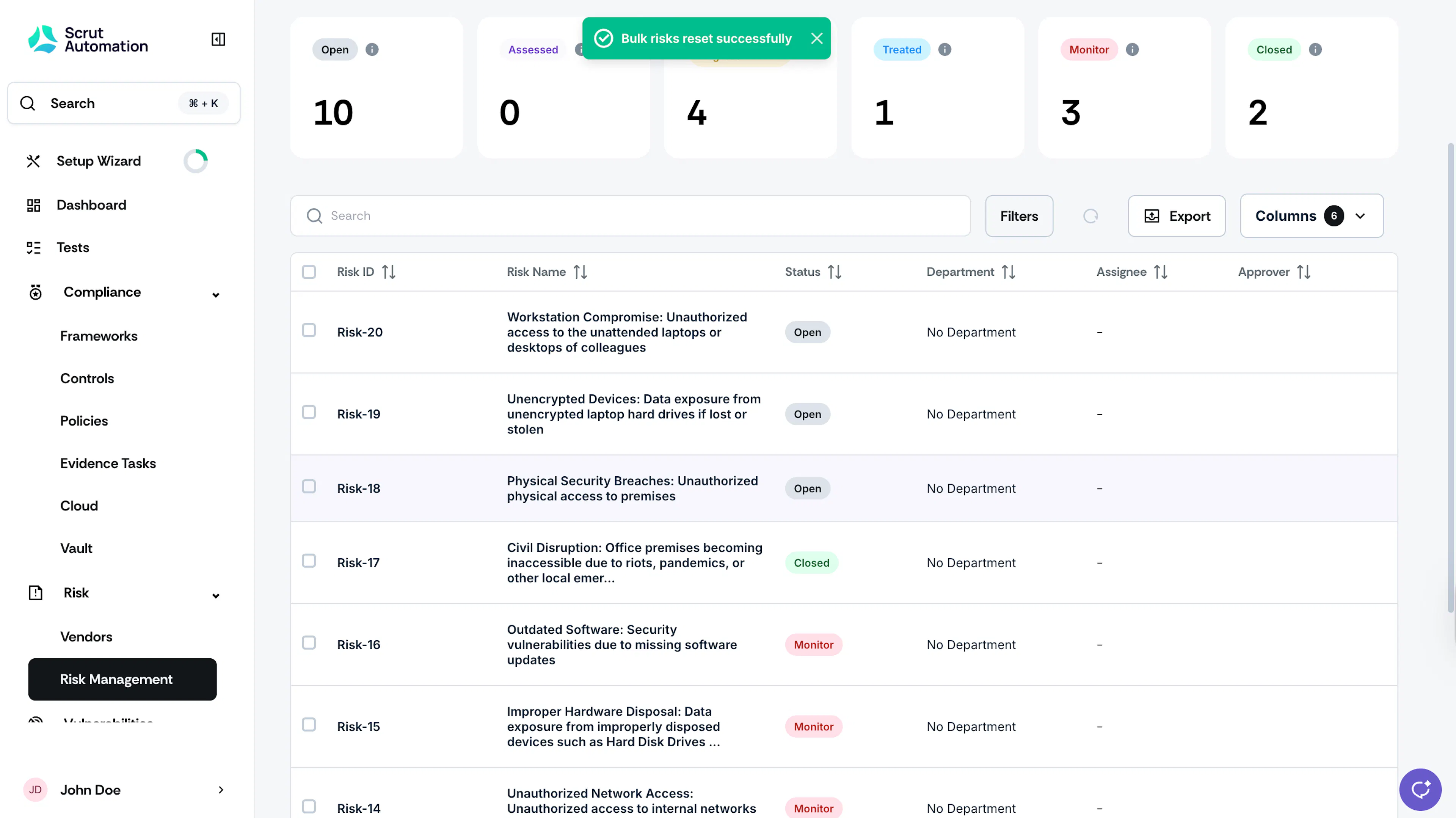
\4. The risk will then move to Open status.
Resetting Multiple Risks
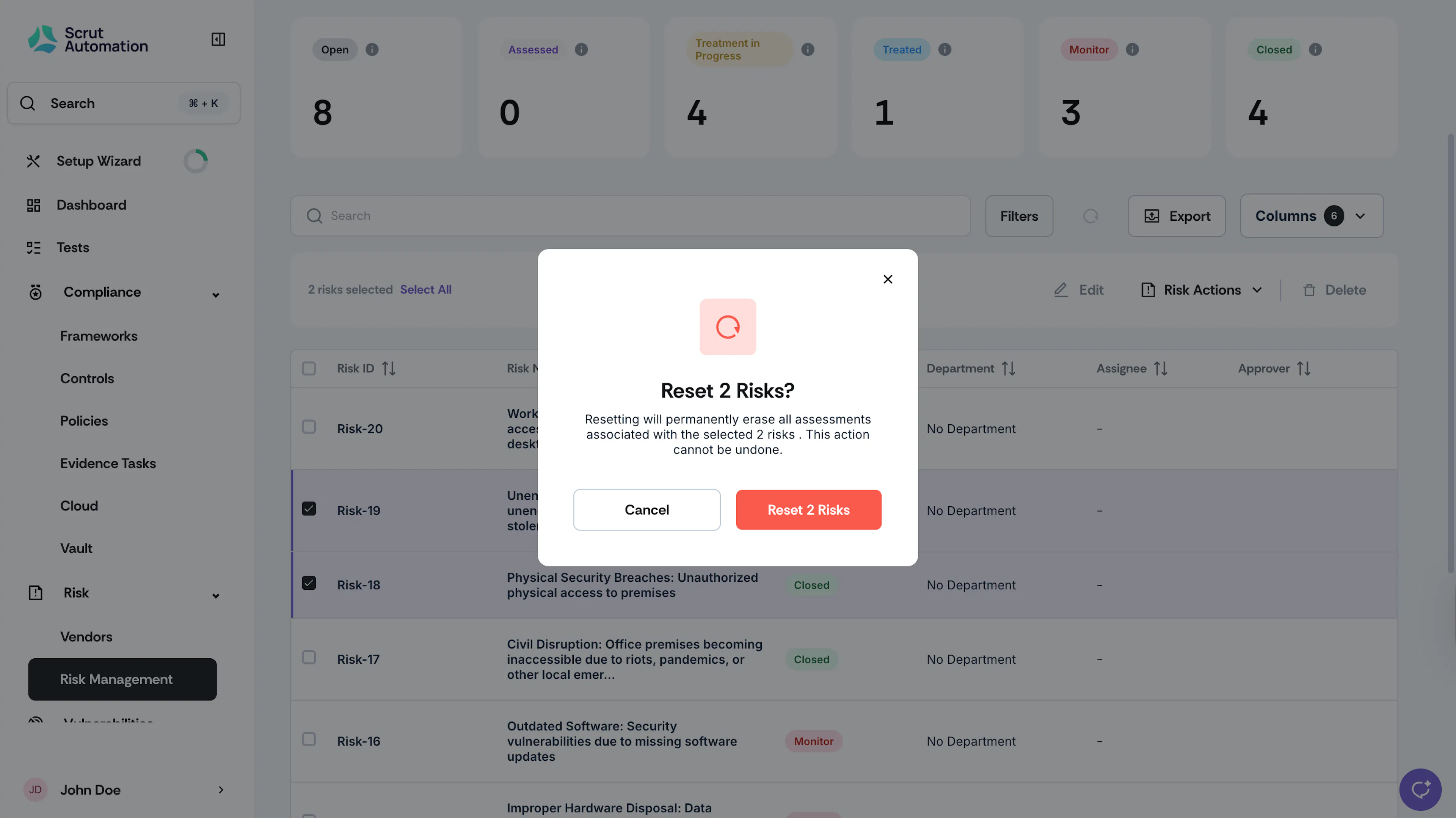
You can also reset multiple risks simultaneously.
-
Click Risk → Risk Management on the left navigation panel, and go to the Risk Register tab.
-
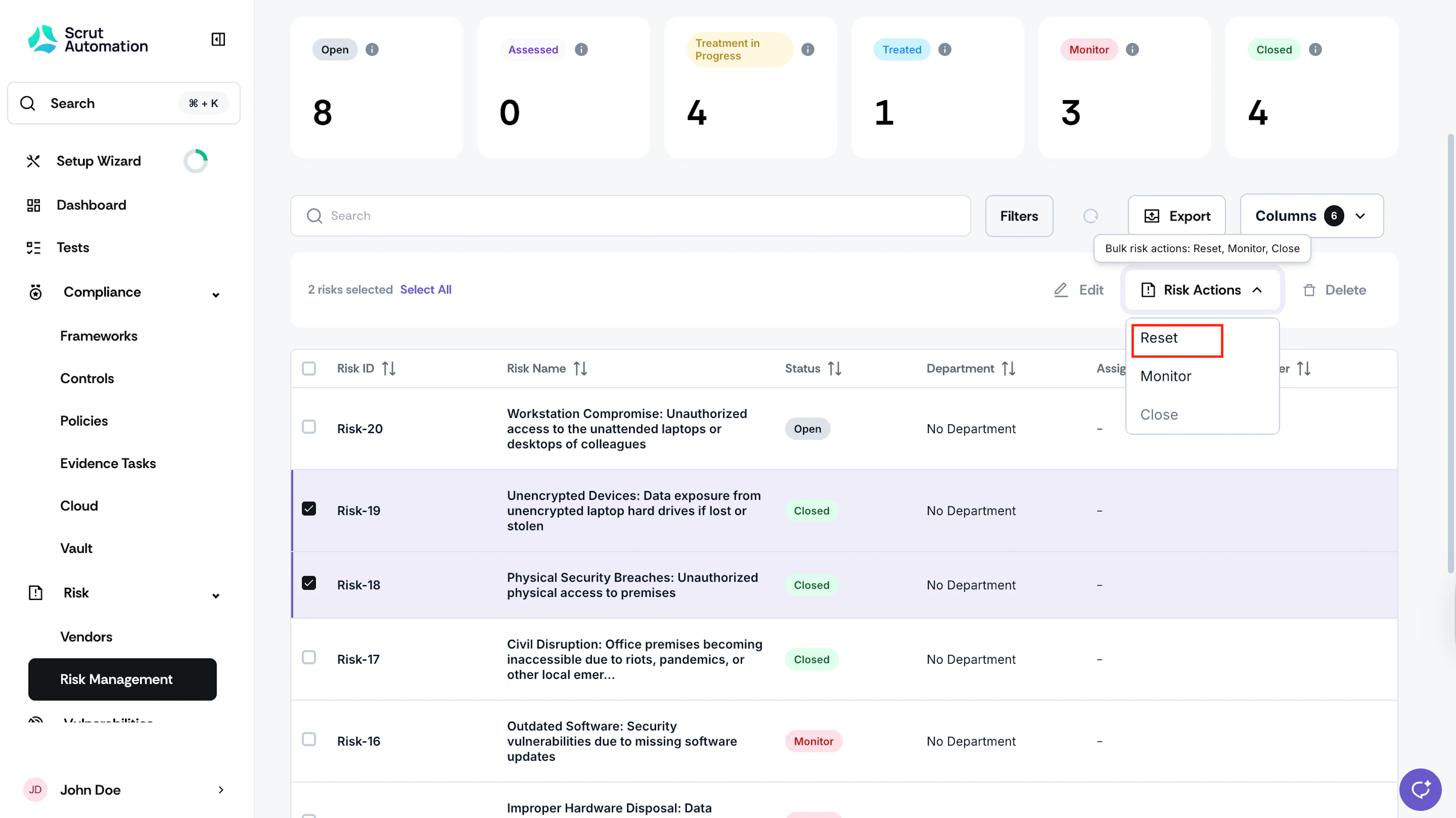
Select the risks you want to reset.
-
Click Risk Actions and choose Reset.
Was this page helpful?