

Training Campaigns: Walkthrough
This guide will help you navigate the People → Training Campaigns module in Scrut and understand its key features and functionalities.
What are Training Campaigns?
Scrut provides pre-built, expert-designed, in-platform training courses that you can use to educate your employees on critical cybersecurity topics. Some of the default training campaigns available out of the box in Scrut include: HIPAA Training, ISMS Training, GDPR Training, ISO 27701 Training, and ISO 9001 - QMS Training.
A key feature of these training campaigns is that you can customize them to meet your organization’s unique security and compliance requirements. Additionally, you can then assign these personalized training programs to specific employee groups, making the training relevant to their roles.
Employees can conveniently access the assigned training directly through the Scrut employee portal. Furthermore, you can send reminders to employees to complete their training, track and monitor their progress and results, all without leaving Scrut.
How To Access the Training Campaigns Module
Sign in to Scrut and go to People → Training Campaigns using the left navigation panel. This takes you to the Training Campaigns module, where you can view detailed information about all your campaigns.
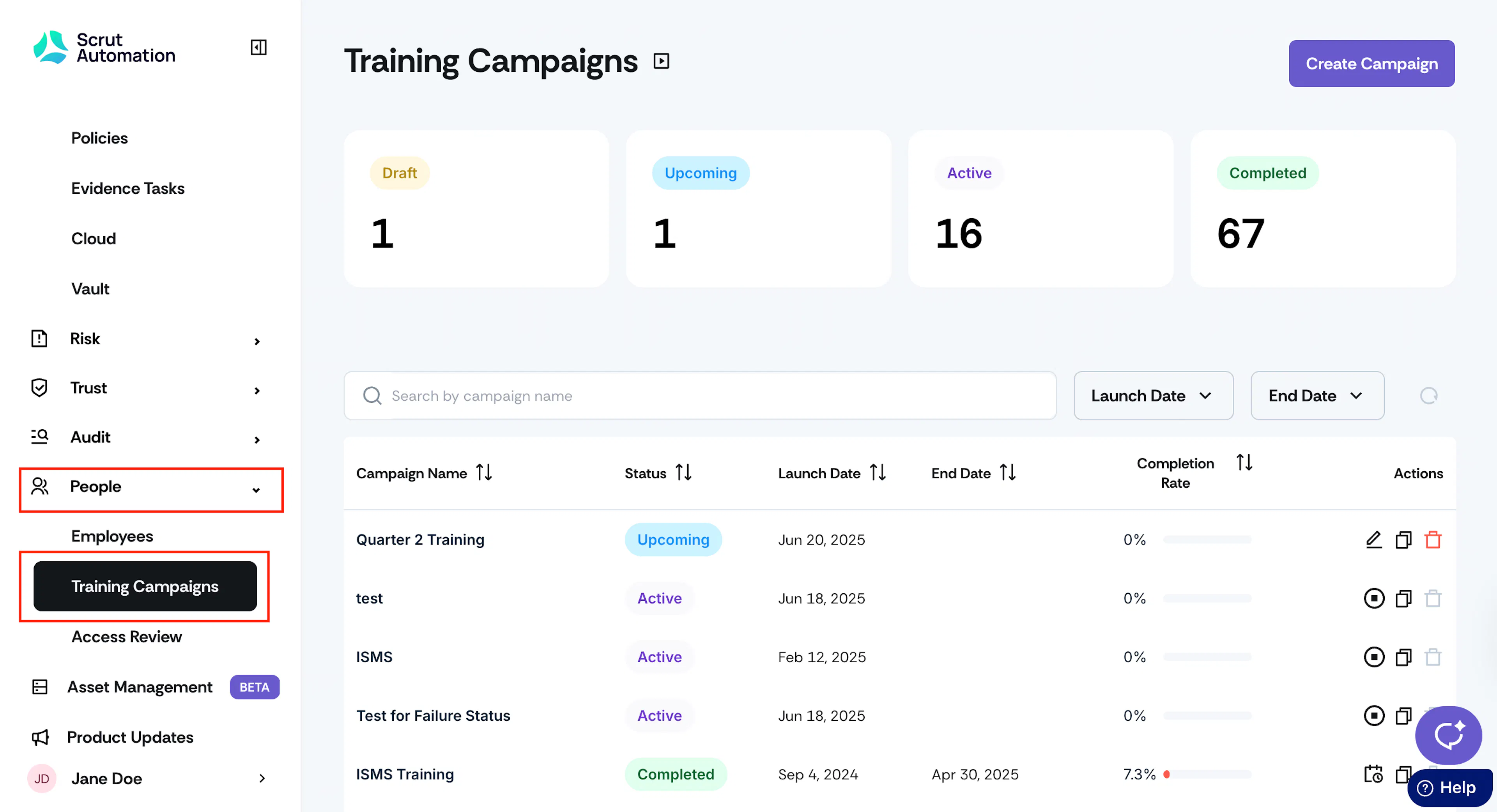
Campaign Details
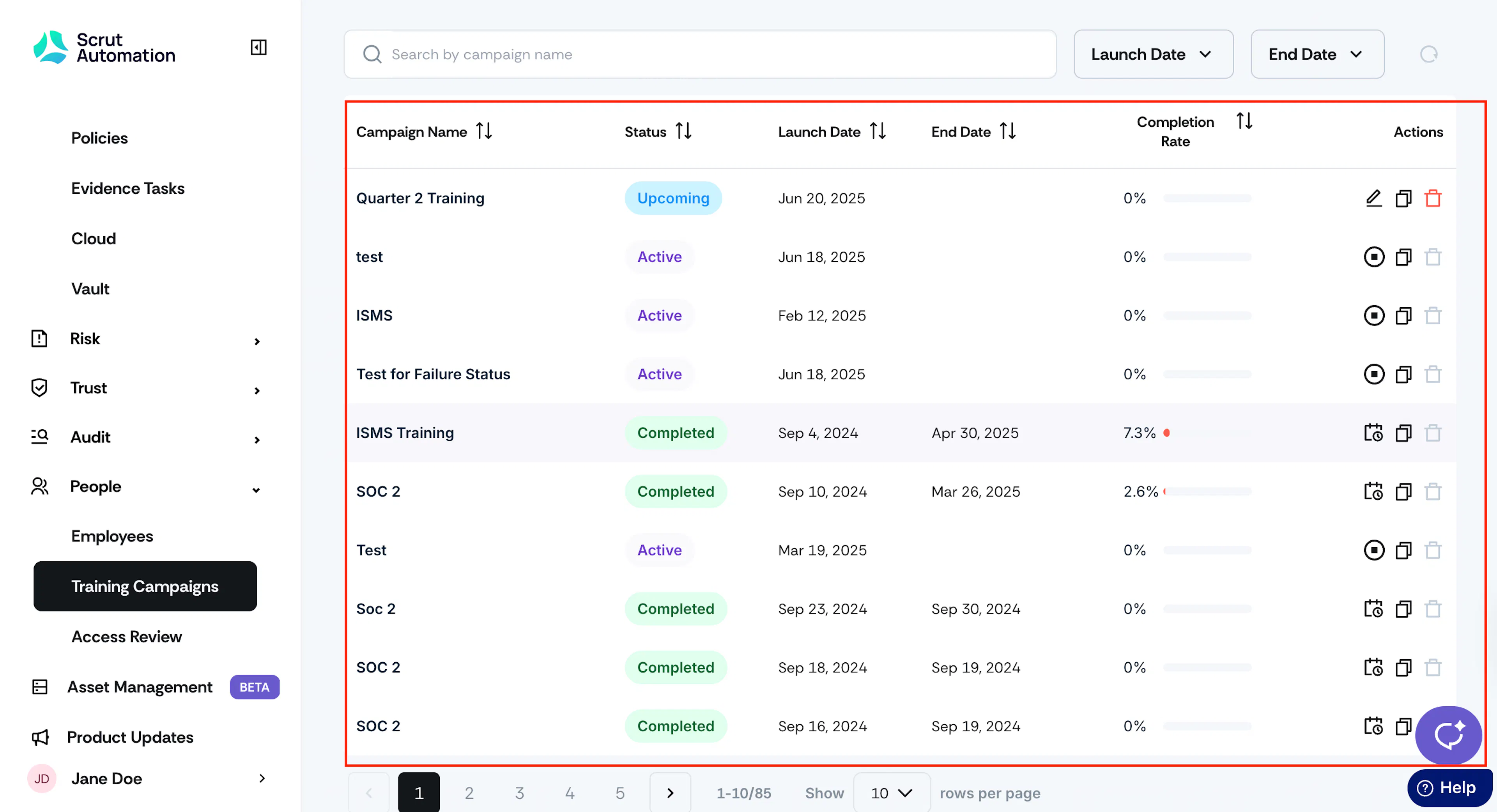
The table on the Training Campaigns page includes the following details:
- Campaign Name: The campaign title.
- Launch Date: The date on which the campaign officially starts and becomes active. Employees will see the campaign in the employee portal on the launch date.
- End Date: The date on which the campaign completes. Employees will no longer be able to access the campaign from the employee portal after the end date.
- Completion Rate: This metric measures the campaign's completion rate. It's expressed as a percentage and calculated using the following formula: (Number of employees who have completed / Total employees in the campaign) × 100.
- Status: The current status of the campaign, such as Draft, Upcoming, Active, or Completed.
Campaign Actions
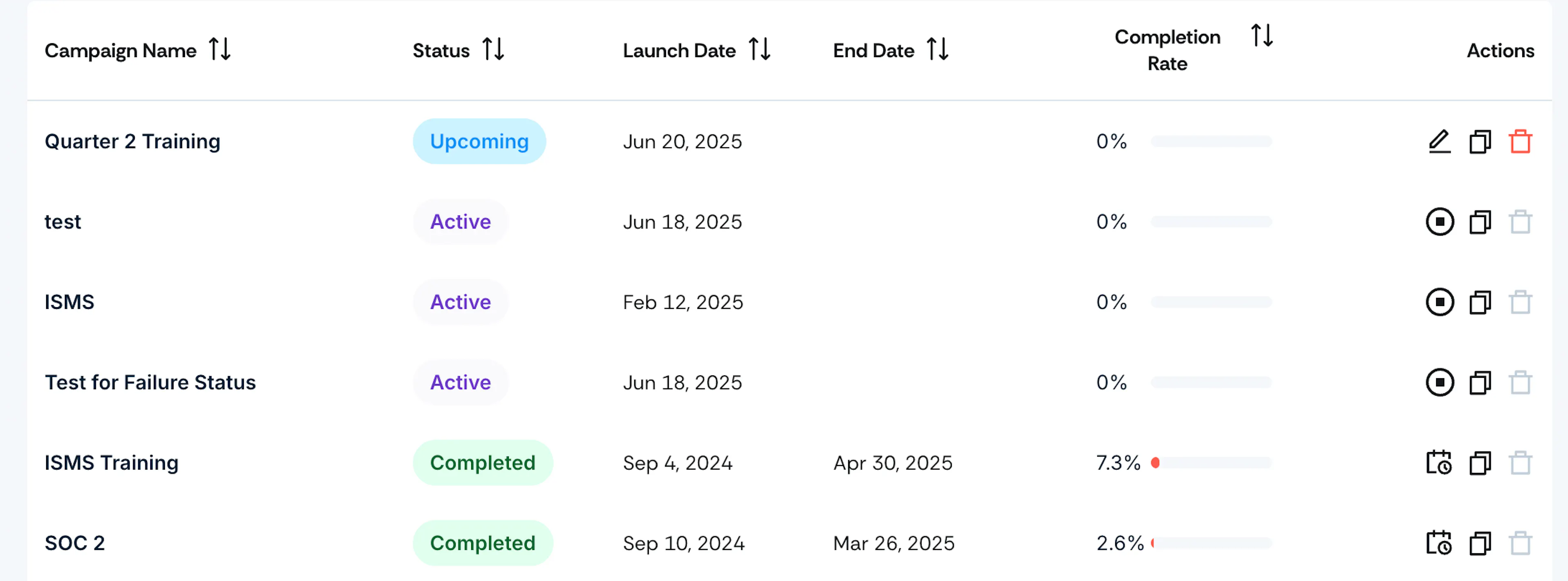
You can perform the following actions on campaigns from the table:
- Edit: Modify campaign details and training materials. This action is allowed for campaigns with statuses Draft and Upcoming.
- Clone: Create a duplicate of the campaign. Available for Draft, Upcoming, Active, and Completed campaigns.
- Delete: Remove campaigns from Scrut. Allowed only for Draft and Upcoming campaigns.
- End: Conclude an ongoing campaign. This action is available only for Active campaigns.
- Reschedule: Change a campaign's date and time. This action is available only for completed campaigns.
Campaign Statuses
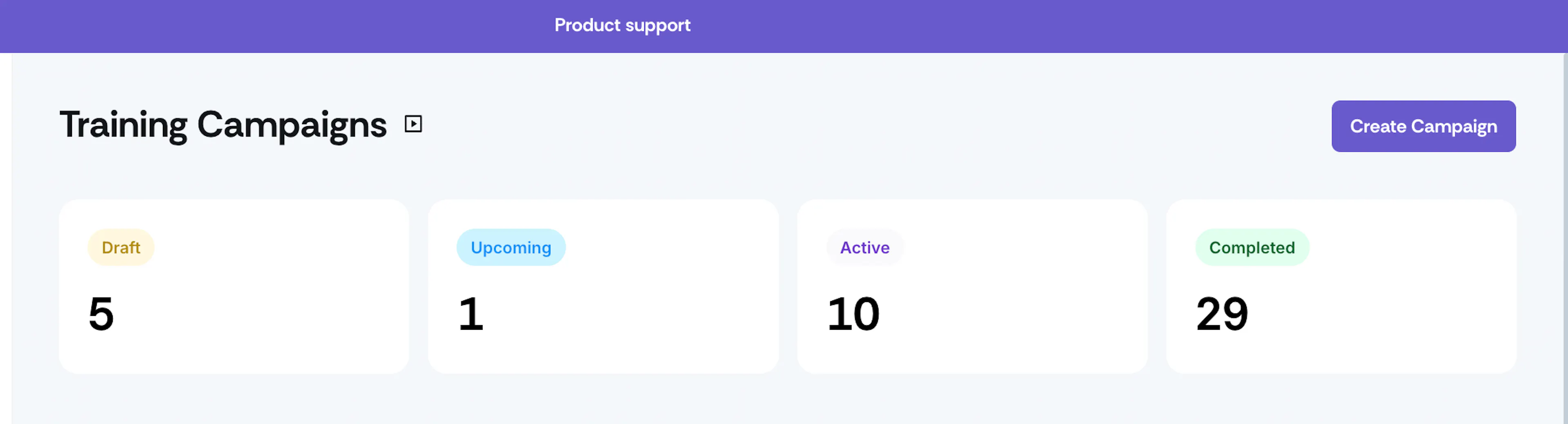
- Draft: Campaigns in the Draft status are in the initial planning and configuration phase. These campaigns are not published, meaning they're not yet visible to employees on the employee portal. So, no reminders will be sent for these campaigns.
- Upcoming: Campaigns in the Upcoming status are scheduled to start on a future date. Although they have been set up and are ready to launch, they are not yet active. During this status, you can still edit the campaign to modify the training materials and quizzes.
- Active: Campaigns that are currently running. This means that employees are actively participating in the campaign, undergoing training, and completing quizzes or assignments. Daily reminders to complete the training will be sent to employees.
- Completed: When the campaign ends, it moves to the completed state. At this stage, employees will not be able to see the campaign in the employee portal.
Heads Up!
Scrut has renamed the Security Awareness label to Training Campaigns. This change is to ensure clarity and alignment with diverse use cases, and is purely a renaming update; there are no changes to functionality.