

How to Keep Trust Vault Policy Attachments Up to Date
When you attach policies to your Trust Vault, they are added as PDF files. If a policy is updated and republished, Trust Vault will not automatically sync the changes. Instead, you'll need to manually sync the attachment to ensure your Trust Vault displays the latest version.
How to Sync Policy Attachments
Identify Policies That Need Syncing
When a new version of an attached policy becomes available, Trust Vault will display a sync indicator next to the compliance or control. This indicates that an updated version is ready to be synced.
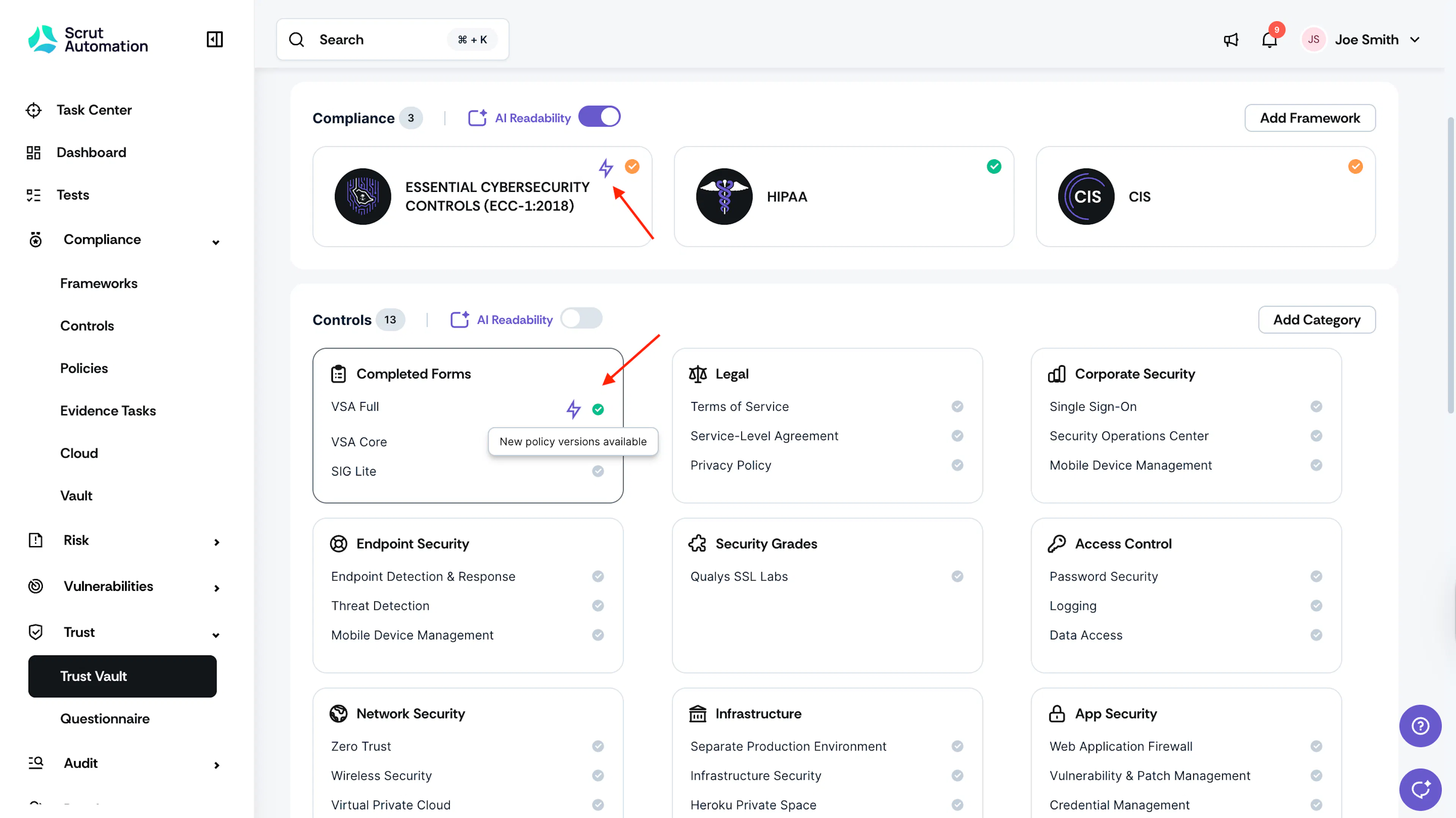
Preview & Sync Updated Policies
-
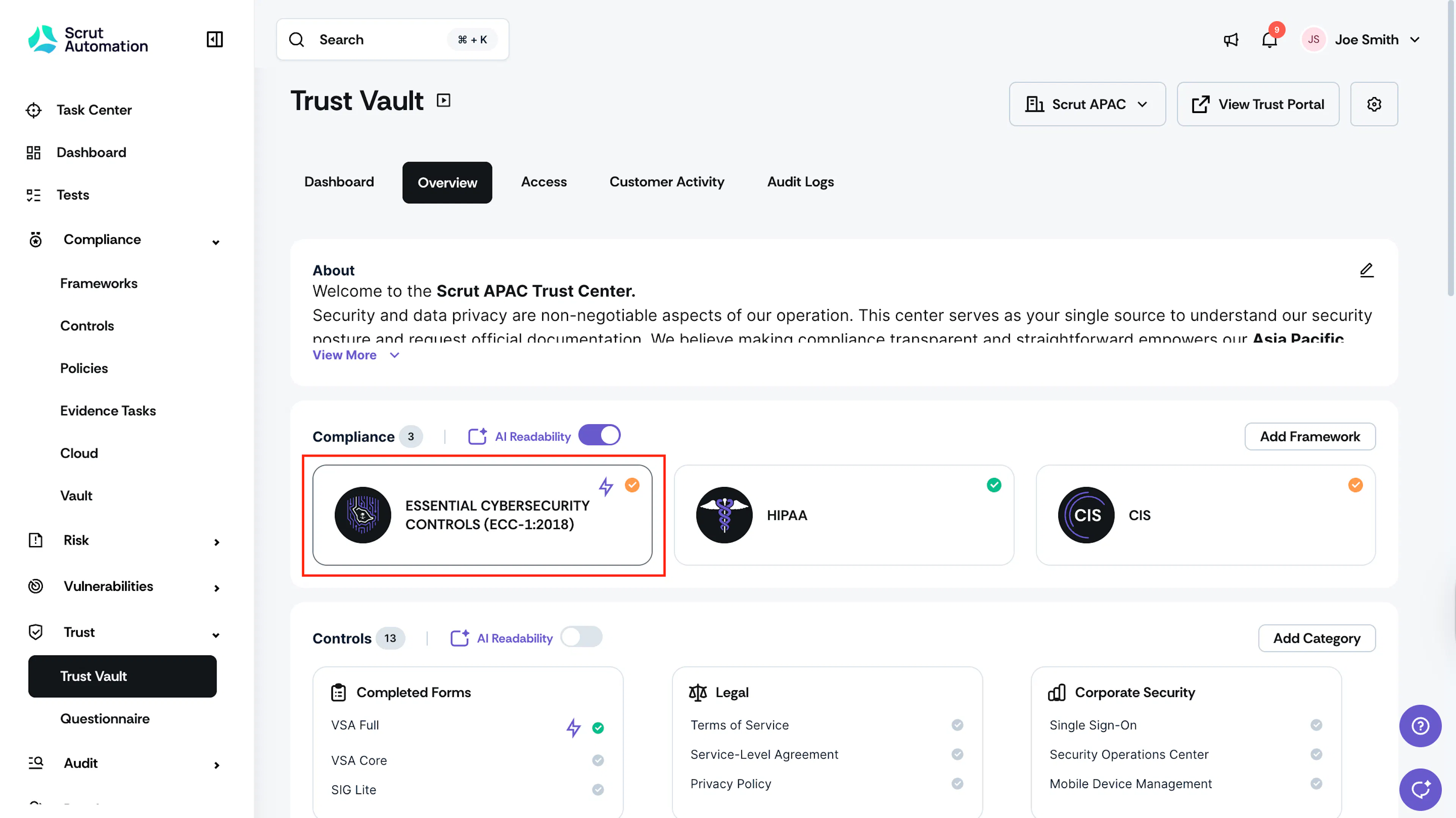
Click on the Compliance or Control that shows a sync indicator.
-
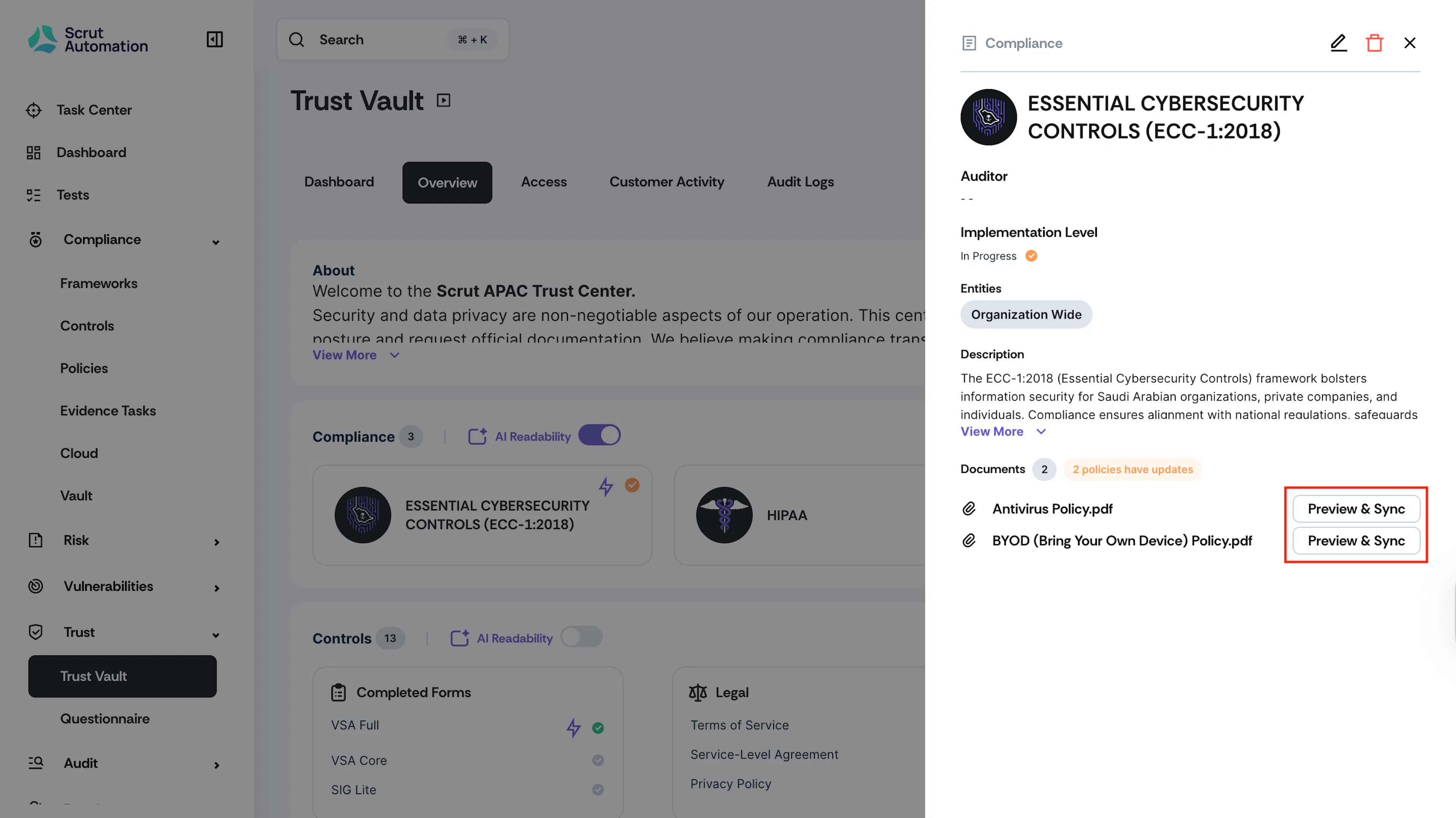
Click the Preview and Sync button to review the updated policy.
-
Review the changes in the preview window to ensure the new version is what you want to display.
-
Click Sync Latest Version to Trust Portal to update the attachment to the latest published version.
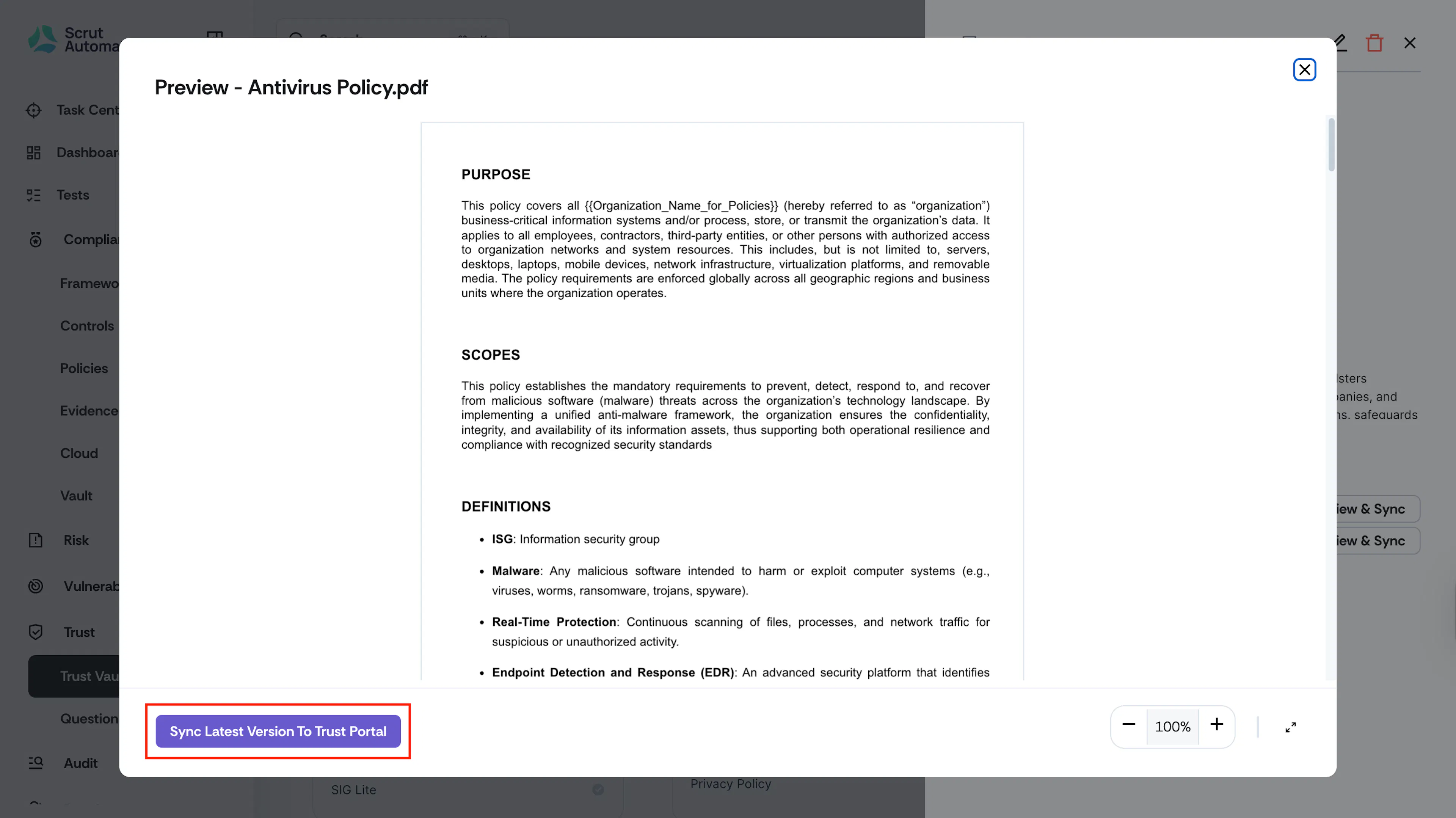
Once synced, the policy attachment in Trust Vault will be replaced with the latest published version as a PDF.
Important Notes
- Only published policies can be attached to the Trust Portal
- Syncing is manual: No auto updates; You control when attachments are updated
- Sync is only available for policies edited through Scrut’s Policy Editor. It does not work for policies uploaded as an external file or linked via Confluence or SharePoint.
Pro Tips!
- Check the Trust Vault periodically for sync indicators to keep policies current
- Coordinate with your policy management team to stay informed about policy changes