Add Organization Description
Who can use this feature
- Supported on Foundation, Growth, and Scale plans
The organization description is one of the first things visitors see when they land on your Trust Portal. It plays a critical role in establishing credibility and providing context about your organization's security posture and compliance efforts.
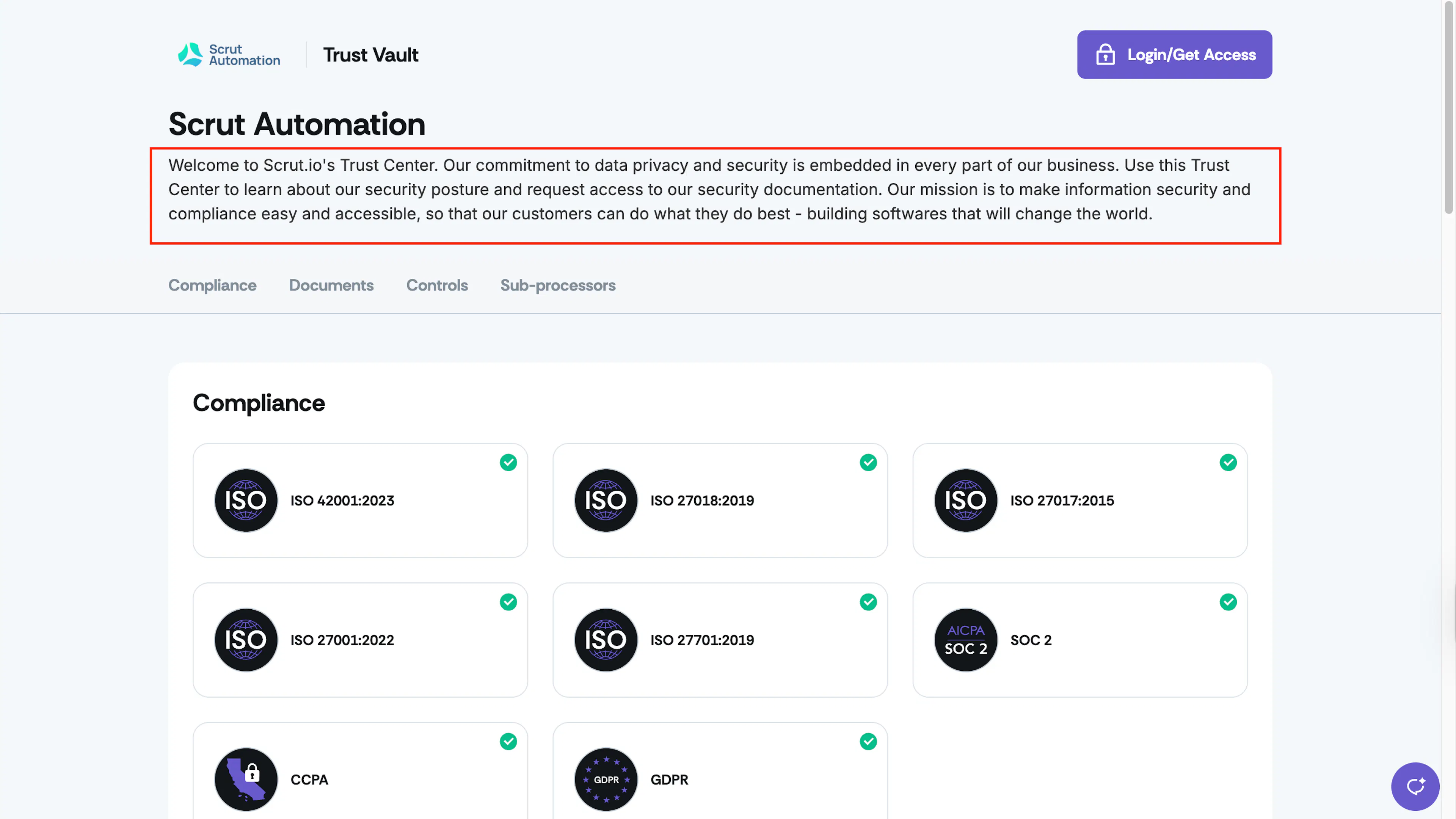
Where it appears: The org description is displayed at the top of your Trust Portal, directly below the header and before any compliance frameworks, documents, or other sections. It's visible to all visitors—both signed-in users and anonymous visitors—giving you an opportunity to communicate your organization's commitment to security and data privacy.
How to Update Your Organization Description
-
Sign in to Scrut and navigate to Trust → Trust Vault using the left navigation panel.
-
Click the Overview tab.
-
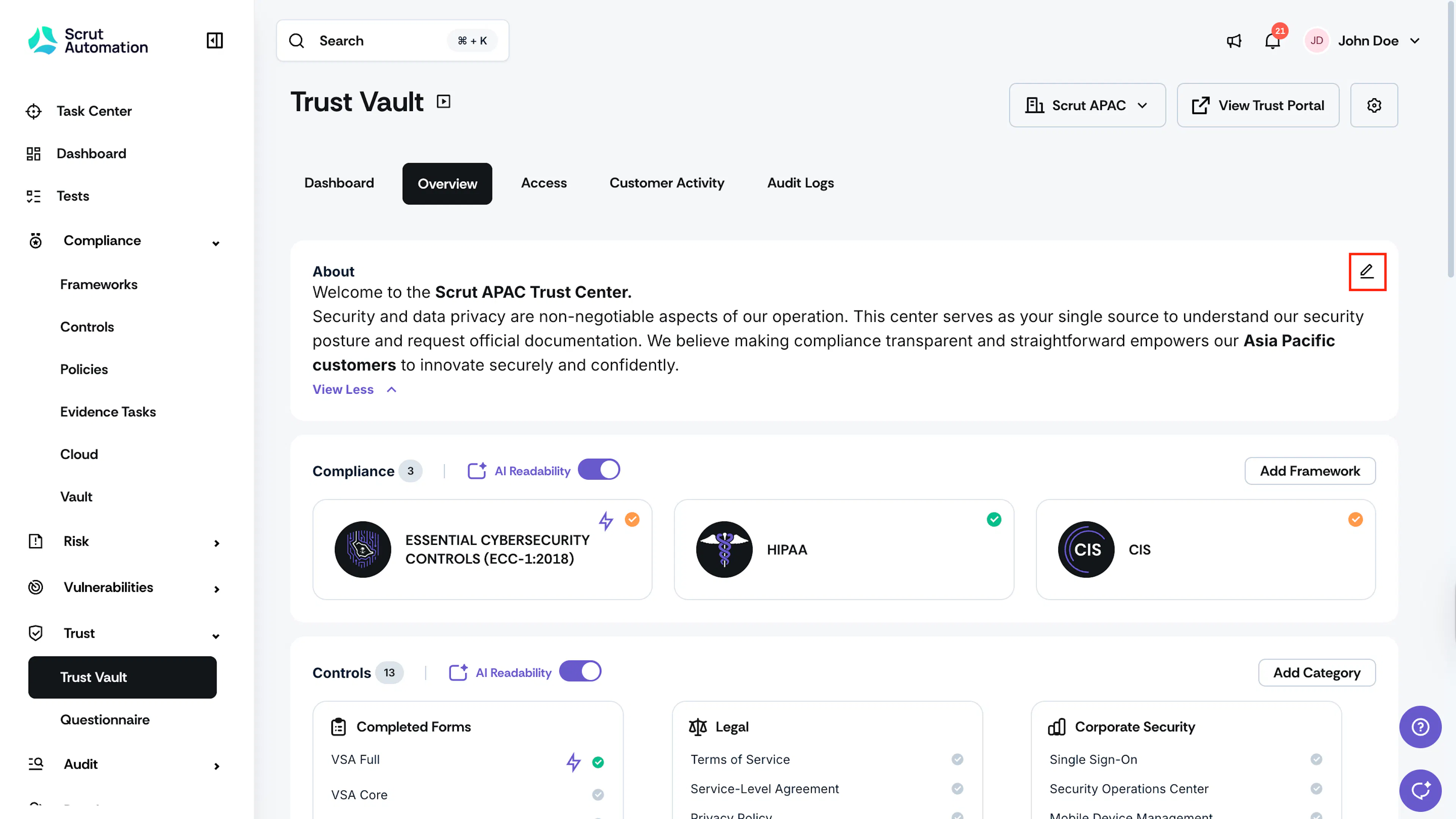
In the About section, click the pencil icon to open the description editor.
-
Enter or update your organization description. Consider including:
- A brief overview of your organization and what you do
- Your commitment to security and compliance
- Key compliance certifications or frameworks you follow
- Any relevant security practices or standards you maintain
-
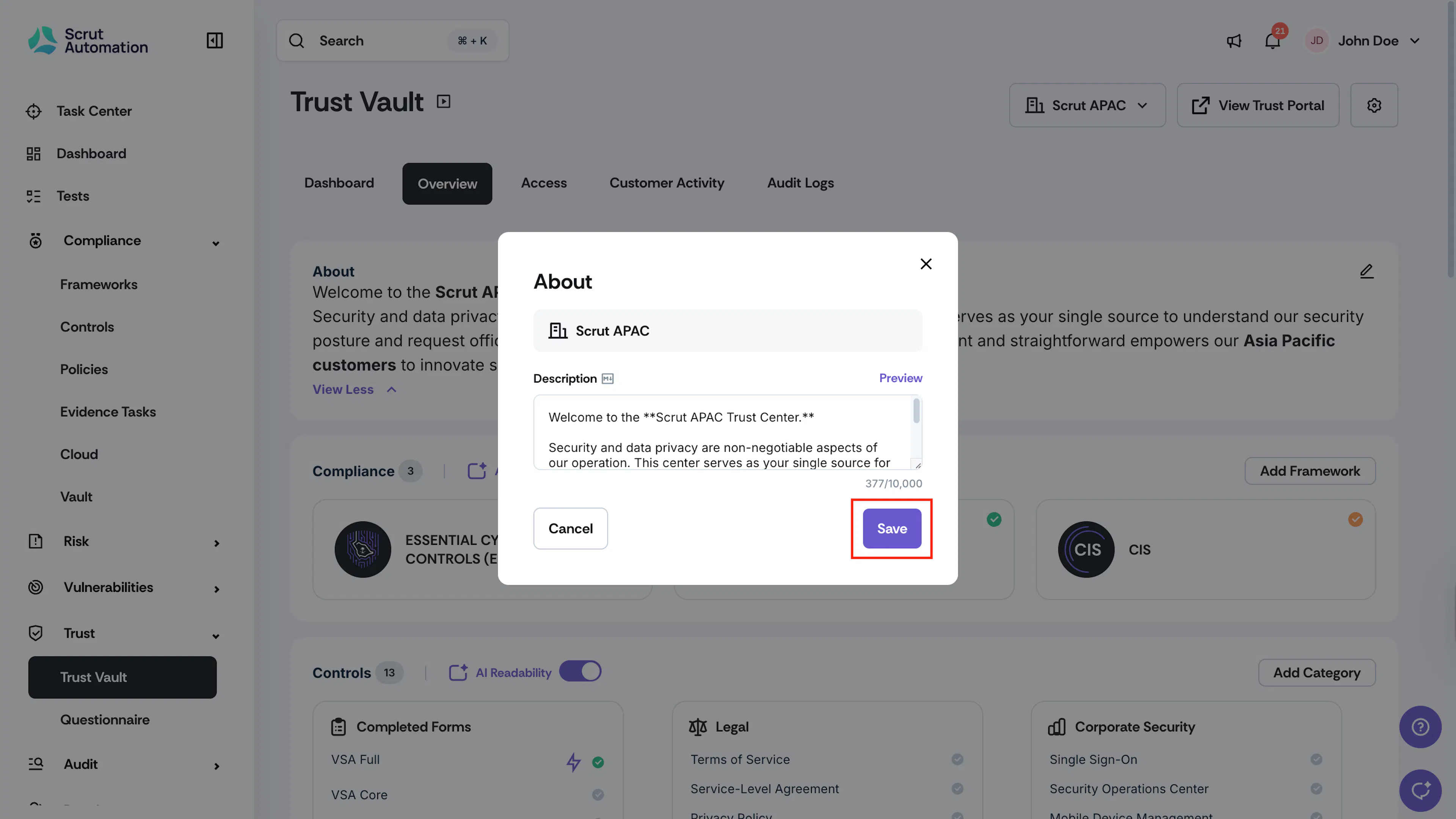
Click Save to publish your changes.
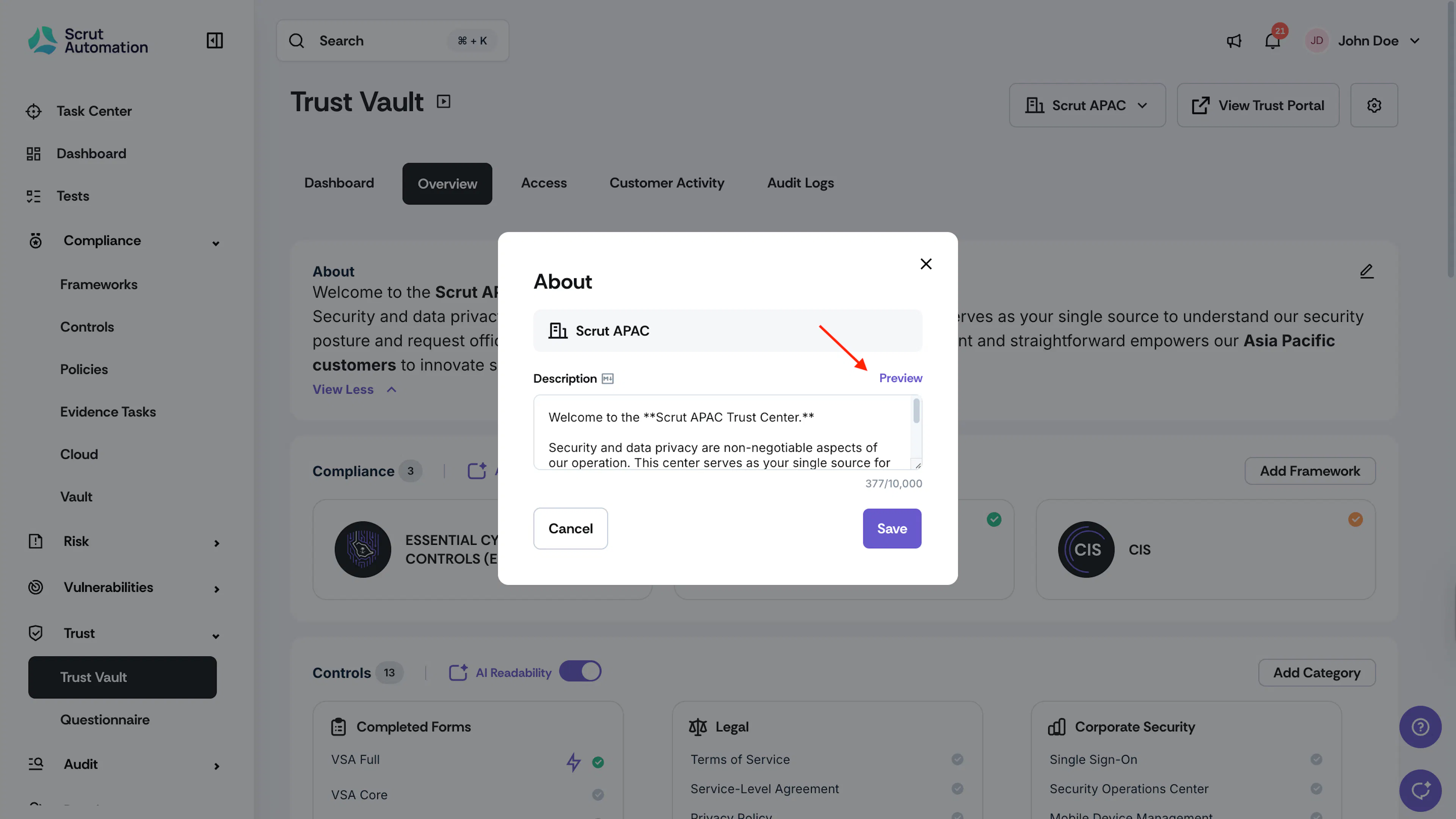
Formatting with Markdown
You can use Markdown to enhance the formatting and readability of your description. Markdown allows you to:
- Emphasize important points with bold or italic text
- Create structured lists and headers
- Add links to external resources
- Improve overall visual hierarchy
Pro Tip!
Refer to this handy Markdown cheat sheet for a quick overview of syntax elements.
Click Preview to view how your Markdown formatting will appear on the Trust Vault page, ensuring your description looks exactly as intended before it goes live to visitors.