Who can use this feature
Supported on Foundation, Growth, and Scale plans
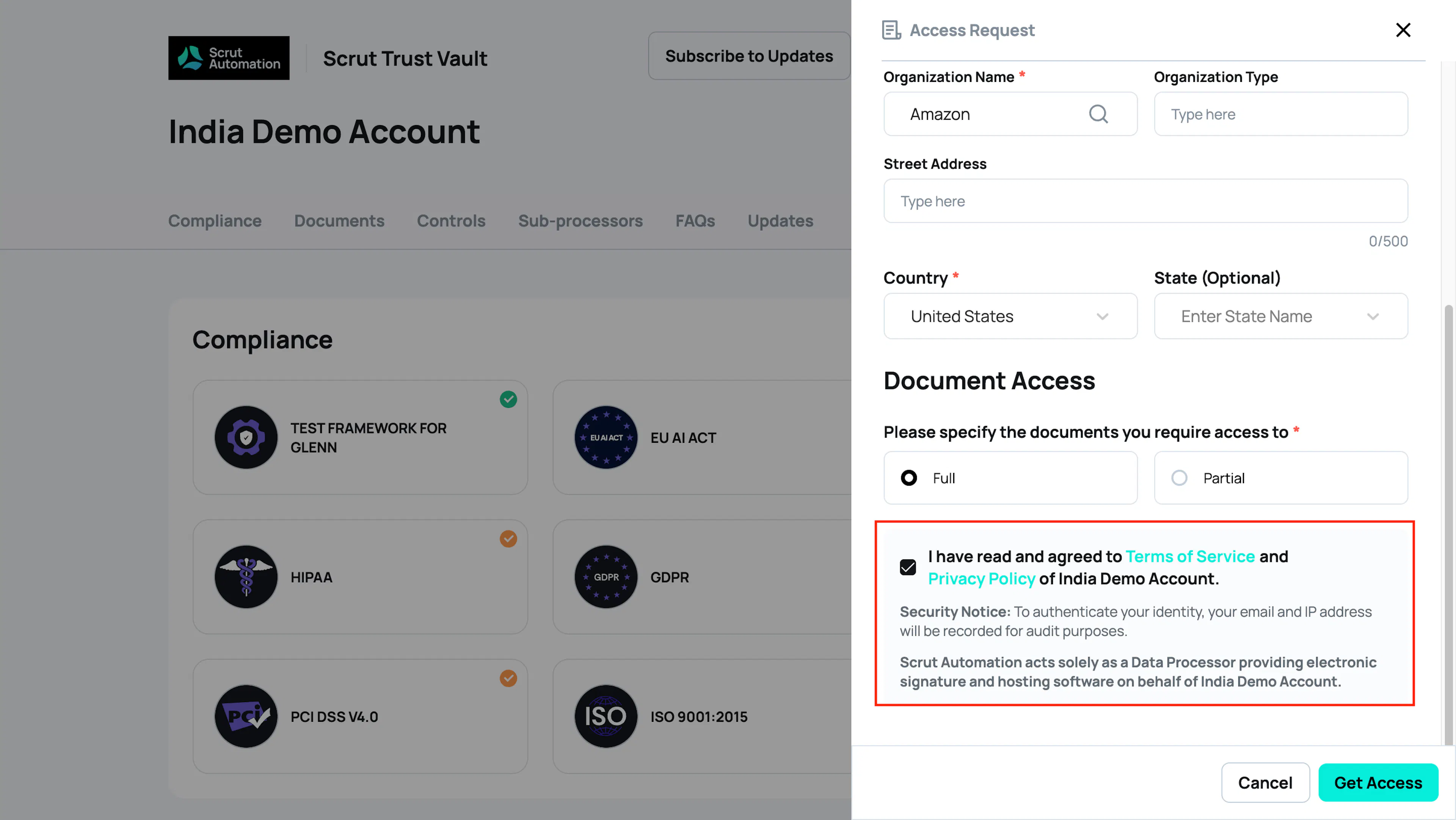
Your organization's Terms of Service (ToS) and Privacy Policy must be linked before visitors can request access to private documents on your Trust Portal or subscribe to updates. This makes it clear that your organization, not Scrut, is collecting consent. Scrut acts only as the data processing and hosting provider for your Trust Portal.
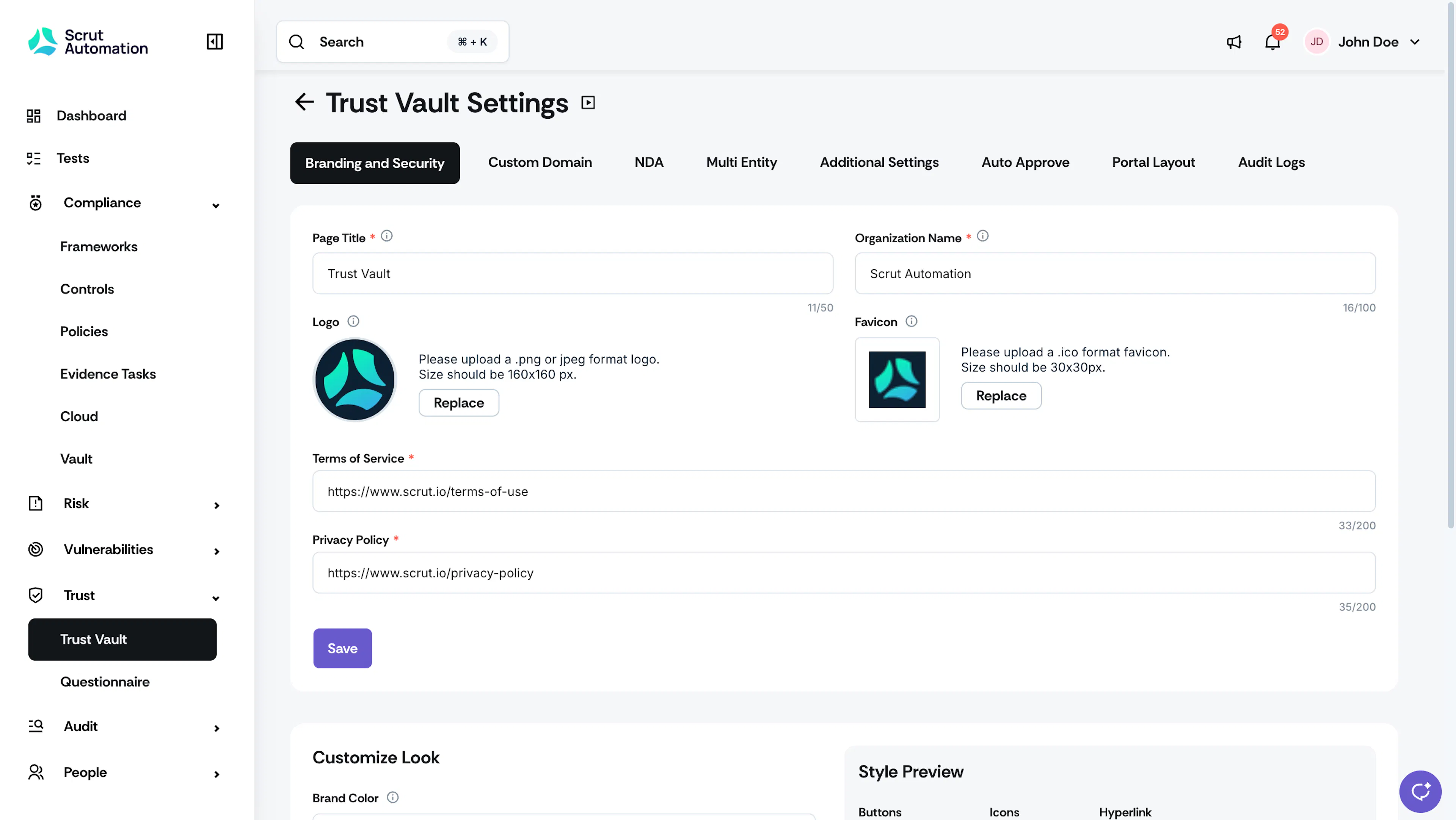
This article explains how to add and manage your ToS and Privacy Policy links on the Settings page of the Trust Vault module.
Heads Up!
Adding your Terms of Service and Privacy Policy links is mandatory. Visitors cannot request access to your Trust Portal or subscribe to updates until both links are configured.
Add ToS & Privacy Links
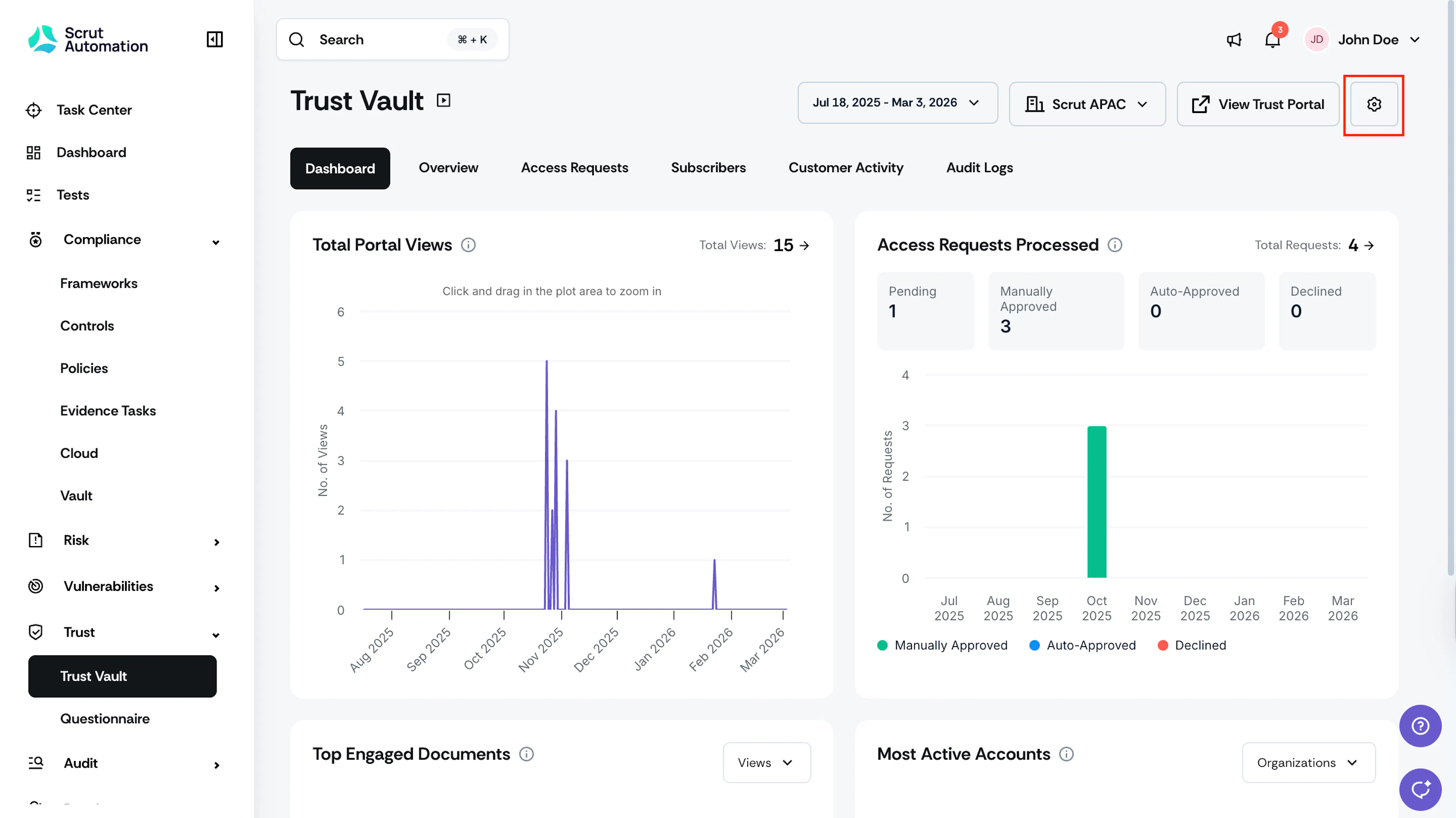
Click Trust → Trust Vault on the left navigation panel and click the Settings icon in the top-right corner of the Trust Vault module.
Navigate to the Branding & Security tab.
Enter the URLs for your Terms of Service and Privacy Policy in the respective fields.
Click Save to apply your updates.

FAQs
Why do I need to link my organization's ToS and Privacy Policy?
Configuring your ToS and Privacy Policy ensures that visitors can review your organization's applicable terms and privacy information when requesting access to your Trust Portal. Scrut acts solely as a data processor, providing the underlying software. Showing your ToS and Privacy Policy makes this relationship clear to visitors and ensures that the consent your Trust Portal collects is accountable to your organization.
Do I need to configure both my ToS and Privacy Policy?
Yes. Both links are required.
What happens if I don't configure the ToS and Privacy Policy?
If the required configuration isn't completed, access and subscription flows for your Trust Portal will be restricted. This means:
New visitors will not be able to request access to the Trust Portal.
Existing visitors whose access has expired will not be able to request it again.
If the Trust Portal subscription feature is enabled on your account, visitors will not be able to subscribe to updates from the Trust Portal.
Do I need to update my ToS or Privacy Policy to mention Scrut?
No. You don't need to modify your policies to mention or authorize Scrut as a data processor. The Trust Portal already displays a disclaimer to visitors explaining that Scrut acts as a data processor on your behalf.

I don't have a ToS or Privacy Policy. What should I do?
Consult your legal counsel to draft the appropriate policies for your organization.
Can Scrut review my ToS or Privacy Policy?
No. Scrut cannot advise on whether your policies are sufficient or compliant. If you need help determining what your policies should include, consult your legal counsel.
Can I update the URLs for the ToS and Privacy Policy later if my policies change?
Yes. You can update the configured URLs in Trust Vault at any time. Make sure the URLs always point to your current, applicable policies.
Is Scrut a Consent Manager?
No. Scrut does not act as, or hold itself out as, a Consent Manager. Scrut acts as a data processor providing electronic signature and hosting software on behalf of your organization. The Trust Portal displays an appropriate disclaimer to visitors communicating this.
Why does the Trust Portal show a disclaimer saying Scrut is a data processor?
The disclaimer is shown to clearly communicate Scrut's role to visitors when they interact with your Trust Portal. Scrut acts as a Data Processor on behalf of your organization in providing the Trust Portal and related services.
The disclaimer also makes it clear that Scrut does not act as or hold itself out as a Consent Manager. This clarification is important because the Trust Portal involves a visitor access/request flow, and it helps visitors understand who they're interacting with and Scrut's role in that interaction.