

Link Assets to a Risk
In this article, we explain how to link impacted assets to a risk:
-
Sign in to Scrut and go to Risk → Risk Management using the left navigation panel.
-
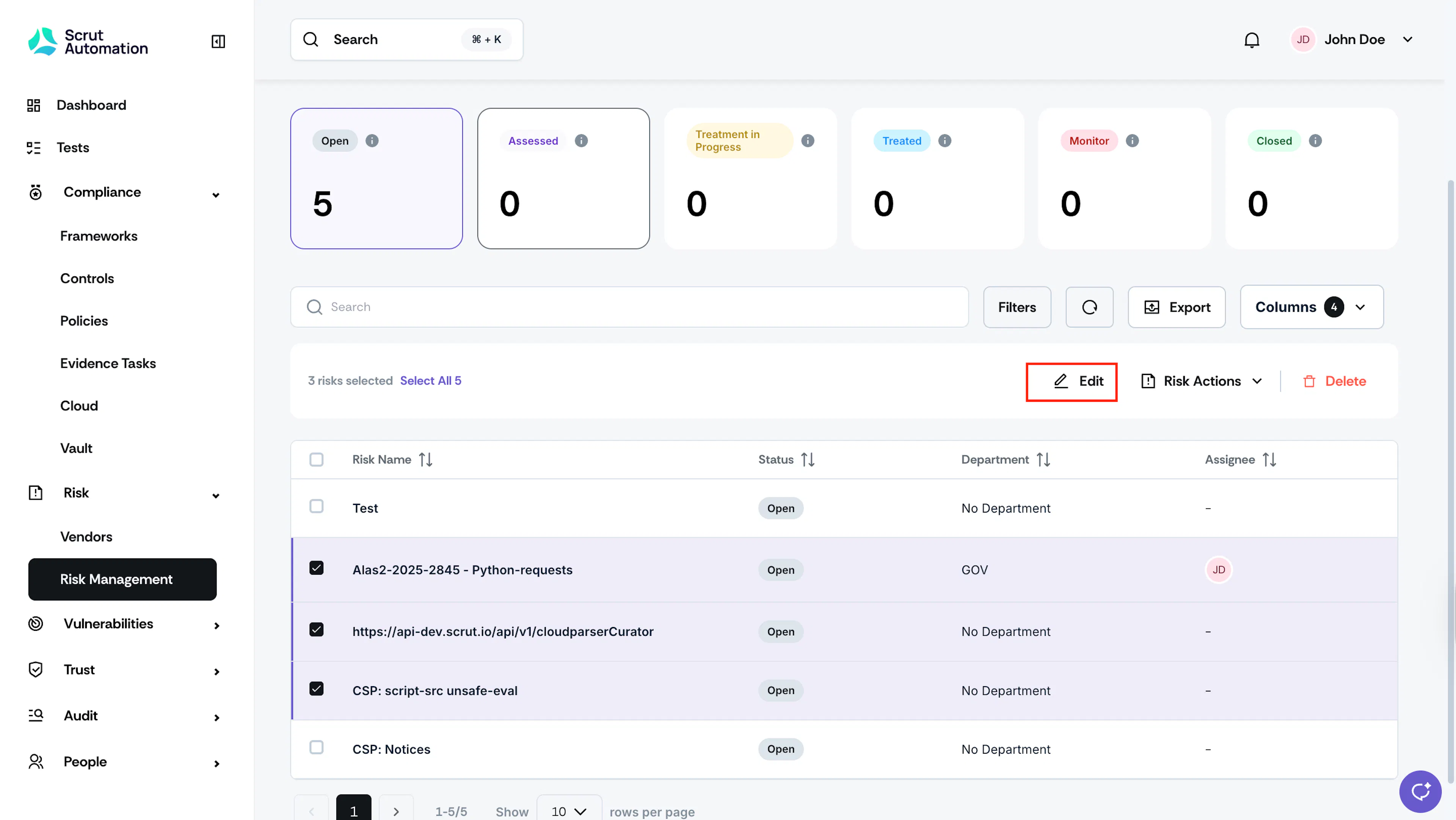
Select one or more risks to which you want to link specific assets.
-
Click the Edit icon at the top of the risk table.
-
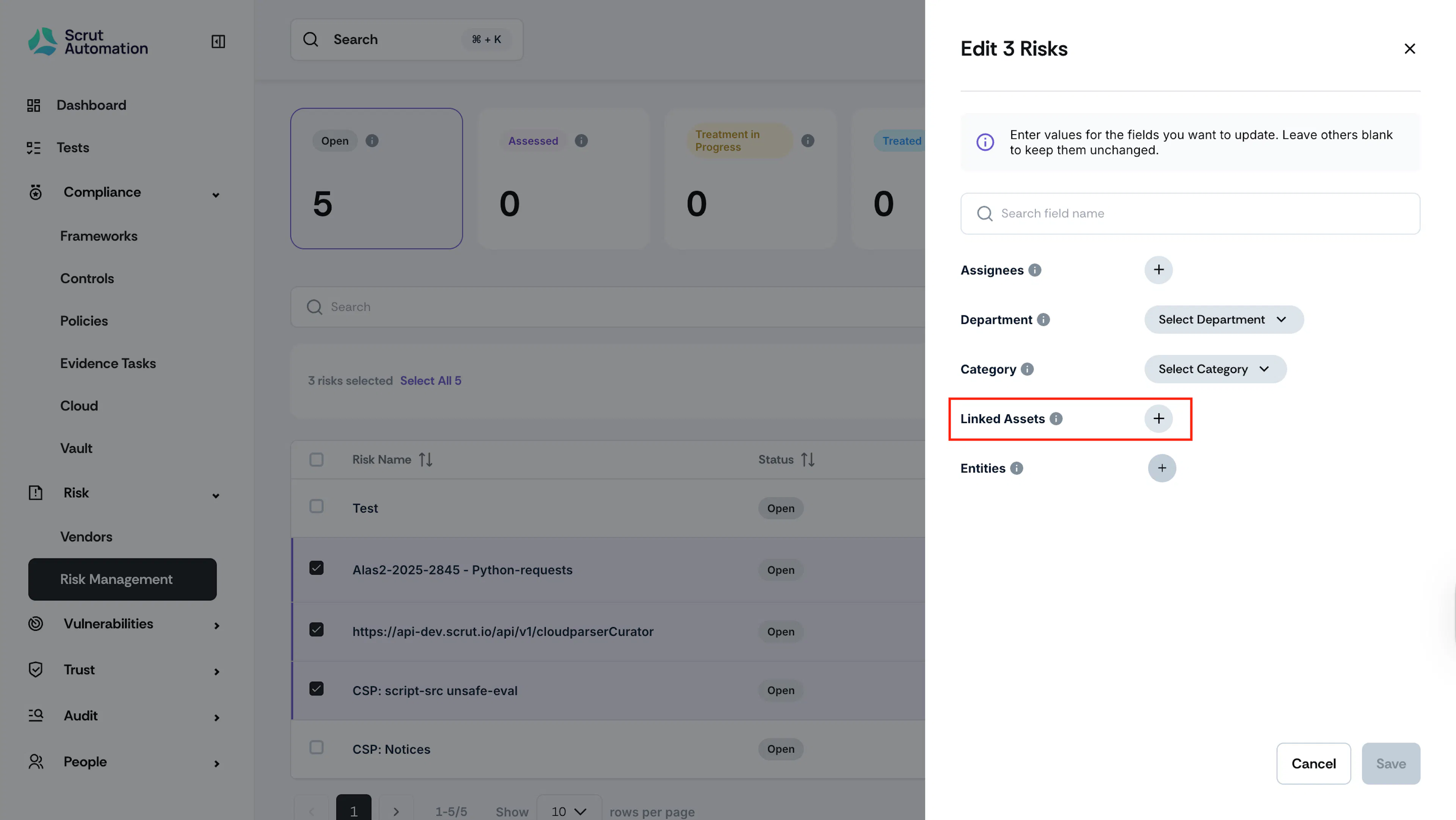
Click the + icon next to the Linked Assets field.
-
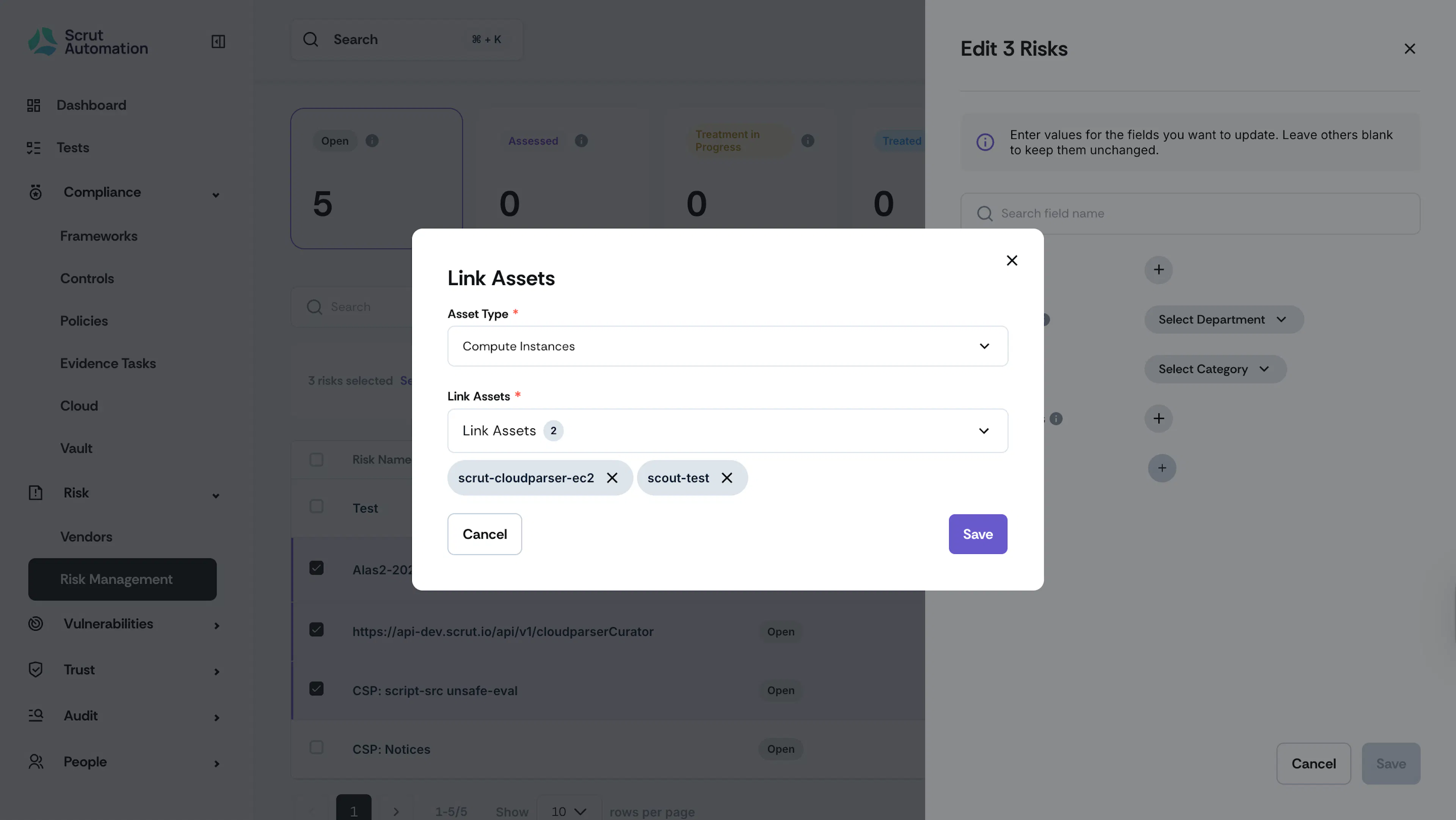
Select the asset type and choose the specific assets you want to link to this risk.
-
Click Save.
Link Multiple Asset Types to a Risk
-
Sign in to Scrut and go to Risk → Risk Management using the left navigation panel.
-
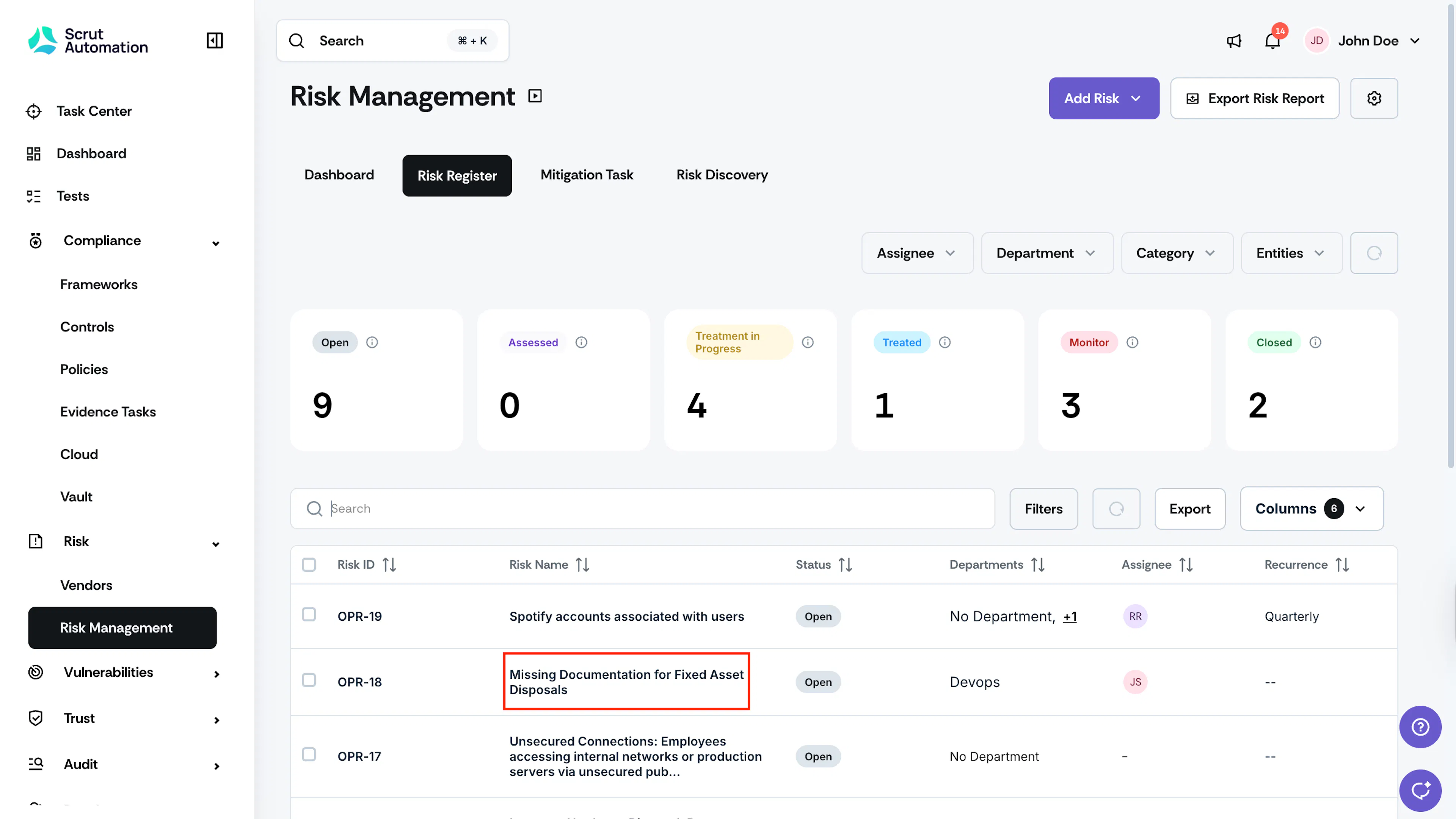
Go to the Risk Register and select the risk to which you want to link the asset.
-
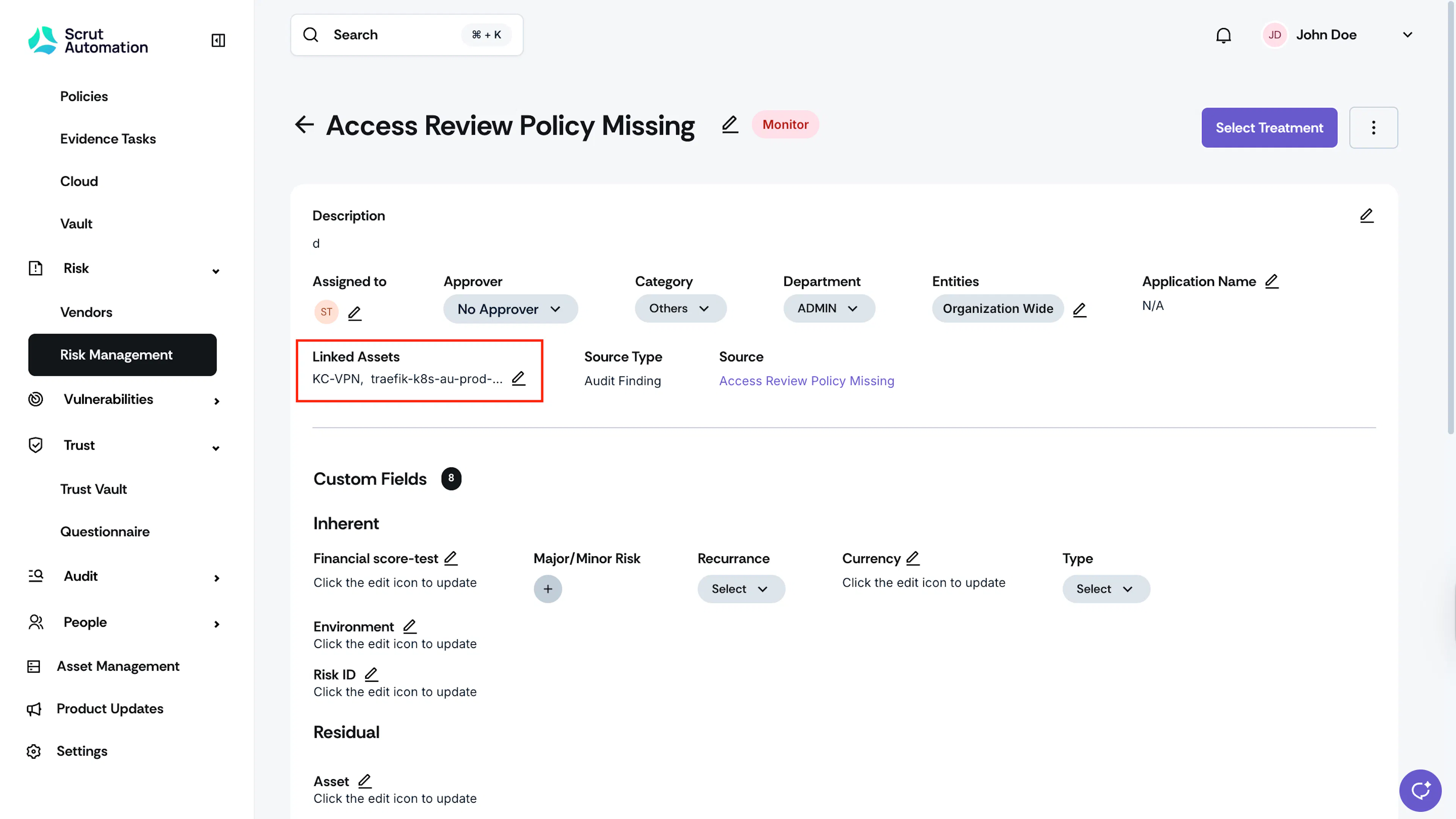
Click the edit icon in the Linked Assets field.
-
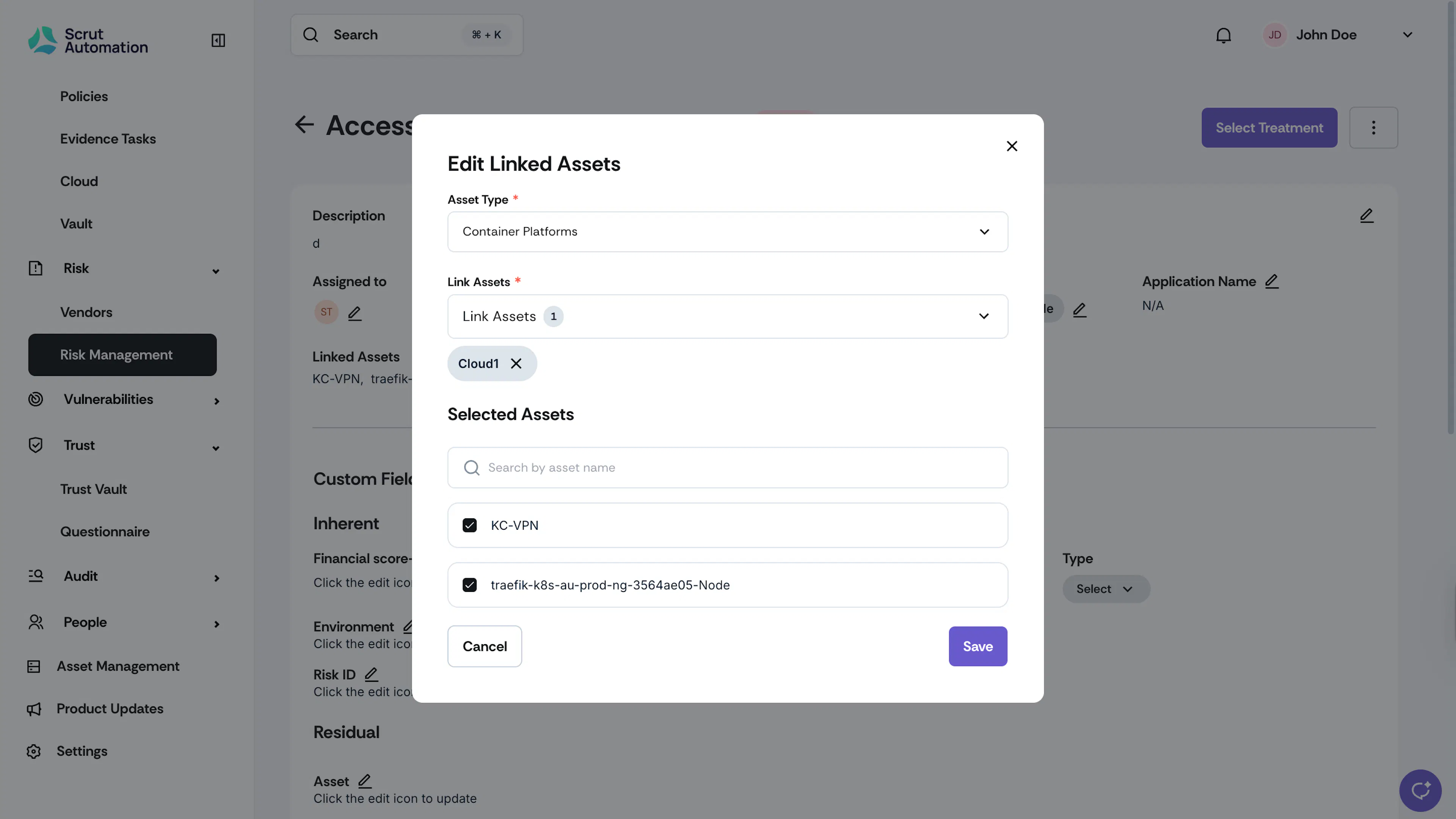
Select the Asset Type, and choose the desired assets.
-
Click Save.
Was this page helpful?