

Edit Risk Score
Who can use this feature
- Supported on Growth and Scale plans
Risks are not static. They’re dynamic and constantly changing. As a result, framework mandates require periodic reassessment of risk assessments. In this guide, we explain how to edit risk scores, ensuring your assessments remain accurate and up-to-date.
Important!
You cannot edit the score for risks in Closed status.
Edit Inherent Risk Score
To edit the inherent risk score:
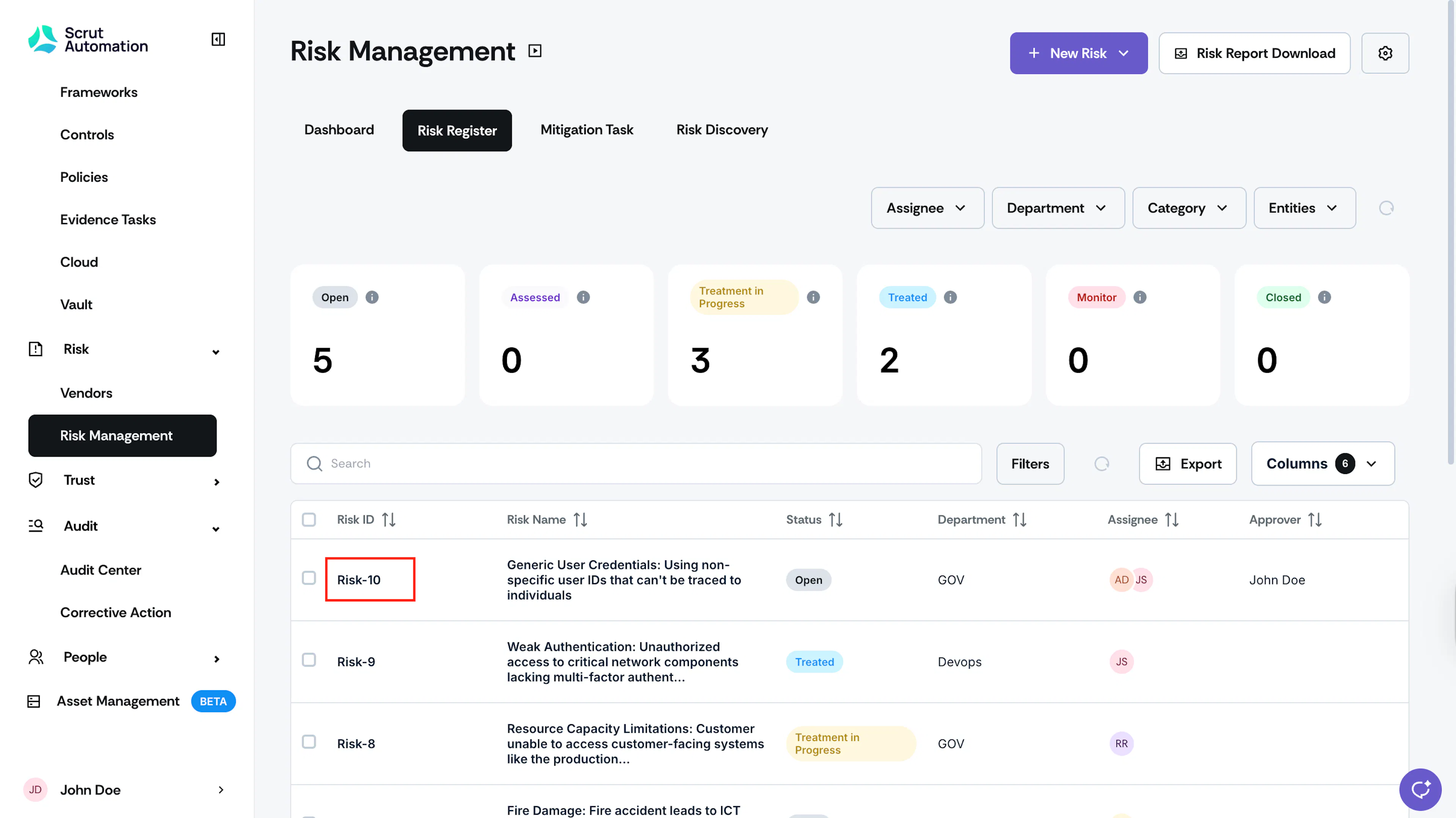
- Go to Risk → Risk Management → Risk Register and select the risk for which you want to edit the score.
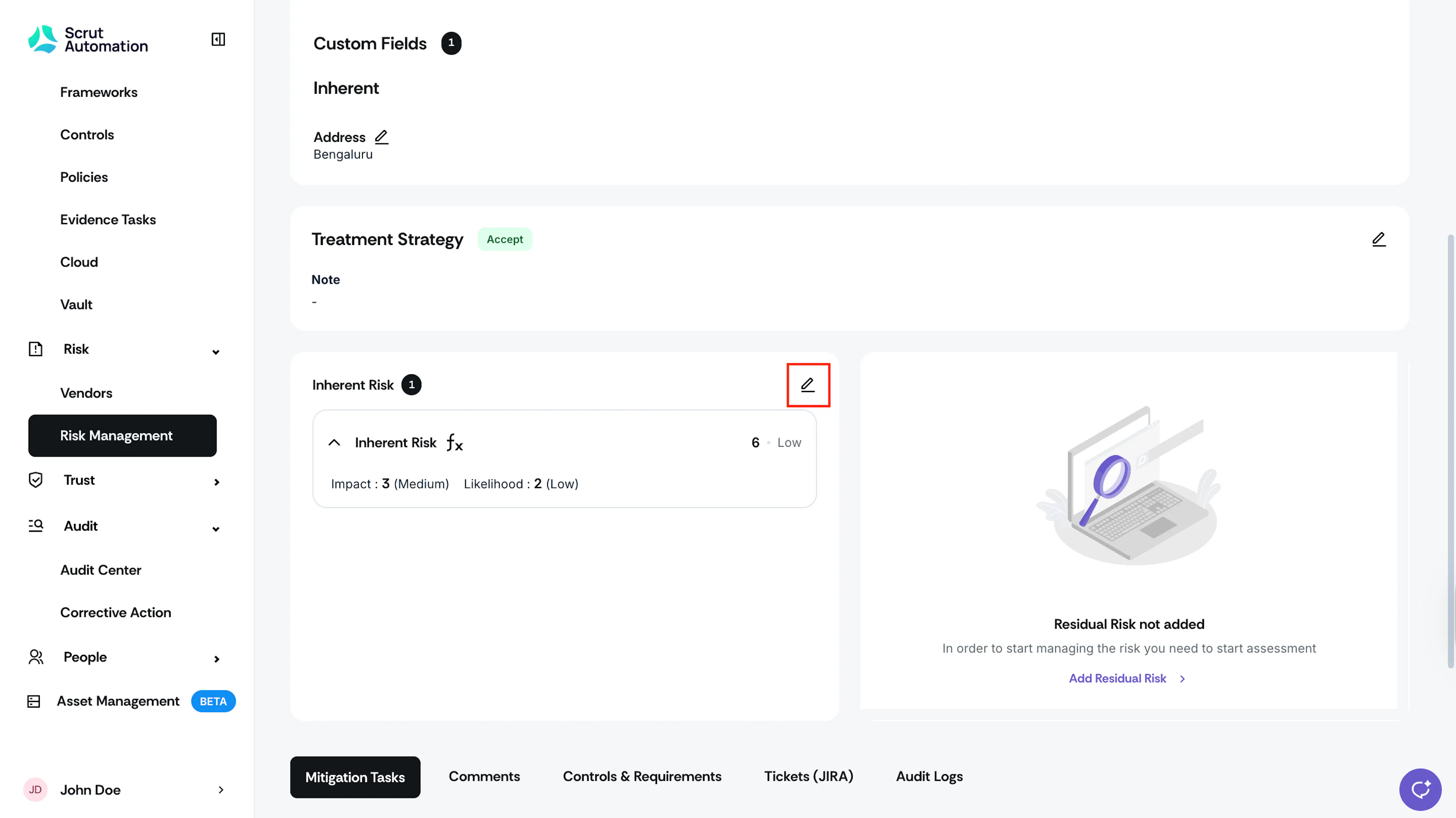
- Scroll to the Inherent Risk section and click the pencil icon.

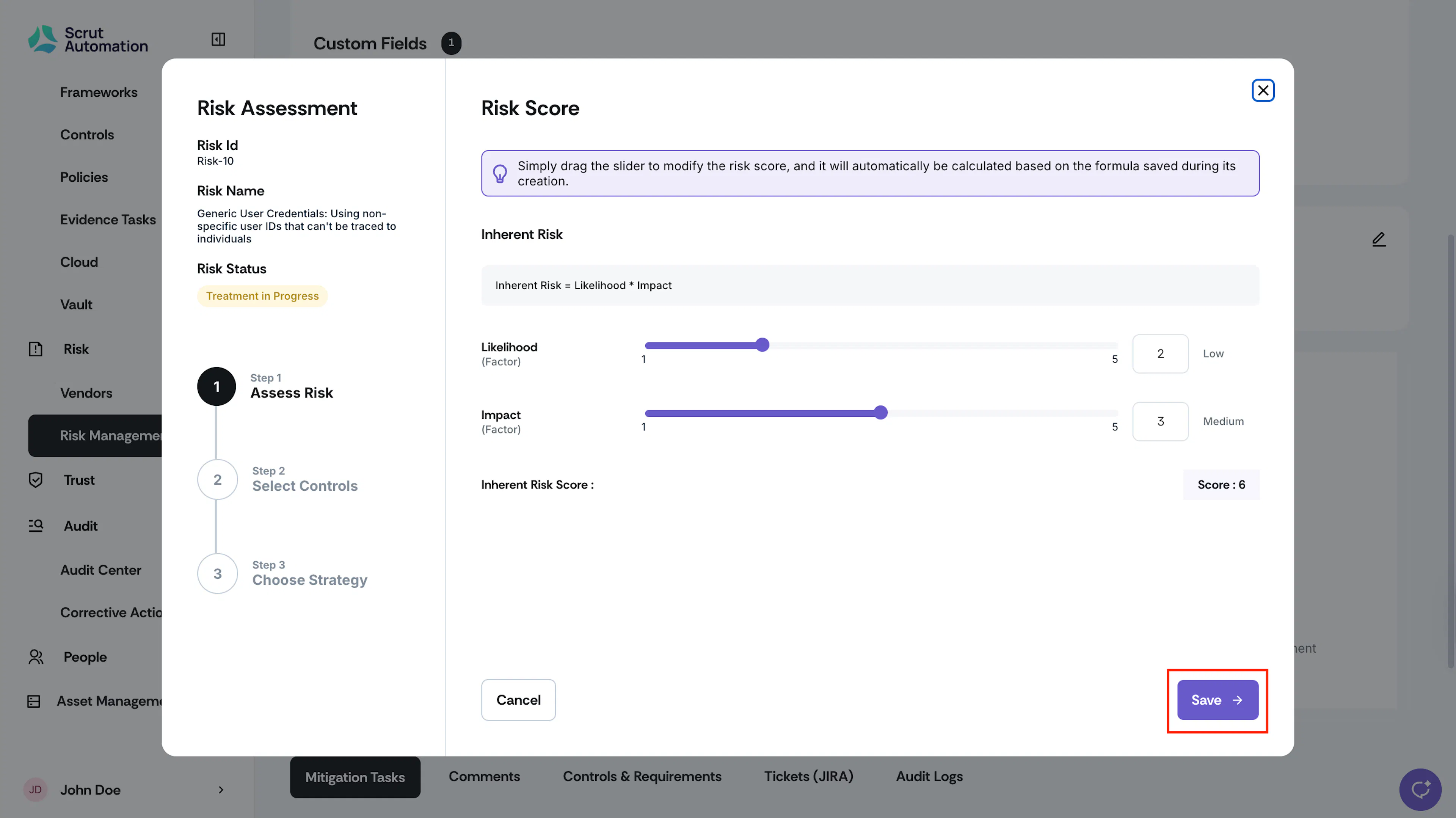
- In the Edit Risk Score window, drag the slider for each factor to modify its value and click Save.
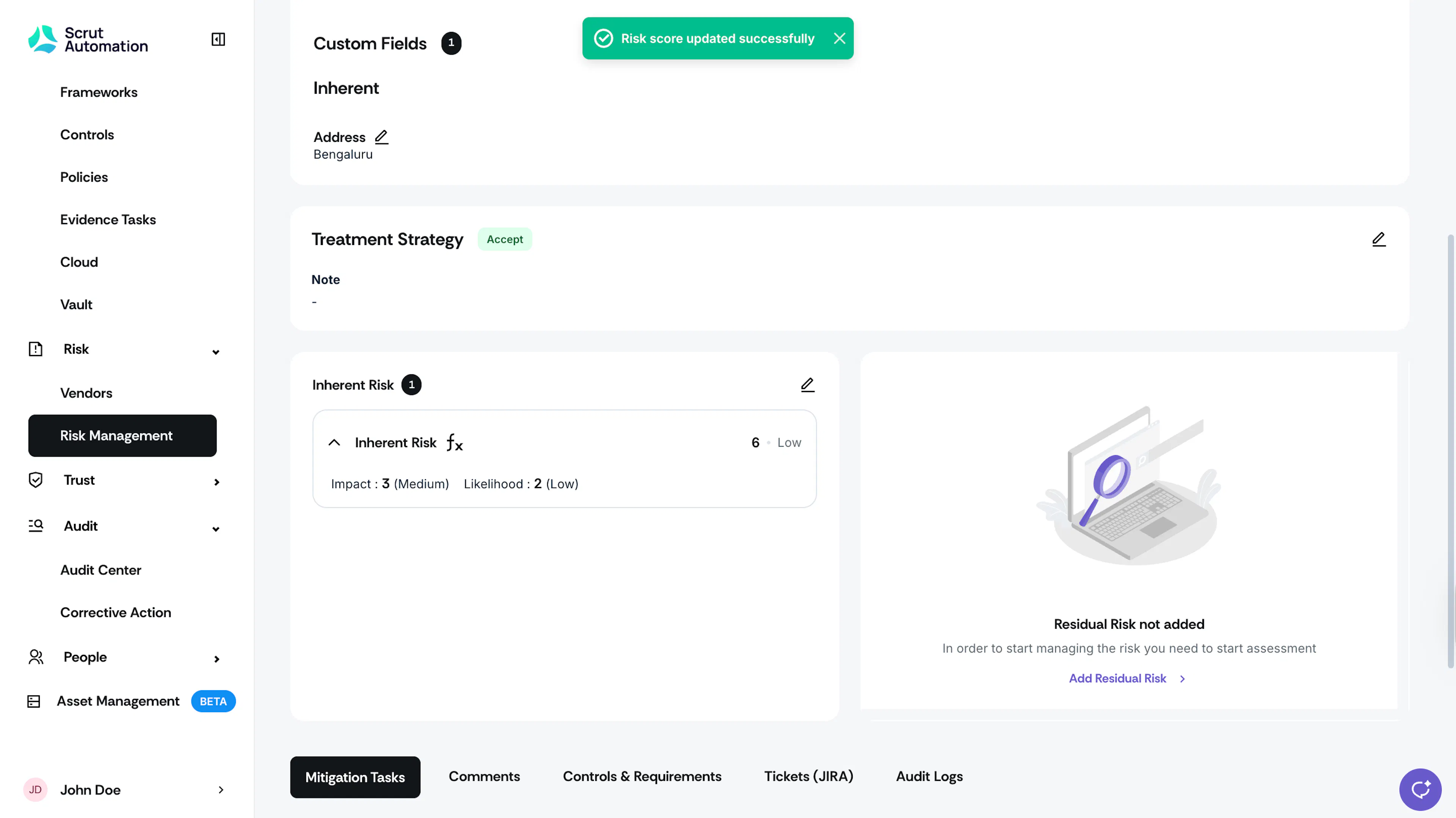
- Scrut will automatically update the risk score based on the risk score formula saved during its creation.
Edit Residual Risk Score
To edit the residual risk score:
- Go to Risk → Risk Management → Risk Register and select the risk for which you want to edit the score.
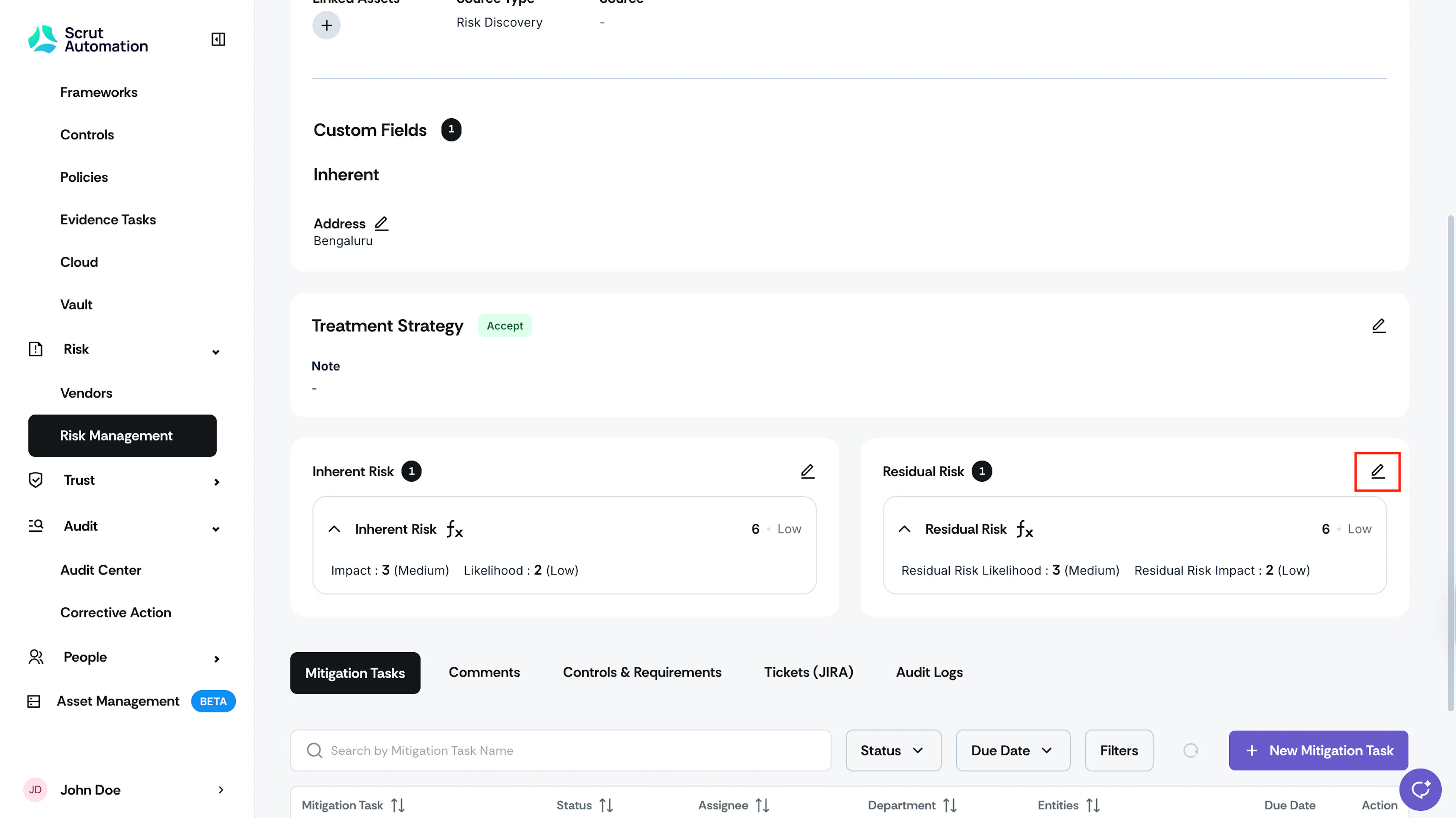
- Scroll to the Residual Risk section and click the pencil icon.
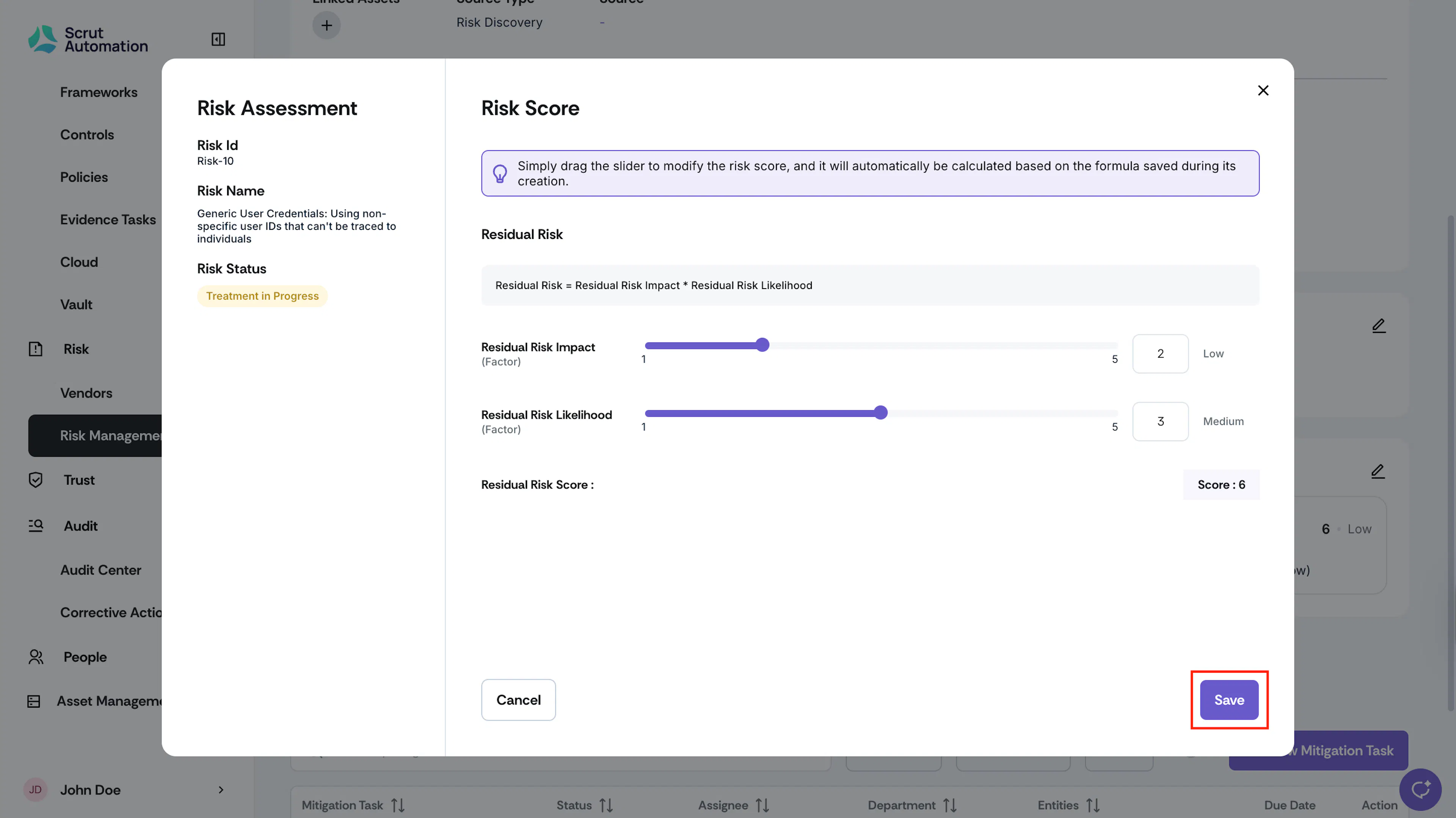
- In the Edit Risk Score window, drag the slider for each factor to modify its value and click Save.
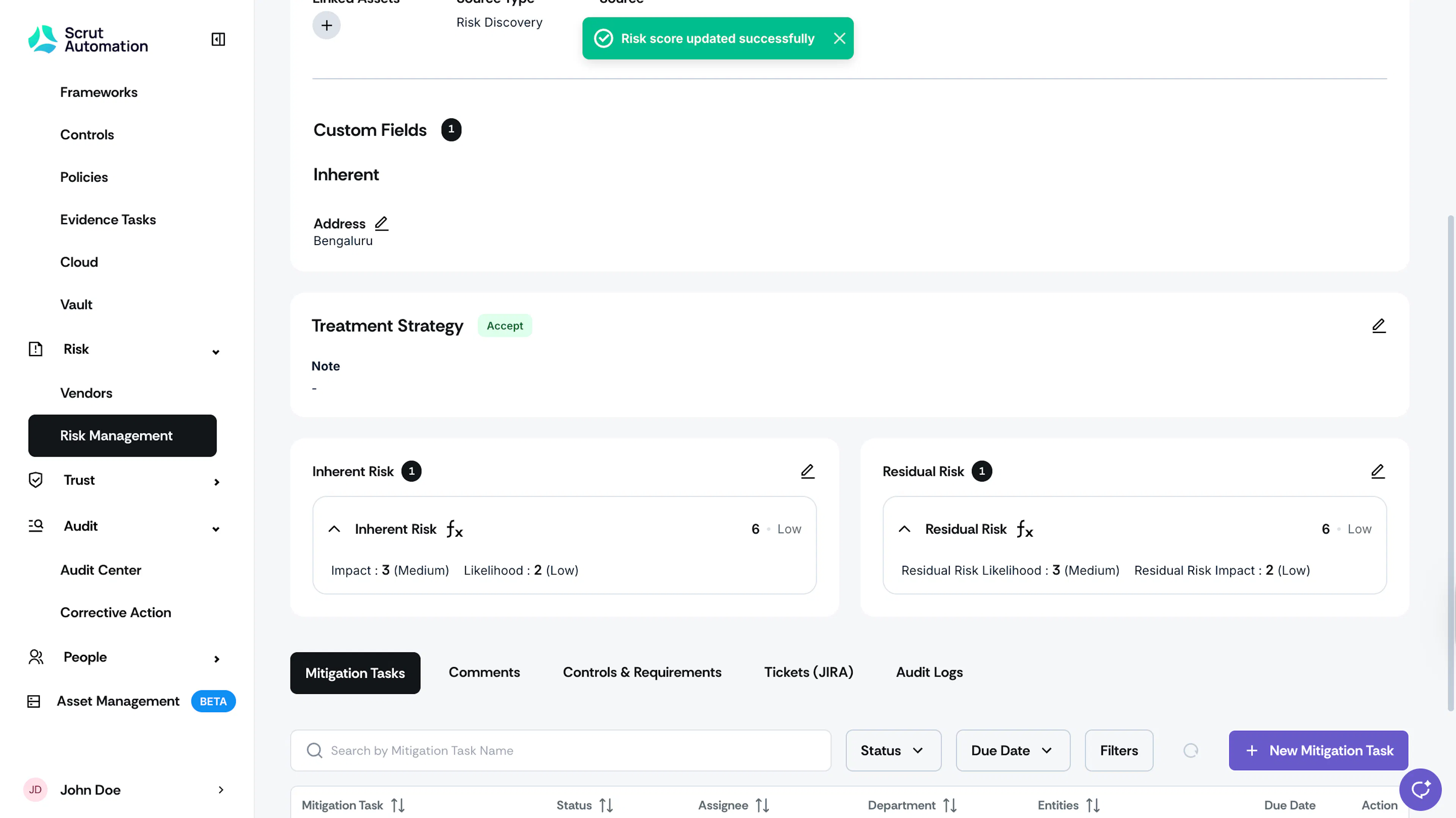
- Scrut will automatically update the risk score based on the risk score formula saved during its creation.
Was this page helpful?