

Export Corrective Actions
By exporting corrective actions, you can quickly share them with external auditors and other stakeholders who do not have access to Scrut. The export feature allows you to download details of your corrective actions in a customizable format.
How to Export Corrective Actions
-
Sign in to Scrut, and click Audit → Corrective Actions on the left navigation panel.
-
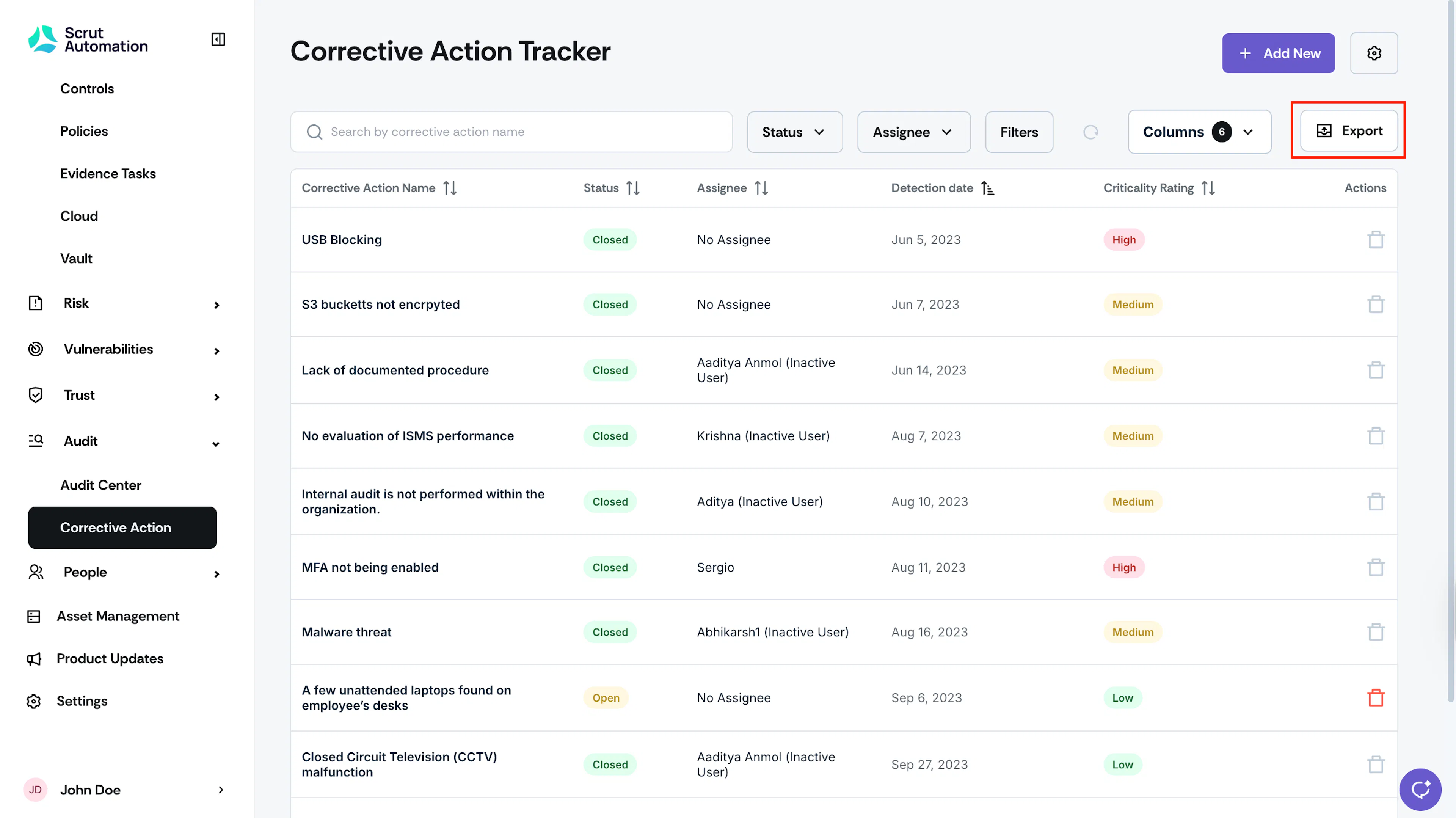
Click the Export button at the top of the table.
-
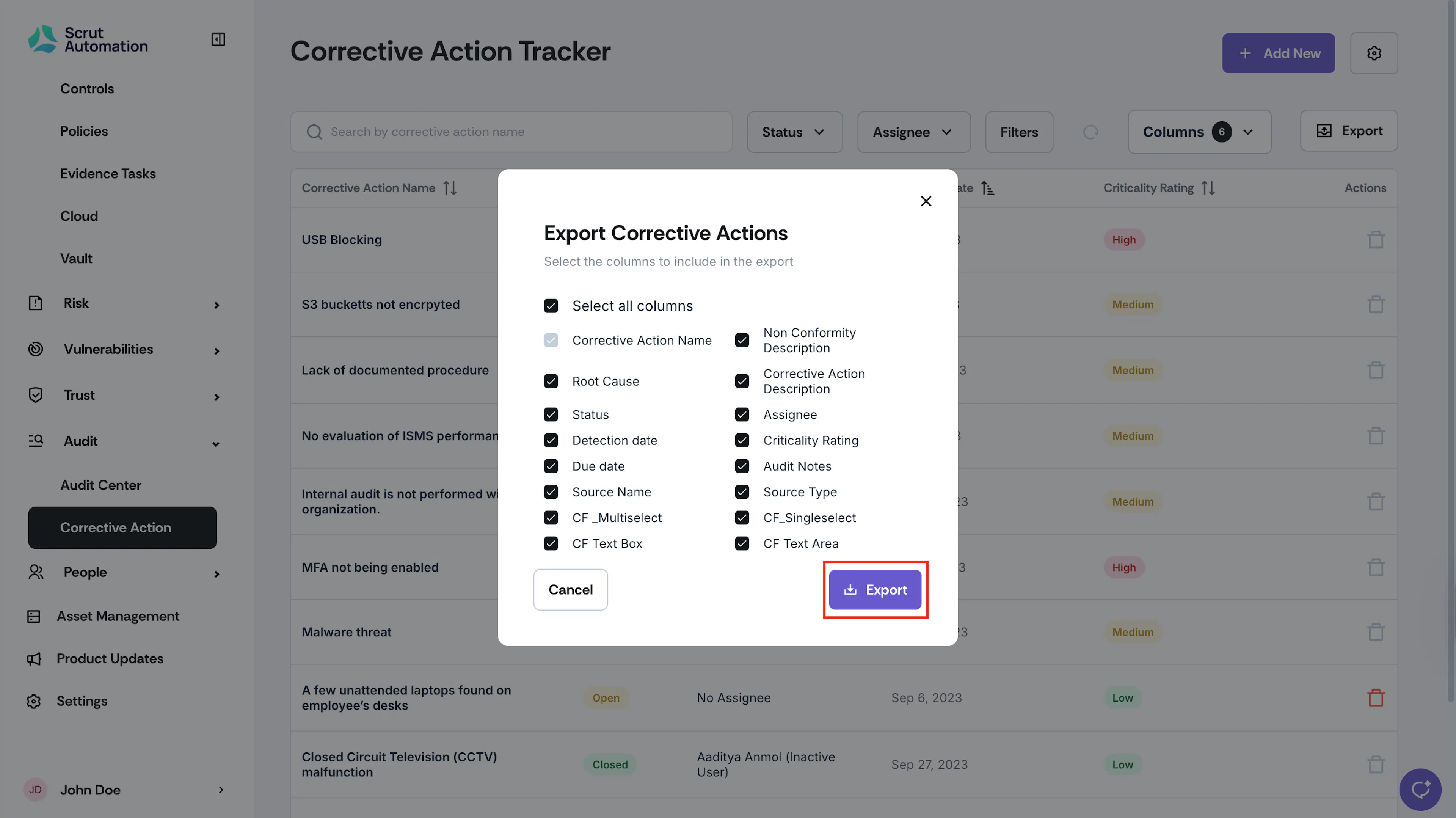
Choose the columns to include in the export. Check the boxes next to the columns you want to export. You can select or deselect all columns using the “Select All” option.
-
Click Export to proceed.
-
Depending on your browser settings, the file will either download automatically or prompt you to choose a location.
-
Once downloaded, you can open the CSV file in Excel, Google Sheets, or any spreadsheet application to review, sort, or share your corrective action data with external stakeholders, as needed.
Pro Tips
Use filters on the Corrective Actions table before exporting to narrow down the data you need.