

Create a Ticket for a Corrective Action
Who can use this feature
- Supported on Foundation, Growth, and Scale plans
You can create a ticket directly in your integrated project management tool from within the Corrective action page. To create a ticket:
-
Go to Audit → Corrective Action and open the corrective action for which you want to create a ticket.
-
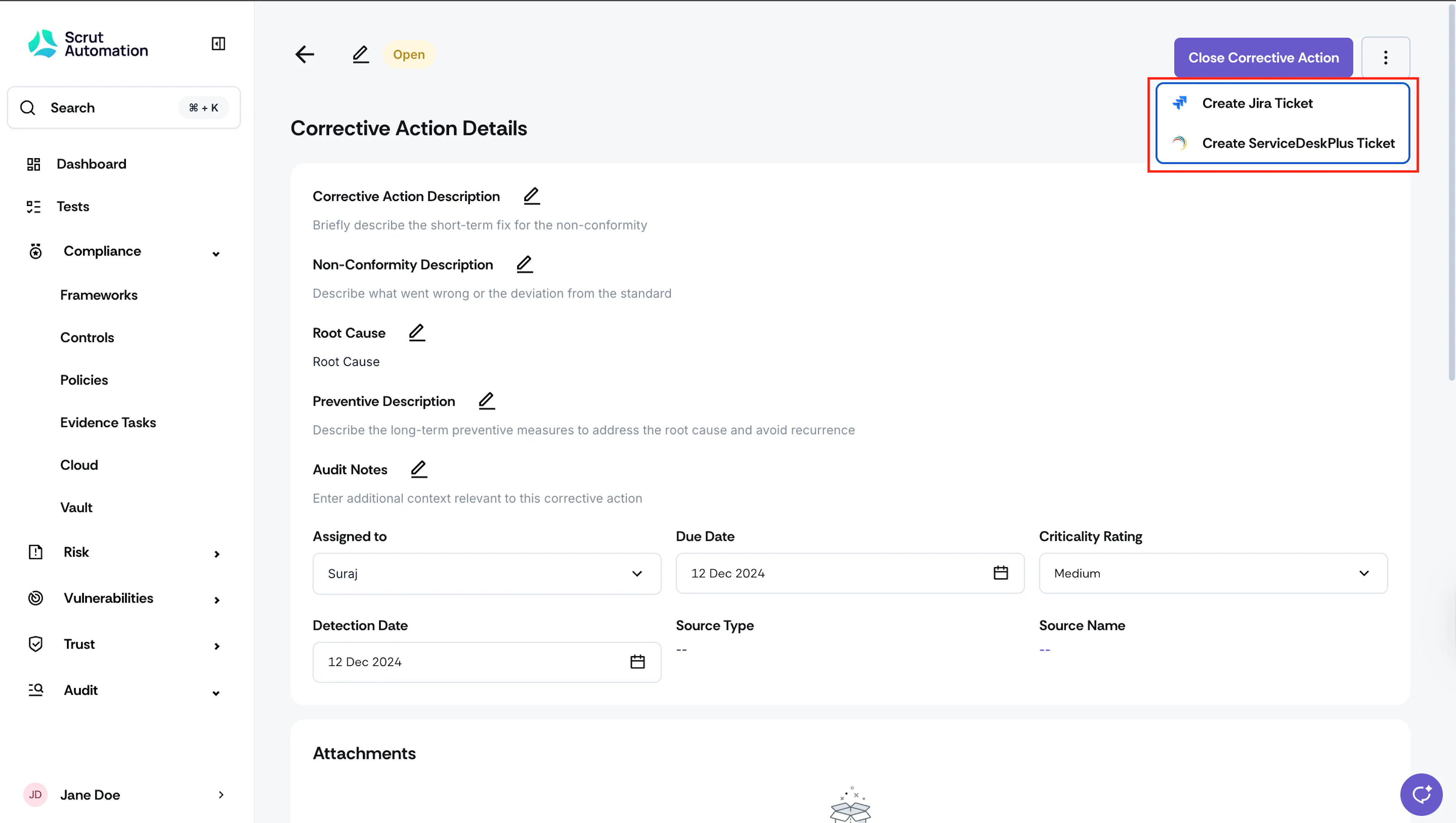
Click the three-dot icon on the top-right and select Create Ticket.
-
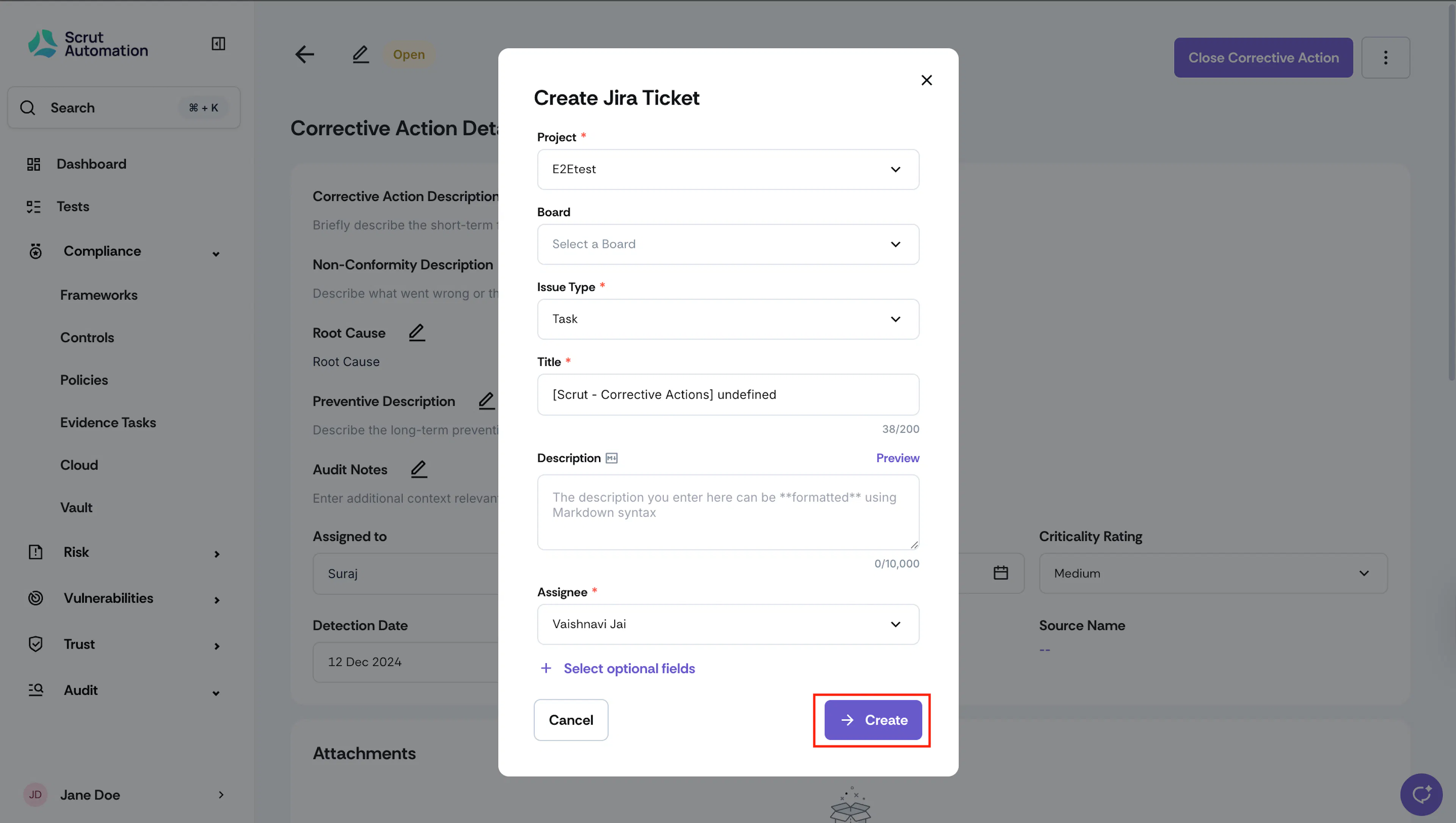
Enter the ticket details and click Create.
-
Scrut will create the ticket directly in your connected project management tool.
-
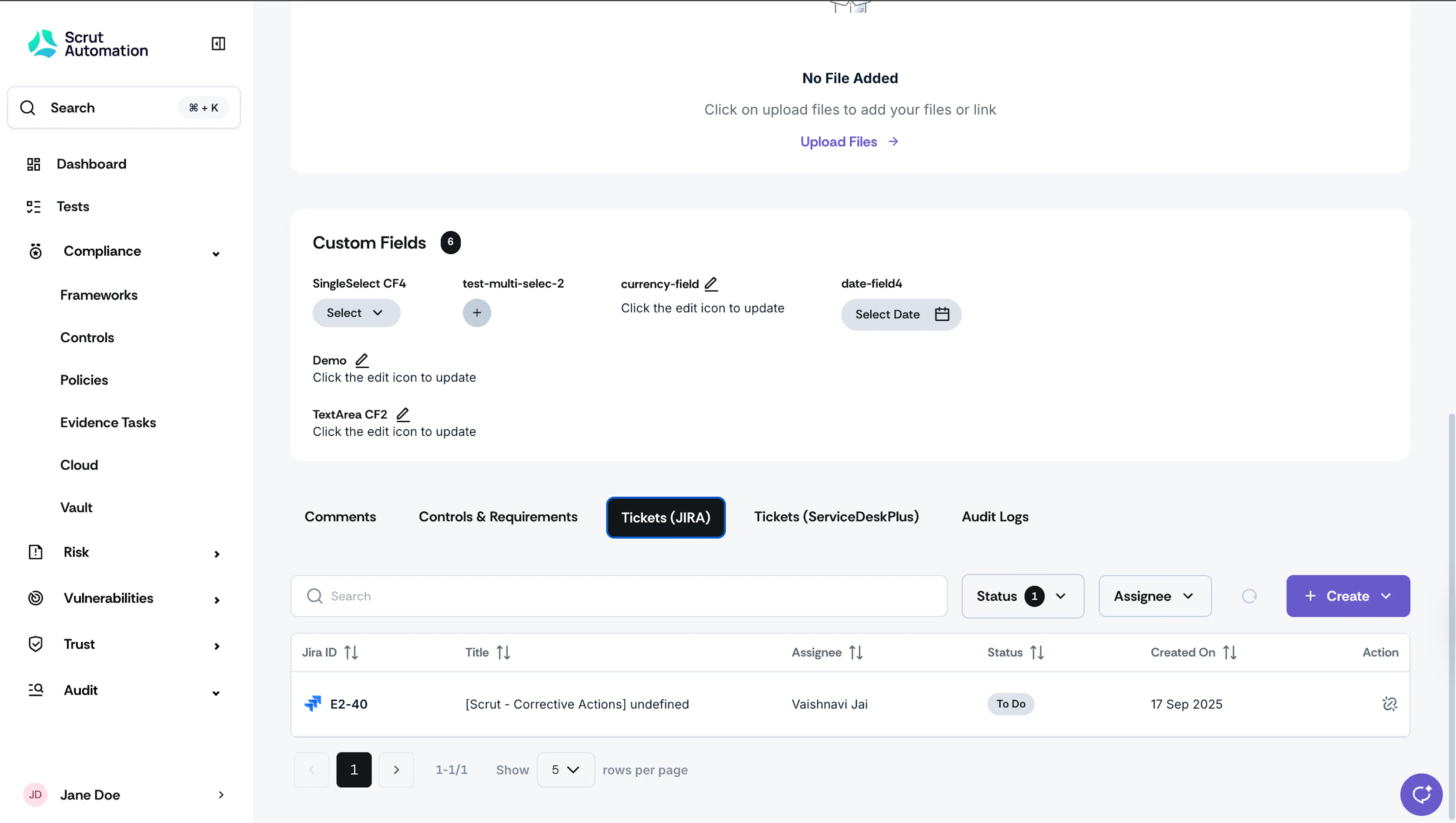
You can track its status via the Tickets tab in the Corrective Action details page.
Was this page helpful?