

Remove an Evidence Attachment
Sometimes, evidence attachments might become outdated or irrelevant because of organizational changes, new regulatory requirements, or evolving industry standards and best practices. Or, there may be instances where an incorrect file was accidentally attached. In such situations, it’s important to remove the wrongly uploaded attachment. This article walks you through how to remove attachments from evidence tasks to ensure that all documentation remains relevant and accurate.
How To Remove an Evidence Attachment
-
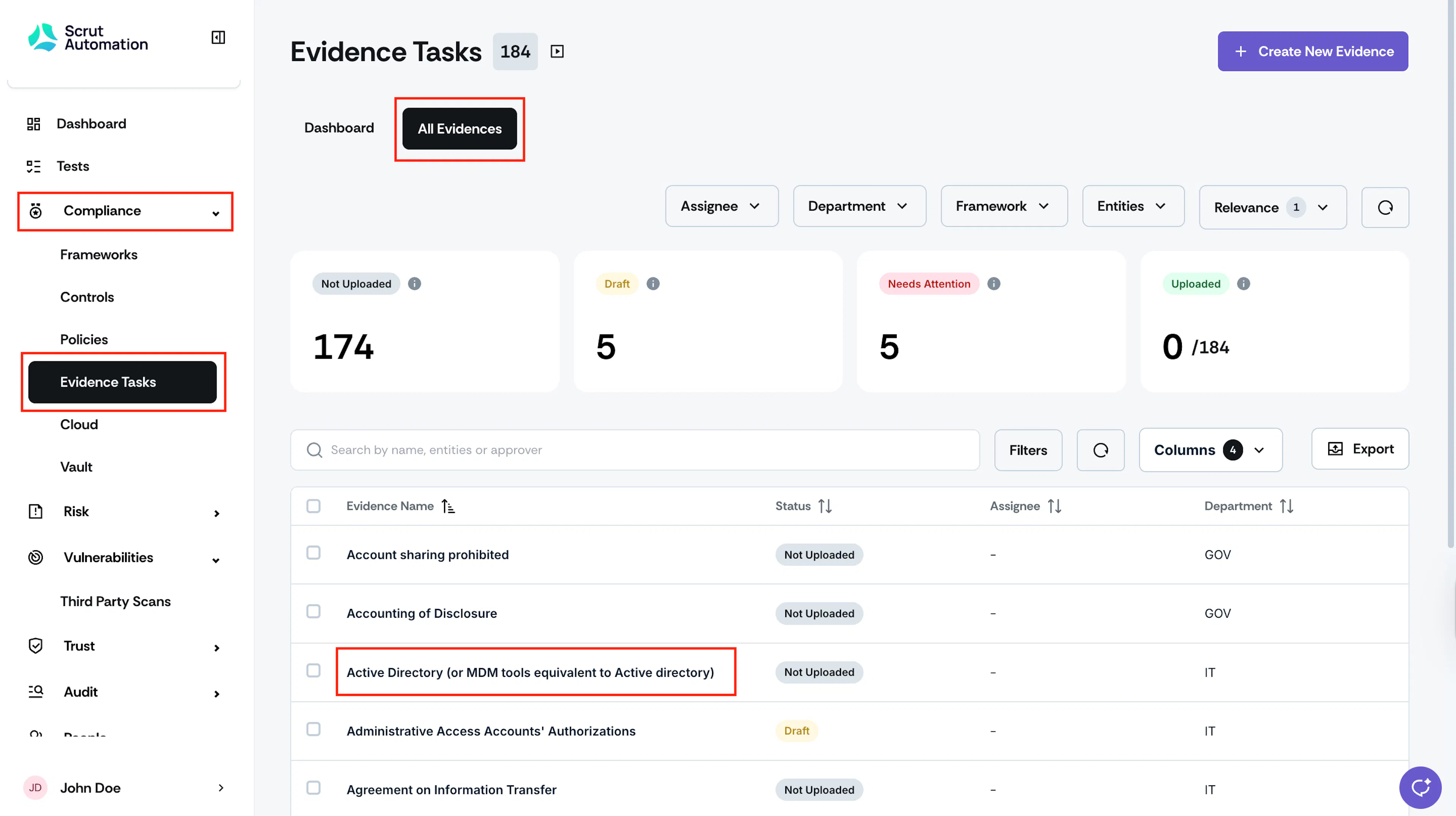
Sign in to Scrut, and click Compliance → Evidence Tasks on the left navigation panel.
-
Go to the All Evidences tab and select the evidence from which you want to remove an attachment.
-
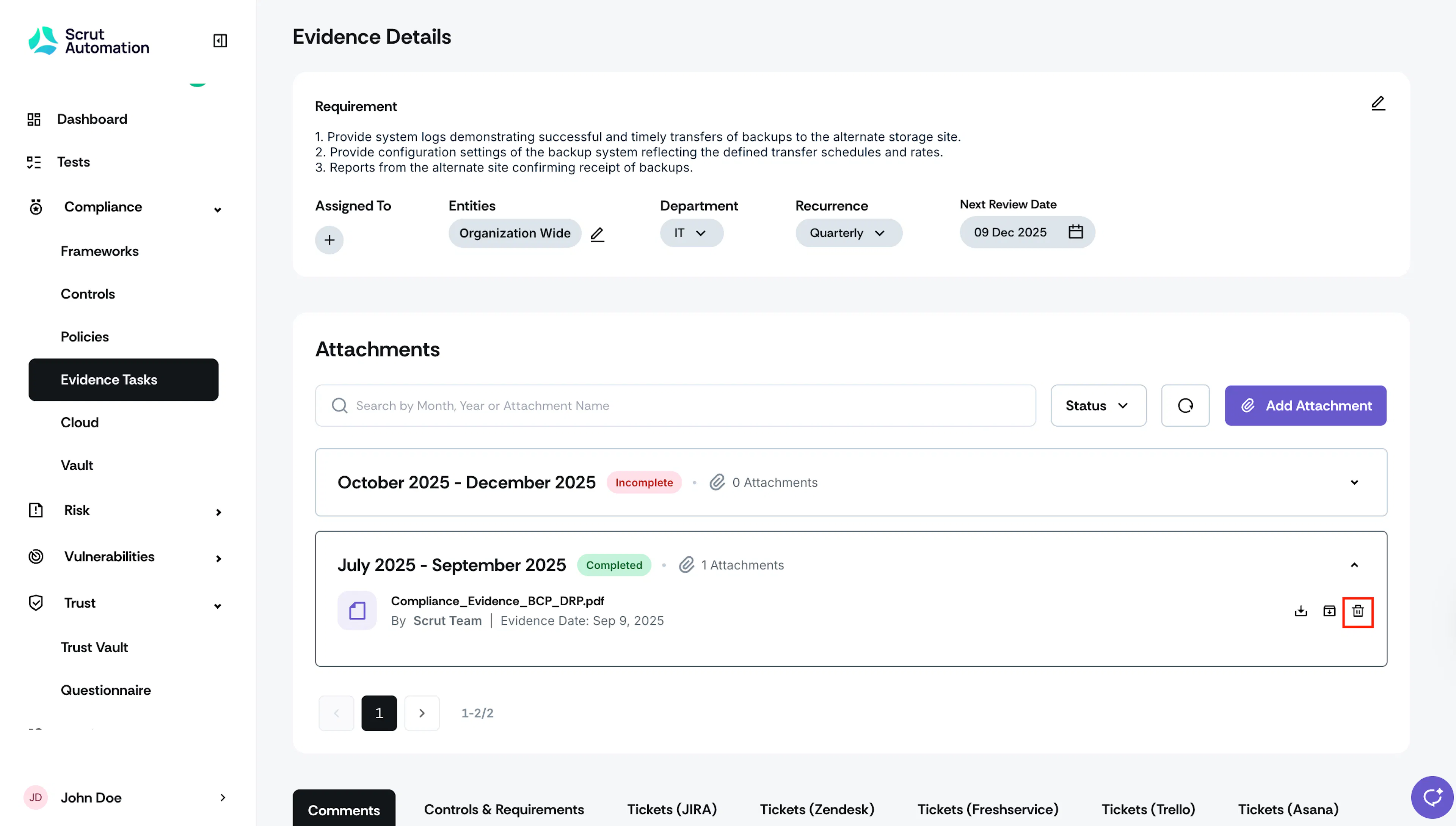
Scroll to the Attachments section and expand the timeline folder in which your evidence was uploaded.
-
Click the Delete icon next to the evidence that you want to delete.
-
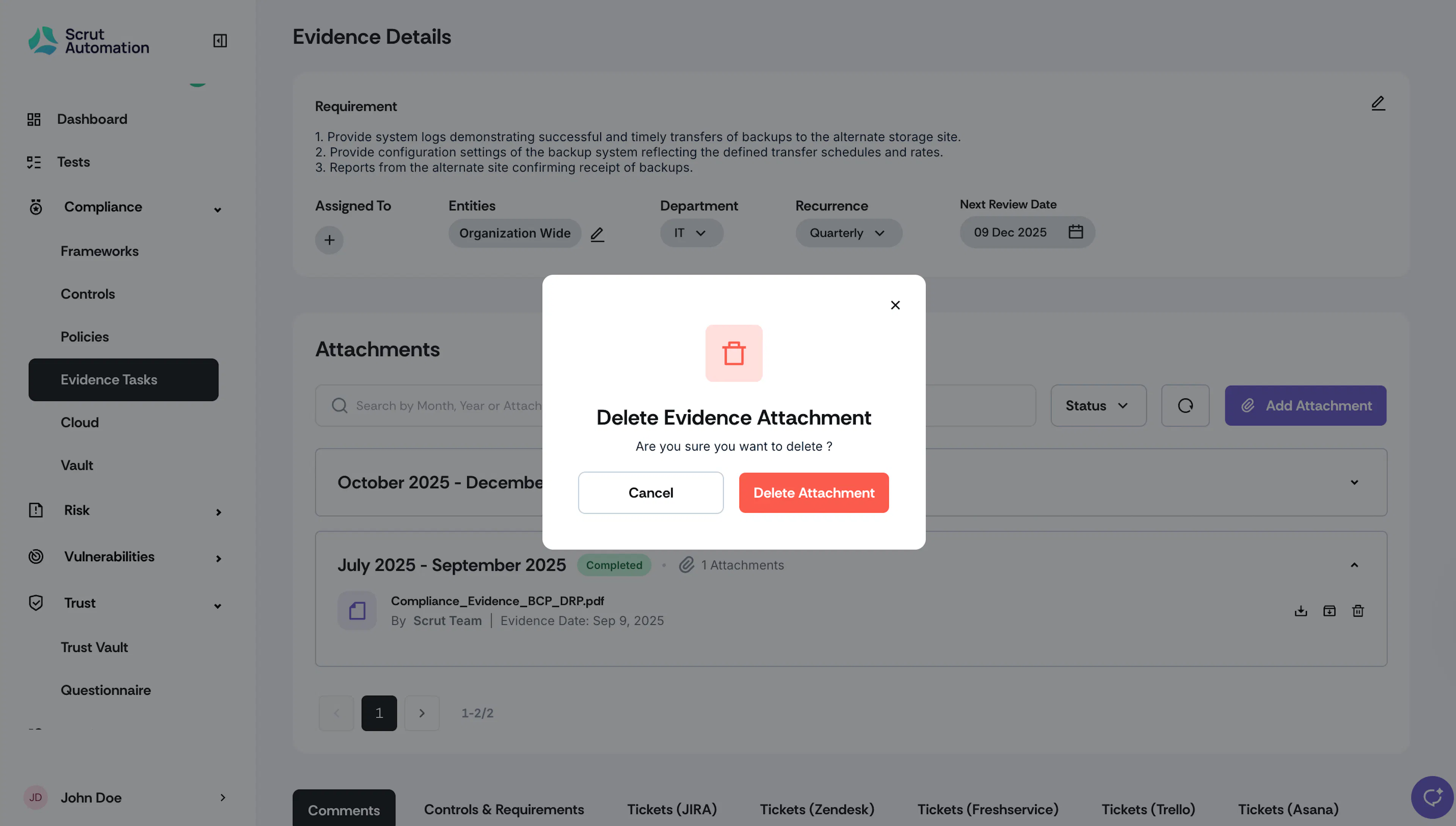
Click Delete to confirm your action.
Heads Up!
- Removing an attachment is permanent and cannot be undone.
- Removing all attachments from an evidence task reverts its status to “Not Uploaded.”