

Archive Evidence Attachments
As you work on getting compliant, you’re likely to accumulate a variety of evidence files and documentation, some of which might become irrelevant over time. By archiving irrelevant or outdated evidence attachments, you can keep your current files organized and clutter-free.
In Scrut, you can archive evidence attachments in two ways:
- Individually (OR)
- Through bulk archiving (via the Settings → Manage Evidence Attachments section)
Archive Evidence Attachment
-
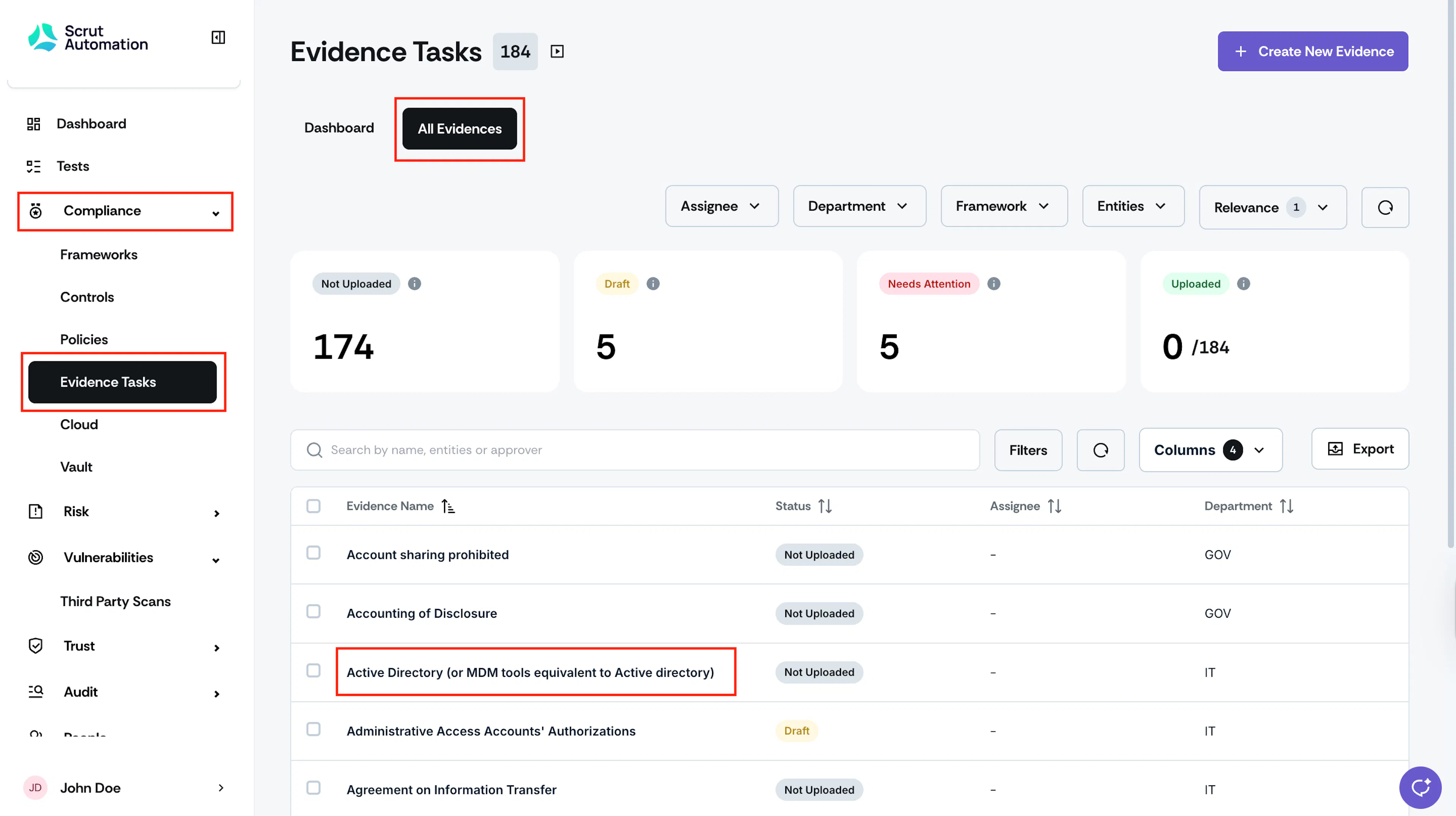
Sign in to Scrut, and click Compliance → Evidence Tasks on the left navigation panel.
-
Go to the All Evidences tab and select your preferred evidence task.
-
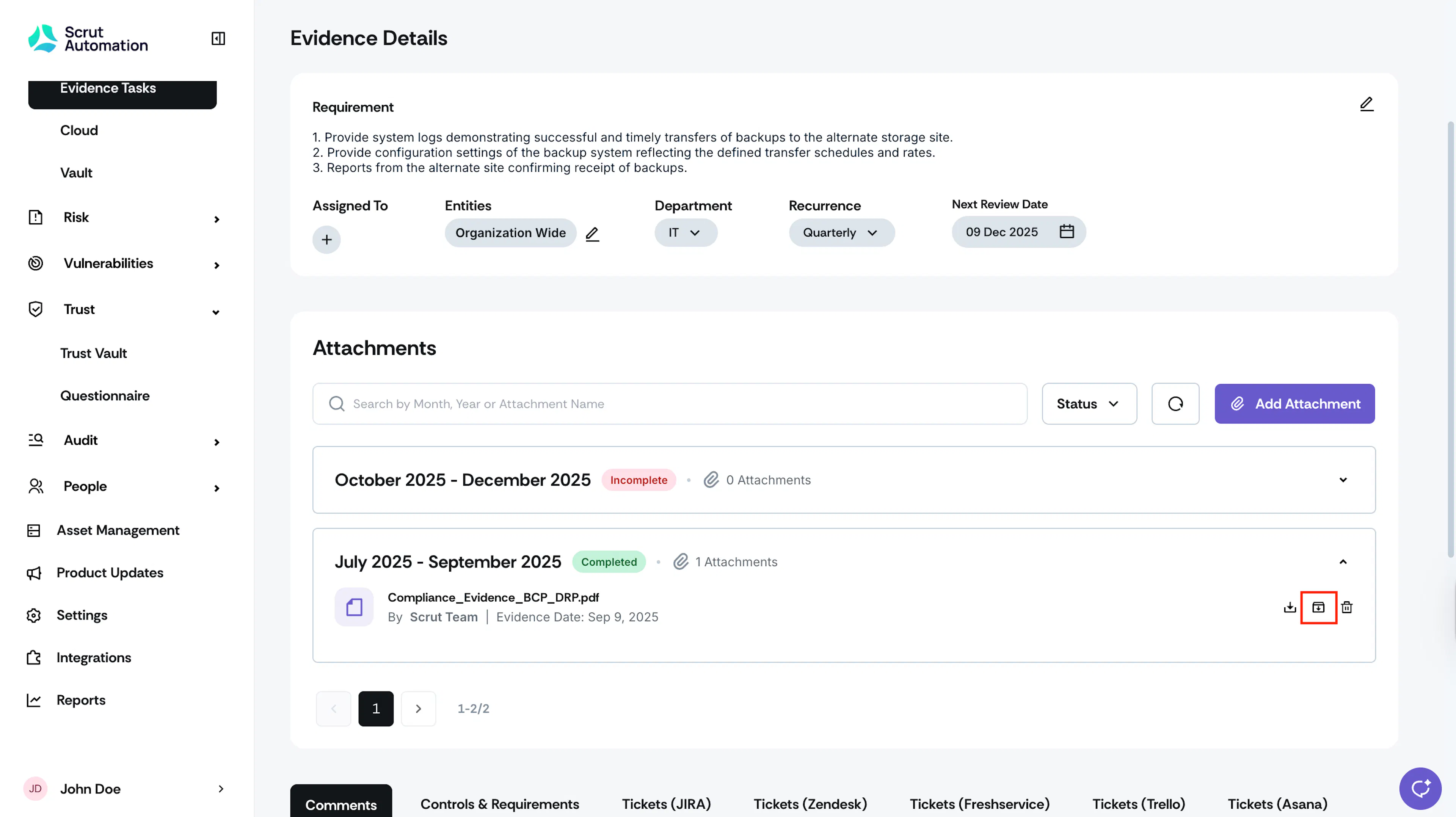
Once you’re on the Evidence Details page, scroll to the Attachments section.
-
Expand the attachment you want to archive and click the Archive icon next to it.

-
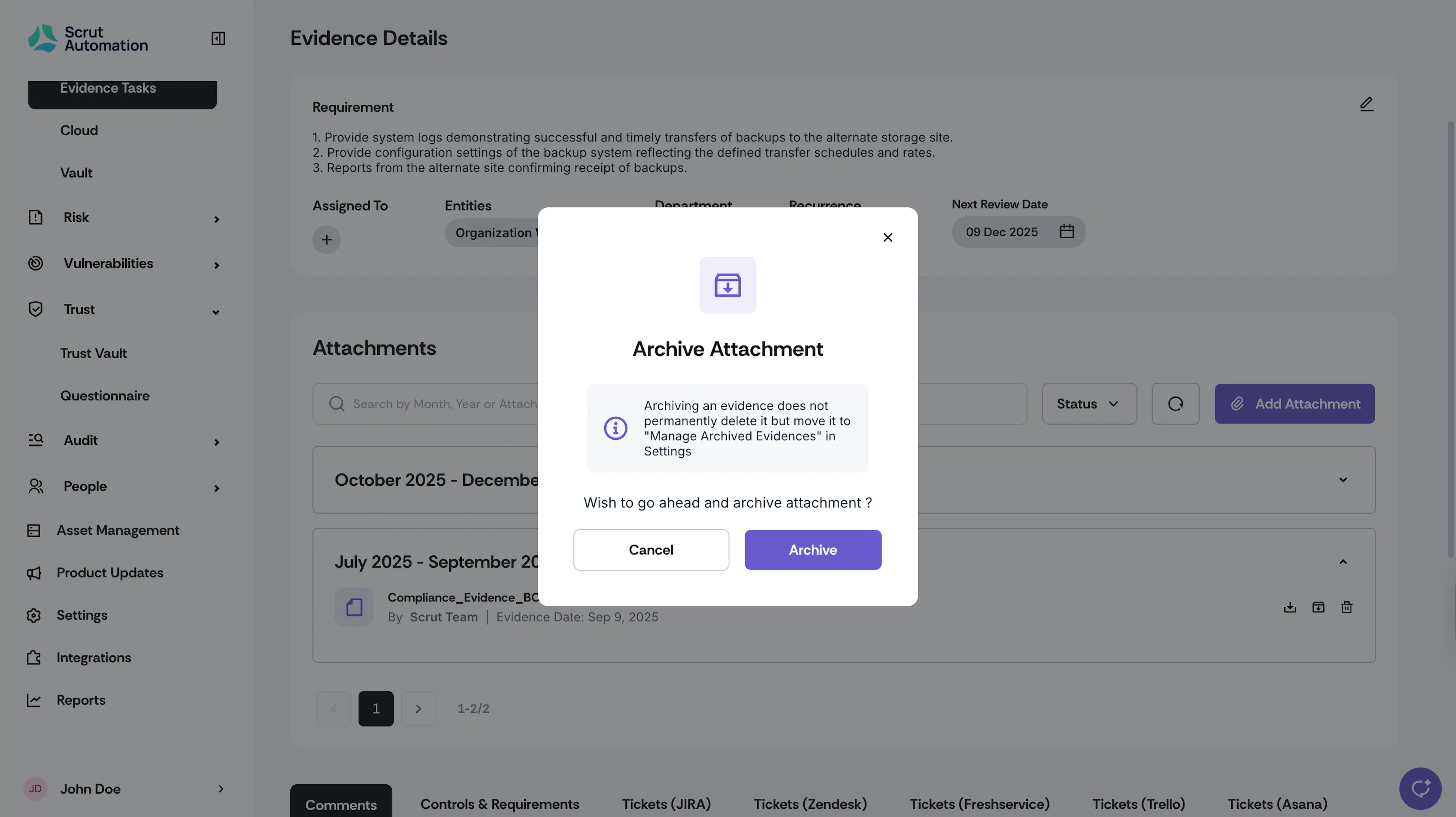
Click Archive to confirm your action.
Heads Up!
Archiving removes the attachment from the corresponding evidence task. However, you can restore it if needed by unarchiving from the Manage Evidence Attachments section in the Settings module.