Mark an Evidence Task as Not Relevant
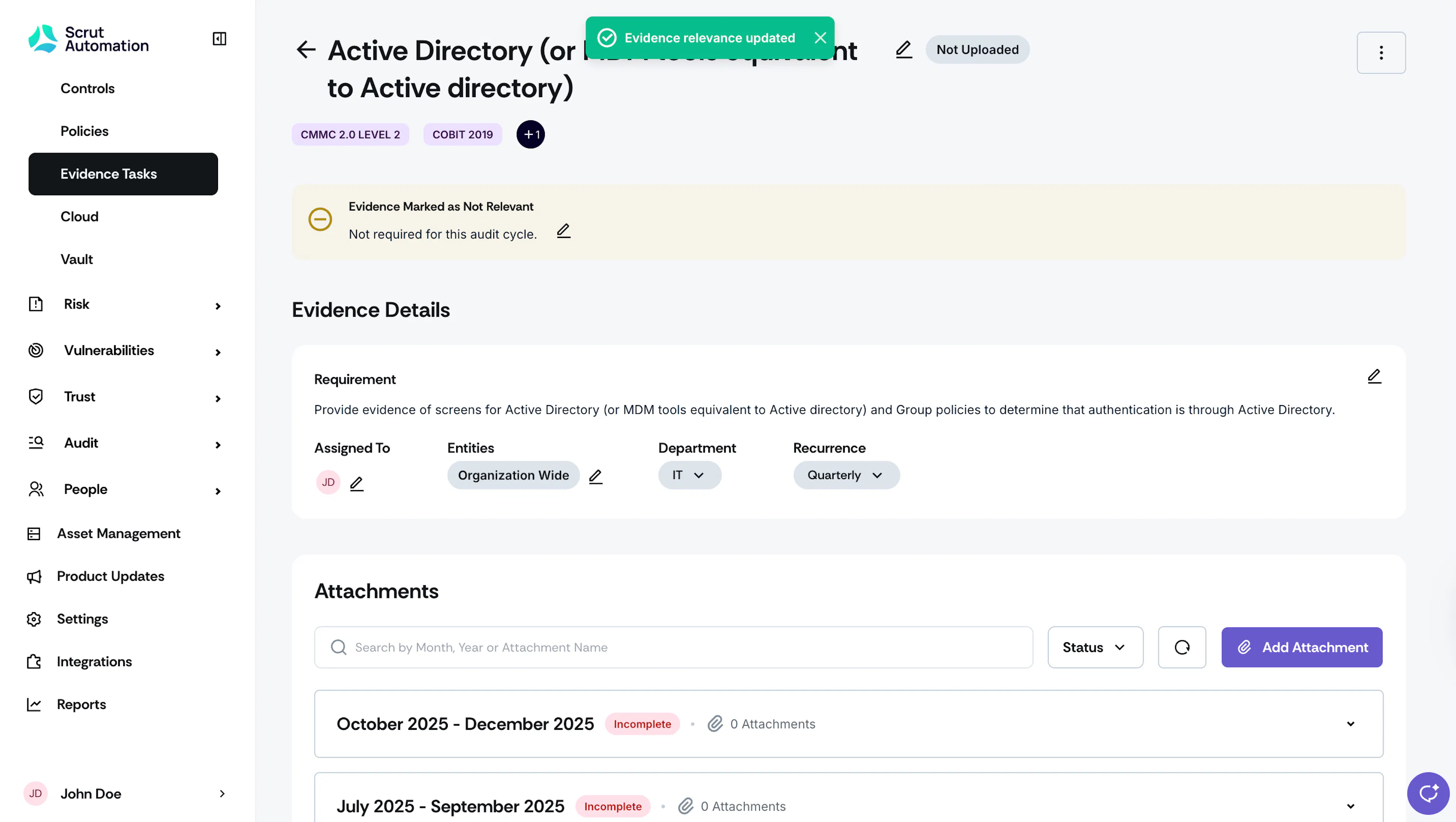
When an Evidence Task is no longer applicable or necessary, you can flag it as "not relevant," ensuring that it is excluded from all compliance-related metrics in Scrut's main dashboard.
You have two ways to mark an evidence task as not relevant:
Heads Up!
You can mark any evidence as “Not Relevant,” regardless of its status; whether it's Not Uploaded, Draft, Needs Attention, or Uploaded.
How To Mark an Evidence Task as Not Relevant
-
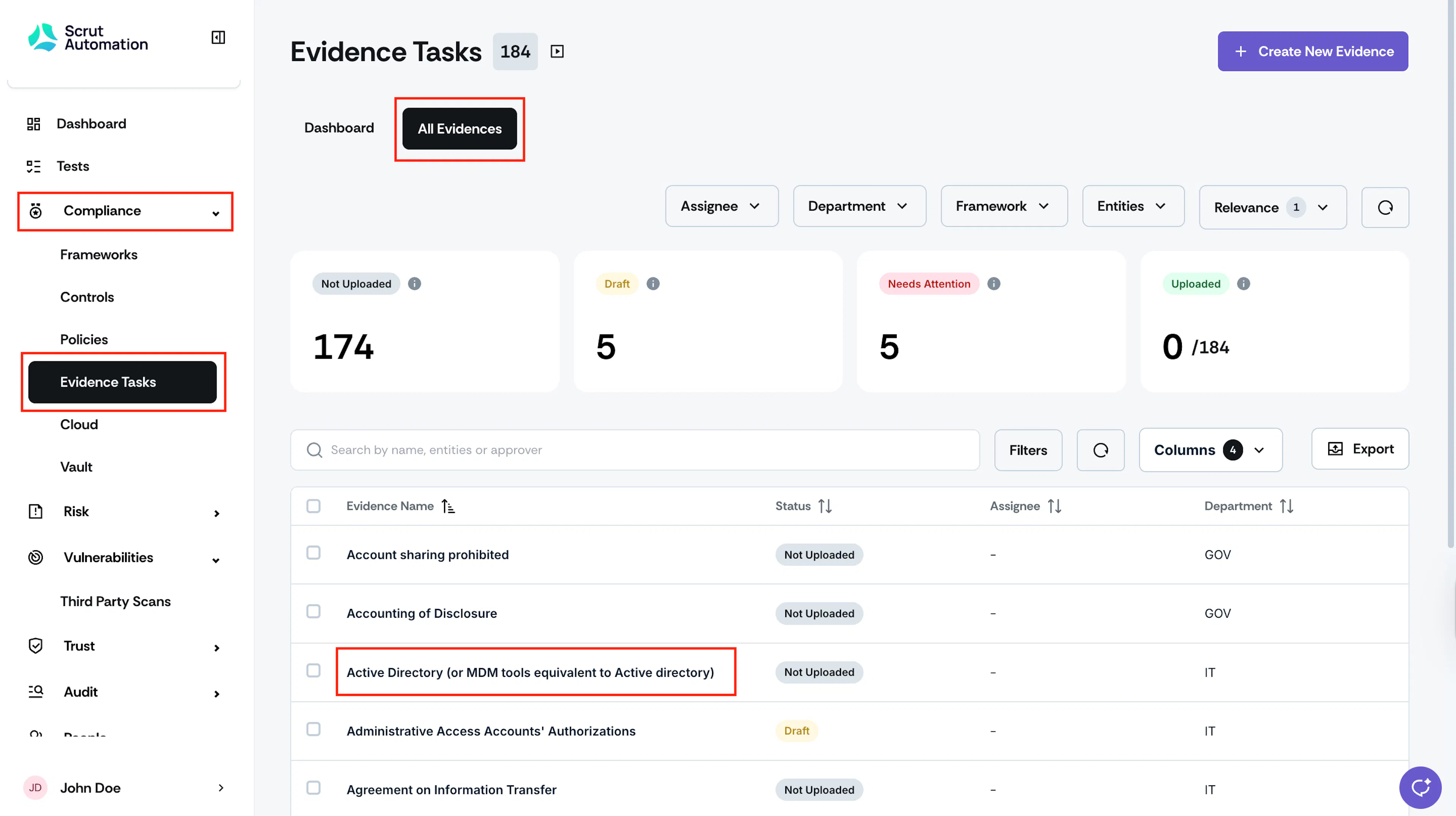
Sign in to Scrut, and click Compliance → Evidence Tasks on the left navigation panel.
-
Go to the All Evidences tab and select the evidence that you want to mark as not relevant.
-
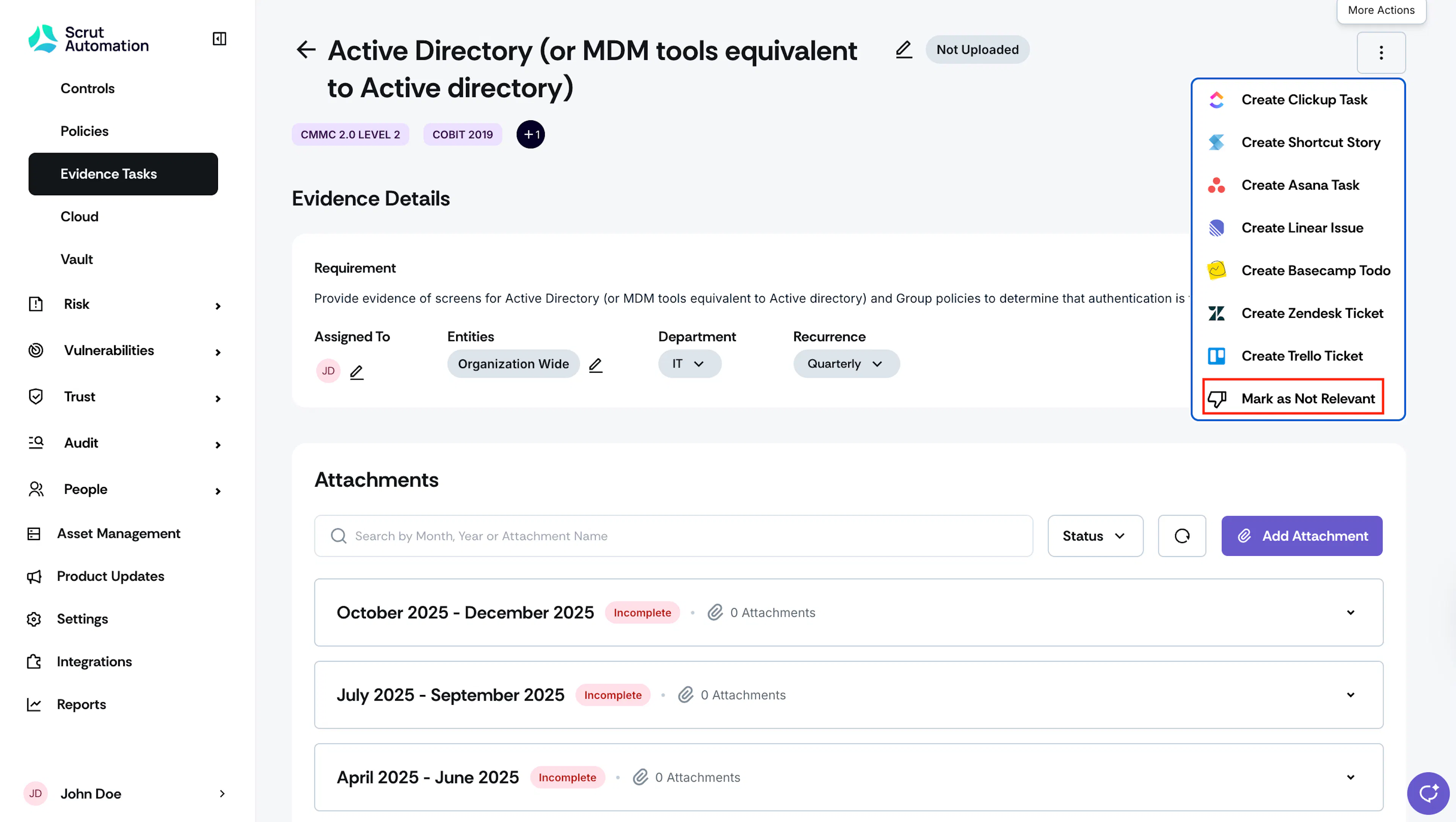
Once you’re on the evidence details page, click the three-dots icon at the top right and select “Mark as Not Relevant.”

-
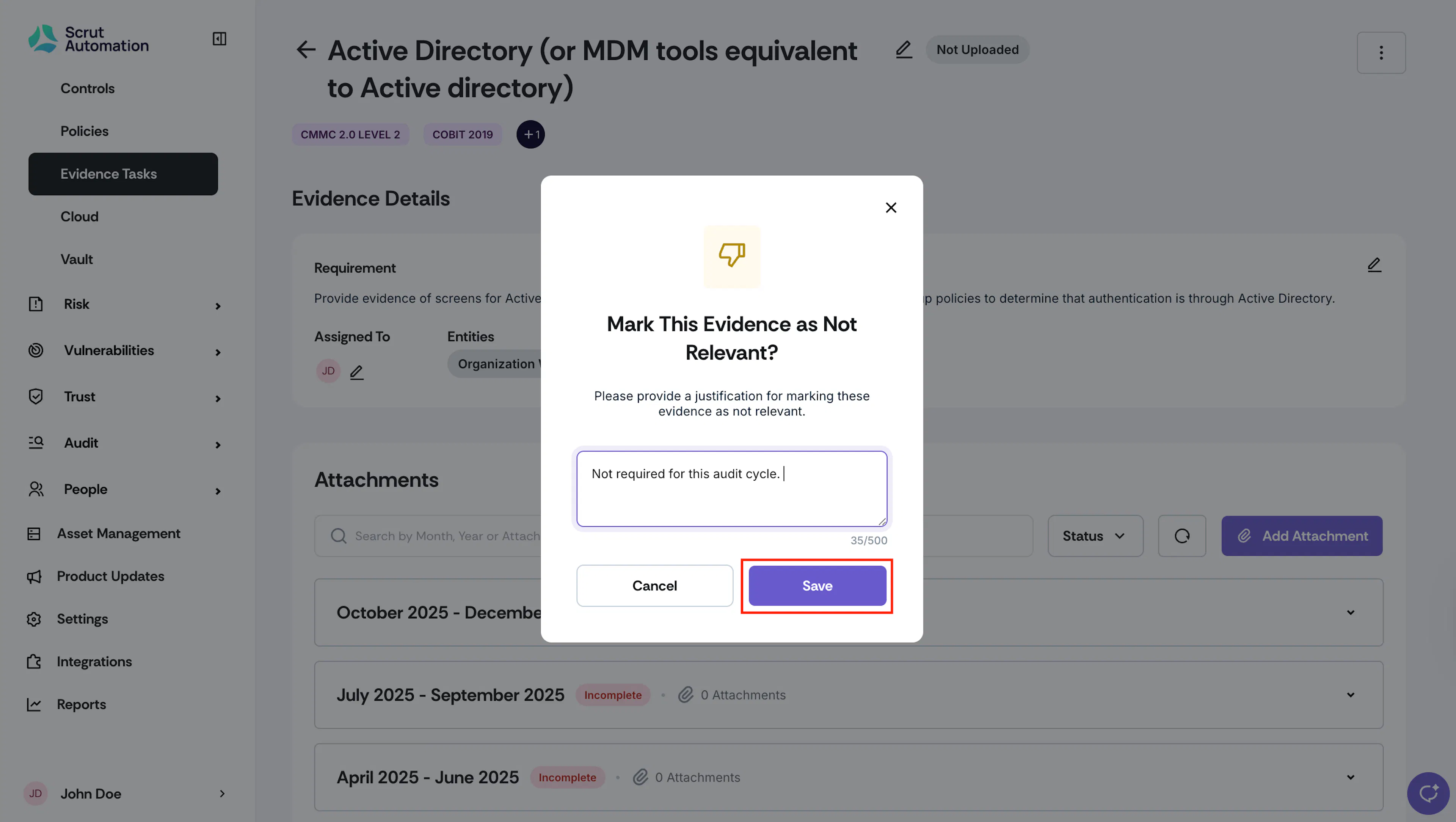
Enter a justification and click Save.
How to Mark Multiple Evidence Tasks as Not Relevant
-
Sign in to Scrut, and click Compliance → Evidence Tasks on the left navigation panel.
-
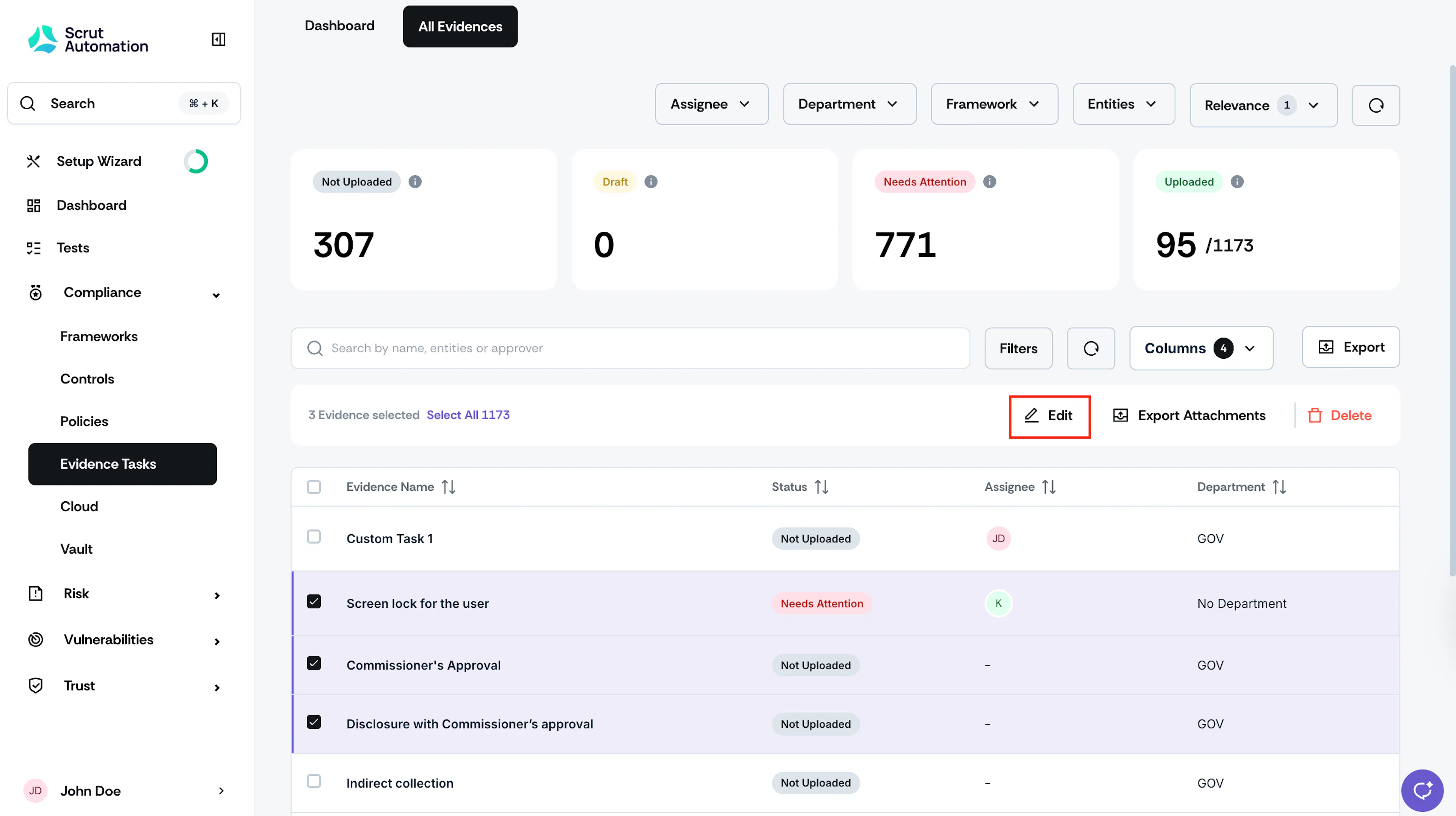
Go to the All Evidences tab and select the evidences you want to mark as not relevant.
-
Click the Edit icon at the top of the evidence table.

-
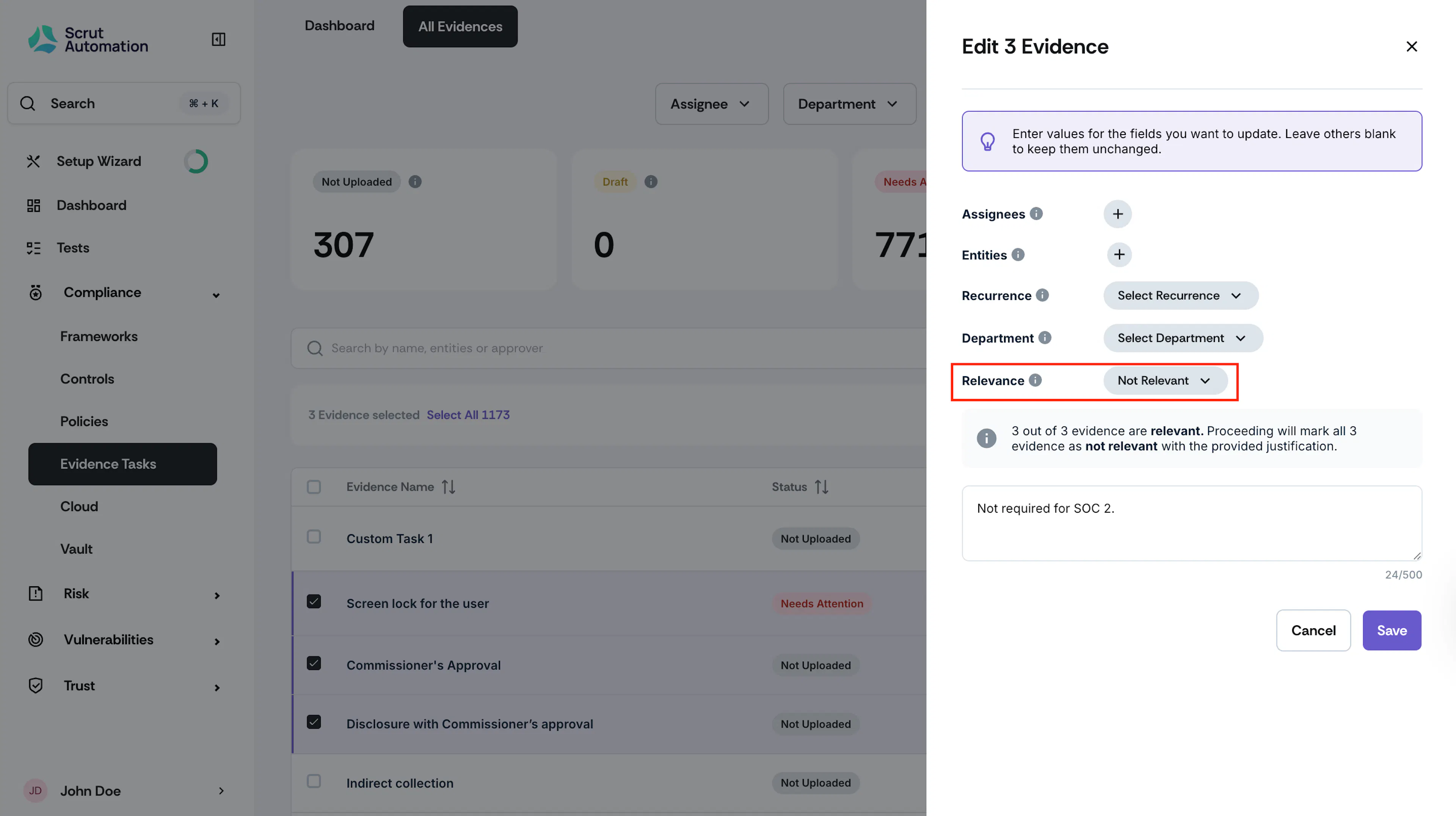
In the Edit drawer, scroll to the Relevance dropdown and choose, “Not Relevant.”
-
Enter a justification and click Save.