

Edit and Delete Evidence Tasks
In this article, you can learn how to edit and delete evidence tasks.
-
Editing Evidence Task Details
Editing Evidence Task Name
-
Sign in to Scrut, and click Compliance → Evidence Tasks on the left navigation panel.
-
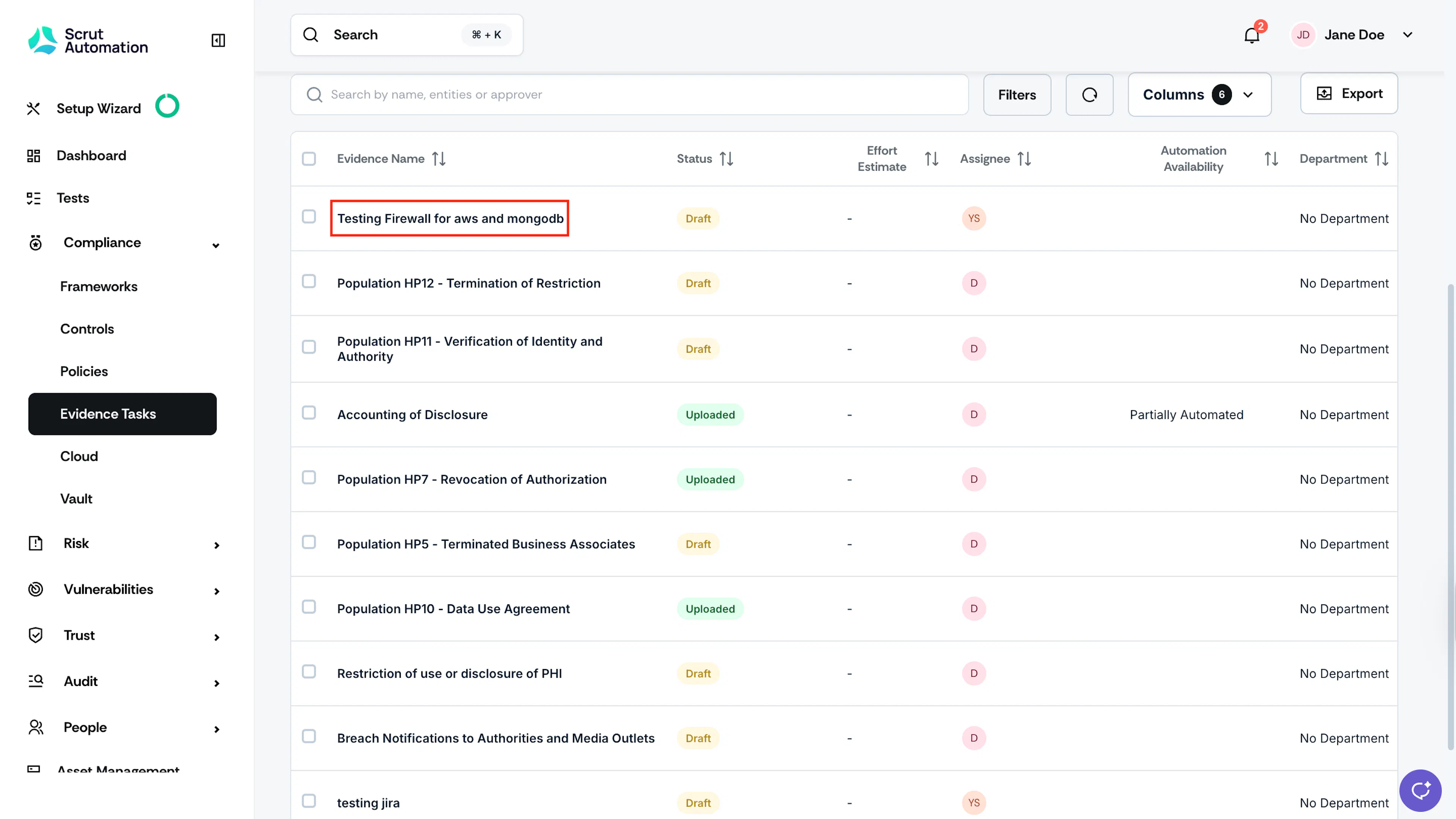
Go to the All Evidences tab and select your preferred evidence task.
-
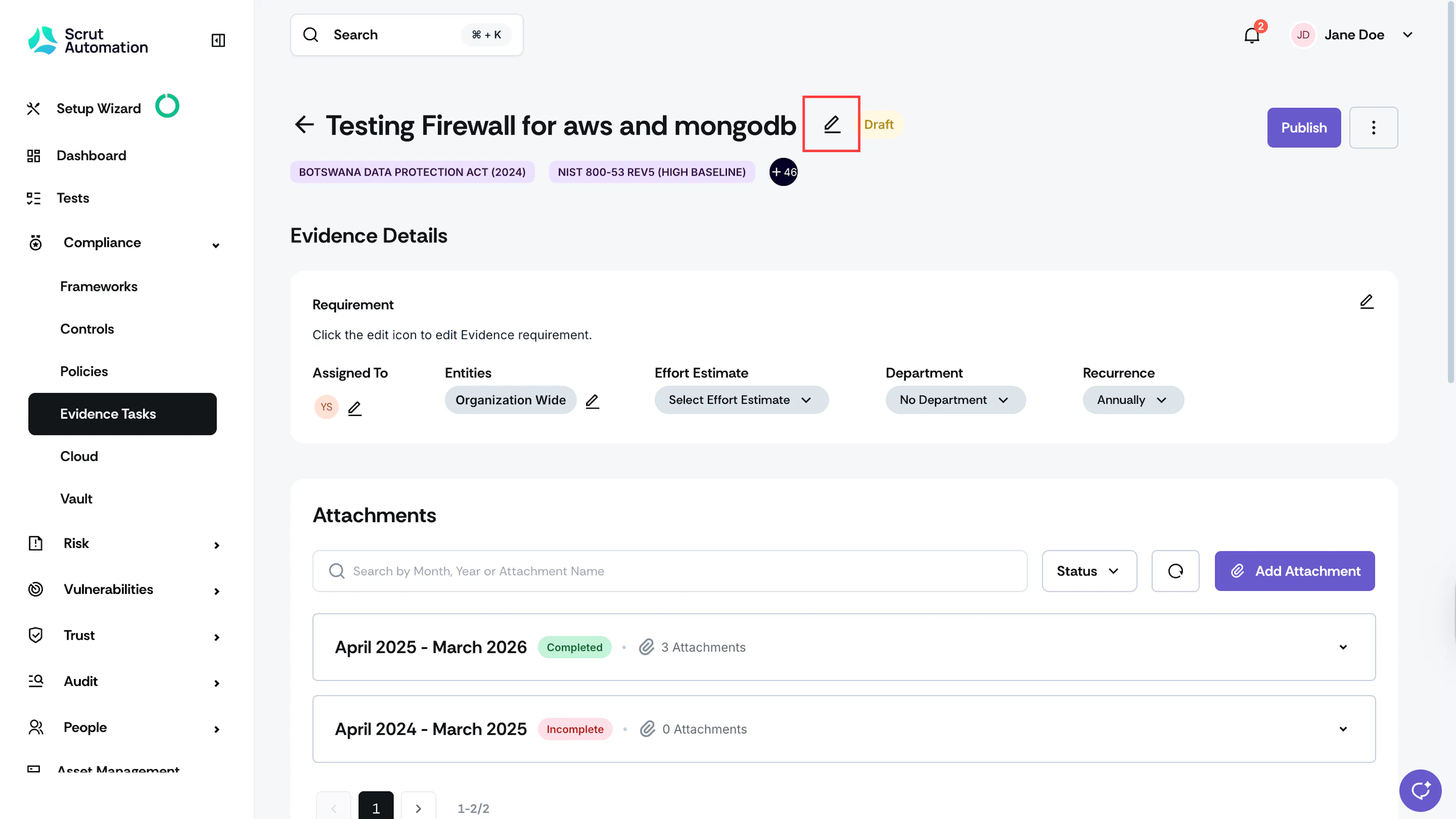
Click the edit icon next to the task’s name.

-
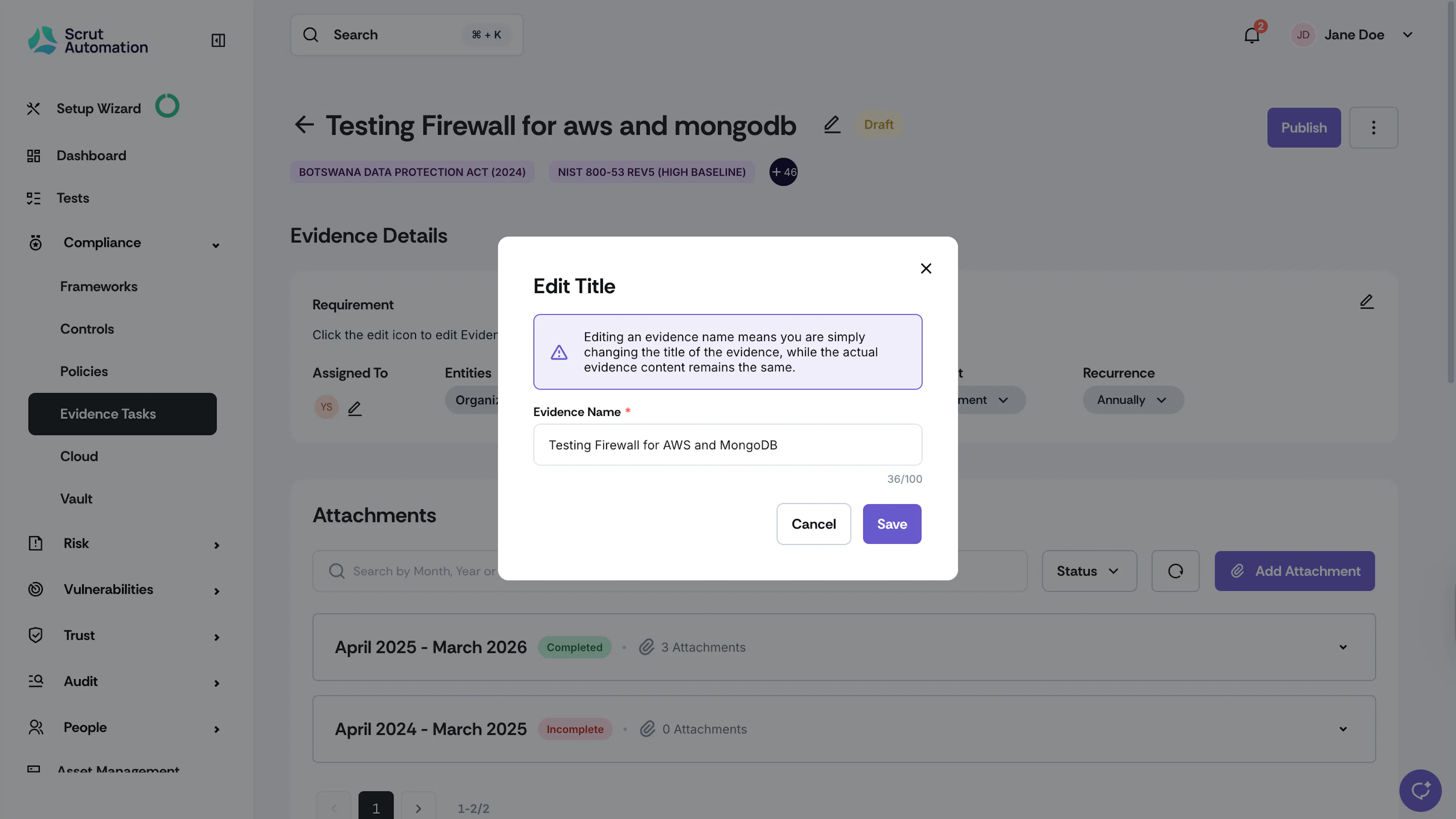
Modify the task name as required.
-
Click Save.
Heads Up!
Changing the name of the evidence means you are just updating the task's title. The actual evidence content stays the same.
Editing the Details of an Individual Evidence Task
-
Sign in to Scrut, and click Compliance → Evidence Tasks on the left navigation panel.
-
Go to the All Evidences tab and select your preferred evidence task.
-
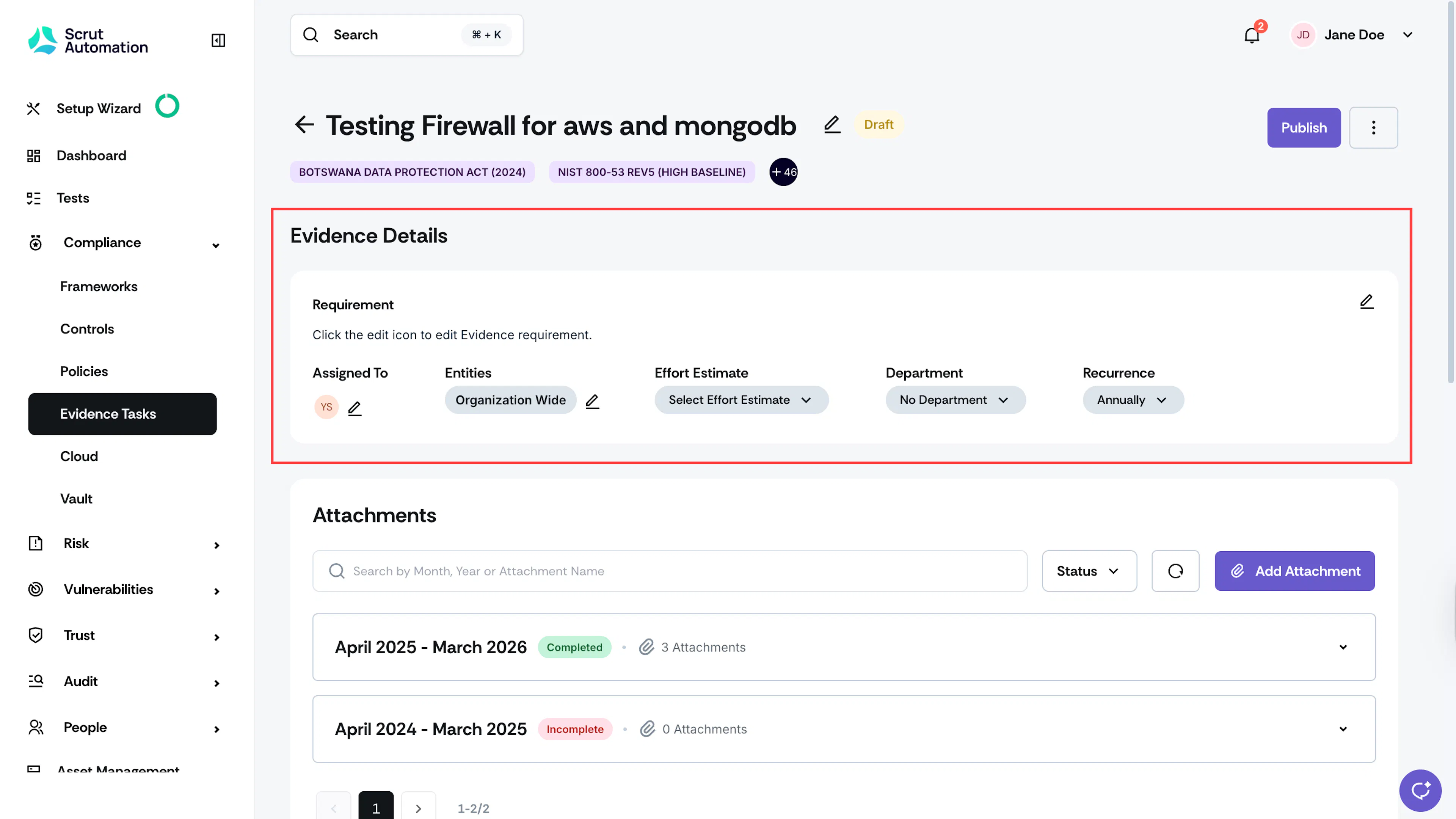
This brings you to the Evidence Details page.
-
You can edit evidence details, such as:
- Requirement
- Assigned To
- Entities
- Effort Estimate
- Department
- Recurrence
- Next Review Date
Editing Evidence Details in Bulk
Scrut also gives you the flexibility to edit several evidence tasks at once:
-
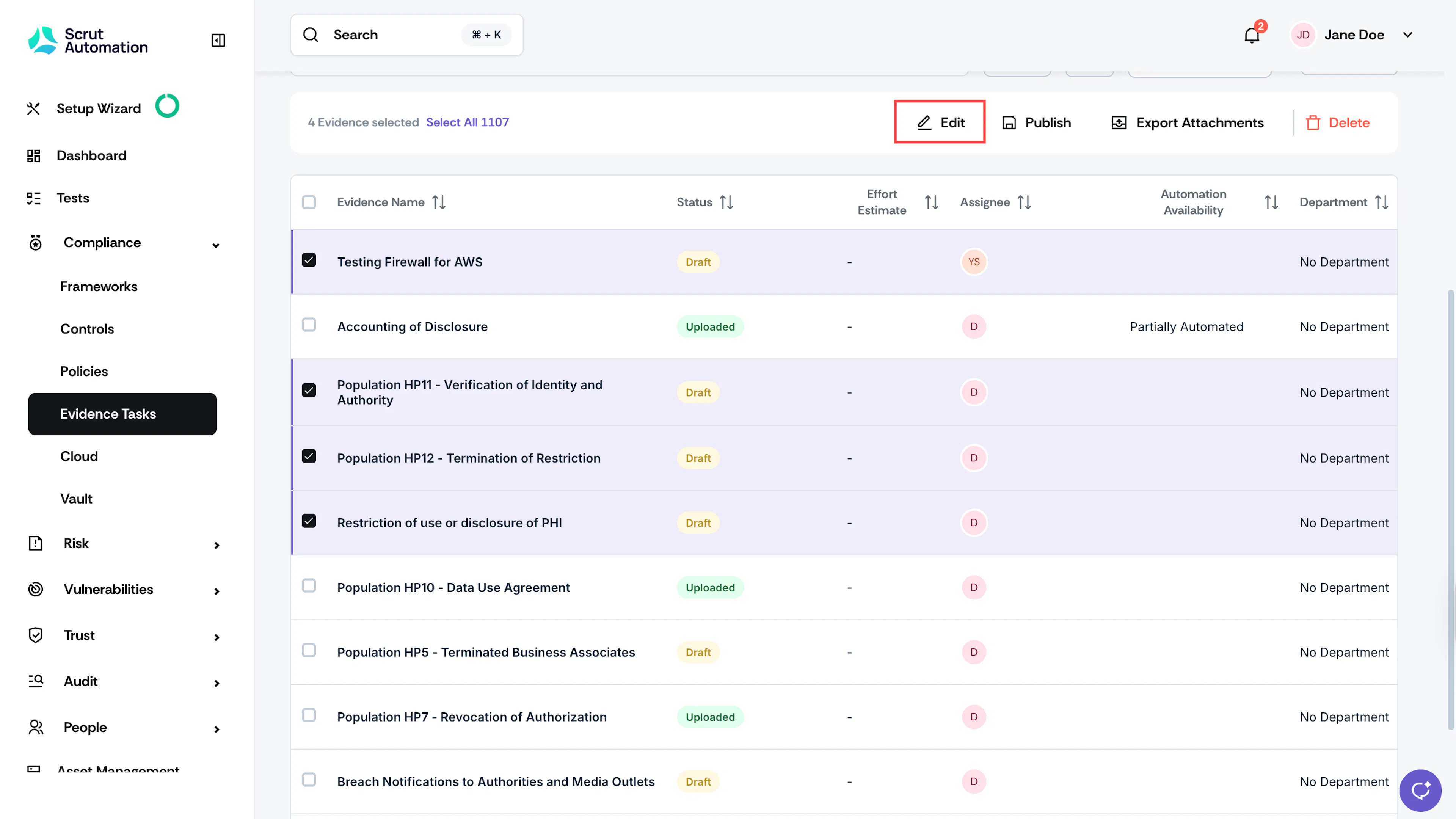
Go to the All Evidences tab and select the evidence tasks that you want to edit.
-
Click the Edit button at the top of the Evidence Tasks table.
-
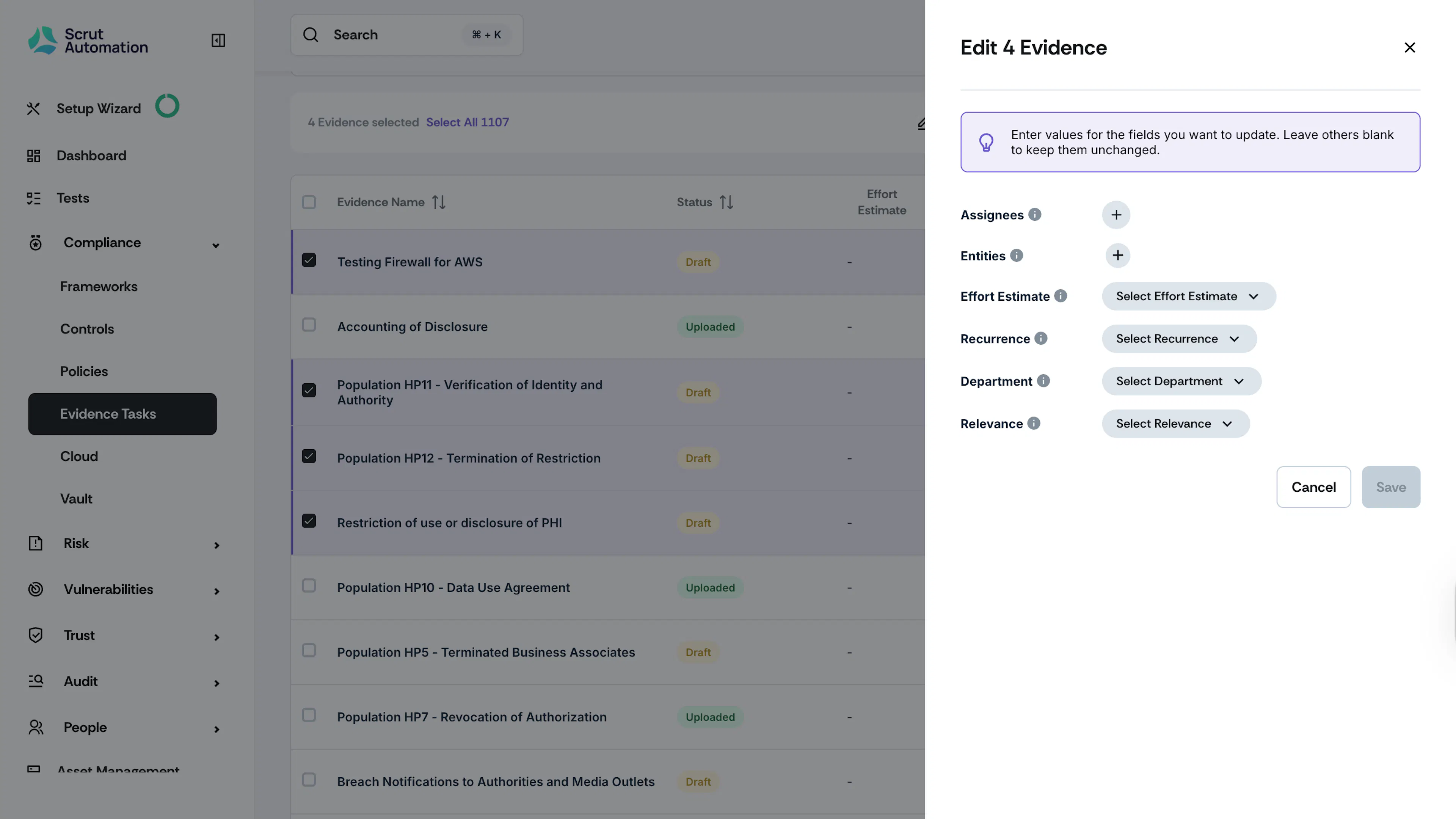
This opens the Edit details drawer. You can edit the following fields:
- Department
- Assignee
- Entities
- Recurrence
- Relevance (Mark selected tasks as relevant or not relevant)
-
Click Save. The changes will be applied to all selected evidence tasks.
Note:
If you wish to retain the existing values for a field, simply leave it unchanged. Scrut will only update the fields you've modified in this window, ensuring that the other values remain intact.
Deleting an Evidence Task
-
Sign in to Scrut, and click Compliance → Evidence Tasks on the left navigation panel.
-
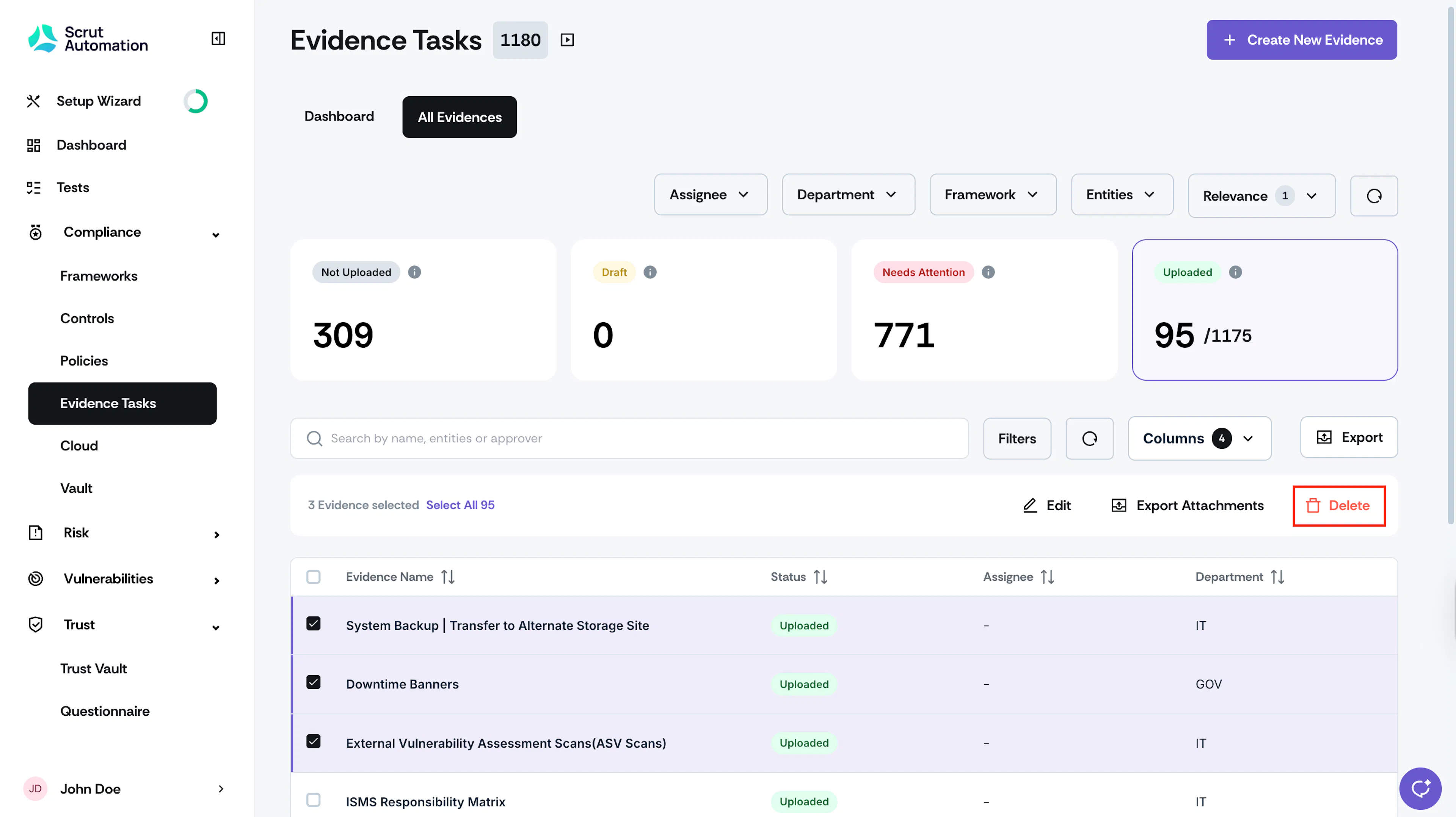
Go to the All Evidences tab and select the tasks you want to delete.
-
You can select one or more tasks, as required.
-
Click the Delete button at the top of the table.
-
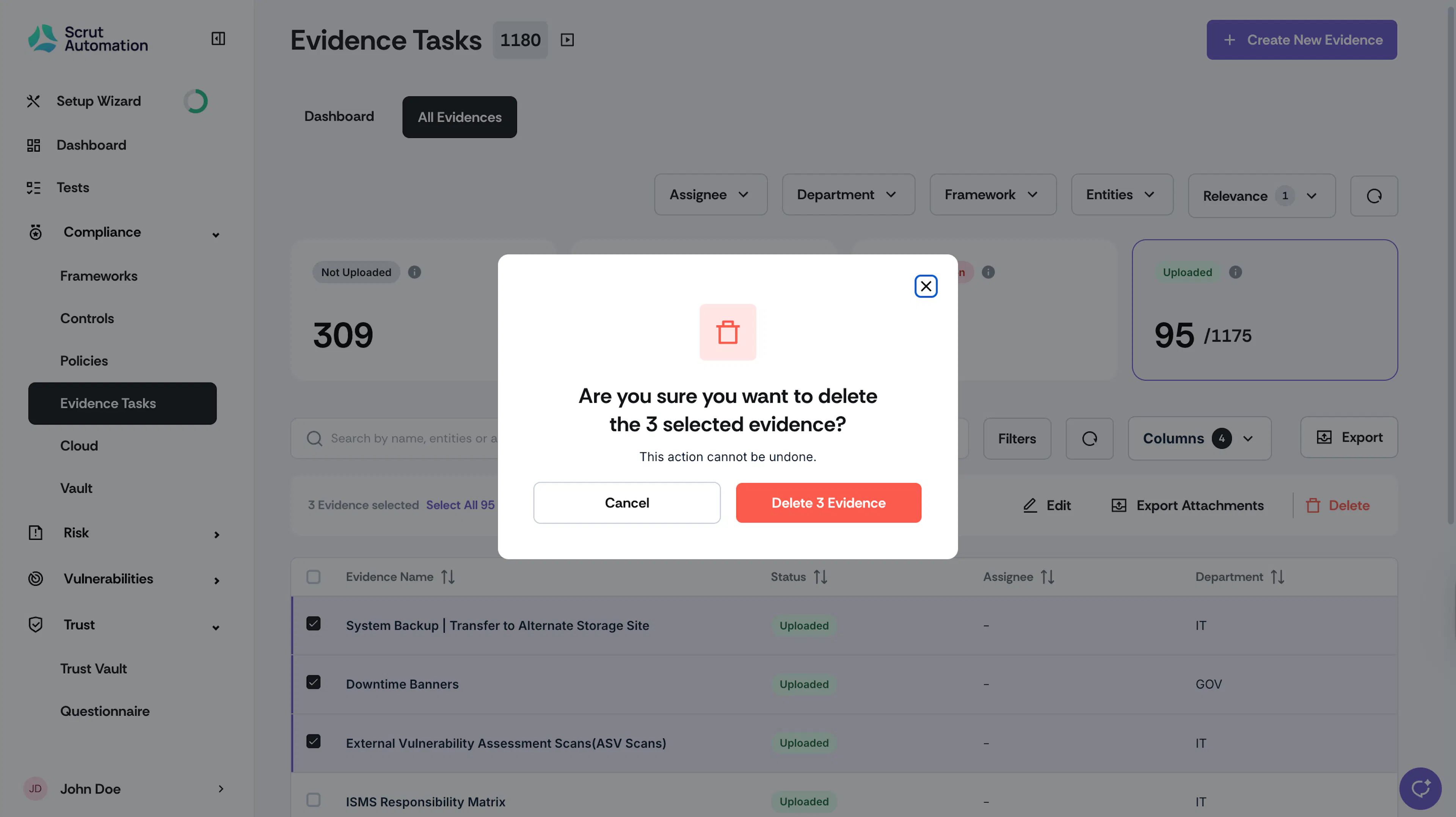
Click Delete to confirm your action.
Heads Up!
Once you delete the evidence task, it cannot be recovered. Review the selected tasks carefully before confirming deletion. If you only want to delete evidence attachments, see here.