

Detect Gaps in Evidence with Scrut Teammates
Who can use this feature
- Supported on Foundation, Growth, and Scale plans
Scrut Teammates uses AI to automatically analyze the manual evidence you upload to the platform. It helps you identify and address gaps before submission by:
- Detecting missing requirements, partial coverage, and inconsistencies in your evidence
- Providing actionable recommendations to improve evidence quality and audit readiness
Before You Begin
How It Works
When you upload or update evidence for the current audit period, Scrut Teammates automatically runs a gap analysis; no manual trigger needed. It analyzes your uploaded document, image, or link and provides a detailed AI analysis of the evidence's quality and completeness.
Heads Up!
It might take a few minutes for the AI to thoroughly analyze your evidence and identify any potential gaps. If you do not see results right away, try again after a short while.
-
Upload manual evidence by clicking the Add Attachment button.
-
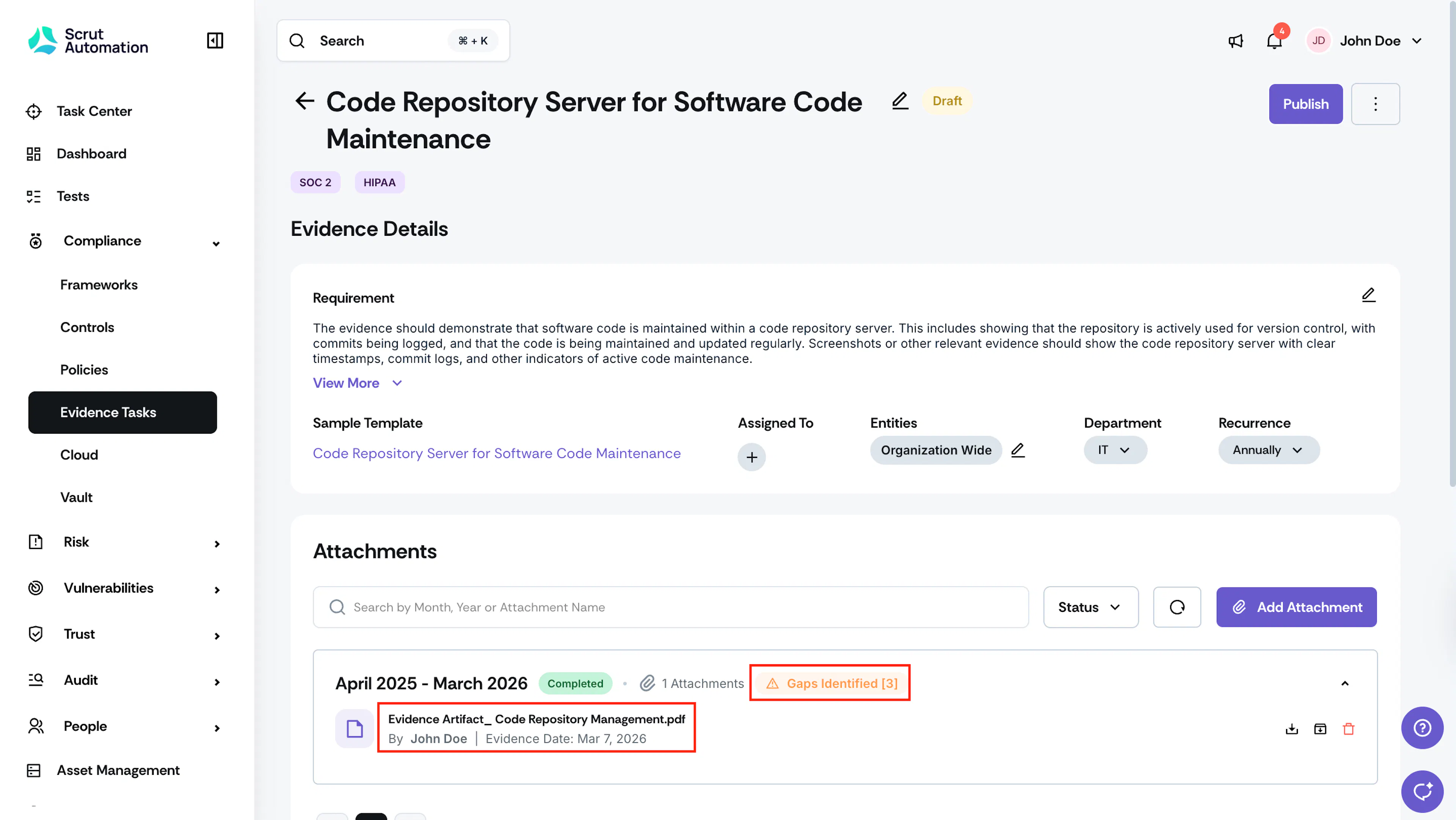
Scrut AI will analyze the uploaded evidence and list any gaps detected.
-
Click on the attached evidence to view the AI-identified gaps.
-
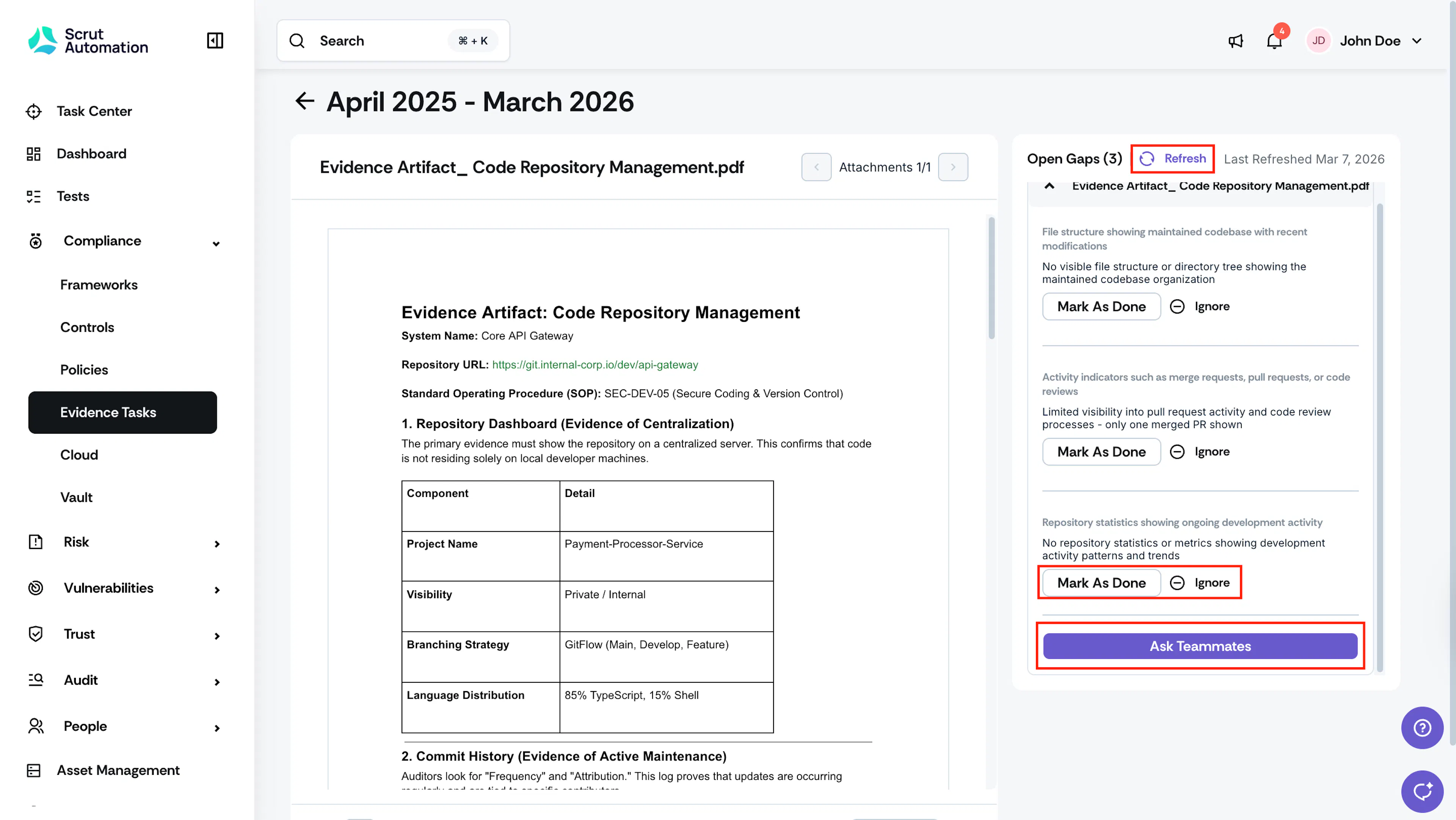
As you work on fixing the identified gaps, you can click Mark as Done or Ignore for each gap as needed.
-
Make the necessary changes to your evidence and reupload it for the next round of analysis.
-
You can click the Refresh button to manually trigger the next round of analysis.
-
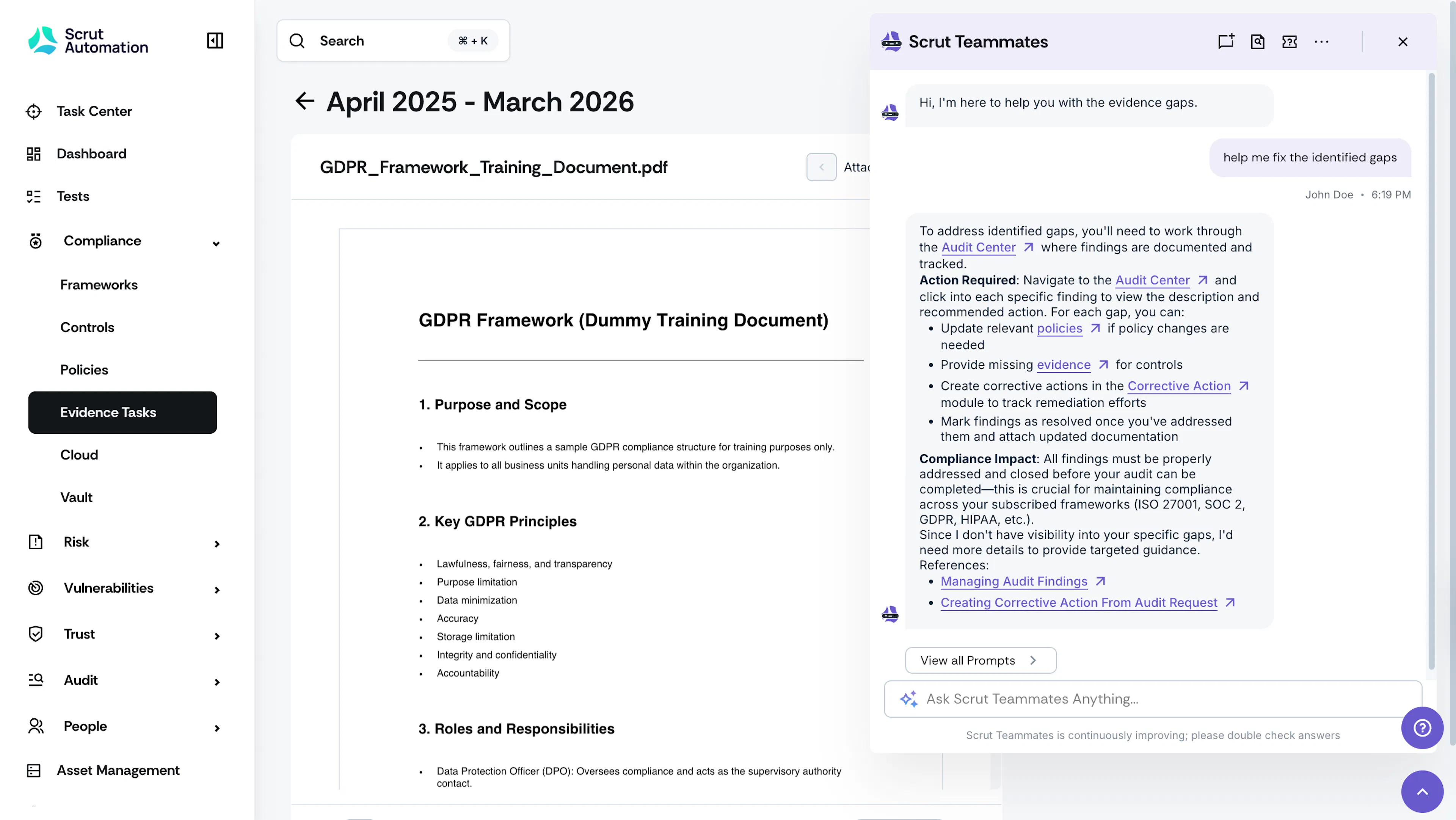
[Optional] If you have questions about the recommended changes, click the Ask Teammates button to ask follow-up questions and get deeper guidance on what adjustments are needed.
Troubleshooting
I've uploaded the evidence, but the AI detection hasn't triggered automatically
Gap analysis triggers automatically when evidence is uploaded to the current audit period.
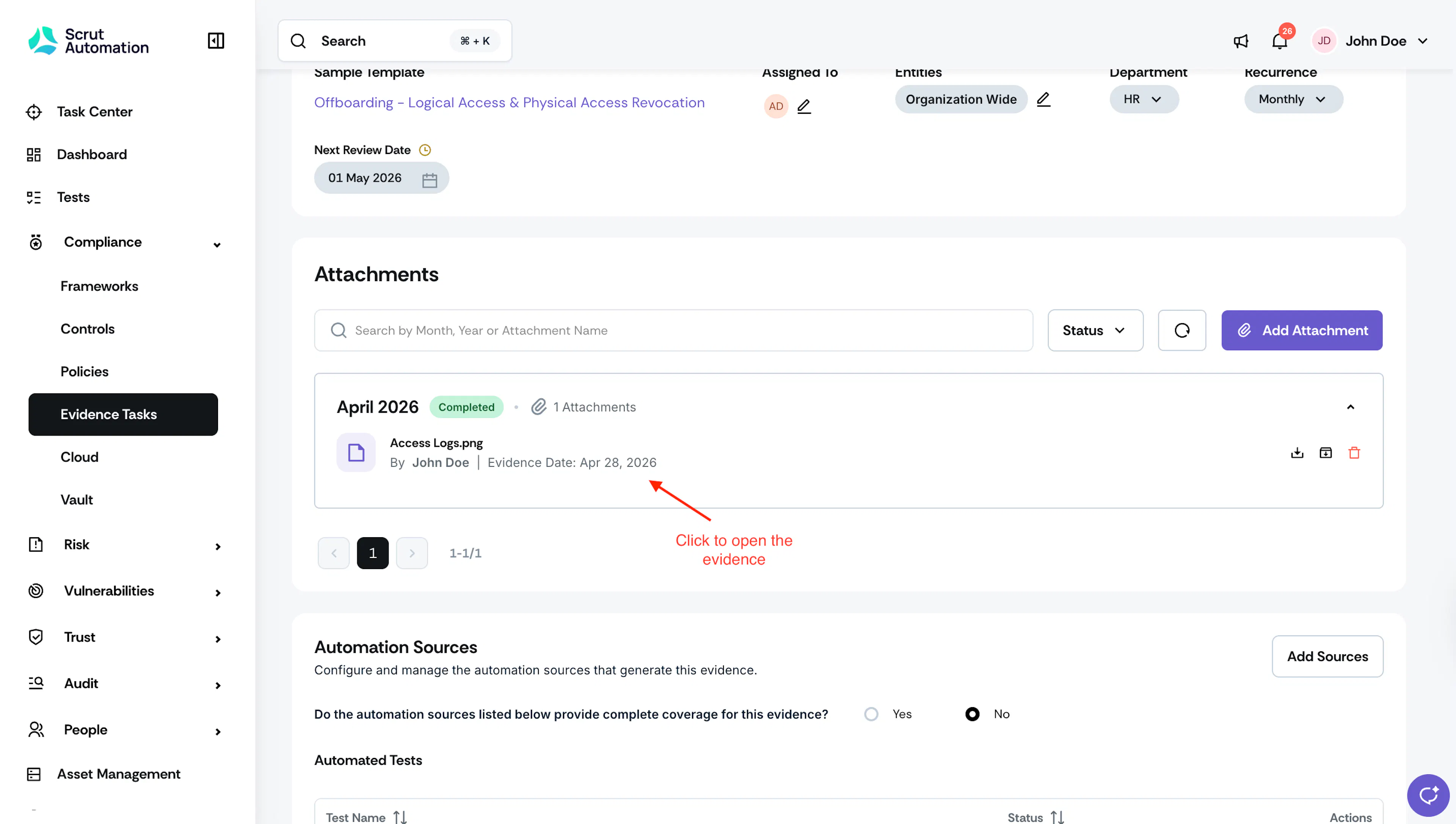
To get accurate gap detection on screenshot evidence, open the evidence task directly. Scrut Teammates runs gap analysis automatically when you open the evidence and displays results in the gap panel. If the analysis has not run before, it starts automatically on your first visit.
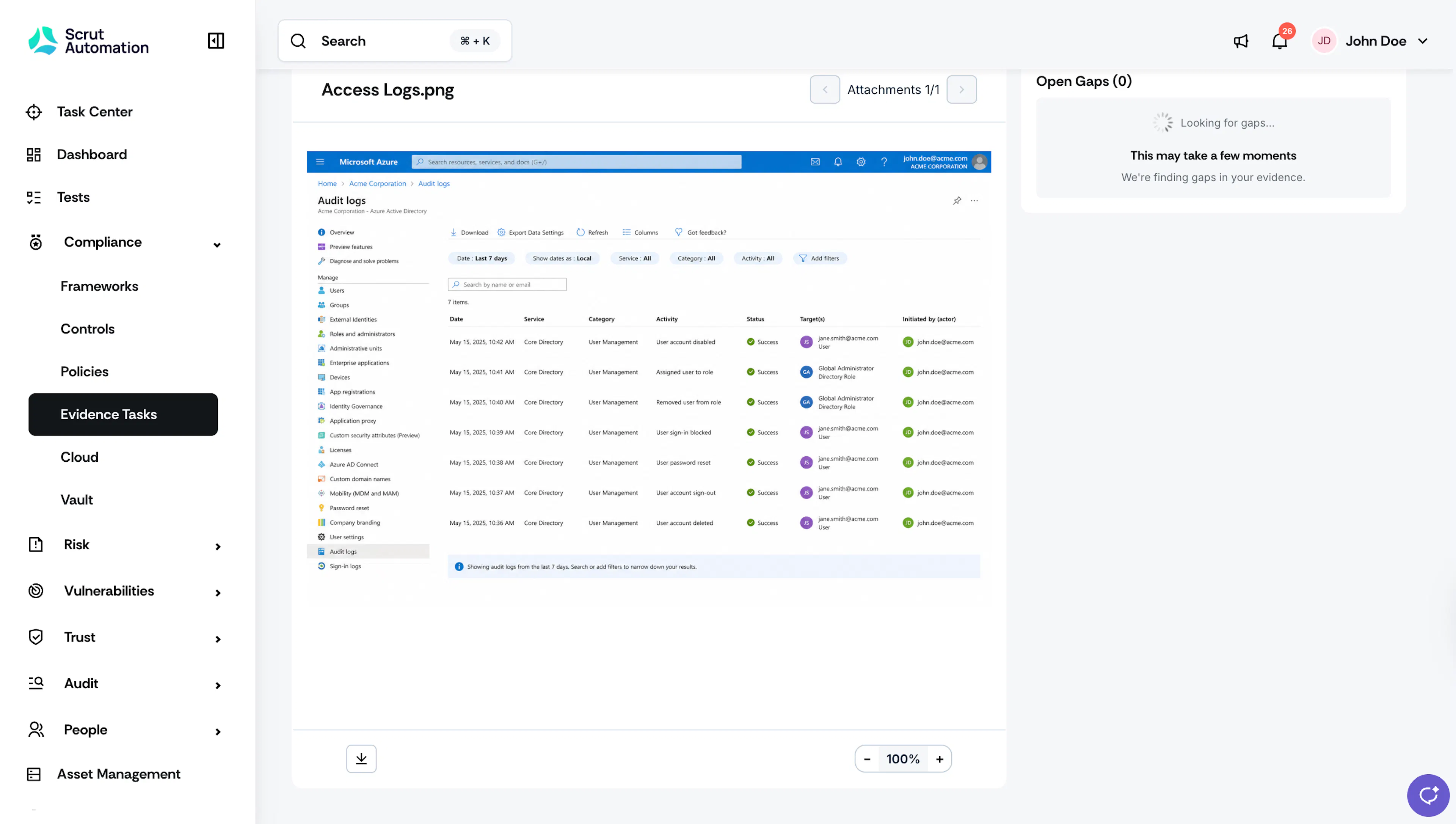
Check the following if results are not appearing:
- Confirm the evidence was uploaded to the current audit period and not a past one. Gap analysis does not run automatically on evidence attached to previous periods.
- Wait a few minutes. Analysis can take some time to complete after upload, especially for larger files.
- Confirm that Scrut Teammates is enabled for your organization. Navigate to Settings → Scrut AI and verify that Teammates is turned on.
If results still do not appear after waiting, click the Refresh button on the evidence task to manually trigger a new round of analysis.