

Use Sample Templates for Evidence
When uploading manual evidence, you can refer to the in-built evidence templates to understand what information to include and how to structure your evidence file.
What is a Sample Evidence Template?
An evidence template is a pre-built reference document that provides guidance on what information to include in your evidence file and how to format it to meet audit requirements.
Heads Up!
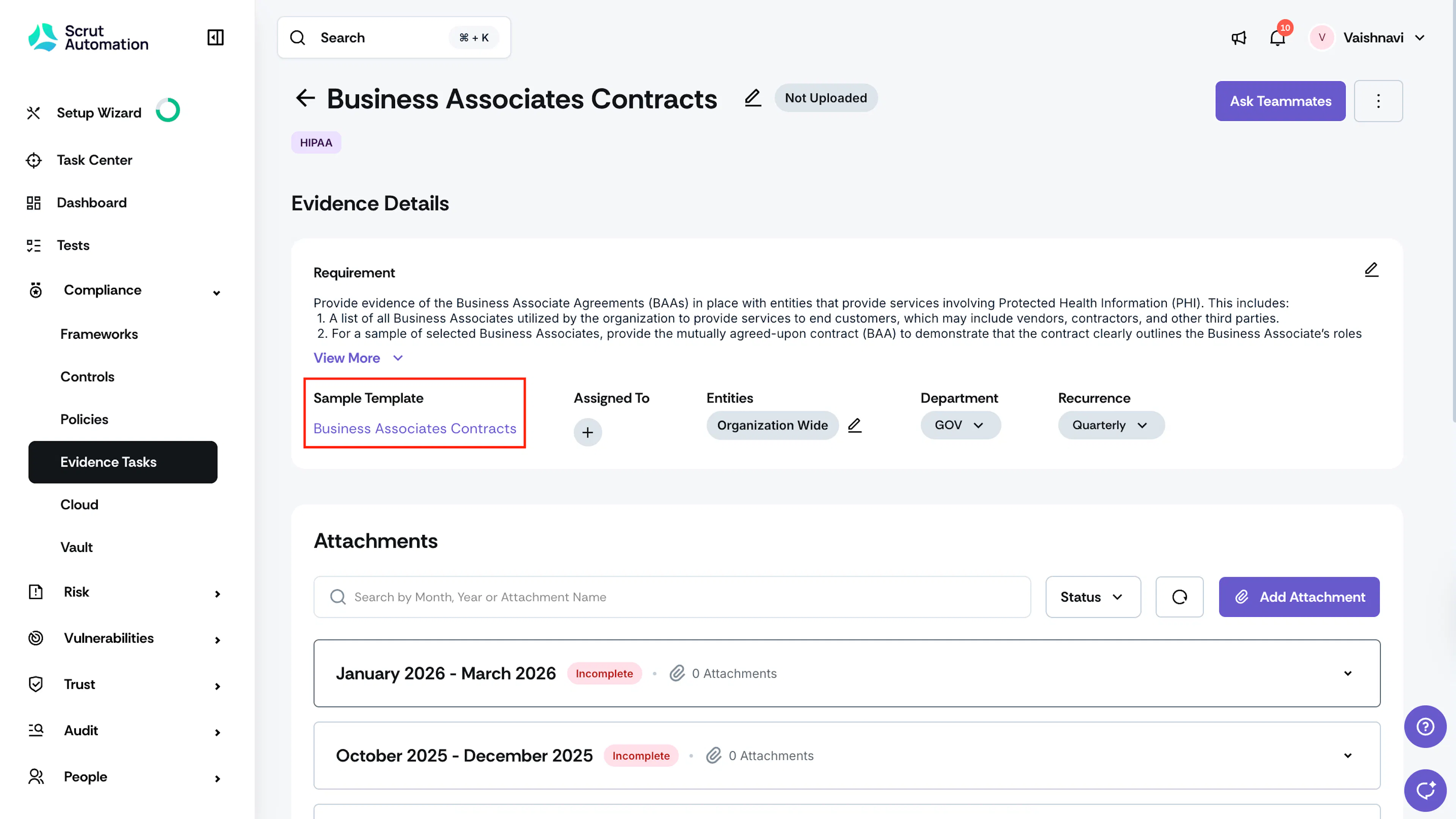
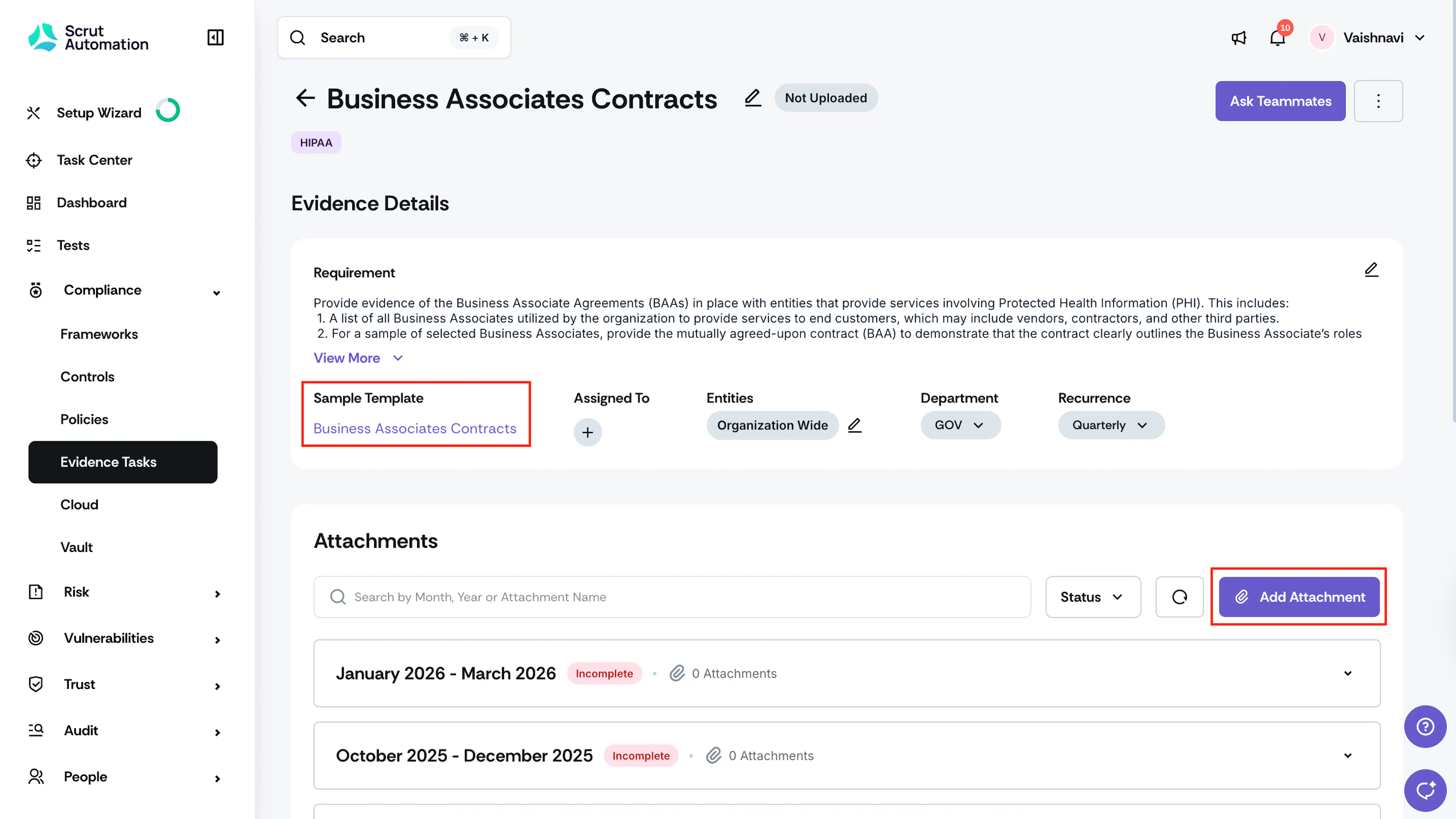
Not all evidences have an in-built template. If the template is available, it’s present in the Sample Template section on the evidence details page.
Download the Sample Template
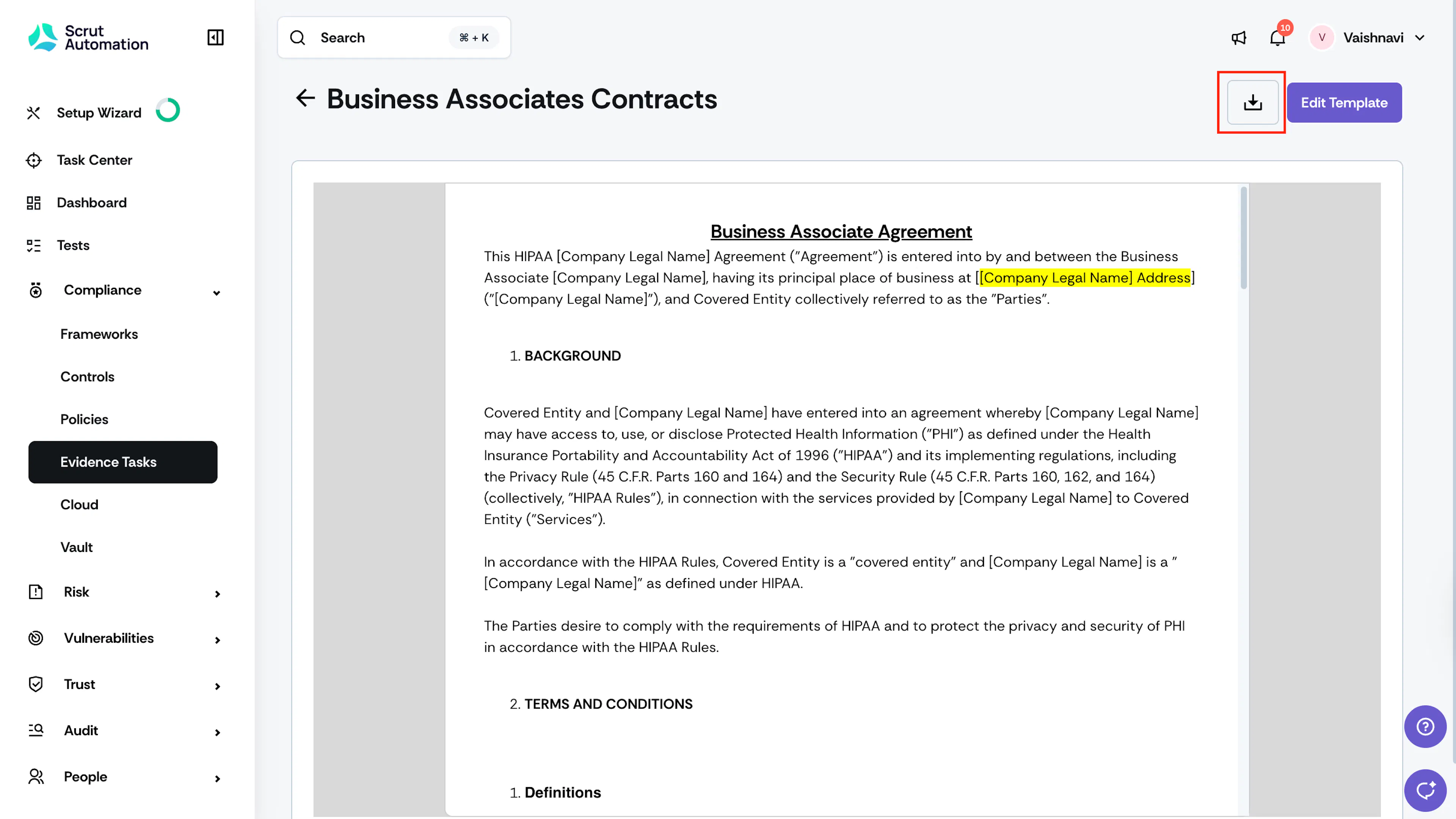
You can download the sample template to use as a reference while preparing your evidence file.
-
Sign in to Scrut and navigate to Compliance → Evidence Tasks on the left navigation panel.
-
Go to the All Evidences tab and click on the relevant evidence task.
-
On the Evidence Details page, click on the sample template and click the Download button to save the template to your device.
-
Use the template as a reference to prepare your evidence file, then upload it using the Add Attachment button.
Editing the Sample Template
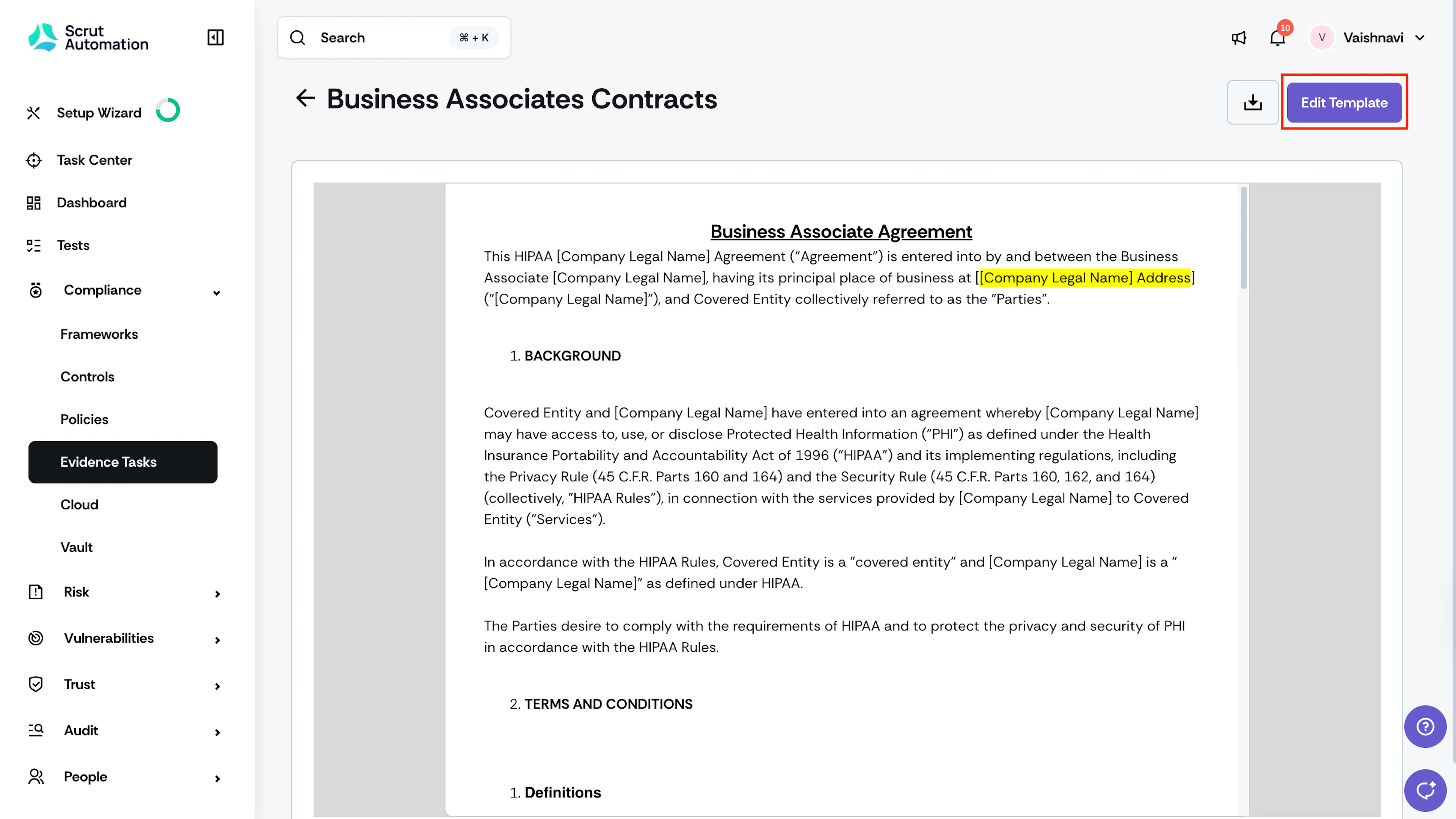
If the default template does not fully match your organization's process or terminology, you can edit it directly within Scrut.
-
On the Evidence Details page, open the evidence task whose template you want to edit.
-
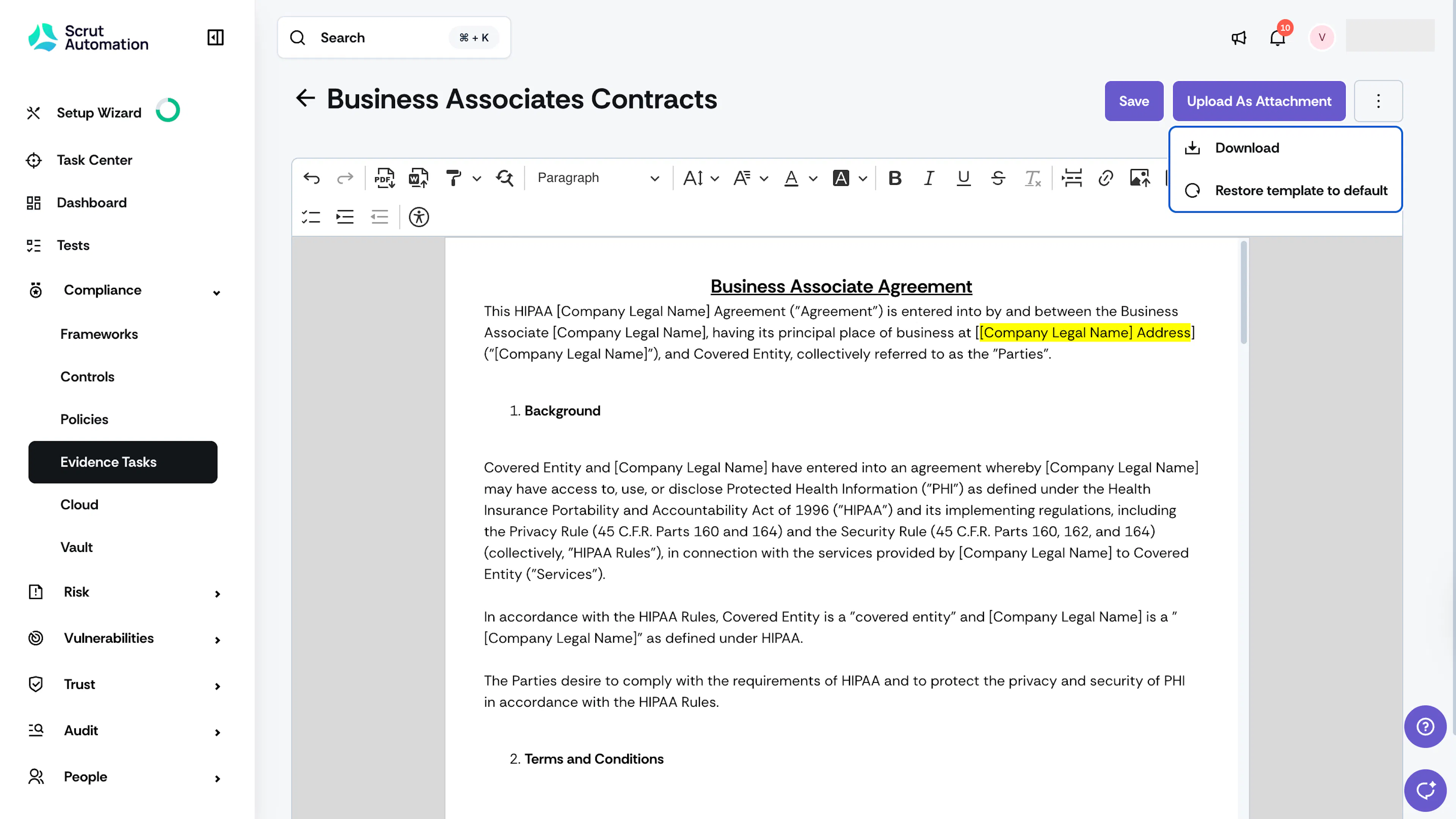
Click on the sample template and click Edit Template to revise it.
-
Update the content. You can also change formatting by applying bold or italic text, headings, bulleted or numbered lists, adding links, etc.
-
Once you're done editing, you have the following options:
- Save: Saves your changes to the template.
- Upload as Attachment: Uploads the edited version of the template as an evidence attachment to the appropriate date bucket.
- Restore Template to Default: Reverts the template to its original default content, discarding all edits.
Heads Up!
- Changes are only saved when you explicitly click Save. There is no autosave.
- Restoring the template to default permanently removes any customizations you've made.