

Enable Scrut AI
Who can use this feature
- Supported on Foundation, Growth, and Scale plans
How to Enable Scrut Teammates
To turn on Scrut Teammates,
-
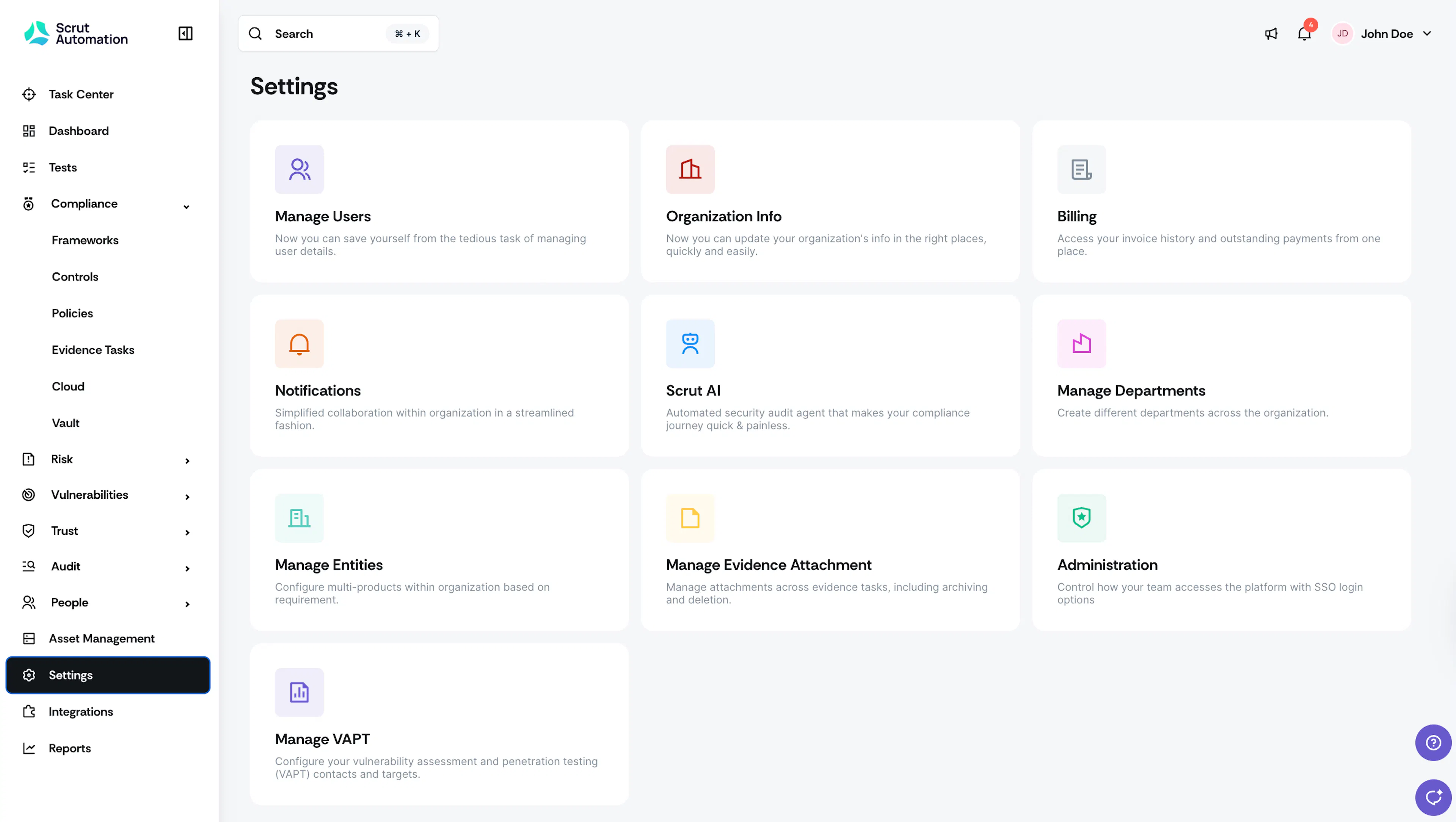
Log in to your Scrut account and click Settings in the left navigation panel.
-
Click the Scrut AI tile.
-
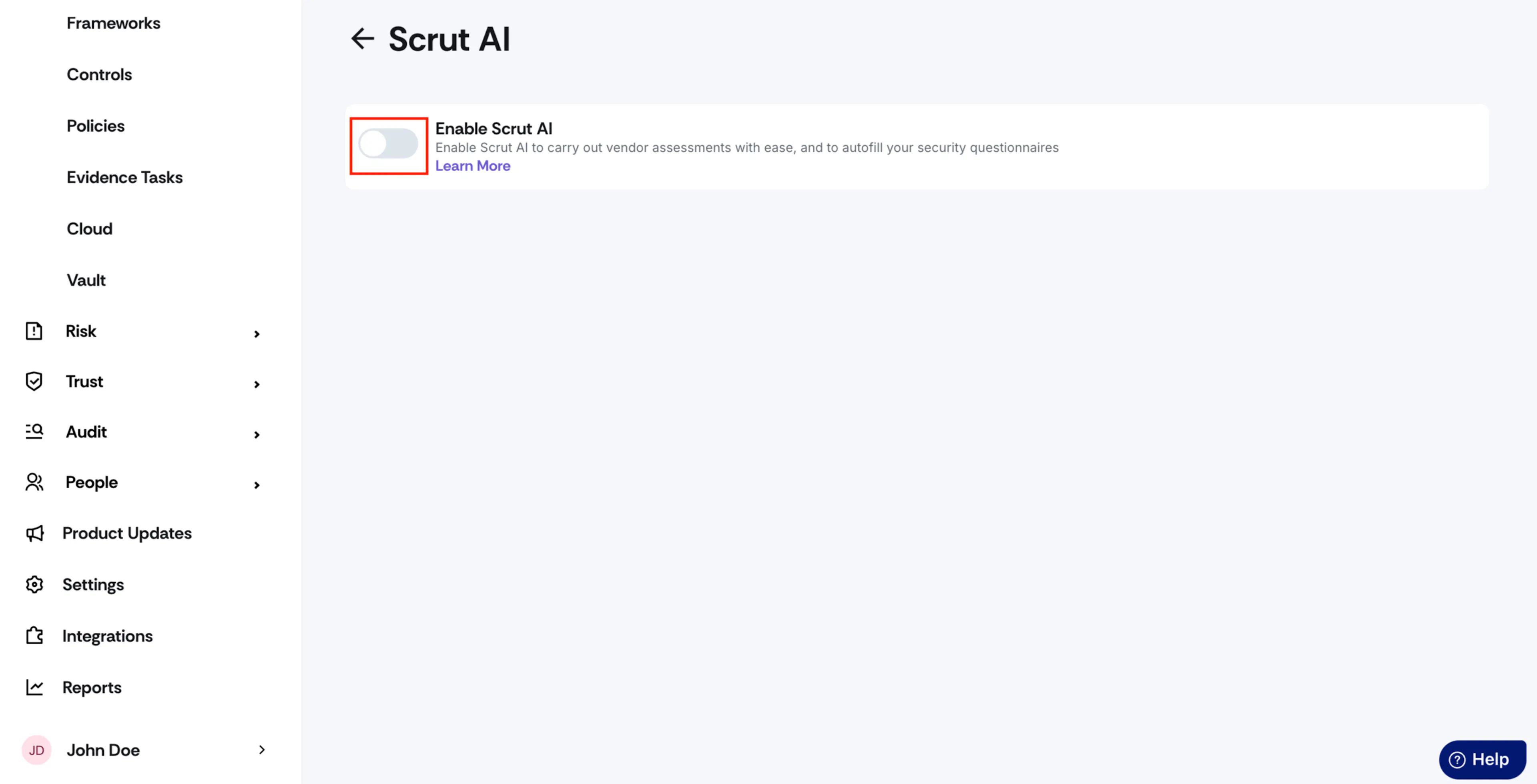
Turn on the Enable Scrut AI toggle.
-
Watch out for the success notification.
-
Scrut Teammates is now enabled for your Scrut organization and ready for use.
Was this page helpful?