Link/Unlink Automated Tests to Evidence Tasks
Heads Up!
This feature is currently available only for organizations with at least one of the following frameworks: ISO 27001, SOC 2, GDPR, or HIPAA. To know more, contact your CSM.
Link an Automated Test to an Evidence Task
Add any automated test that provides valid proof for a task, even if Scrut has not mapped it automatically.
-
Navigate to Compliance → Evidence Tasks.
-
Open the evidence task you want to link a test to.
-
Scroll to the Automation Sources section.
-
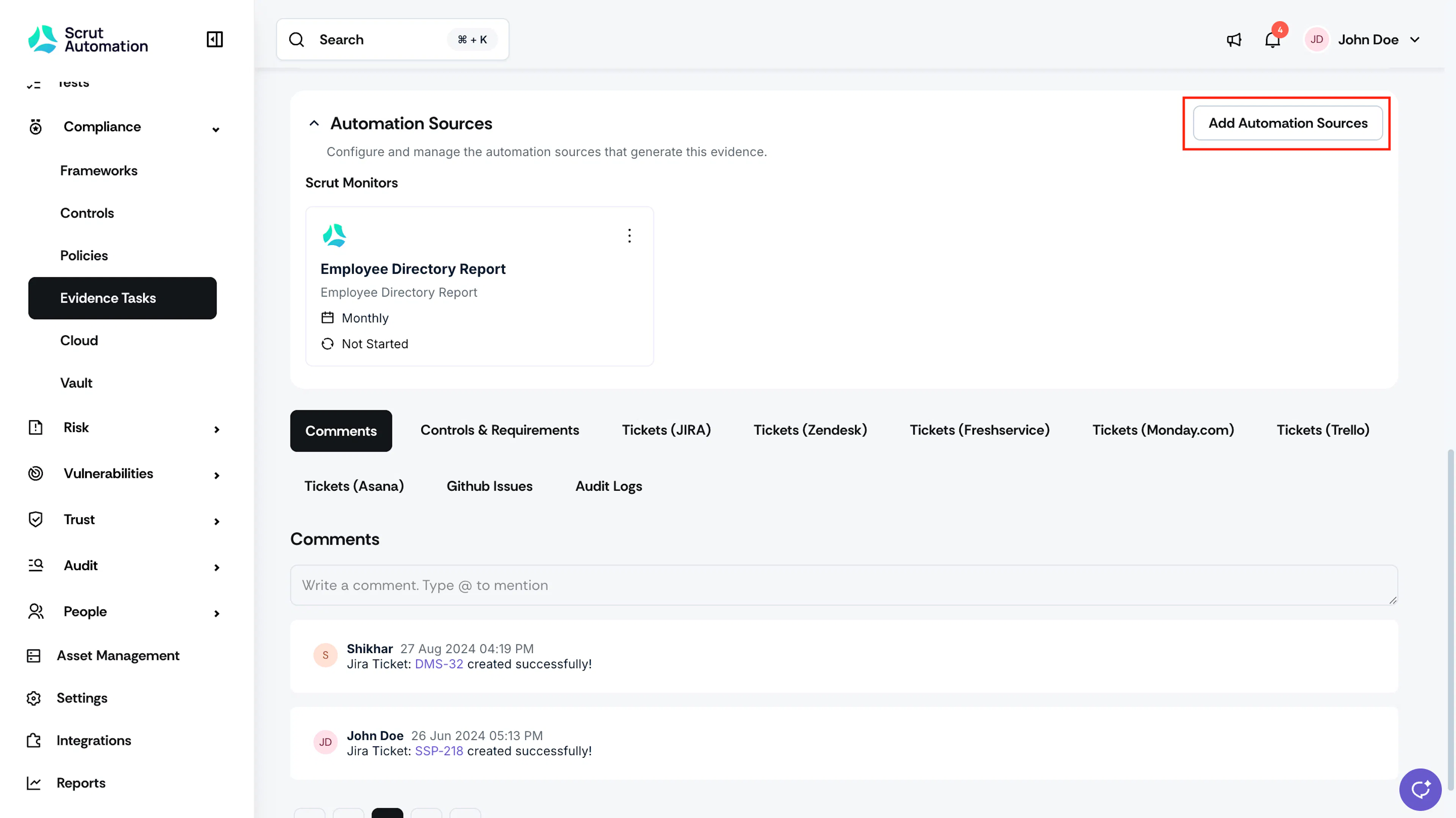
Click Add Automation Sources.
-
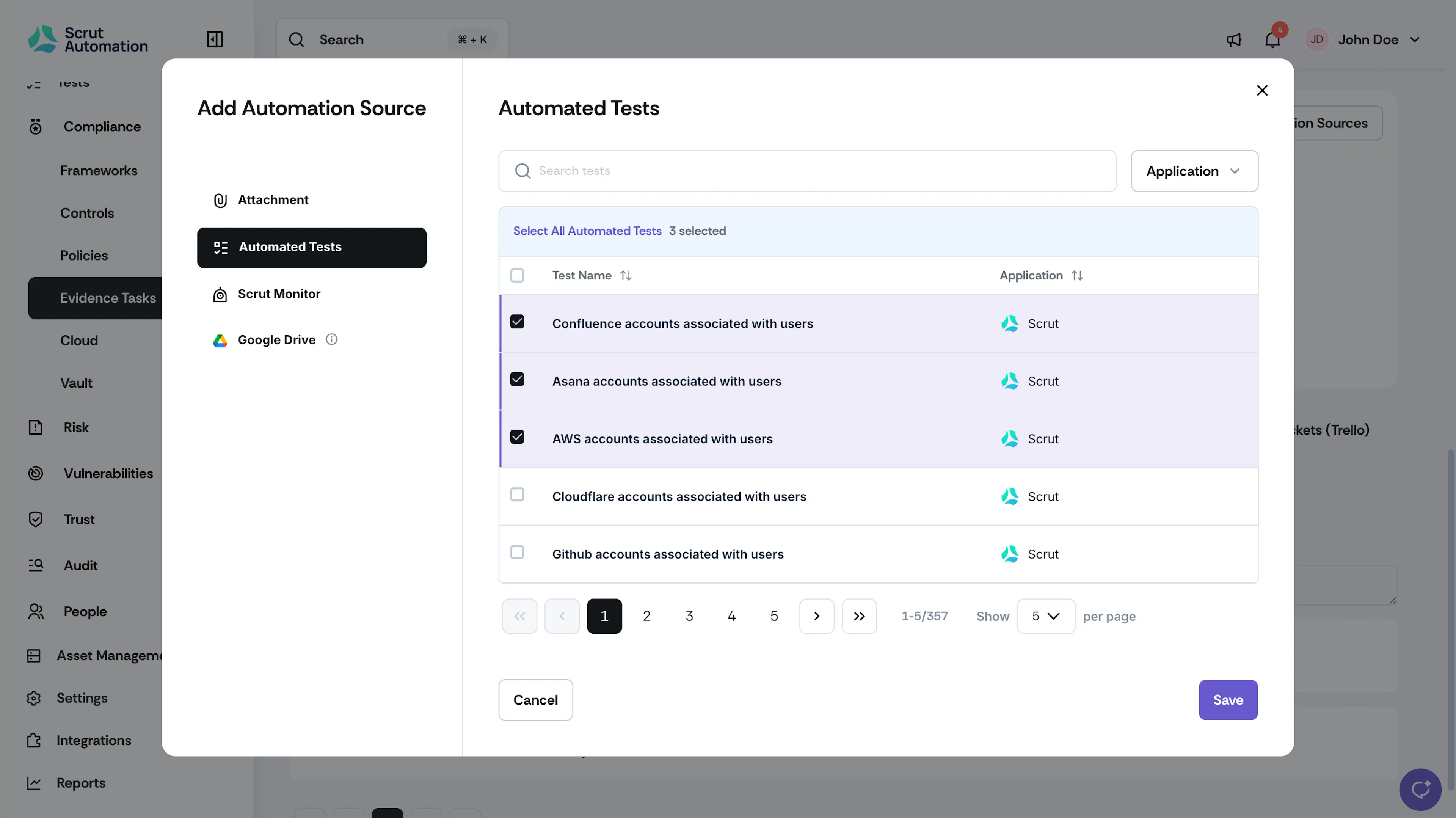
Select Automated Tests as the source type.
-
Search for and select the test or tests you want to link.
-
Click Save.
-
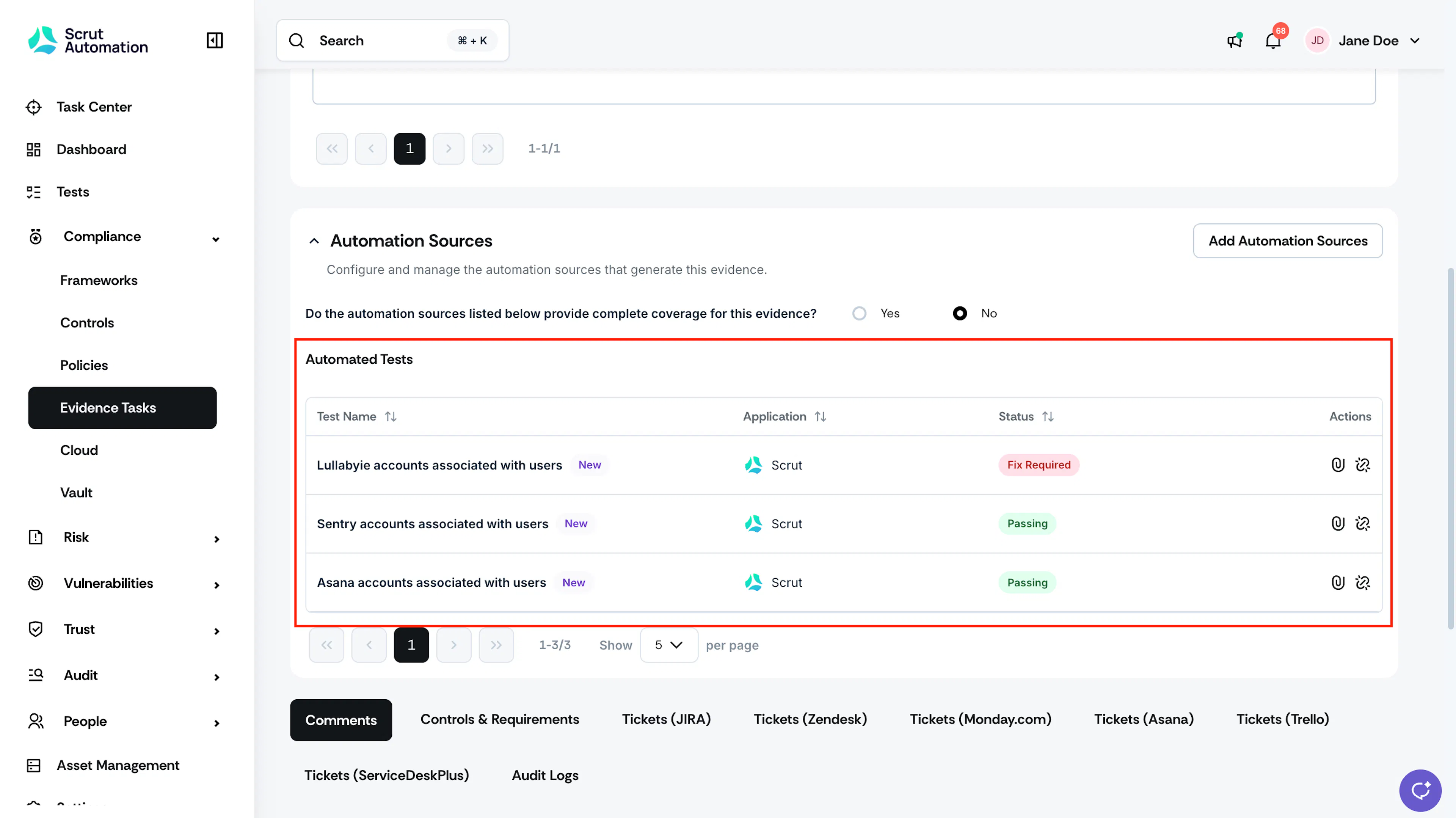
The linked test now appears in the Automation Sources section, along with its current status (Passing, Fix Required, or Ignored).
Attach a Test Export to an Evidence Task
Heads Up!
Linking a test to an evidence task does not automatically attach its export as evidence. You need to export the test results to attach it to the current evidence period.
-
Navigate to Compliance → Evidence Tasks.
-
Open the evidence task with the linked automated test.
-
Scroll to the Automation Sources section.
-
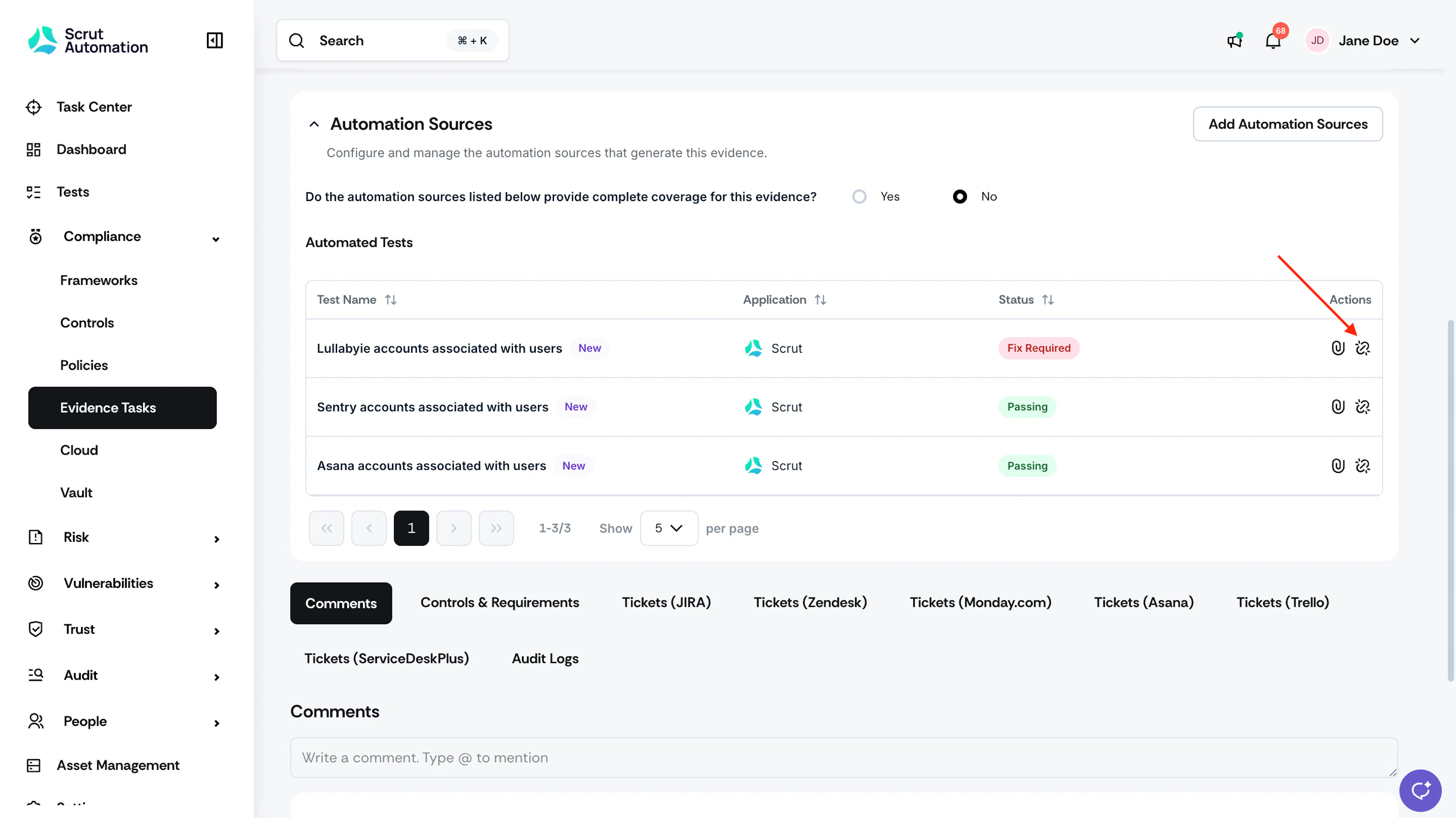
Click the Export icon next to the test you want to attach.
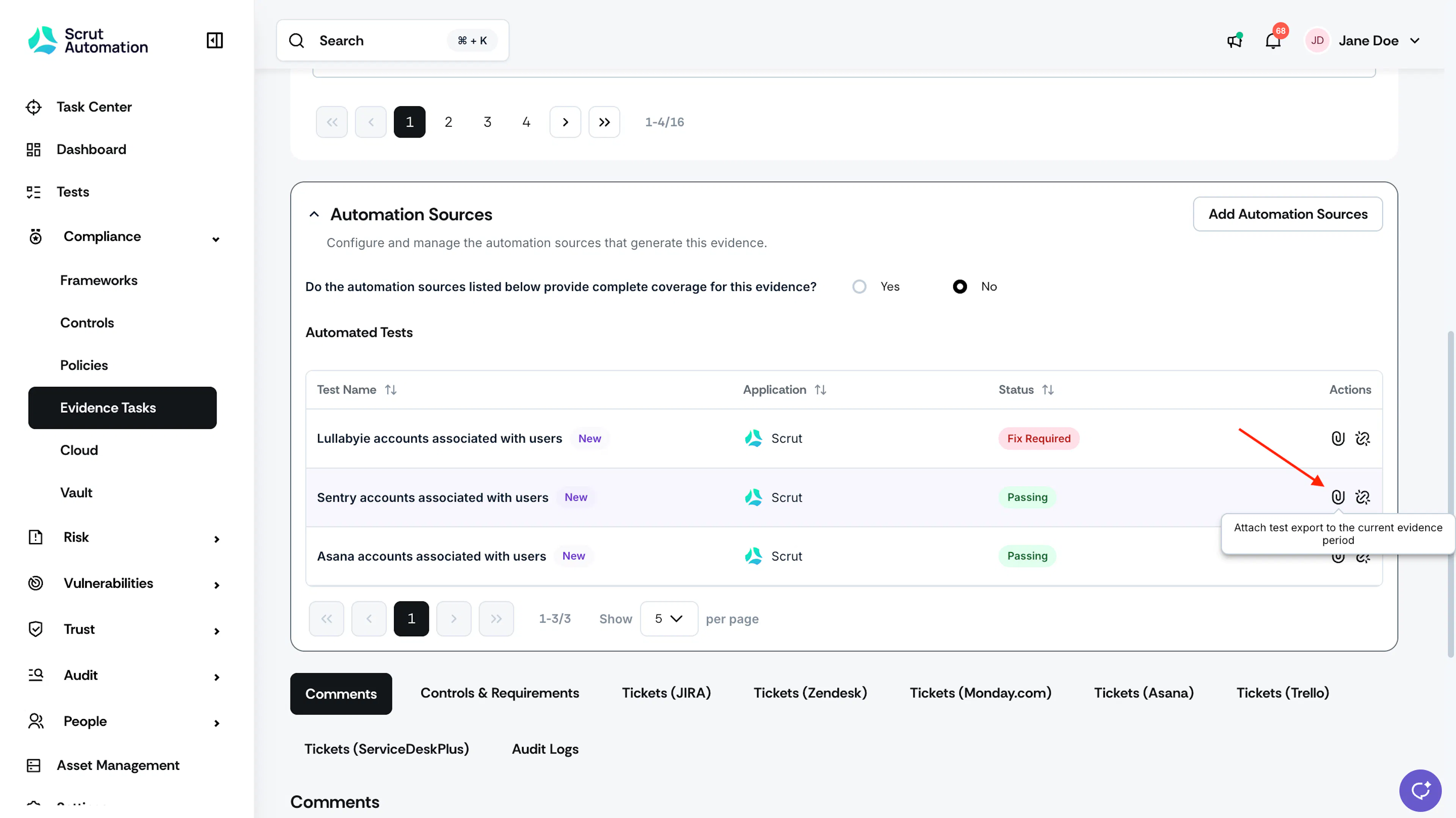
-
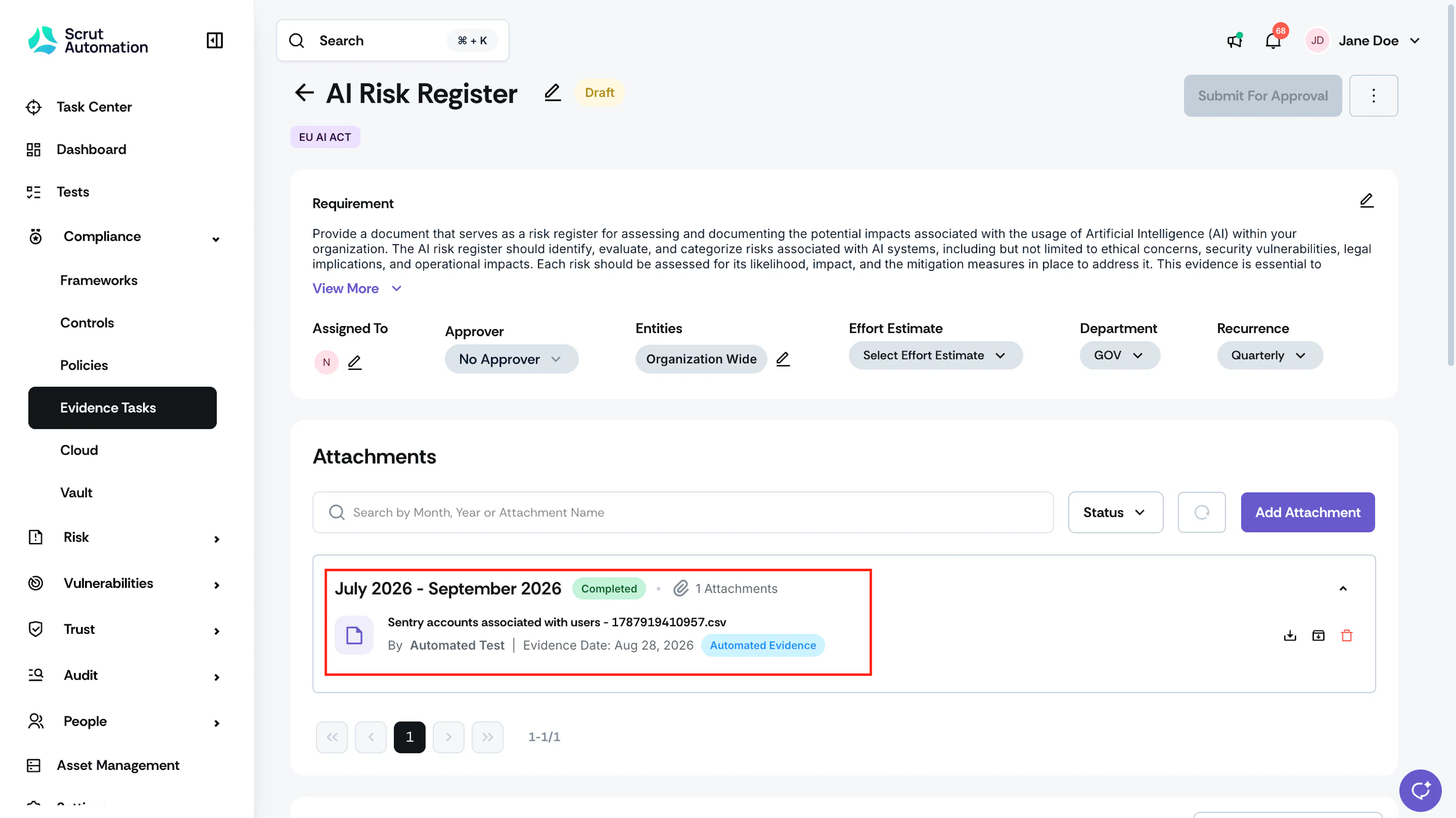
Scrut exports the test result in the background and attaches it to the evidence task.
-
The attachment appears in the current evidence period evidence task, and the task's status updates depending on whether you have the approval workflow enabled or not.
Pro Tip!
Click the Export icon whenever you want a current test result attached as evidence.
Unlink an Automated Test
Remove a test once it no longer applies to the evidence task.
-
Navigate to Compliance → Evidence Tasks.
-
Open the evidence task and scroll to the Automation Sources section.
-
Locate the test you want to remove.
-
Click the unlink icon next to the test.
-
Confirm the removal in the dialog that appears.
-
The test is removed from the Automation Sources section.