

Add Artifacts to an Audit Finding
Who can use this feature
- Supported on Foundation, Growth, and Scale plans
When an auditor reports an audit finding, an assignee has three ways to resolve it:
- Upload an Artifact: The assignee can upload relevant documentation or evidence directly to the audit finding.
- Link Existing Artifacts: If relevant documentation is already available in Scrut, the assignee can link it to the finding.
- Create a New Artifact and Link It: If no suitable artifacts are available, the assignee can create a new artifact addressing the issue and link it to the finding.
Let’s take a closer look at each of these three options.
1: Upload an Artifact
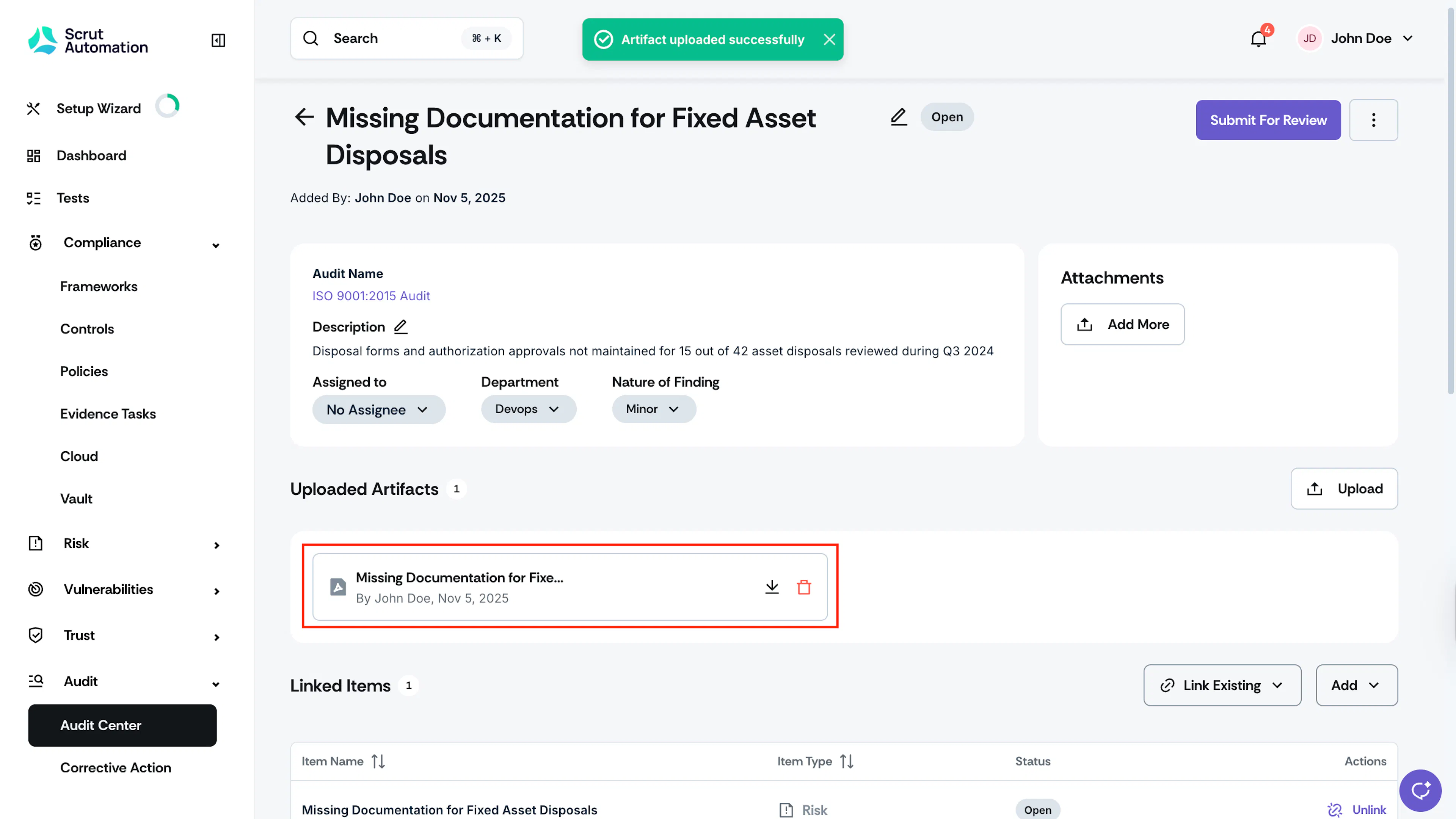
Upload an artifact to associate it with the audit finding.
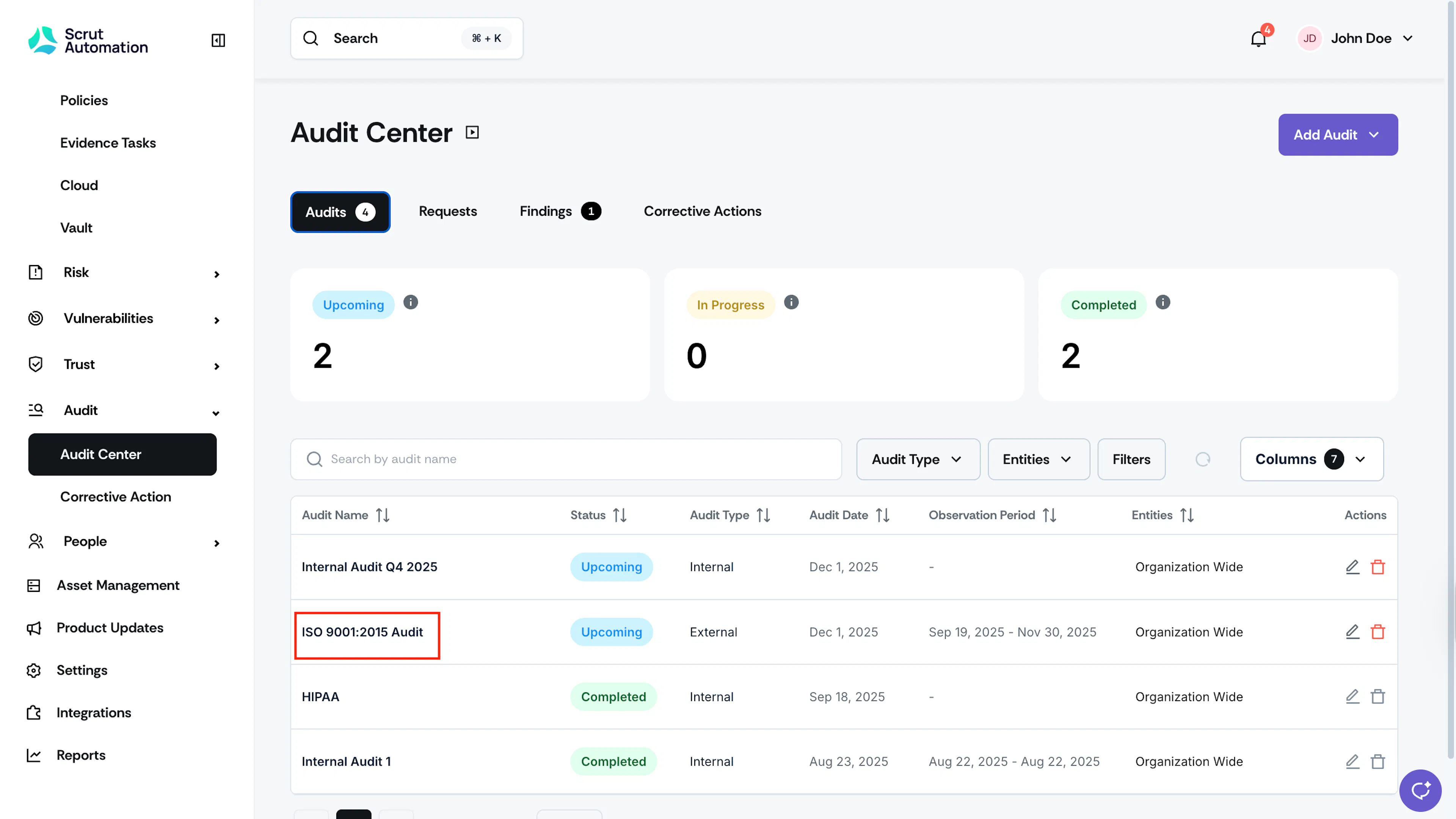
- Log in to Scrut and click Audit → Audit Center on the left menu.
- Click on the audit you want to add the artifact for.
- Scroll to the Findings tab and click on the finding you want to add artifacts to.
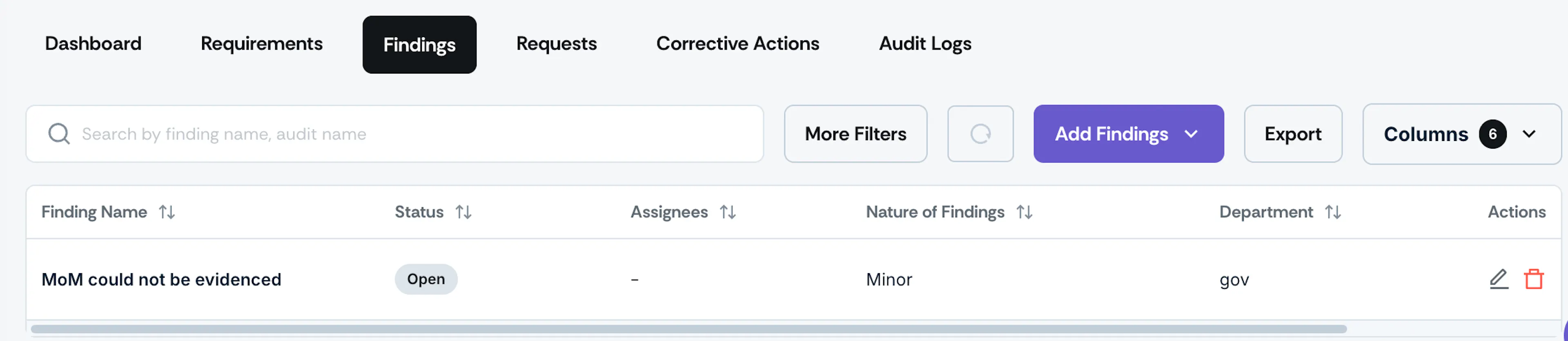
Audit findings tab - Click the Upload button in the Uploaded Artifacts section.
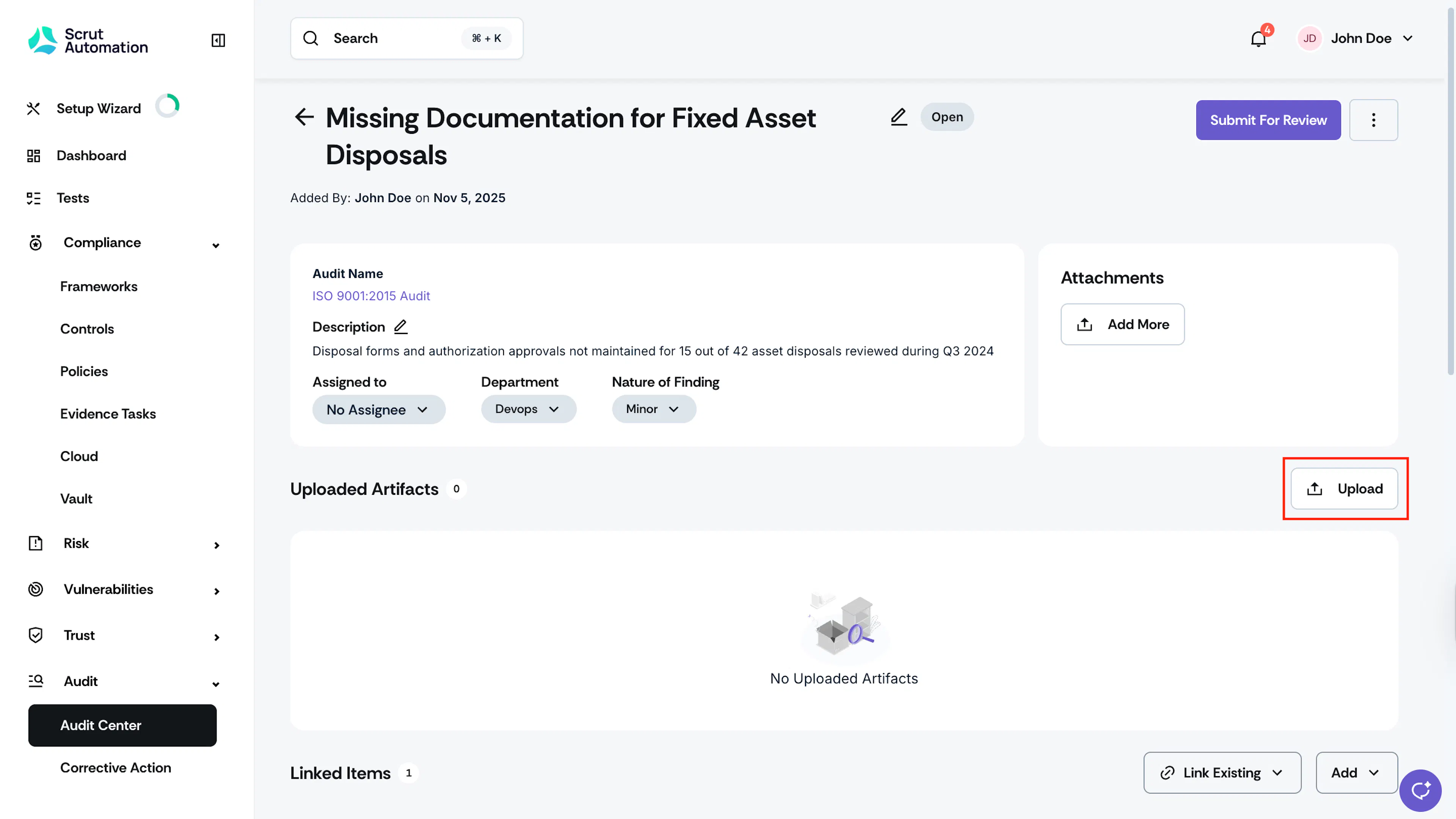
- Upload the relevant artifact file from your system.
2: Link Existing Artifacts
You can also link an existing artifact to the audit finding.
- On the Findings page, scroll to the Linked Items section and click the Link Existing button.
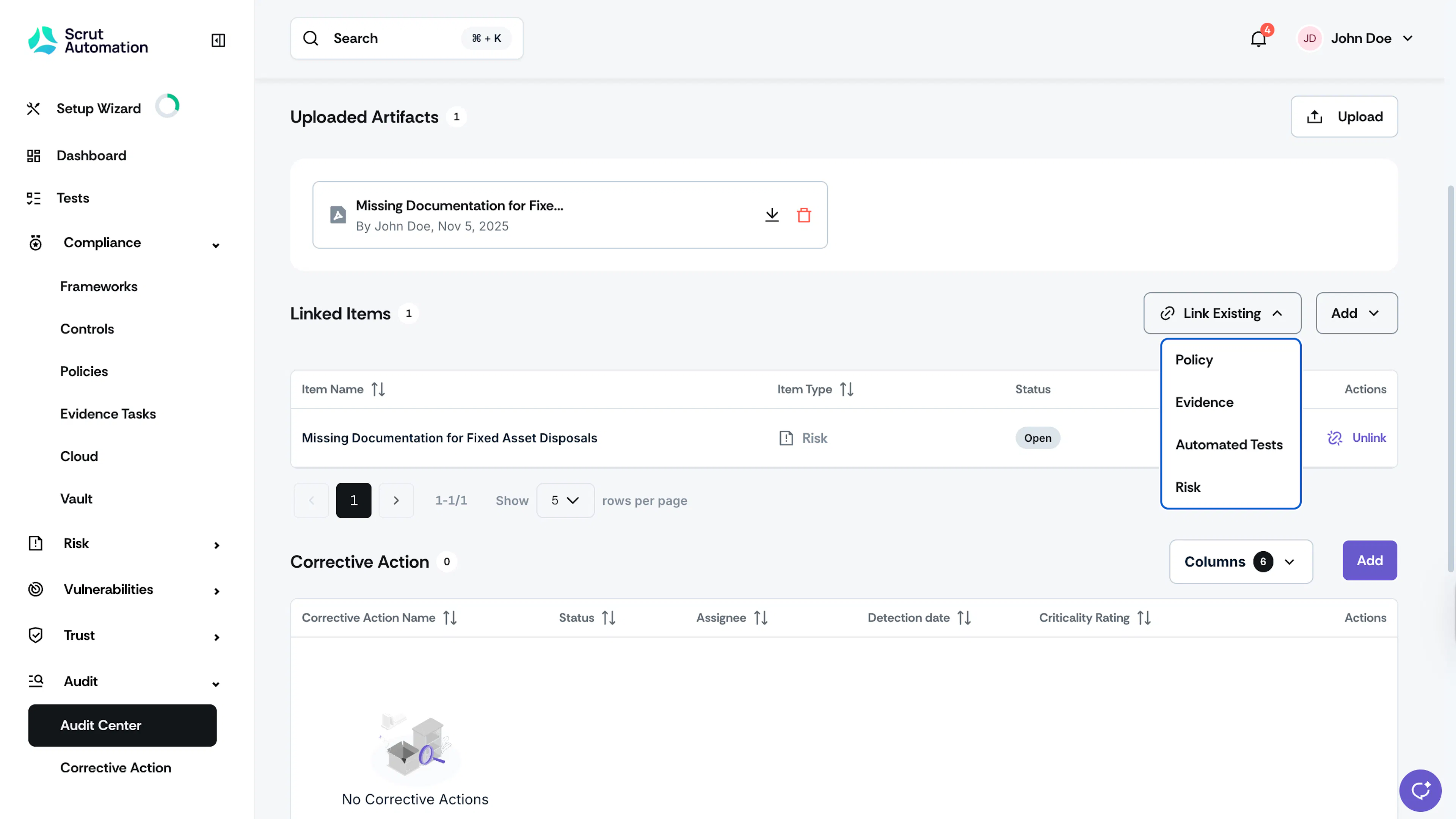
- You can link an existing artifact by selecting a relevant Policy, Evidence, Automated Test or Risk.
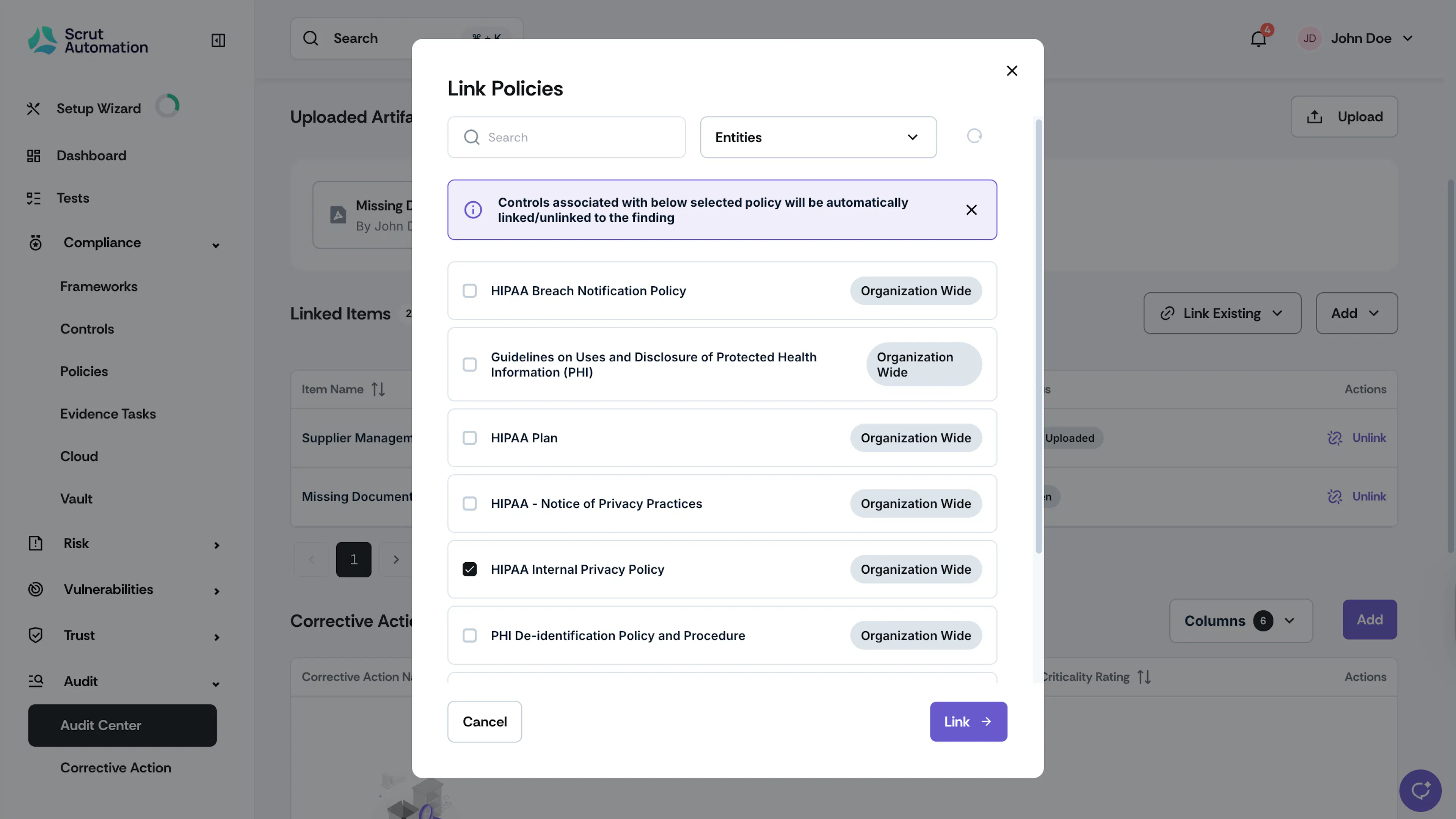
- Select the checkboxes corresponding to the existing policies, evidence, automated tests, or risks you want to link.
- Click Link.
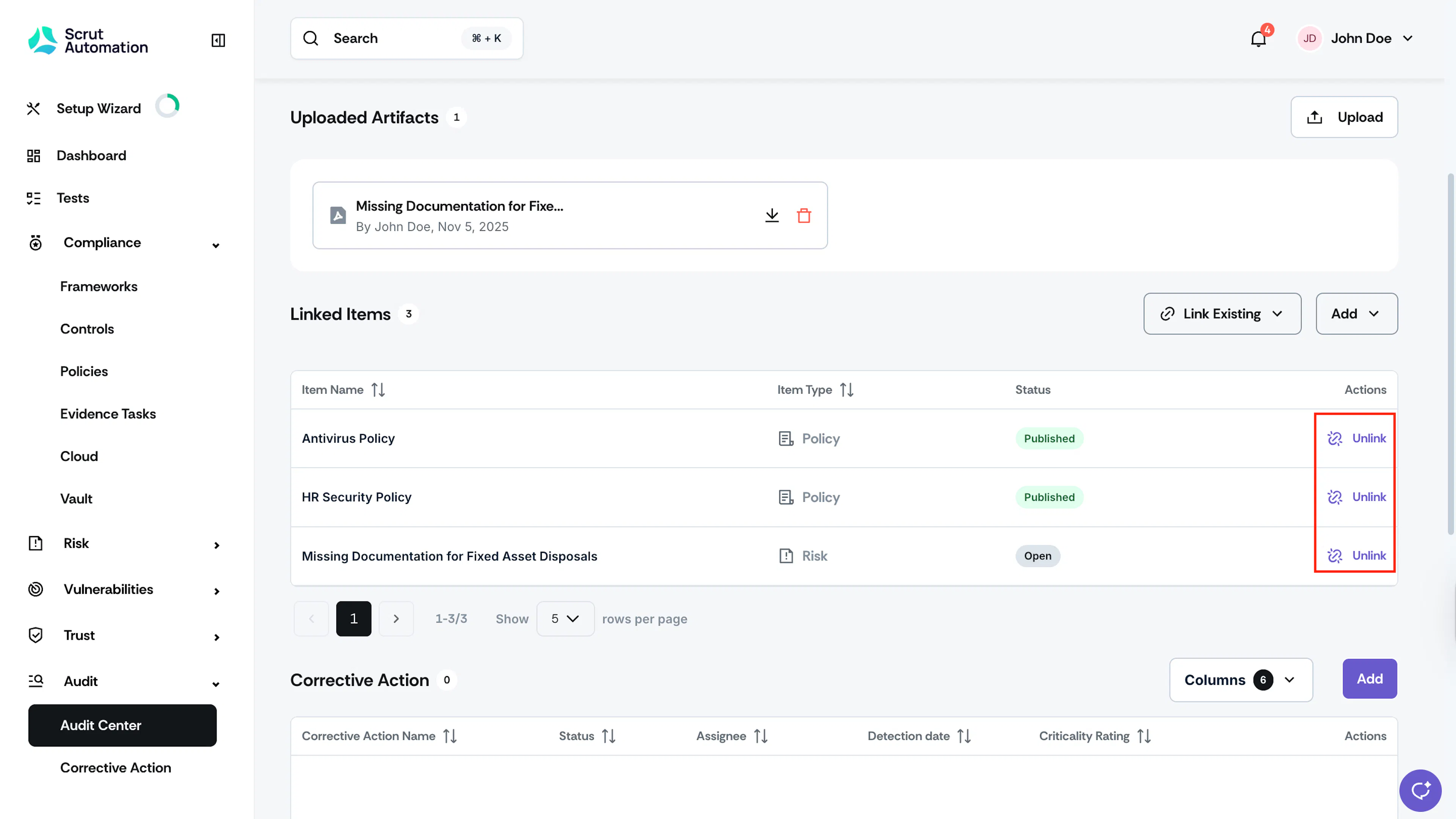
Pro Tip:
To unlink artifacts, just click the Unlink button next to the artifact you want to remove.
3: Create a New Artifact and Link It
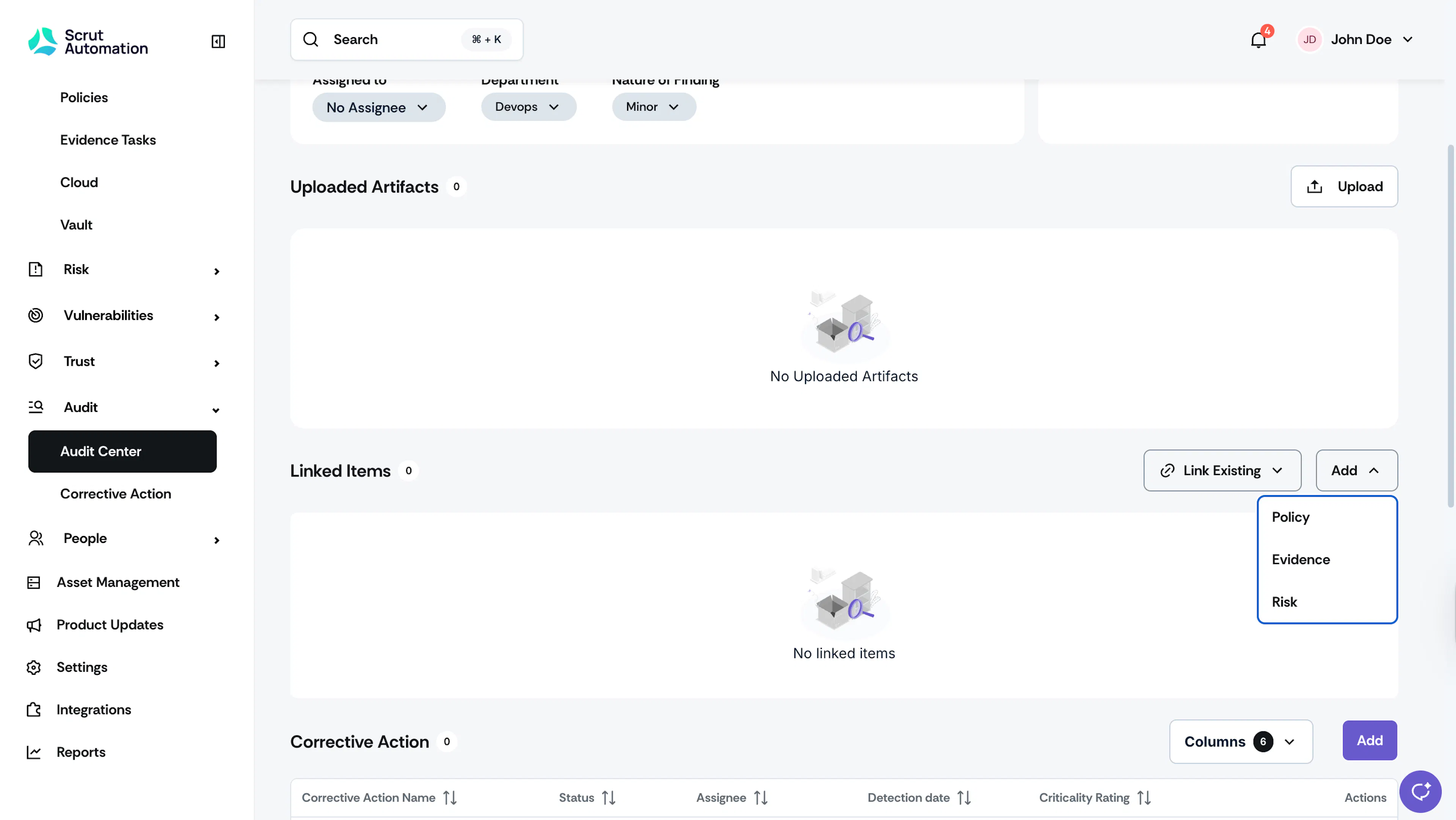
- In the Findings page, scroll to the Linked Items section and click the Add button.
- Choose whether you want to create a new Policy, Evidence, or Risk and link it to the finding.
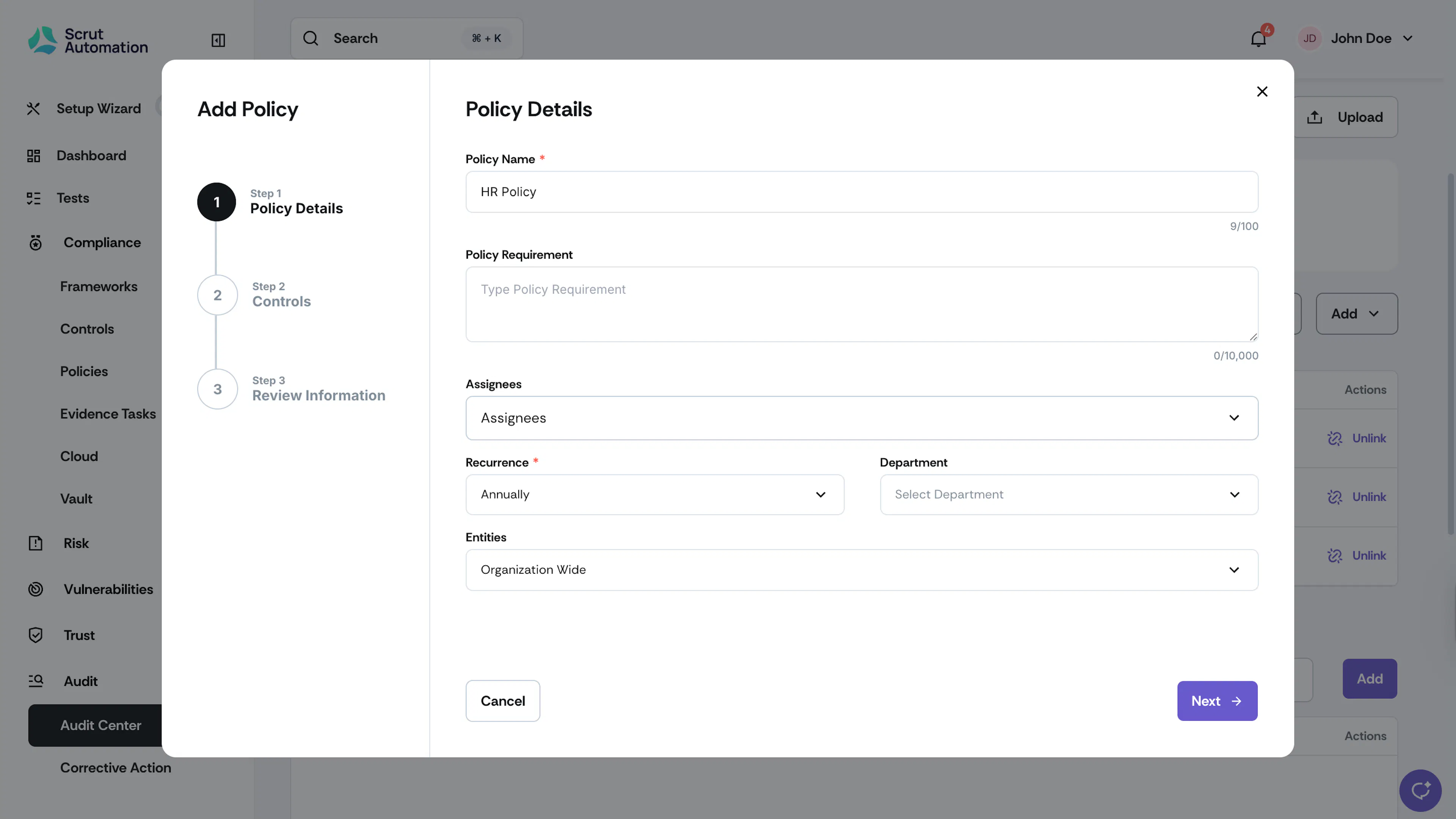
- Enter Policy, Evidence, or Risk details and click Next.
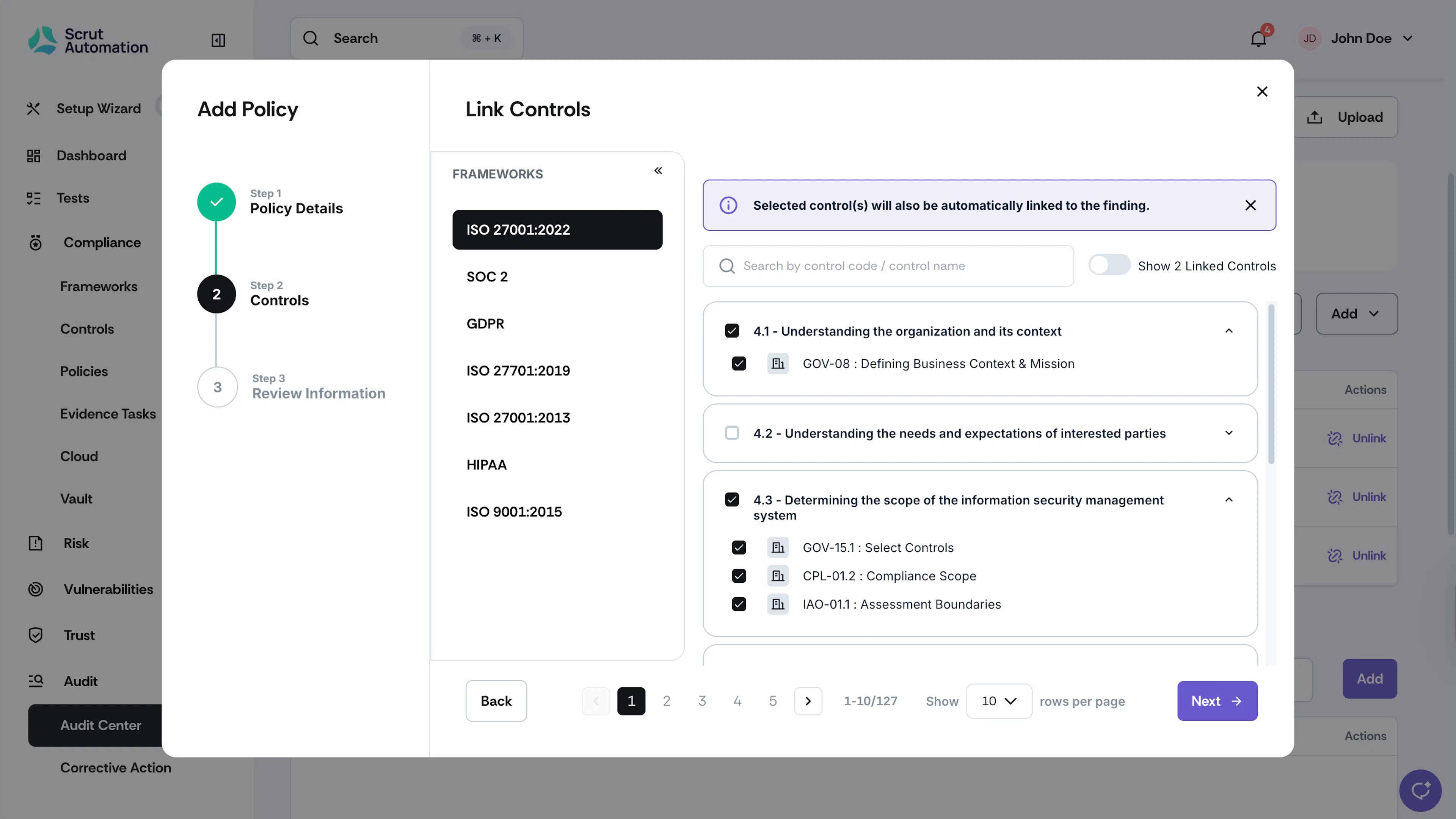
- Select the controls you want to link to the artifact and click Next. The selected controls will also be linked to the finding.
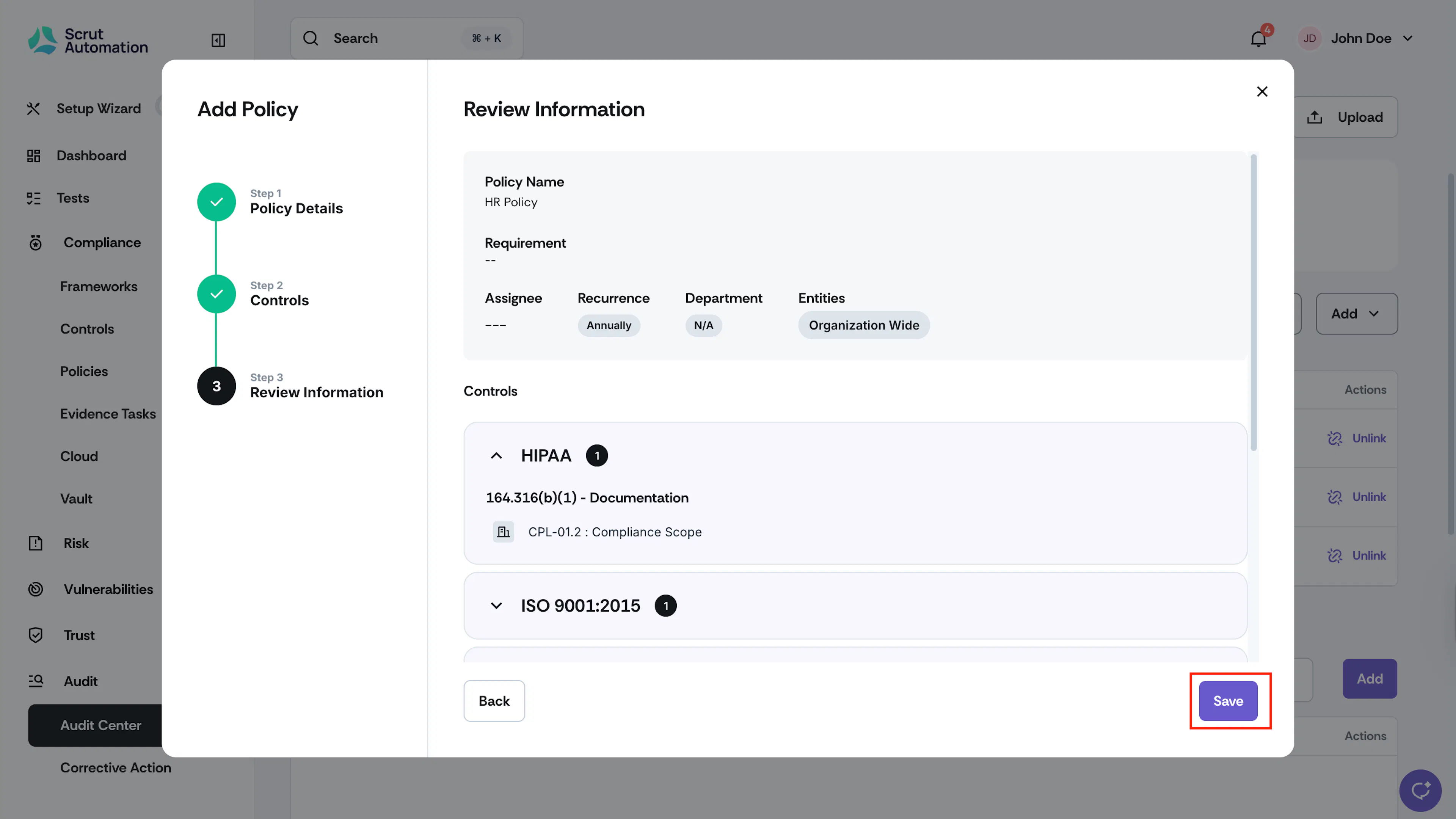
- Verify the details and click Create.
Was this page helpful?