

Audit Finding Closure Workflow
Understand how to act on and respond to audit findings.
Who can use this feature
- Supported on Foundation, Growth, and Scale plans
During an external audit, auditors document findings to address any issues or noncompliances they identify. Once a finding is created, your goal is to close it systematically.
Closing a finding involves resolving identified issues or observations and ensuring that corrective actions have effectively mitigated associated risks. This structured workflow facilitates seamless communication and review between auditors and assignees, significantly improving efficiency in managing audit requests and findings throughout the compliance lifecycle.
How Does the Finding Closure Workflow Work?
The Audit Finding closure process follows a structured, multi-step approach that ensures thorough documentation, review, and resolution. Below is a detailed breakdown of each stage:
Step 1: Create an Audit Finding
What happens: An audit finding is created to document an identified issue, gap, or observation that requires attention.
Who performs this action: The auditor or audit team
Key details:
- See here for step-by-step instructions on creating an audit finding.
- The finding begins with an initial status of “Open.”
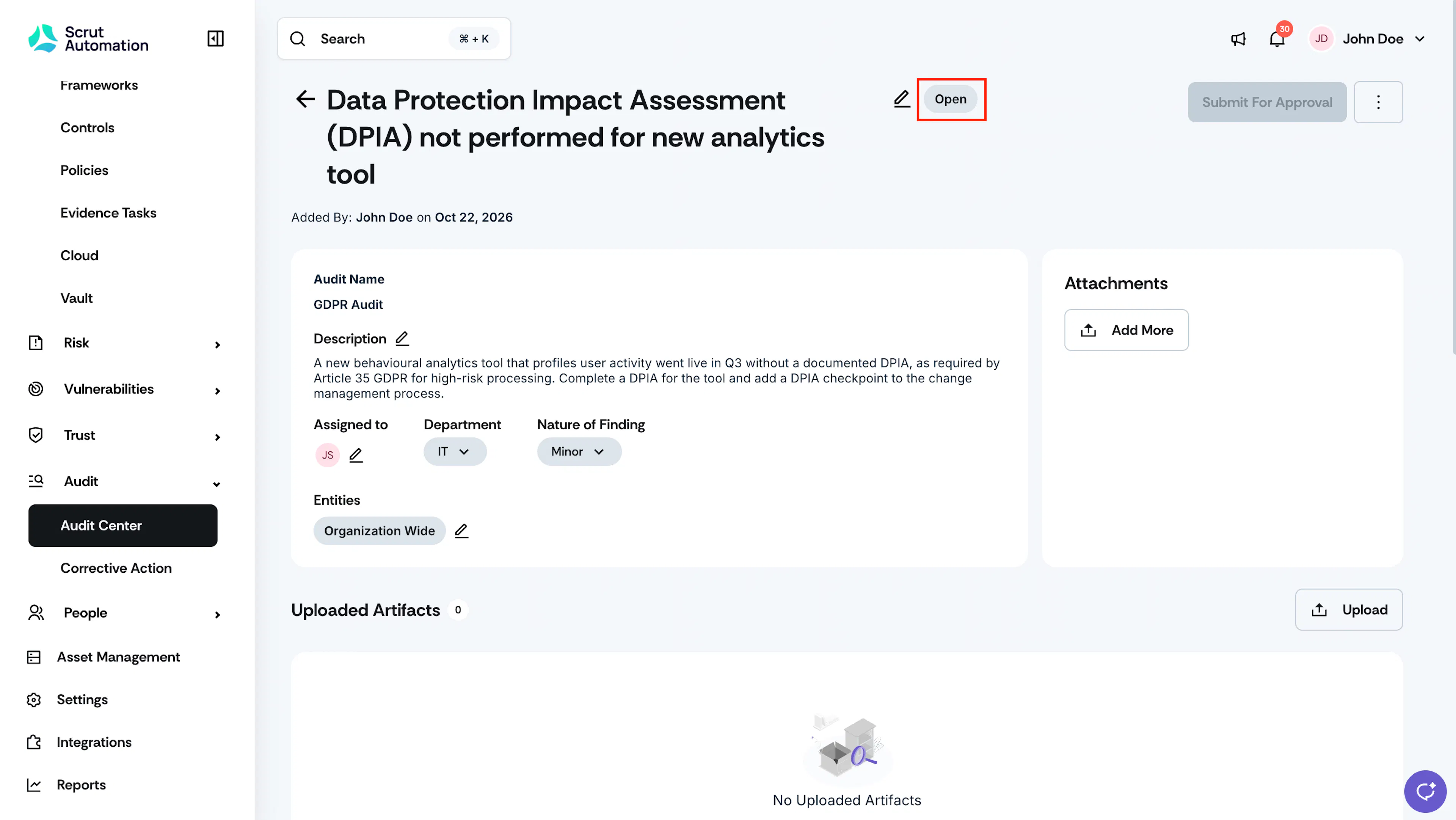
Audit Finding Open
Step 2: Assignees Take Action
Once the finding is created, the assignees are responsible for addressing it. They can either:
Upload a relevant artifact
- Attach supporting documents, screenshots, reports, or other evidence directly related to the finding.
- When to use: When you have existing files that demonstrate compliance or resolution.
- How to do it: See here
Link an existing artifact
- Link artifacts that already exist in Scrut.
- When to use: When relevant evidence has already been uploaded to Scrut.
- How to do it: See here
Create a new artifact and link it
- Create a new artifact in Scrut and link it with the finding.
- When to use: When you need to create documentation specifically for this finding.
- How to do it: See here
Create a Corrective Action
- Initiate formal corrective action plans when the finding requires specific remediation steps, process changes, or ongoing monitoring.
- When to use: When resolution requires multiple steps, involves cross-functional teams, or needs tracking over time.
- How to do it: See here
Step 3: Submitting for Auditor Review
What happens: Once the assignee has gathered the missing evidence and completed necessary actions, they then submit it for auditor review.
Who performs this action: Generally, the assignee or other admins in Scrut
Key details:
- Review all uploaded artifacts and corrective actions to ensure completeness
- Verify that all evidence adequately addresses the audit finding
- Click the Submit for Approval button located at the top right of the finding details page
What happens next:
- Scrut sends an email notification to the assigned auditor.
- The finding status automatically changes to "Pending Approval."
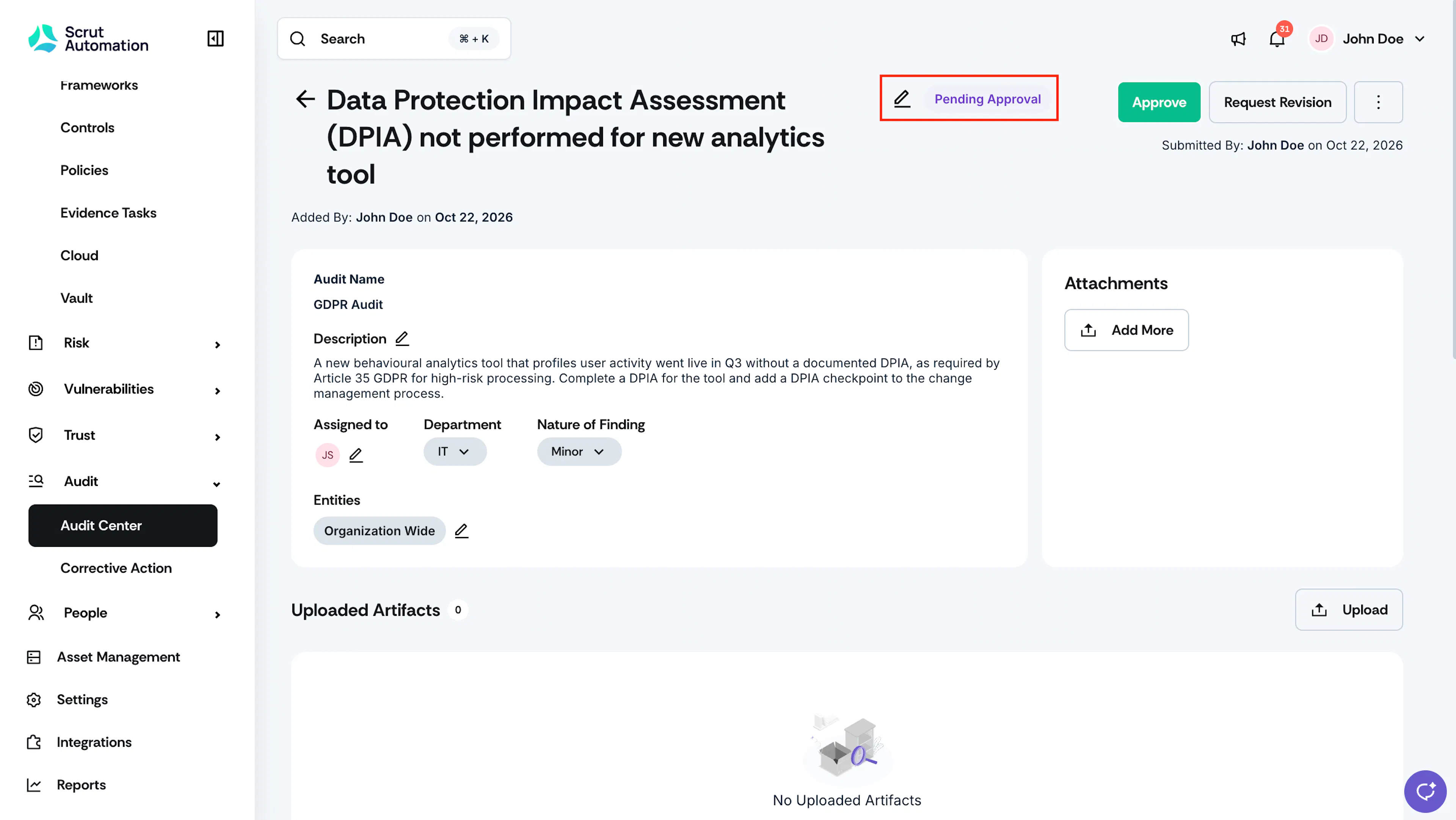
Audit Finding Pending Approval
Step 4: Auditor Review
What happens: The auditor examines the submitted evidence, artifacts, and corrective actions to determine if the finding has been adequately resolved. The auditor can then:
Approve
If the auditor determines that the submitted evidence fully addresses the finding and adequately mitigates the identified risk, they click the Approve button at the top of the finding page. The finding status changes to “Closed.”
Request Revision
If the auditor determines that the evidence is insufficient, incomplete, or doesn't fully address the finding, they can click the Request Revision button at the top of the finding page. In the Request Revision dialog window, the auditor enters additional information, such as corrections or whether different evidence is required. The finding status changes to “Needs Revision,” and Scrut sends an email to the assignee.
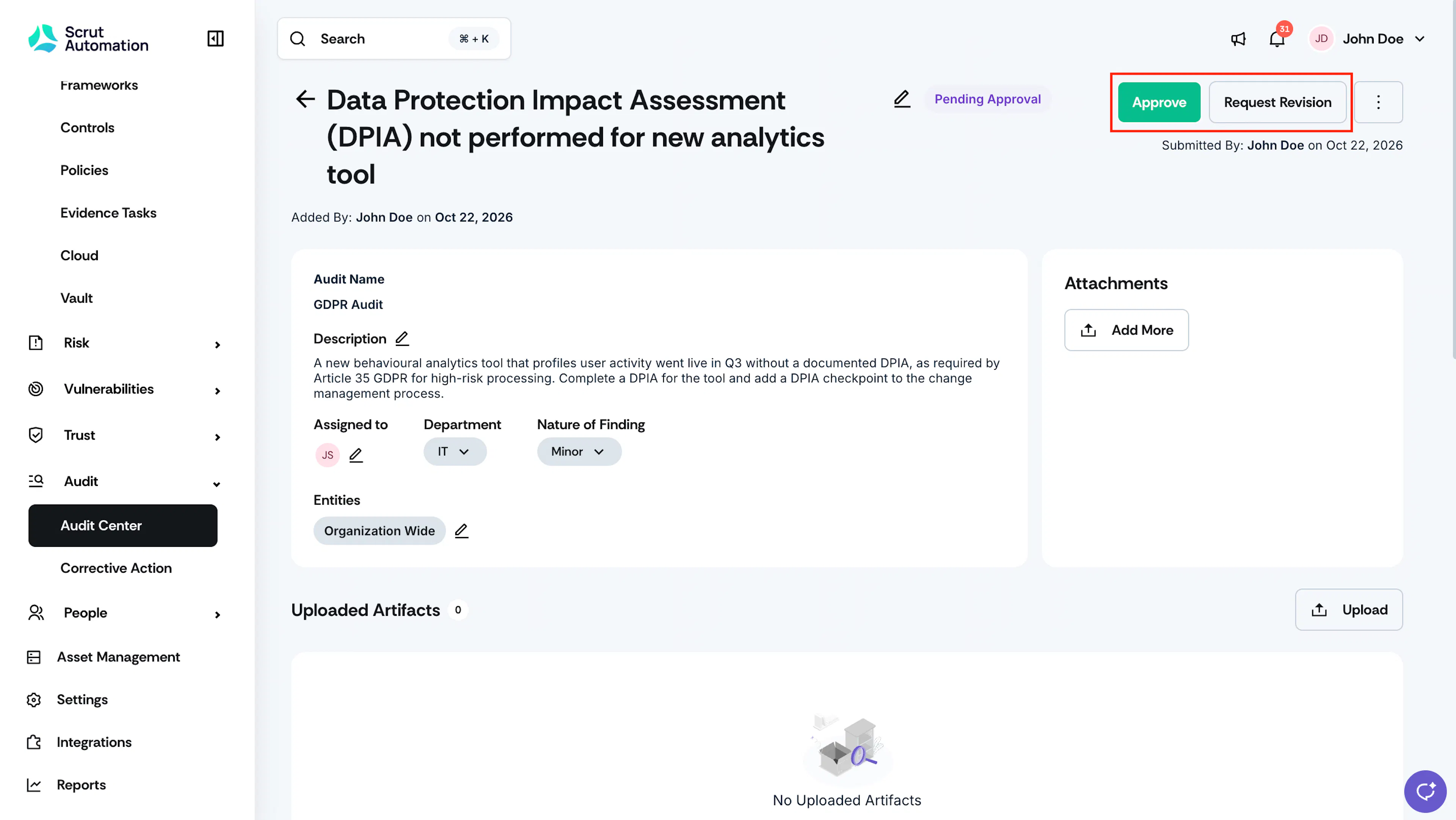
Step 5: Revision Cycle and Final Closure
After receiving a revision request, the assignee addresses the feedback and resubmits for review. After the assignee uploads the revised artifact and clicks Submit for Review, the status changes back to Pending Approval. Once the auditor approves the revision, the finding goes to Closed status.
Note: The revision cycle can repeat as many times as necessary until the finding is satisfactorily resolved. The audit log captures the complete list of submissions and revisions.
Status Summary
For quick reference, here are all the possible finding statuses throughout the workflow:
| Status | Meaning |
|---|---|
| Open | Finding has been created and is awaiting for the assignee to take action |
| Pending Approval | The assignee has submitted the finding for auditor review |
| Needs Revision | The auditor has requested additional work |
| Closed | The finding has been resolved and accepted |