

Edit and Delete an Audit Finding
Who can use this feature
- Supported on Foundation, Growth, and Scale plans
Editing and deleting an audit finding in the Audit Center allows you to modify or remove a previously recorded observation or issue identified during an audit. This feature lets auditors and authorized users update the information associated with a specific finding.
How To Edit an Audit Finding
- Sign in to Scrut and click Audit → Audit Center on the left navigation menu.
- Select the audit corresponding to the finding.
- Once you’re on the audit page, scroll to the Findings tab and open the finding that you want to edit.
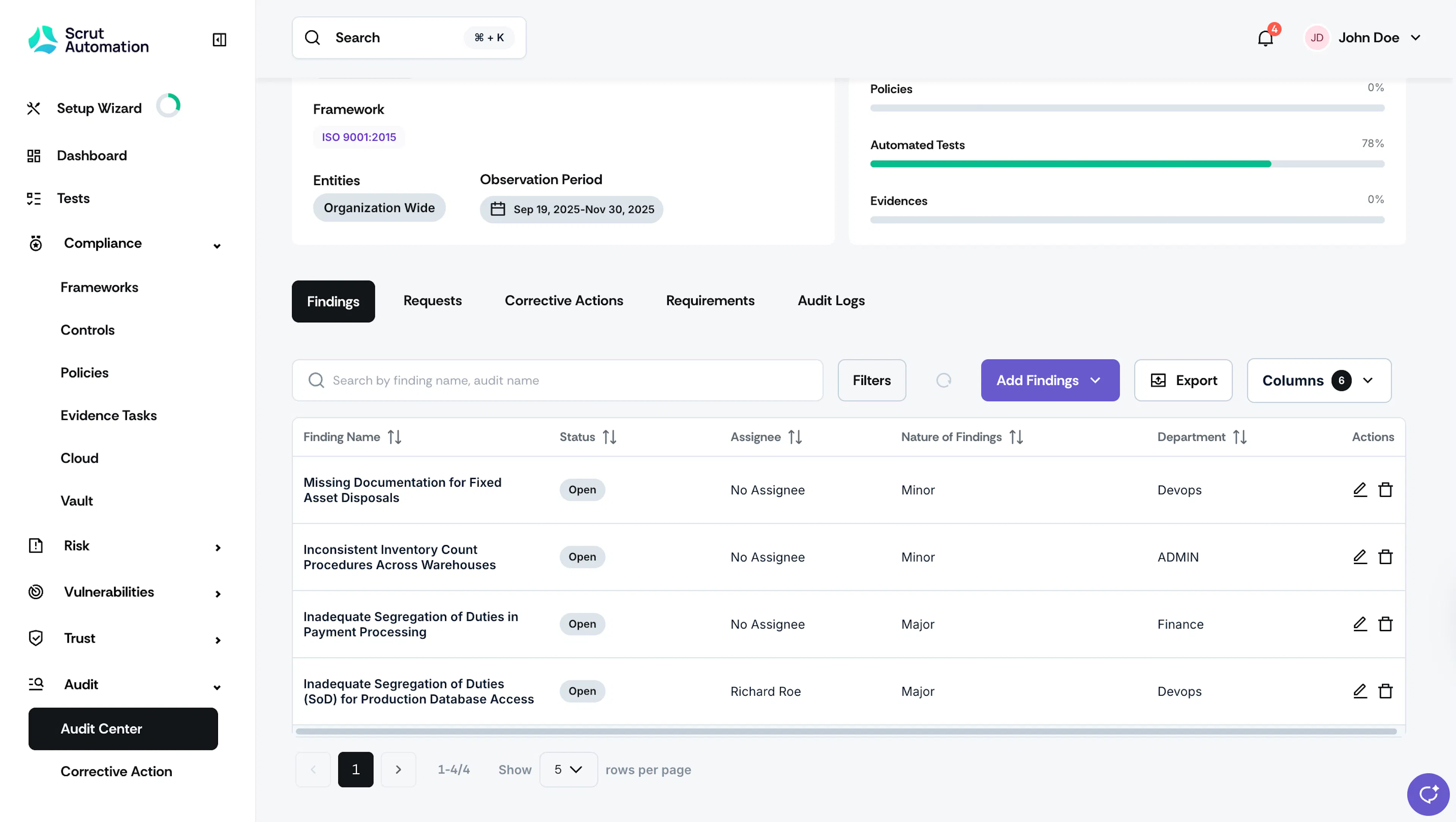
Findings tab in Audit Page - Alternatively, you can directly navigate to Audit → Audit Center → Findings tab and open the finding you want to edit.
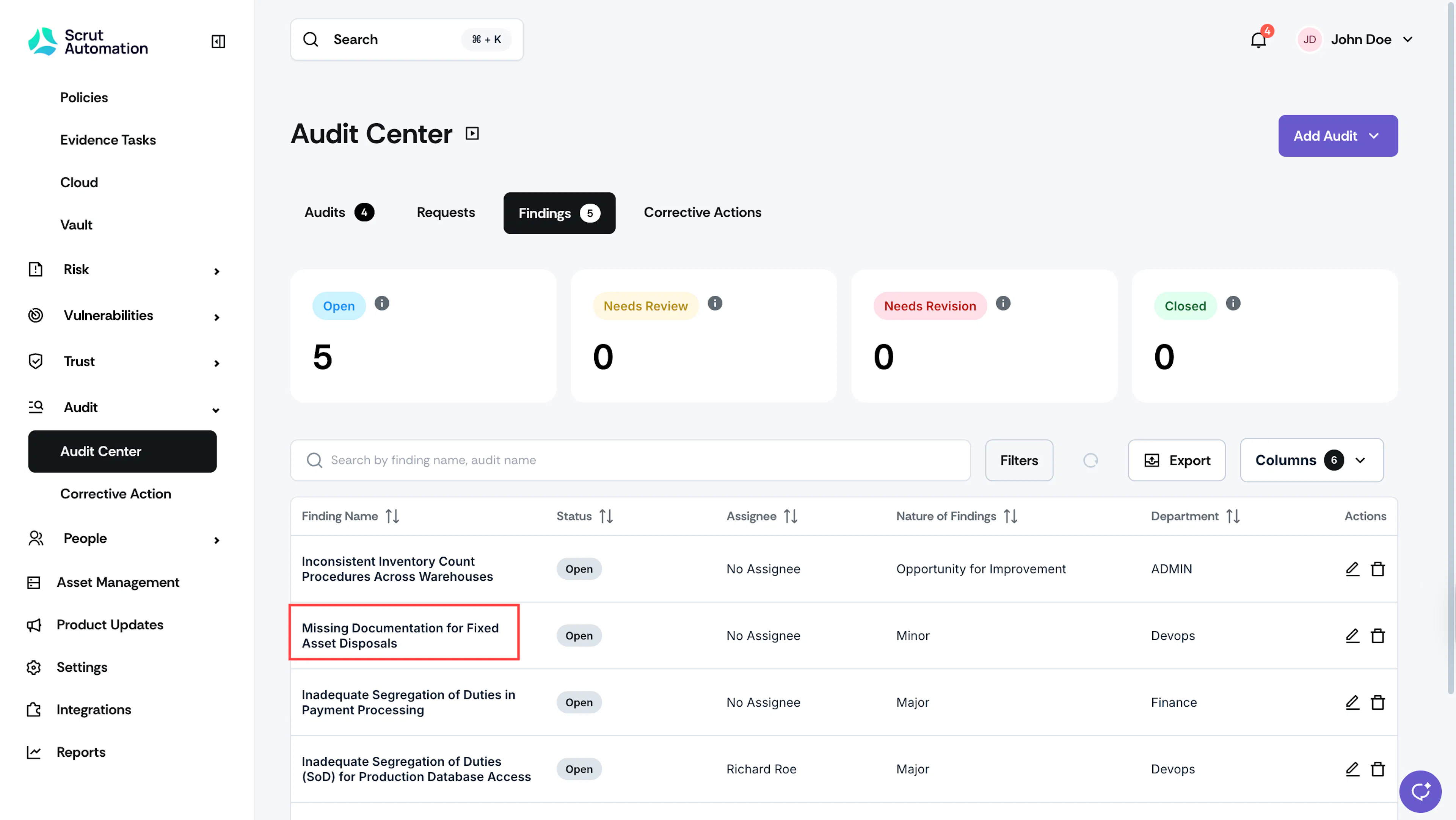
- Click the edit icon next to the field you want to edit. You can modify the following details:
- Finding Name
- Description
- Assignees
- Department
- Nature of Finding
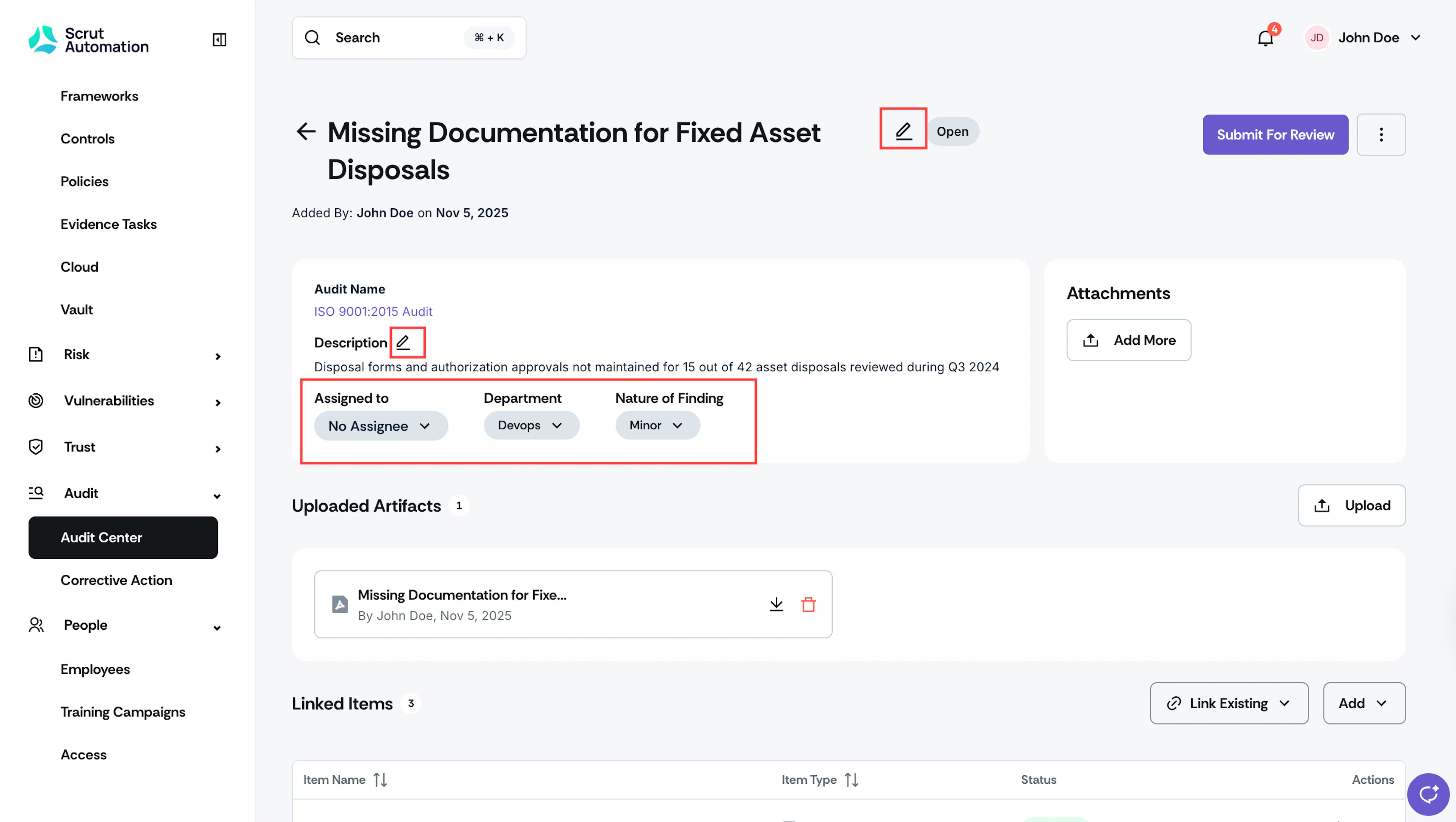
- Make the necessary changes and click Save.
How To Delete an Audit Finding
Heads Up!
Deleting a finding involves permanently removing it from the audit record. So, proceed with caution.
- Sign in to Scrut and click Audit → Audit Center on the left navigation menu.
- Select the audit corresponding to the finding.
- Once you’re on the audit page, scroll to the Findings tab and click the delete icon next to the finding you want to delete.
Findings tab in Audit Page - Click Delete to confirm.
Note:
When you delete an audit finding, Scrut will unlink its controls, and the controls' status will revert accordingly.
Was this page helpful?