

Edit Policy Behavior
Every policy in Scrut has a Behavior setting that controls whether employees need to formally accept it. Understanding the difference between Requires Acceptance and Read-only helps you choose the right setting for each policy.
Requires Acceptance vs. Read-only
Requires Acceptance is the default setting for every policy. Employees must actively review and accept these policies when included in a checklist, and Scrut tracks that acceptance as part of your compliance posture.
Read-only policies are available for employees to read at any time, but they don't need to be accepted. Use this setting for policies that you want employees to refer to at any time, without turning it into a compliance task.
| Attribute | Requires Acceptance | Read-only |
|---|---|---|
| Appears as a checklist task | Yes | No |
| Has a due date | Yes | No |
| Sends reminders | Yes | No |
| Can go overdue | Yes | No |
| Counts toward Policy Acceptance Rate | Yes | No |
| Counts toward checklist completion | Yes | No |
| Employee action required | Accept the policy | None, always accessible to read |
How Employees Experience Each Type
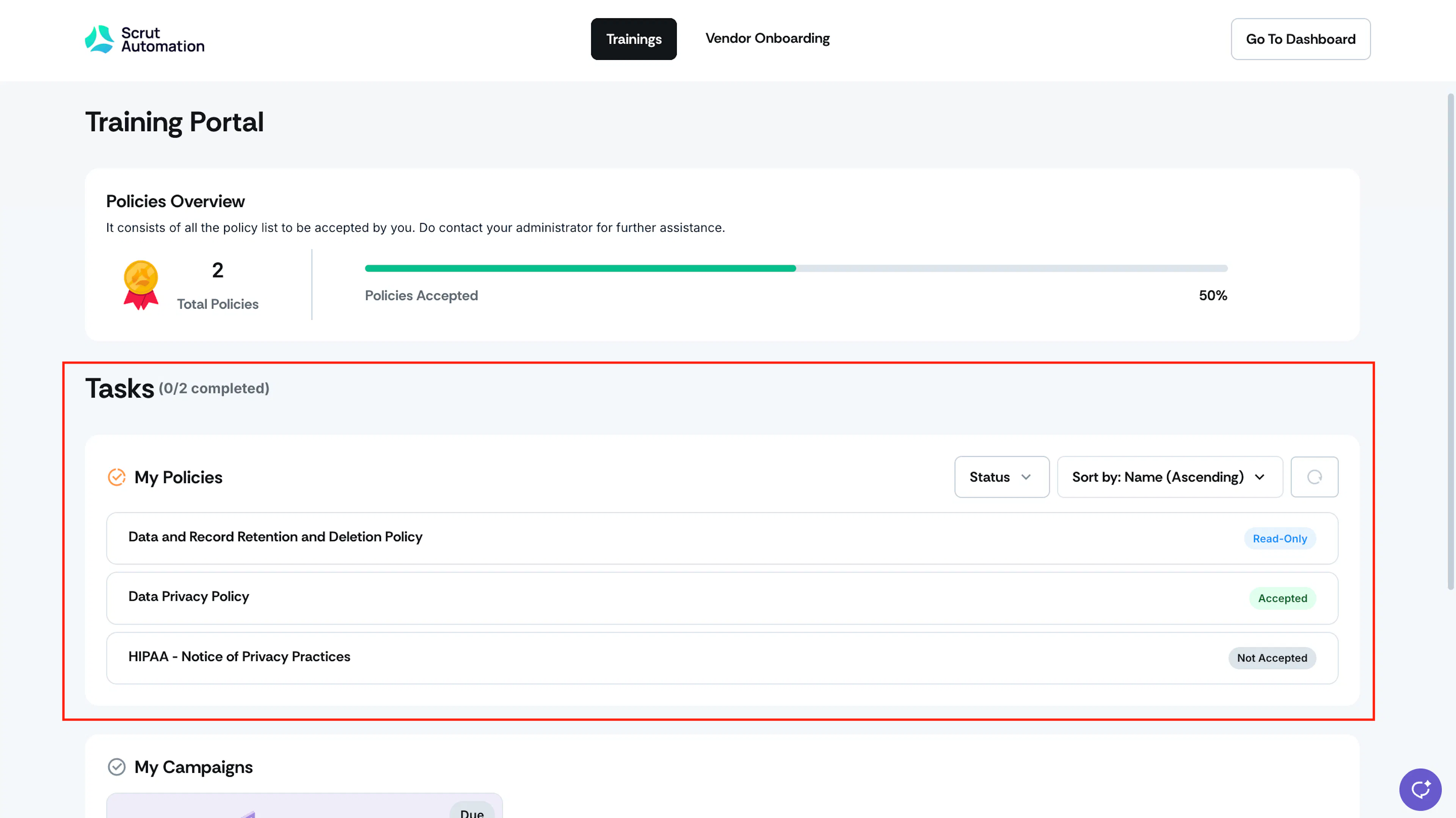
Employees see both policy types in the Policies section of the Employee Portal. Policies that require acceptance appear in the employee's task list with a Not-Accepted tag. Employees have to review and accept the policy to complete the task. Read-only policies don't have an Accept option.
How Behavior Affects Checklists and Compliance
When you add a policy to a checklist, the checklist inherits the policy's Behavior setting. You can't change a policy's Behavior from the checklist screen. You can edit the policy's behavior only from the Policies module.
Because Read-only policies don't require acceptance, they're excluded from checklist completion, the Policy Acceptance Rate metric, and your overall compliance calculations. They also don't generate reminders or enter an overdue state.
How To Change a Policy's Behavior
You can set a policy's Behavior from the Policy Module. For step-by-step instructions, see Edit Policy Name & Details.
Points to Note
- A policy's Behavior setting applies globally, across every checklist and employee it's assigned to. Changing it affects everyone assigned to the policy, not just one checklist or group.
- Every change to a policy's Behavior is recorded in the audit log, including who made the change and when.
Frequently Asked Questions
Those acceptances stay in the audit log, but Scrut stops tracking new acceptances for the policy, and it no longer counts toward your Policy Acceptance Rate.
Reach out to support@scrut.io or contact your CSM for further assistance.