

Download Framework Compliance Report
Who can use this feature
- Supported on Foundation, Growth, and Scale plans
The Framework Compliance Report helps to identify and address non-compliant elements within specific frameworks. This report can be shared with your organization's leadership team, auditors, and other stakeholders.
How To Download Framework Compliance Report
Users can download a framework-level report in two ways:
Method 1: Via the Framework Detail Page
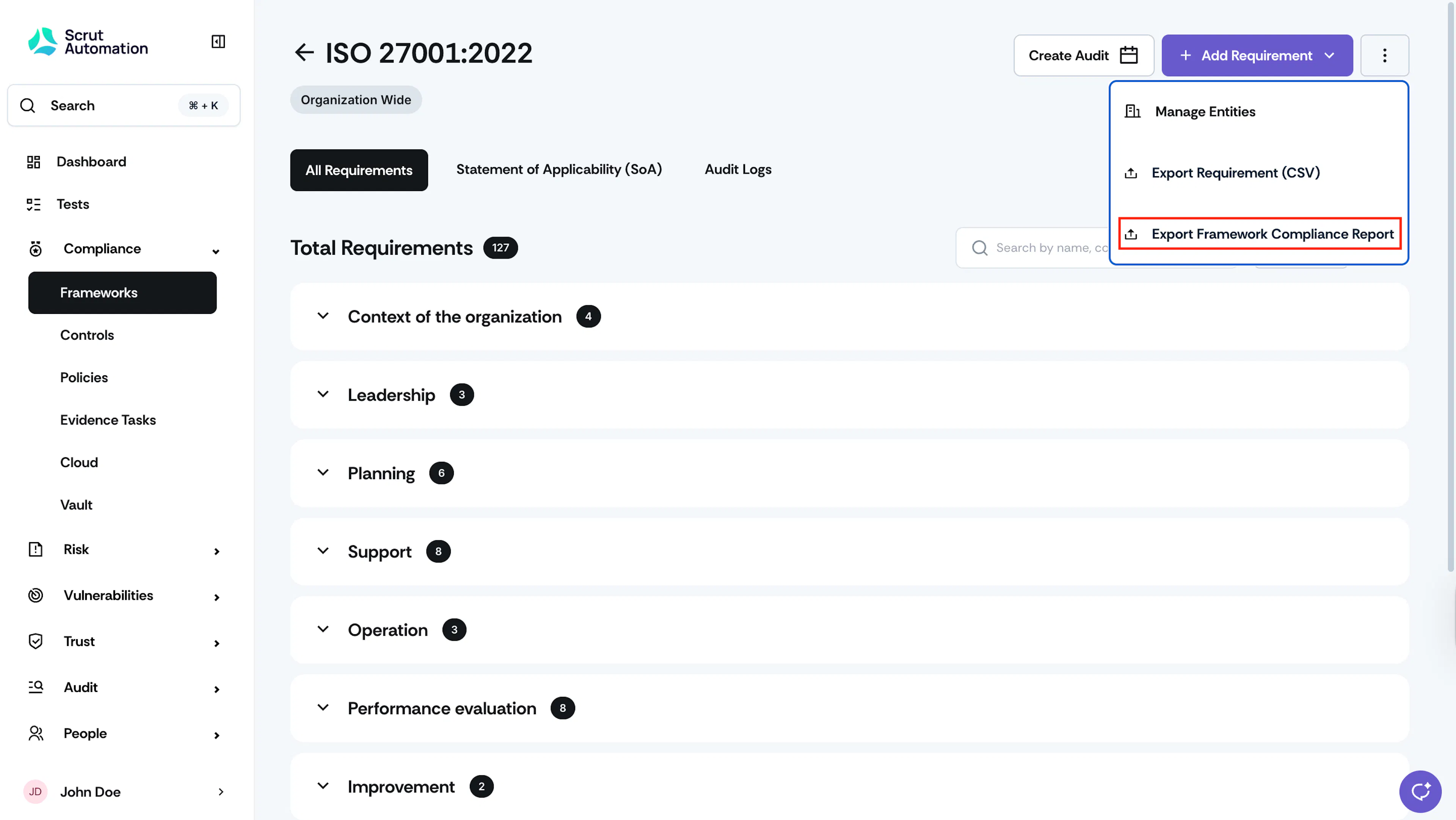
Open the framework detail page, click the three-dots icon on the top right, and select Export Framework Compliance Report.
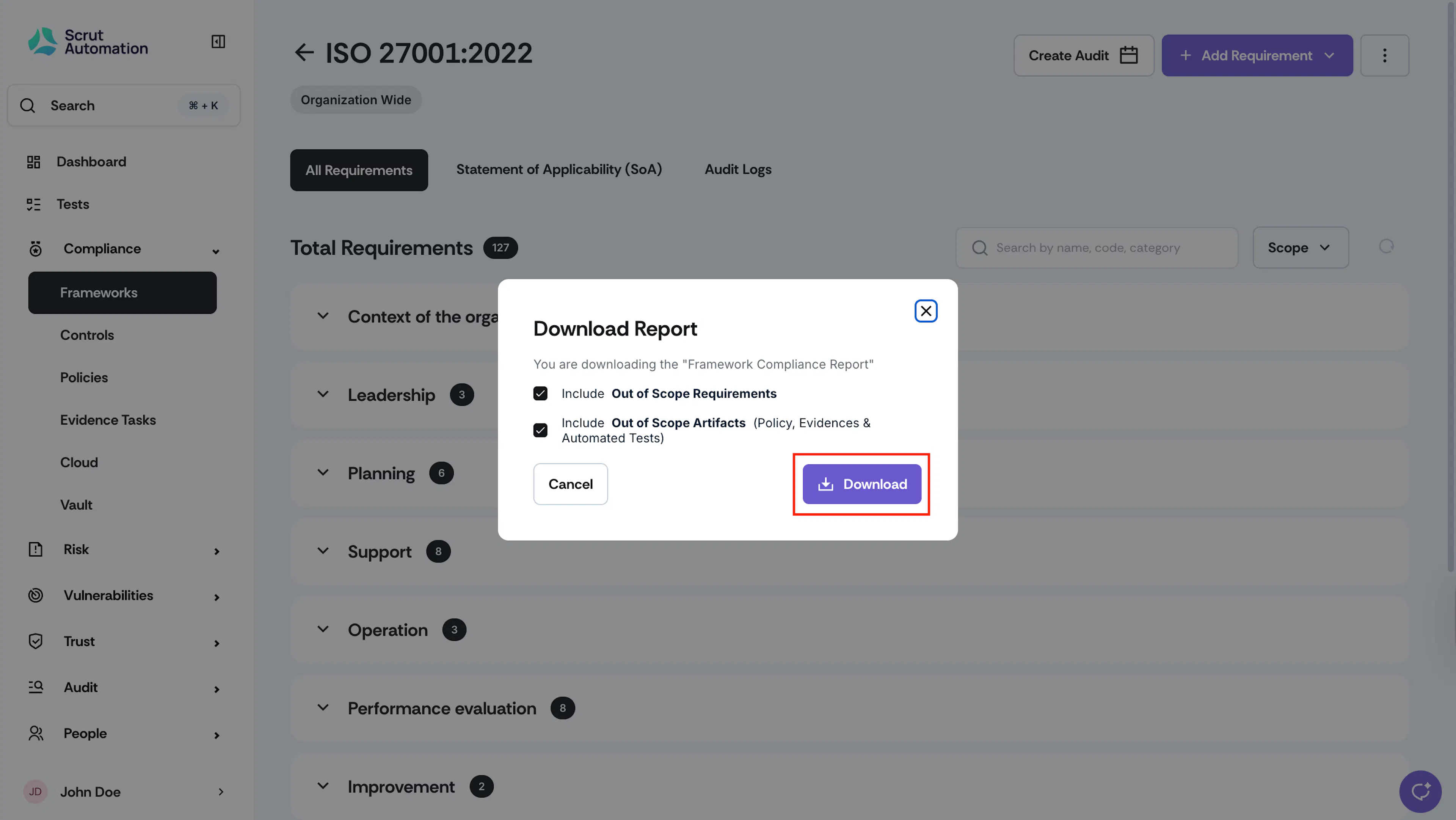
Select the options to include in the report and click Download. Scrut will email the report to you.
Method 2: Via the Reports Module
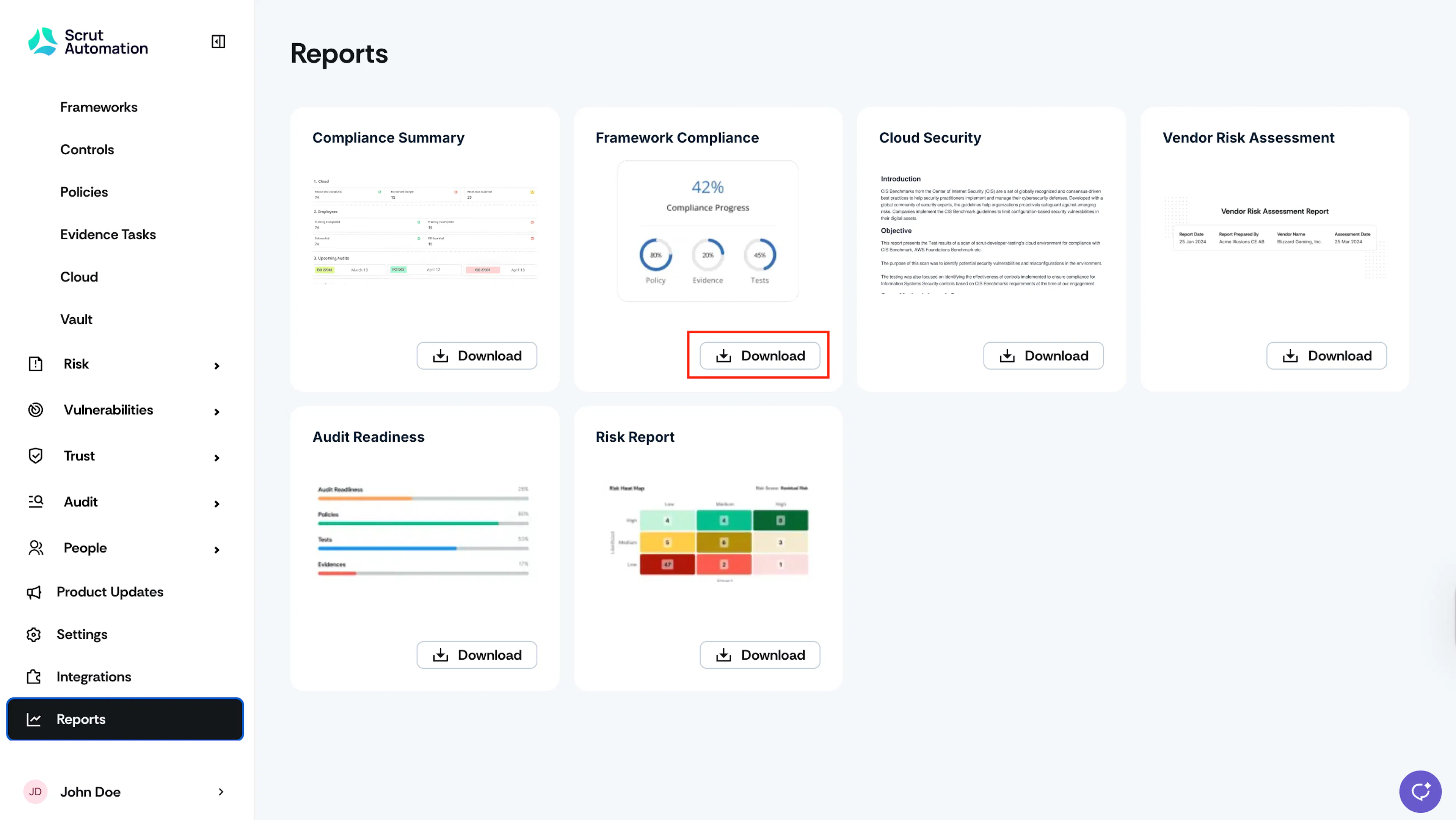
Click Reports on the left navigation panel. Click the Download button on the Framework Compliance report.
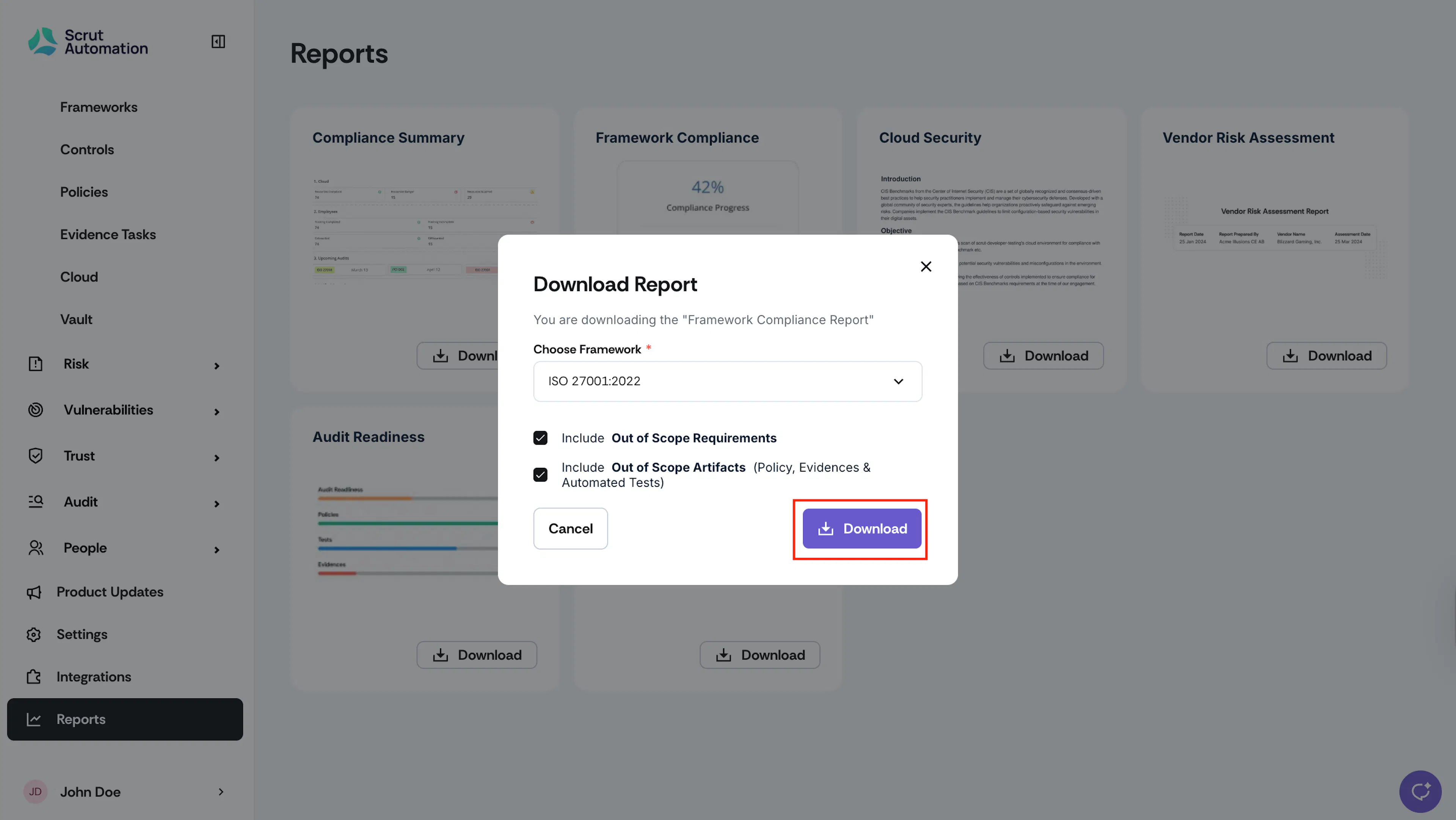
Choose the Framework, select the options, and click Download. Scrut will email the report to you.
Note:
Once you request the report, Scrut will share the link to download the report to your email. This link will expire in 7 days.