

Download SoA for ISO Frameworks
Who can use this feature
- Supported on Foundation, Growth, and Scale plans
The Statement of Applicability (SoA) is a critical compliance document for ISO certifications. It lists every control from your selected ISO framework, records whether each control is in scope or out of scope, captures the justification for that decision, documents how each control is implemented in your organization, and references the organizational policies that back each control. This guide walks you through generating, editing, and downloading your SoA in Scrut.
What Is the Statement of Applicability (SoA)?
The SoA is a formal declaration that covers every control within an ISO framework. For each control, it records:
- Applicability status: whether the control is in scope or out of scope for your organization
- Justification: the reason the control is applicable or excluded
- Implementation details: a description of how the control is implemented within your organization
- Document reference: the organizational policy or policies linked to the control in Scrut
The SoA is the primary document auditors use to validate your compliance posture. Keeping it complete and up to date in Scrut means your exported file is ready for submission without additional manual work.
You can generate an SoA for the following frameworks:
- ISO 27001:2022
- ISO 27017:2015
- ISO 27018:2019
- ISO 27701:2019
- ISO 27701:2025
- ISO 42001:2023
Note: ISO 27701, ISO 27017, ISO 27018, and ISO 42001 are dependent frameworks that rely on ISO 27001 and do not have standalone SoAs.
What Is Included in the SoA Export
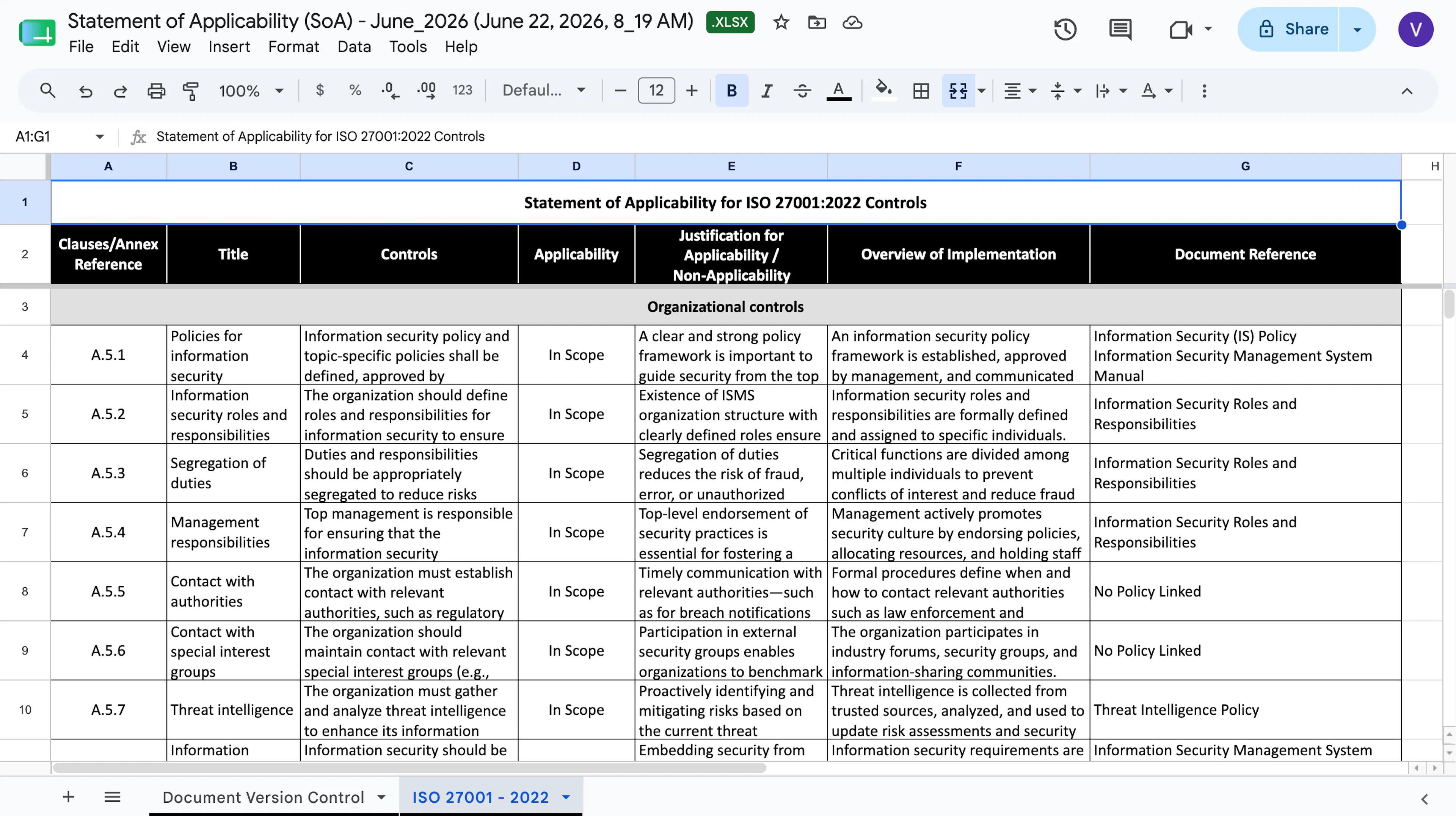
When you download an SoA, Scrut exports it as an XLSX file with two sheets.
-
The Document Version Control tab includes the document title, owner, approver, version number, effective date, distribution scope, and a revision history table populated from the details you enter when generating the SoA.
-
The second tab includes one row per control, with the following columns:
- Clause and section reference
- Control name and objective
- Control requirement description
- Applicability (Yes or No)
- Justification for applicability or non-applicability (Legal/Regulatory, Contractual Obligations, Business Requirements or Best Practices, Risk Assessment results)
- Implementation Details: the content you enter per control in the Frameworks module. Pre-populated with default content and editable before export. Blank for out-of-scope controls.
- Document Reference: auto-populated at export time from the policies linked to each control in Scrut. Shows "No policy linked" if no policy is mapped. Blank for out-of-scope controls.
Add Implementation Details to a Control
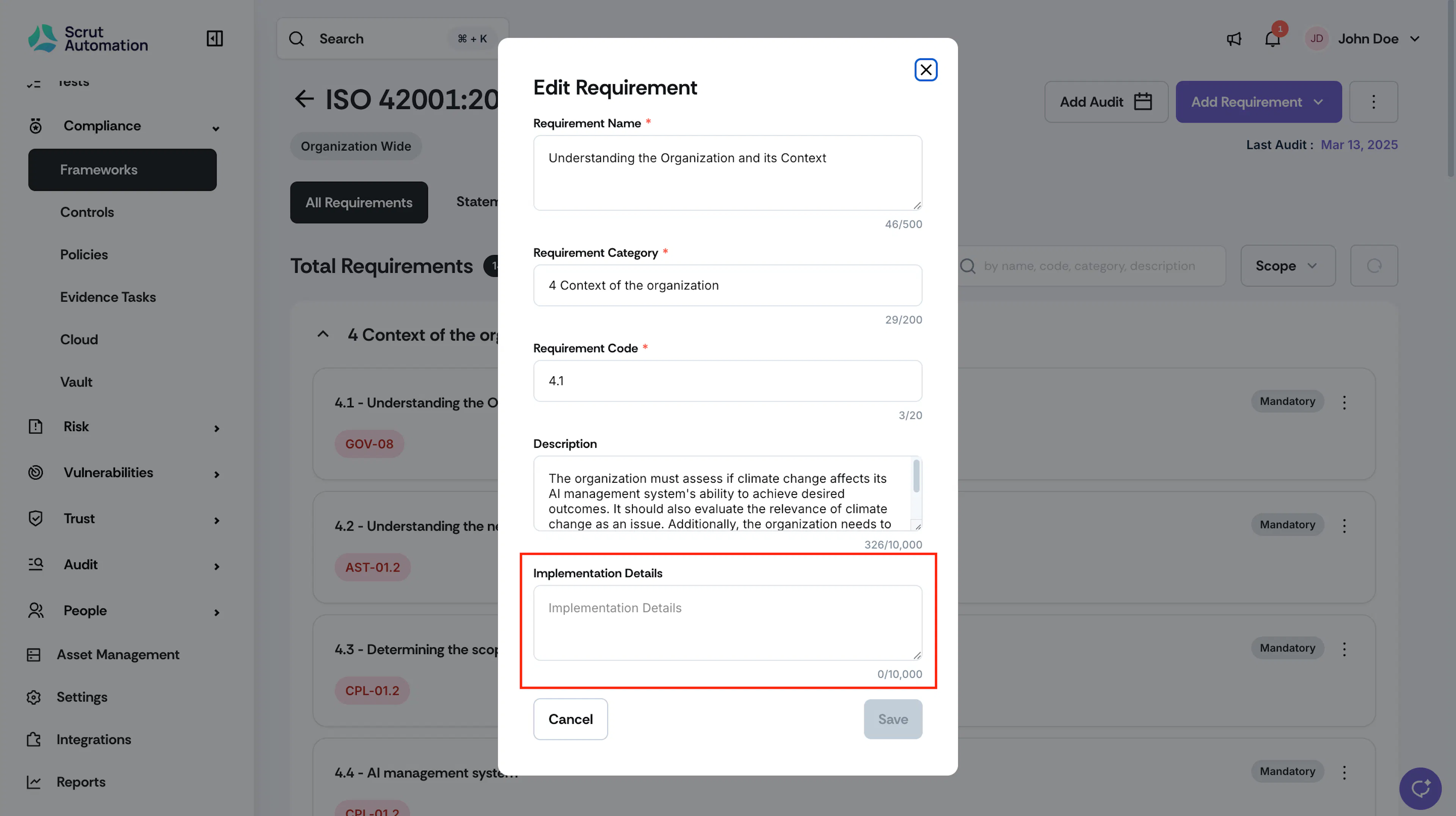
Before generating your SoA, review and update the Implementation Details for each in-scope control. Scrut pre-populates each field with default content, but you should tailor it to reflect how your organization actually implements the control.
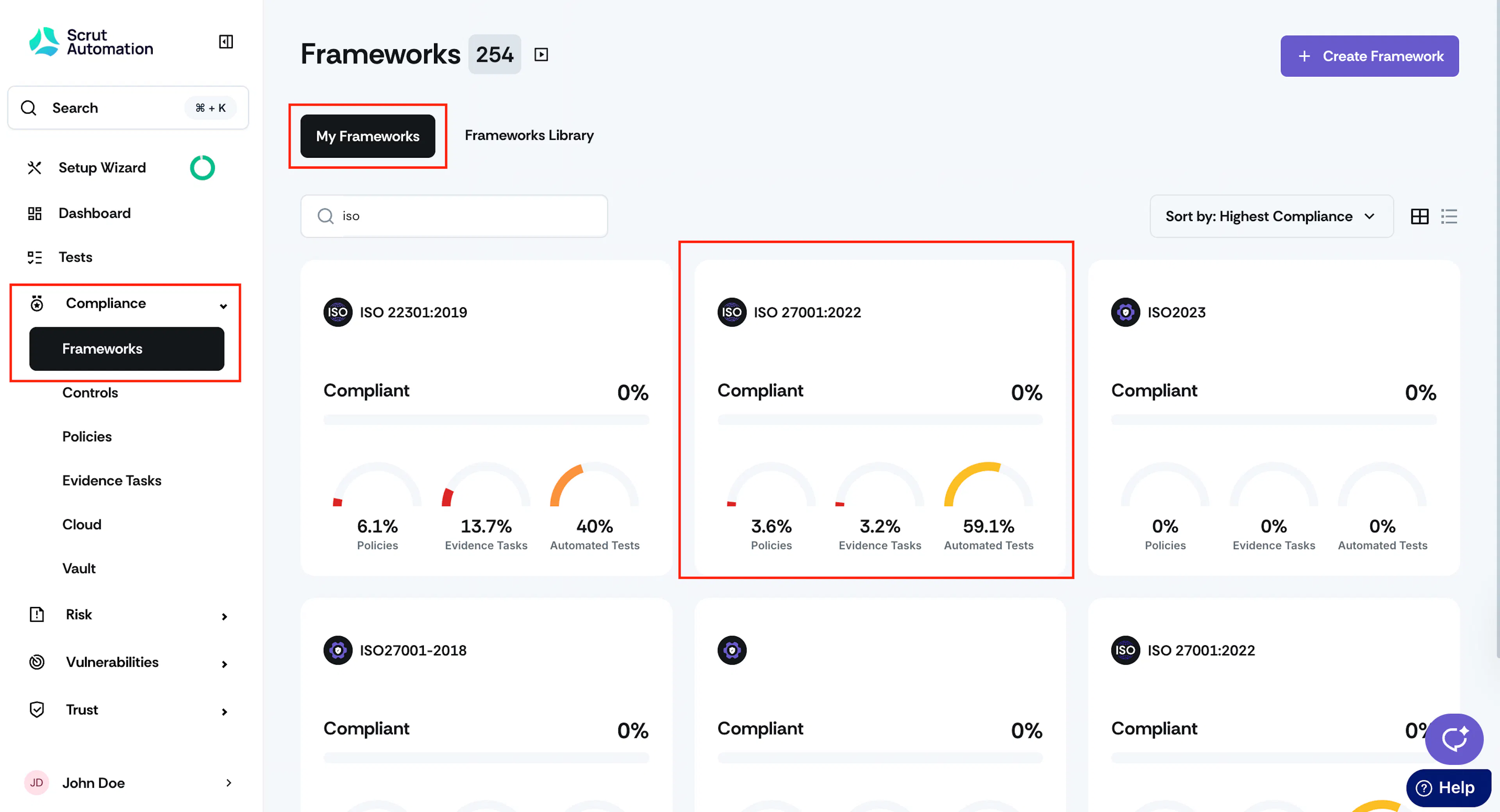
- Navigate to Compliance → Frameworks using the left navigation panel.
- Open the framework you are working on.
- Click the All Requirements tab.
- Click the three-dot icon for the control you want to update.
- Locate the Implementation Details field. Edit the field to describe how your organization implements this control. The field supports up to 10,000 characters.
- Save your changes.
Repeat this process for each in-scope control before exporting the SoA.
Heads Up!
The Implementation Details field is only visible when a control is marked as in scope. If you mark a control as out of scope, the field is hidden and the corresponding cell in the SoA export will be blank. If you later mark the control back as in scope, the field reappears with the content you previously saved. No data is lost.
How to Download the SoA
-
Navigate to Compliance → Frameworks using the left navigation panel.
-
Open the framework you want to export the SoA for.
Pro Tip! Use the search bar at the top of the Frameworks page to quickly find your framework.
-
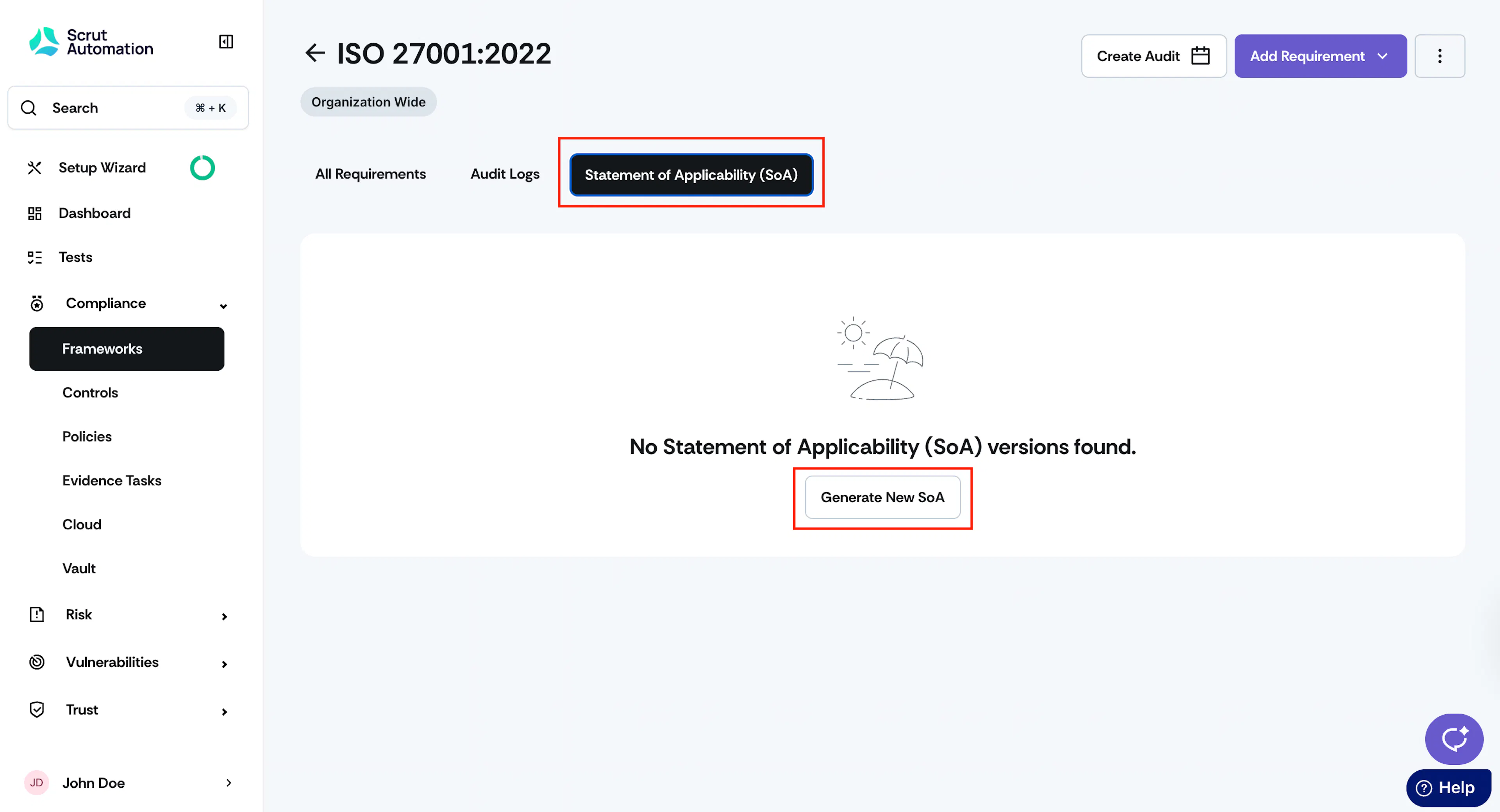
Click the Statement of Applicability (SoA) tab.
-
Click Generate New SoA.
-
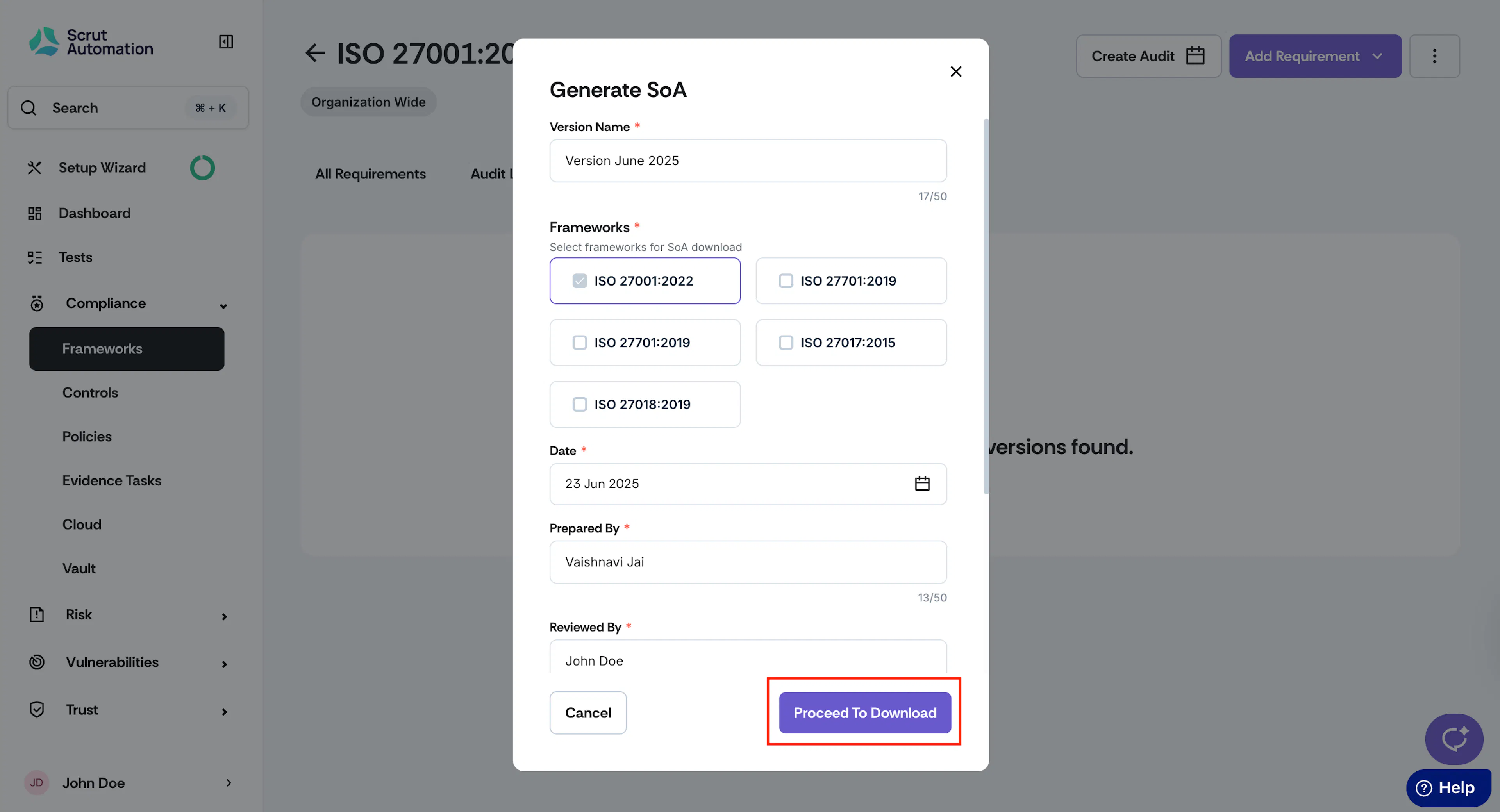
Enter the SoA details:
- Enter a Version Name.
- Select the frameworks to include in the SoA.
- Choose the SoA date.
- Enter the names of users who prepared, reviewed, and approved the SoA. You can add multiple names in each field, separated by a semicolon (;).
- Enter a change description summarizing what is different in this version compared to the previous one.
-
Click Download.
-
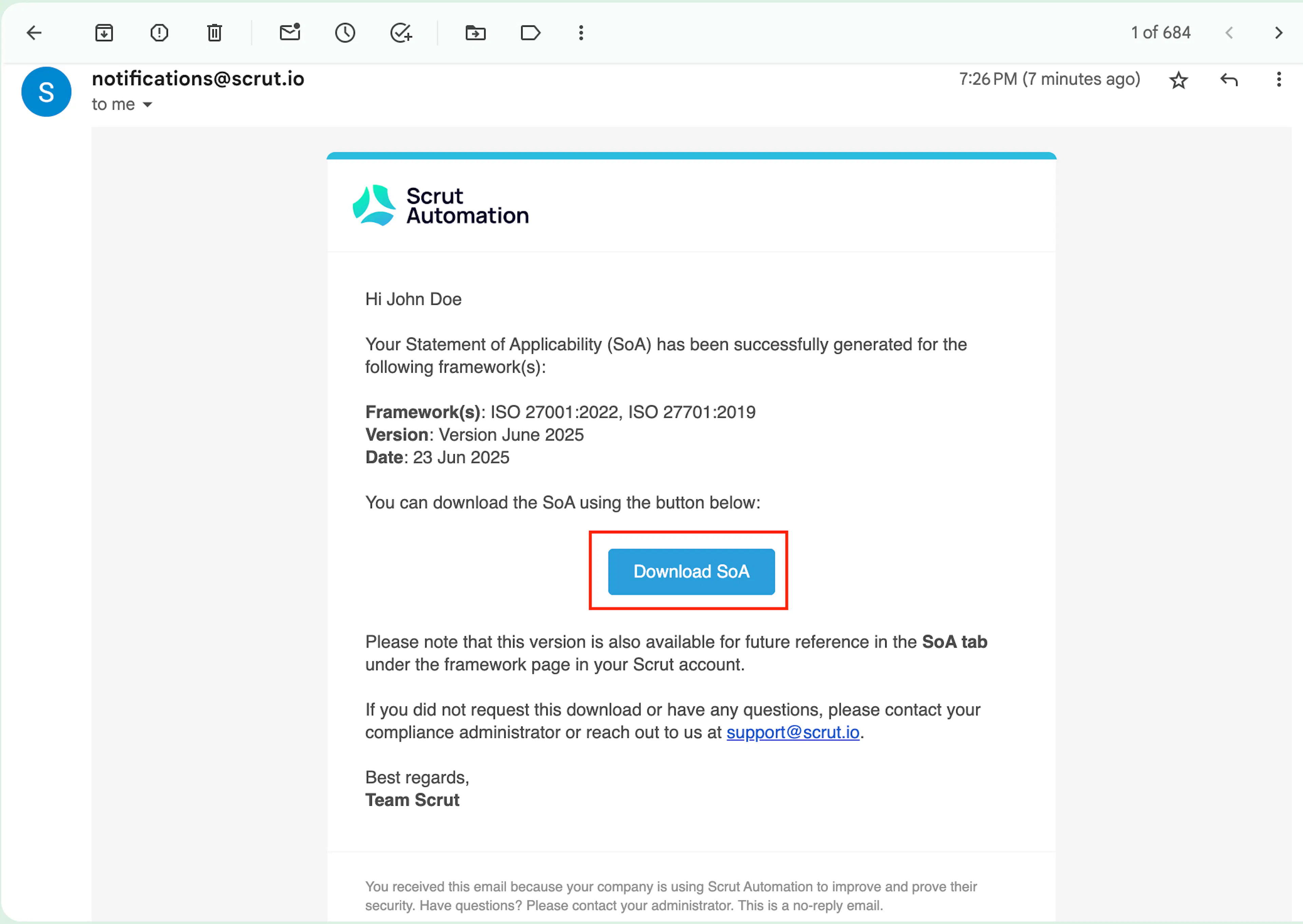
Scrut generates the SoA and sends a download link to your email.
-
Click Download SoA in the email to download the file as an XLSX.
The exported file includes all controls for the selected frameworks, with Document Reference and Implementation Details columns populated based on your current platform data.
Edit SoA Details
To modify SoA details and regenerate the file:
-
Navigate to Compliance → Frameworks and open your required framework.
-
Click the Statement of Applicability (SoA) tab.
-
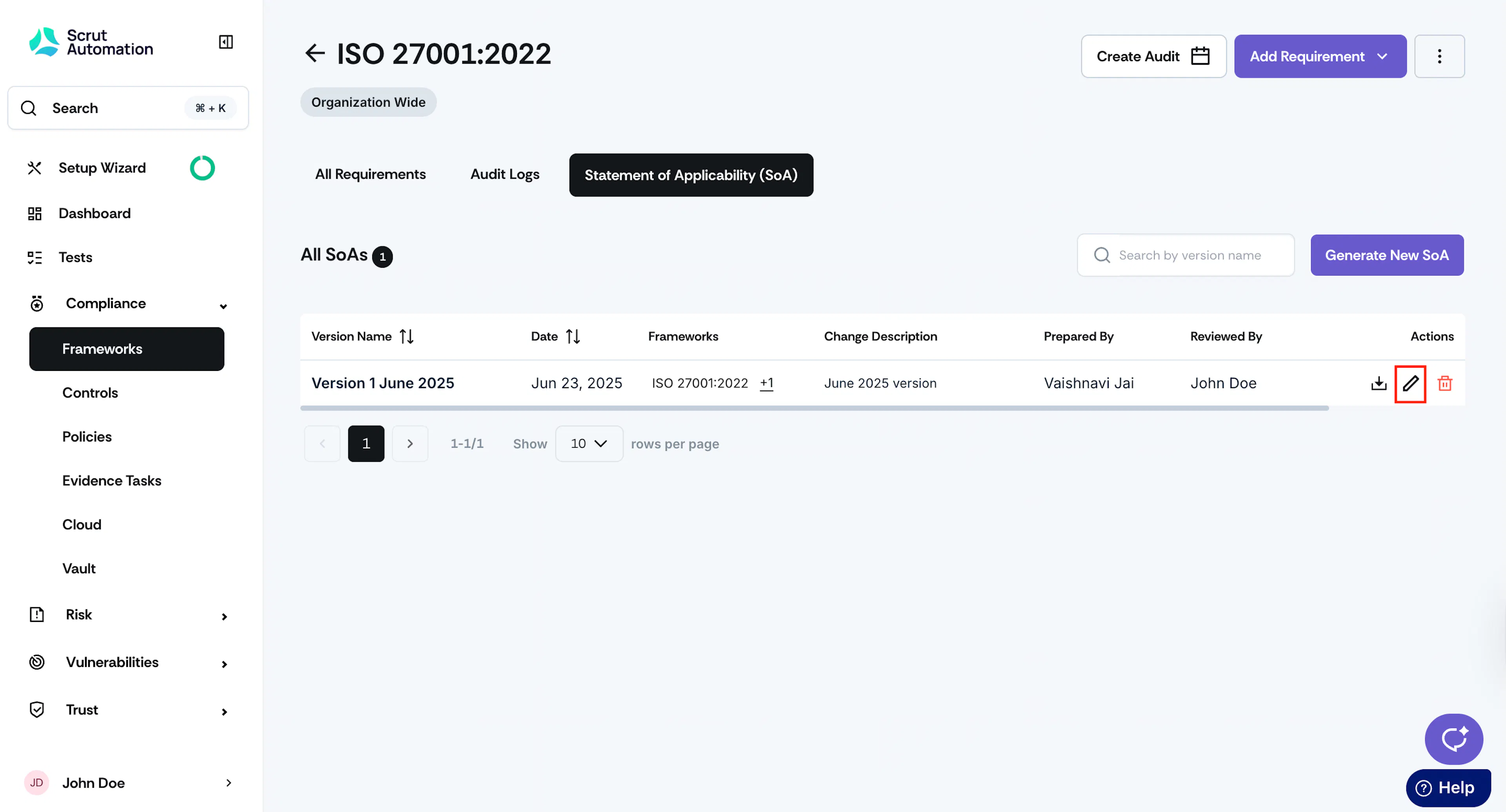
Click the edit icon next to the SoA version you want to modify.
-
Update any of the fields: version name, selected frameworks, date, preparer, reviewer, approver, or change description.
-
Click Download.
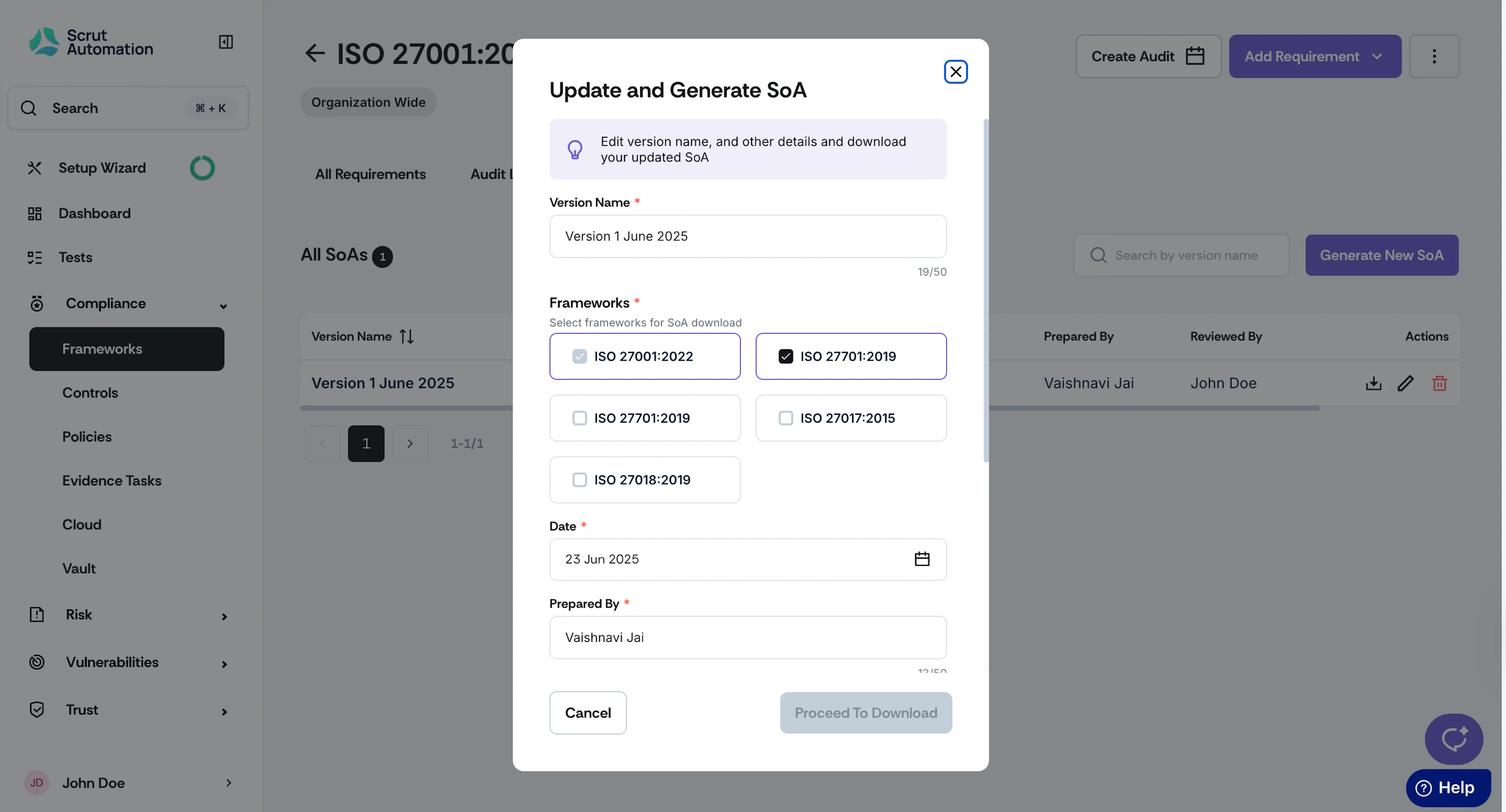
Scrut replaces the existing file with a new version using the updated details. You will receive an email with a link to download the updated file.
FAQs
Reach out to support@scrut.io or contact your CSM for further assistance.