

Export Framework Requirements
Who can use this feature
- Supported on Foundation, Growth, and Scale plans
With the Export Frameworks feature, you can download all in-scope and out-of-scope requirements for your compliance frameworks as a CSV file and share it with auditors and other stakeholders. This article explains how to download your framework requirements.
How To Export Framework Requirements
-
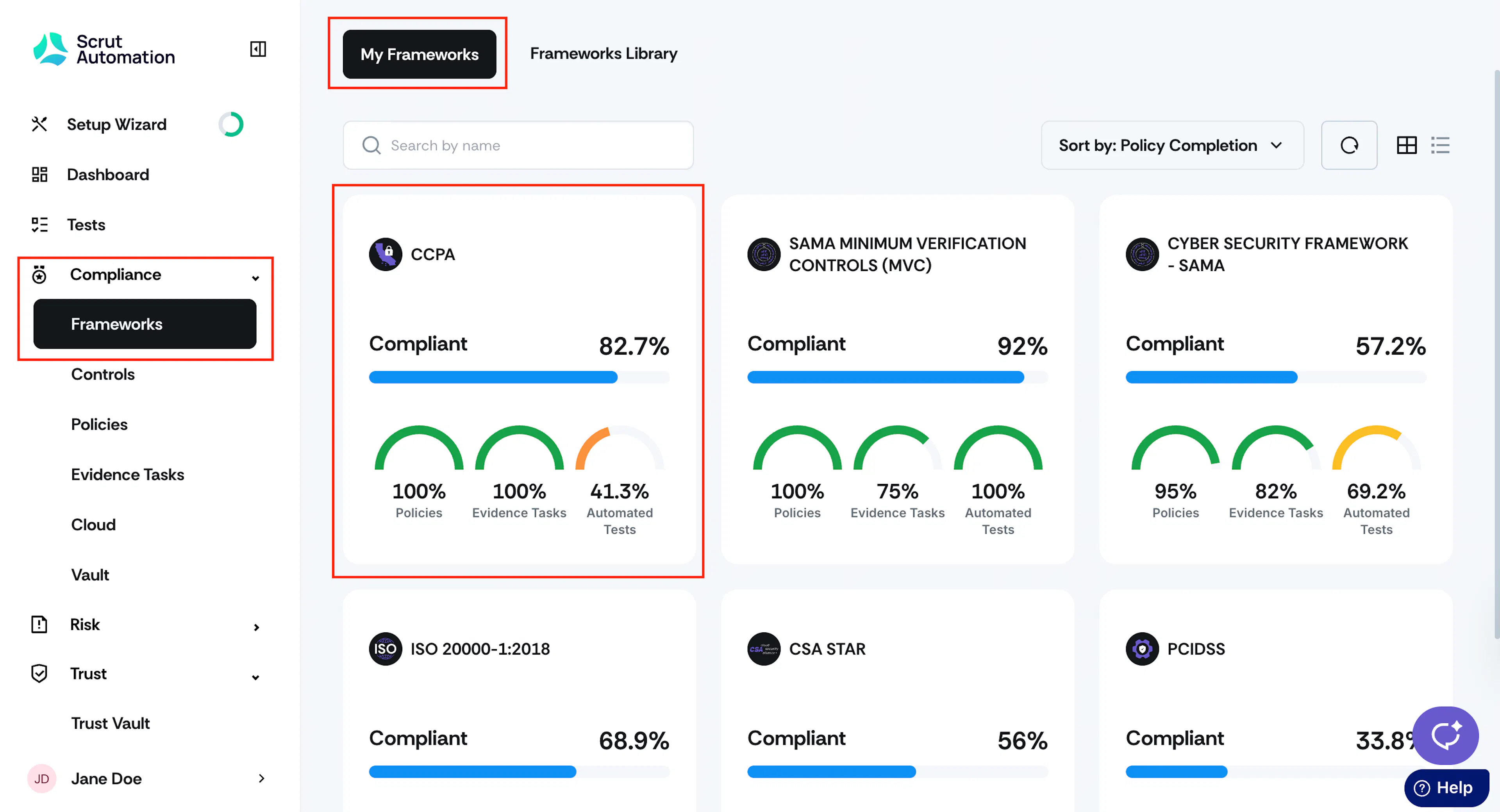
Sign in to Scrut and go to Compliance → Framework using the left navigation panel.
-
Click on the framework for which you want to download the requirements.
-
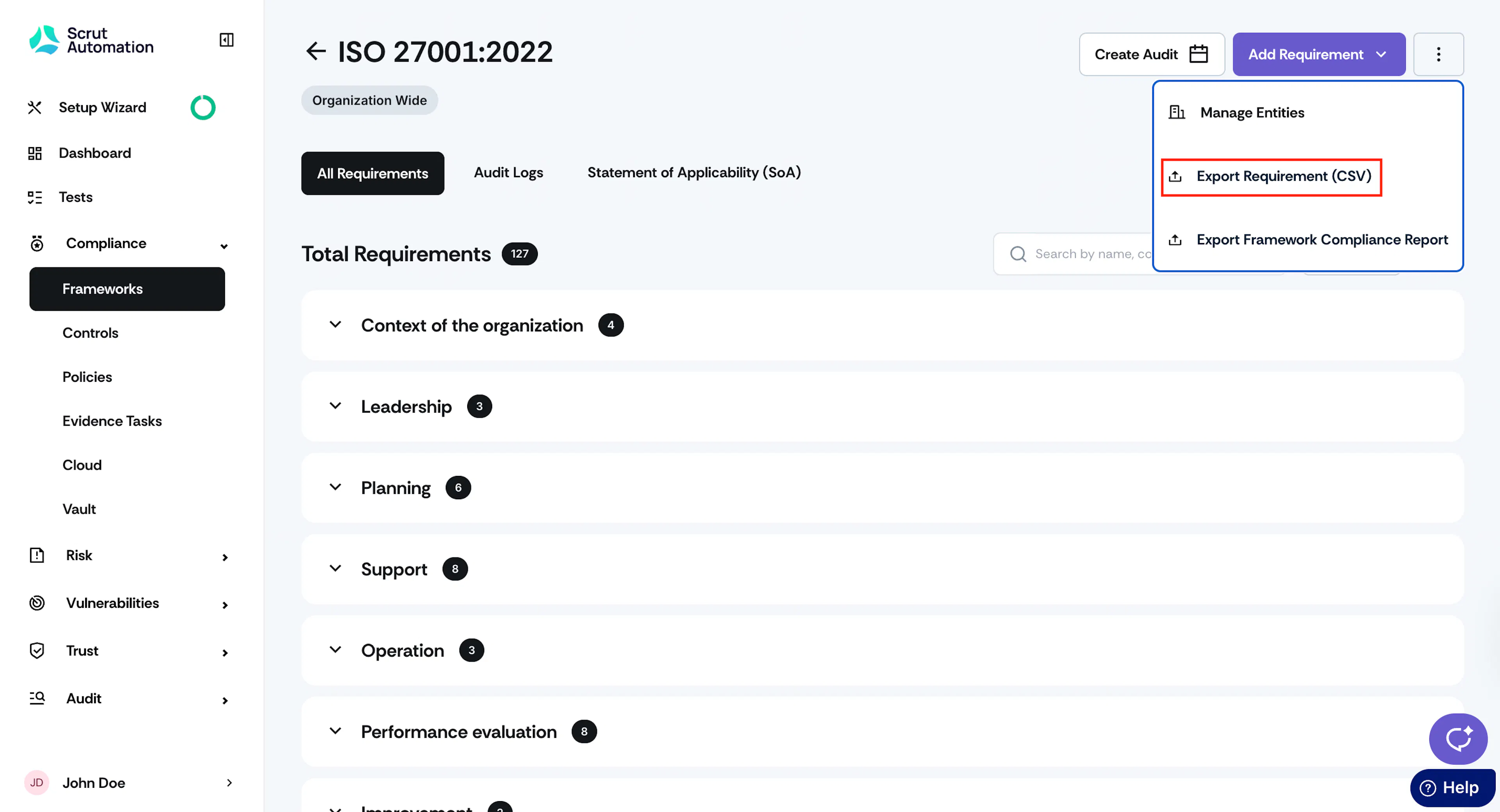
Click on the requirement page, click the three-dot icon at the top-right and select Export Requirement (CSV).
-
Select the location where you want to save the file, and then click Save.
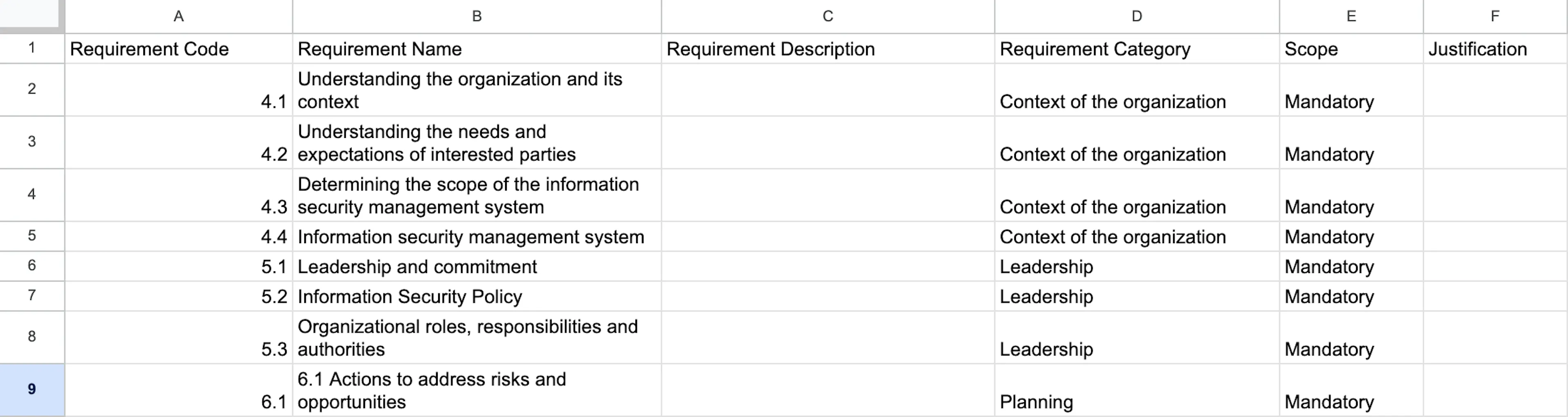
The downloaded file includes all the requirement details such as code, name, description, scope, and justification.
Was this page helpful?