

Configure Custom Vendor Fields
Custom vendor fields let you tailor vendor profiles to meet unique needs. This gives you the flexibility to define and capture additional vendor information, ensuring vendor profiles are personalized and adaptable.
Configuring Custom Vendor Fields
- From the left navigation panel, expand the Risk menu.
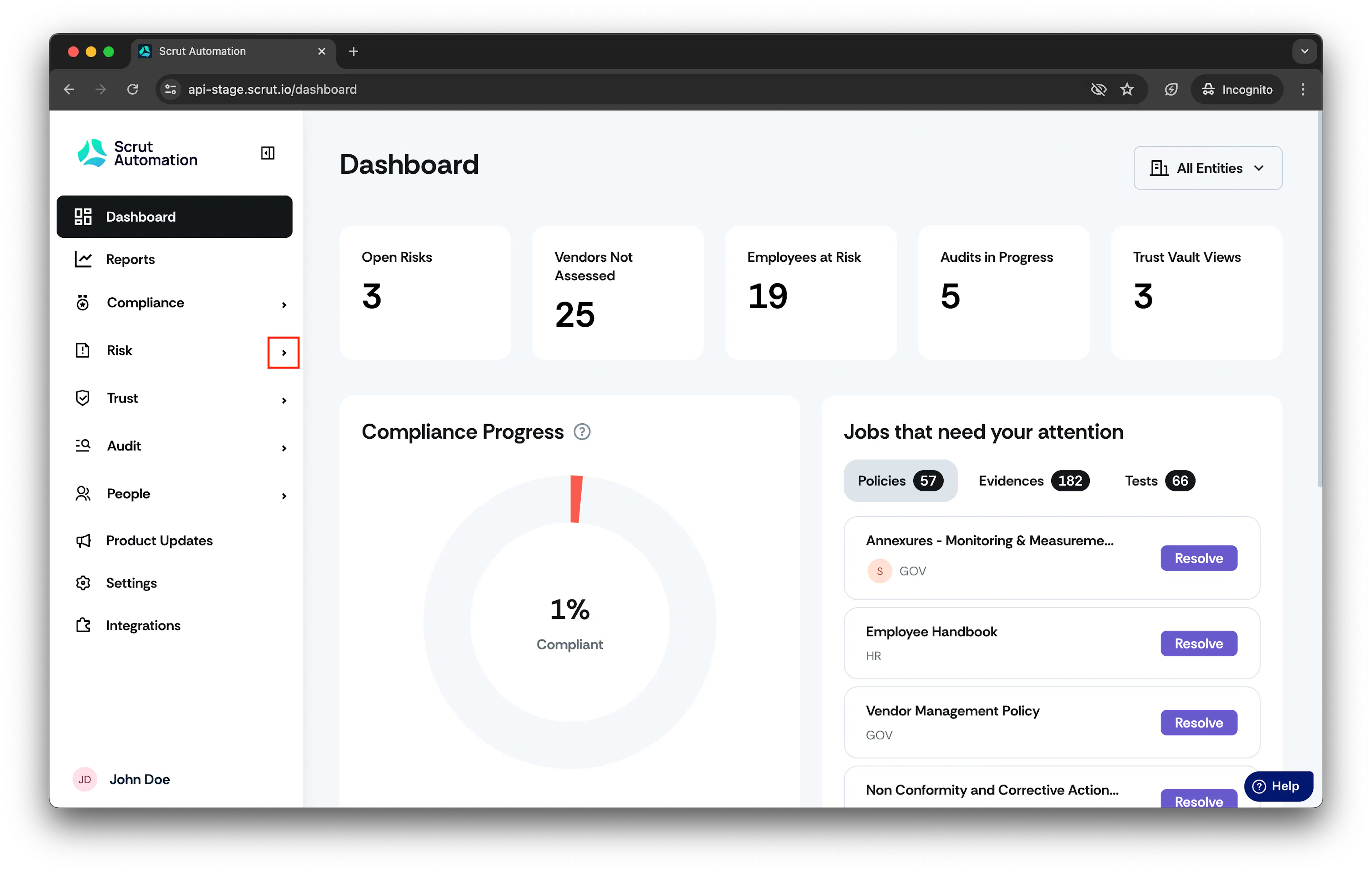
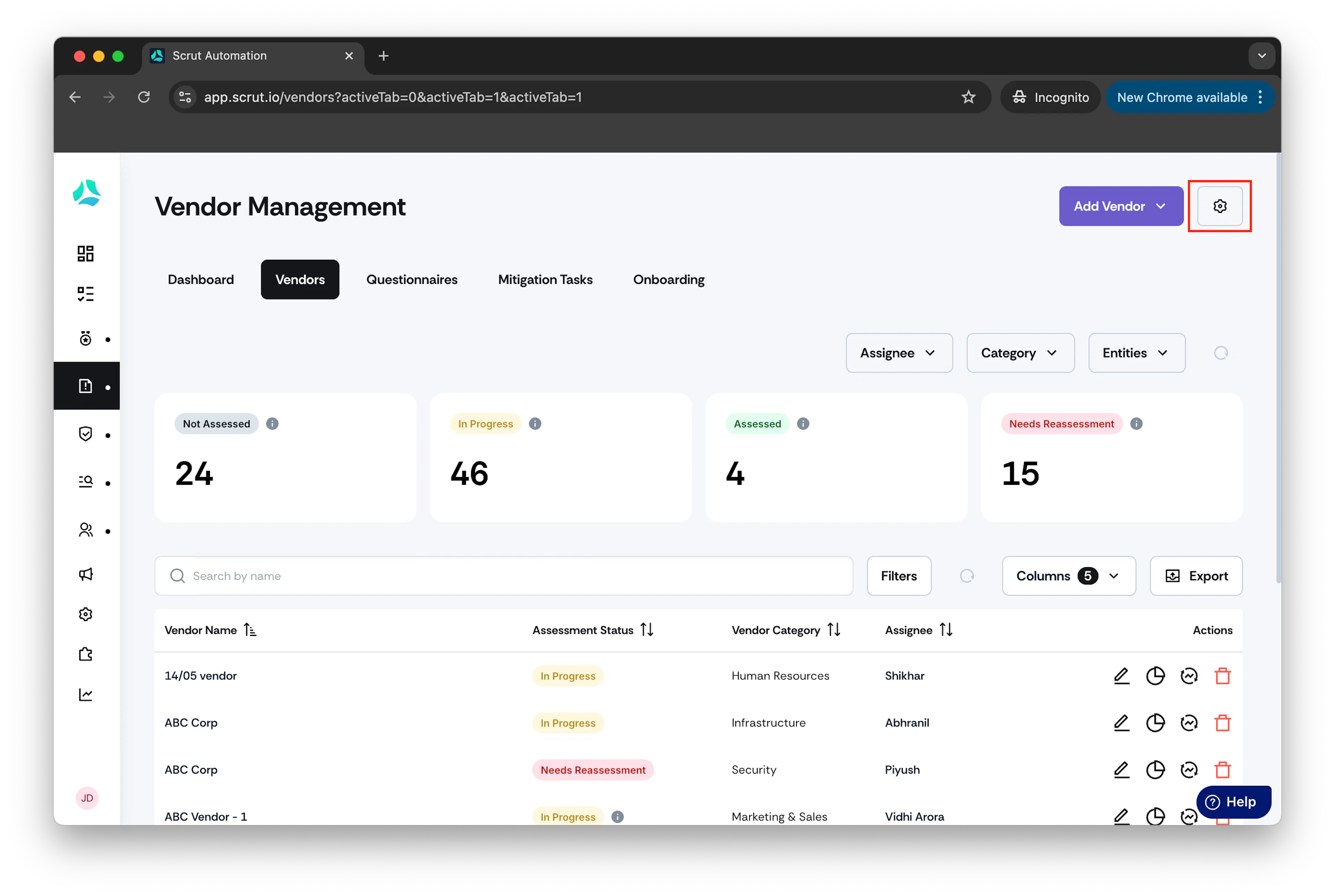
- Click Vendors and go to Settings.
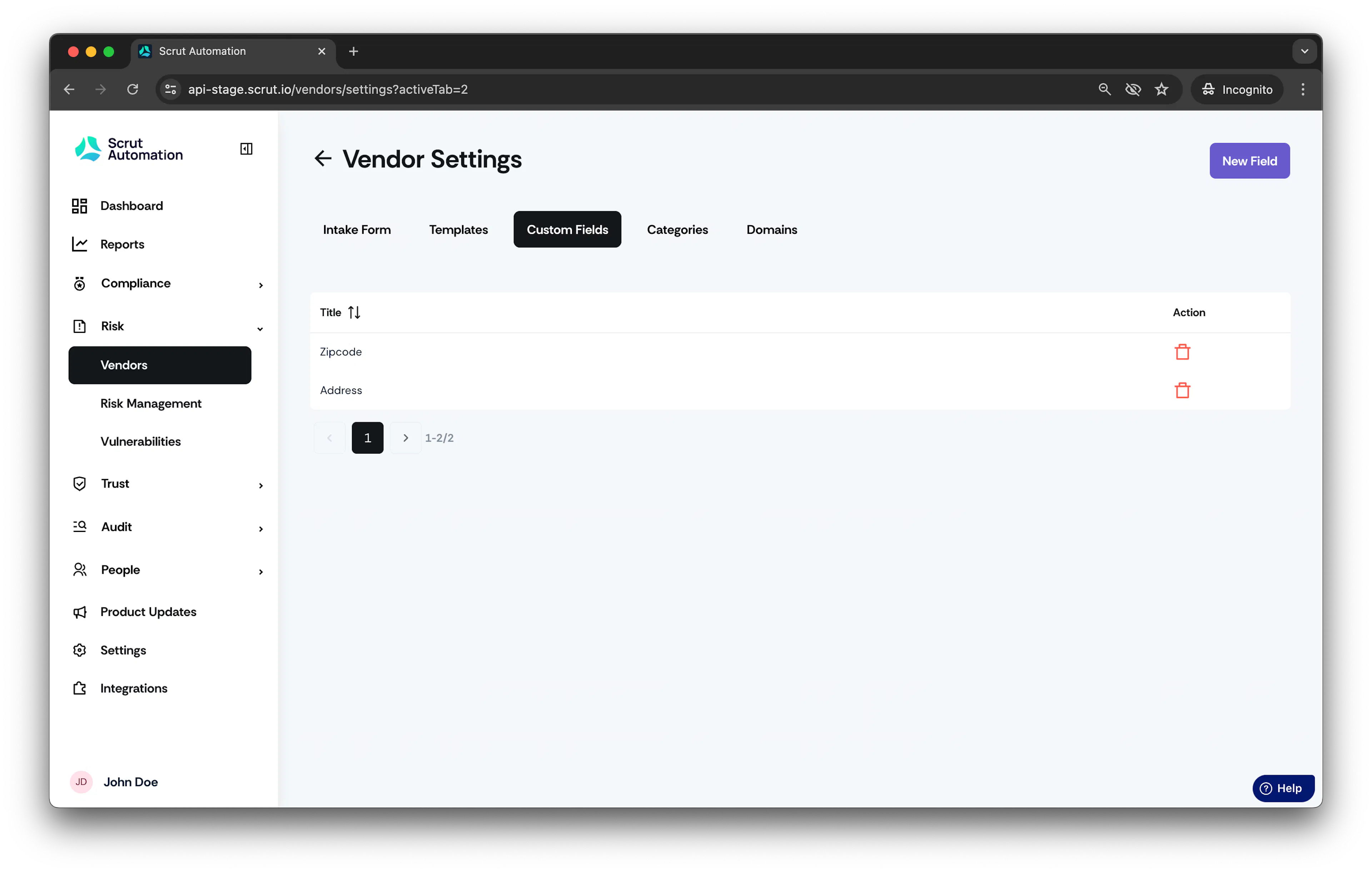
- Select the Custom Field tab.
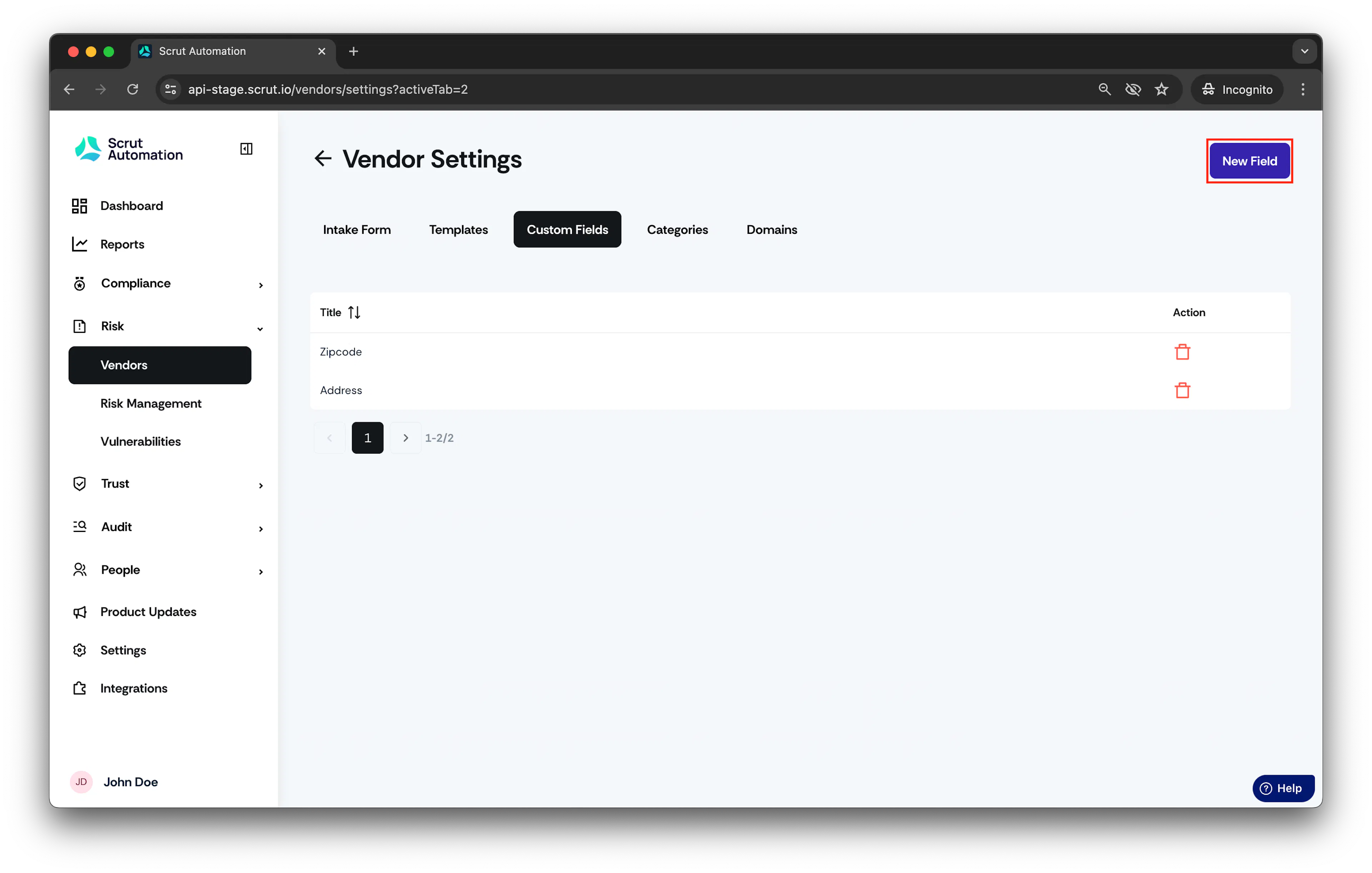
- Click New Field to create a new vendor custom field.
Add Custom Field window opens.
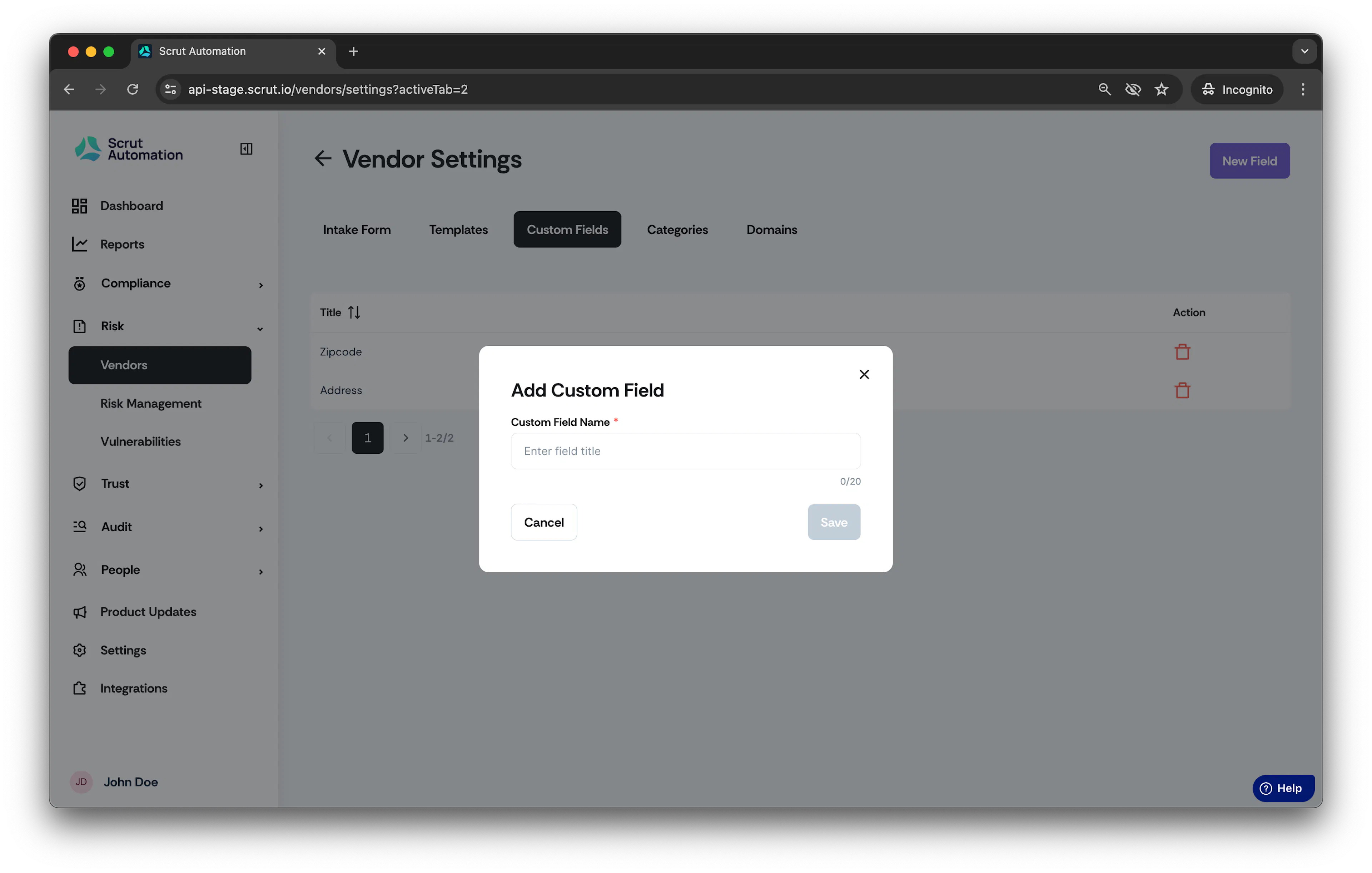
- In Custom Field Name, enter the name of the custom field.
- Click Save.
The custom fields created will be displayed on the Vendor details page.
Was this page helpful?