

Configure Vendor Questionnaire Domains
Who can use this feature
- Supported on Foundation, Growth, and Scale plans
With customizable vendor domains, you can tailor the assessment process to precisely fit your organization's requirements.
Configuring Vendor Questionnaire Domains
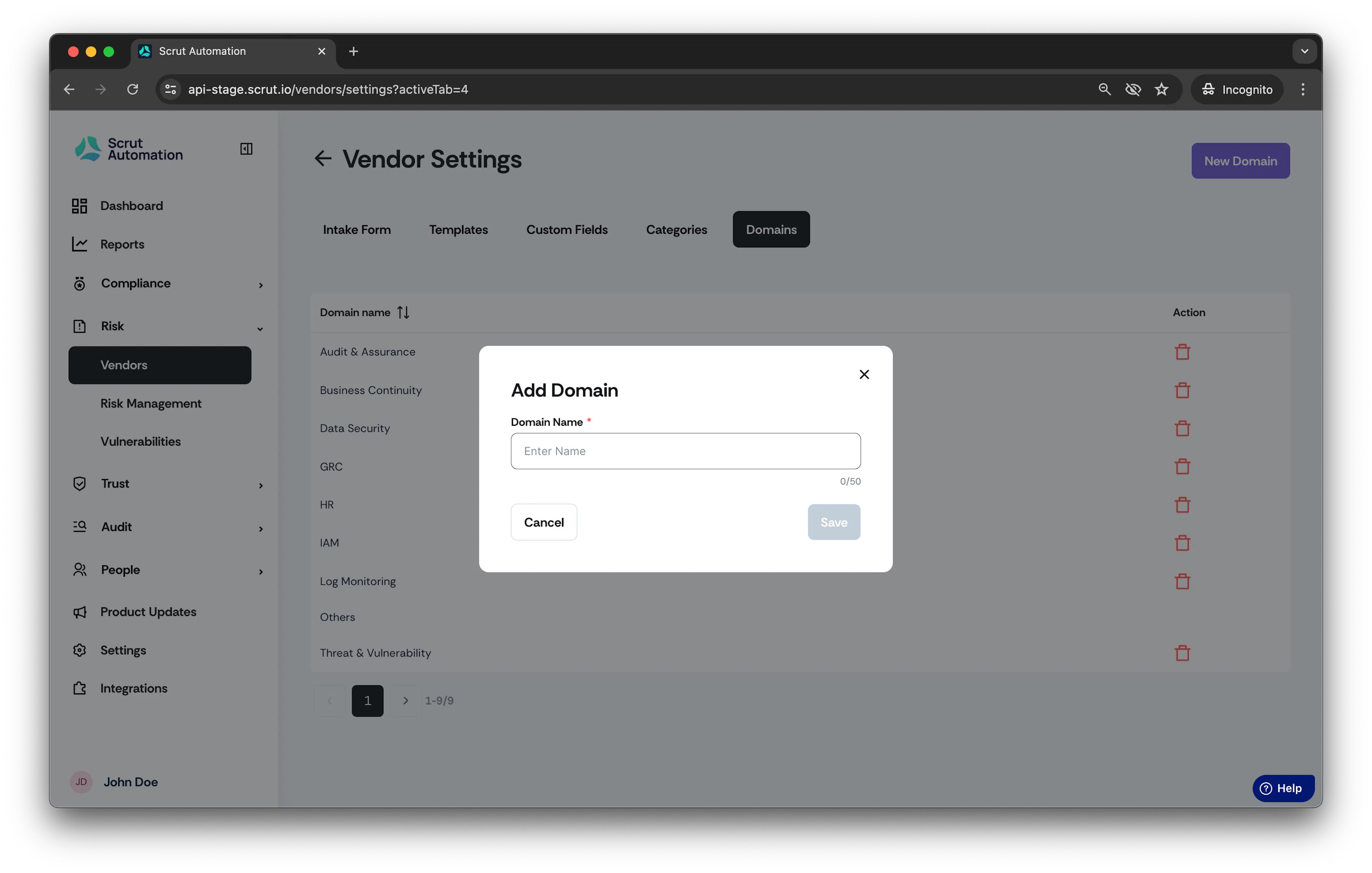
- From the left navigation panel, expand the Risk menu.
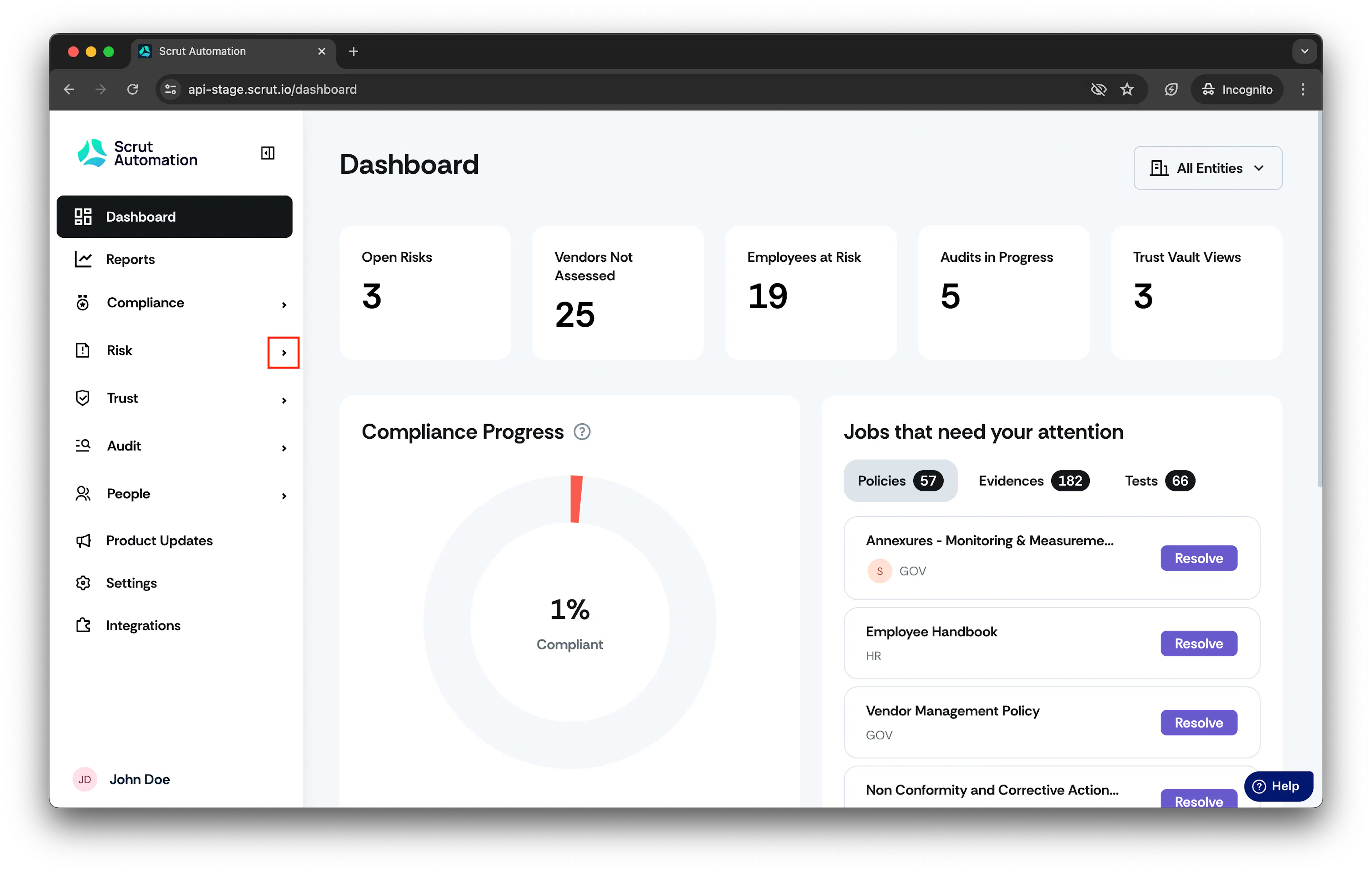
-
Click Vendors and go to Settings.
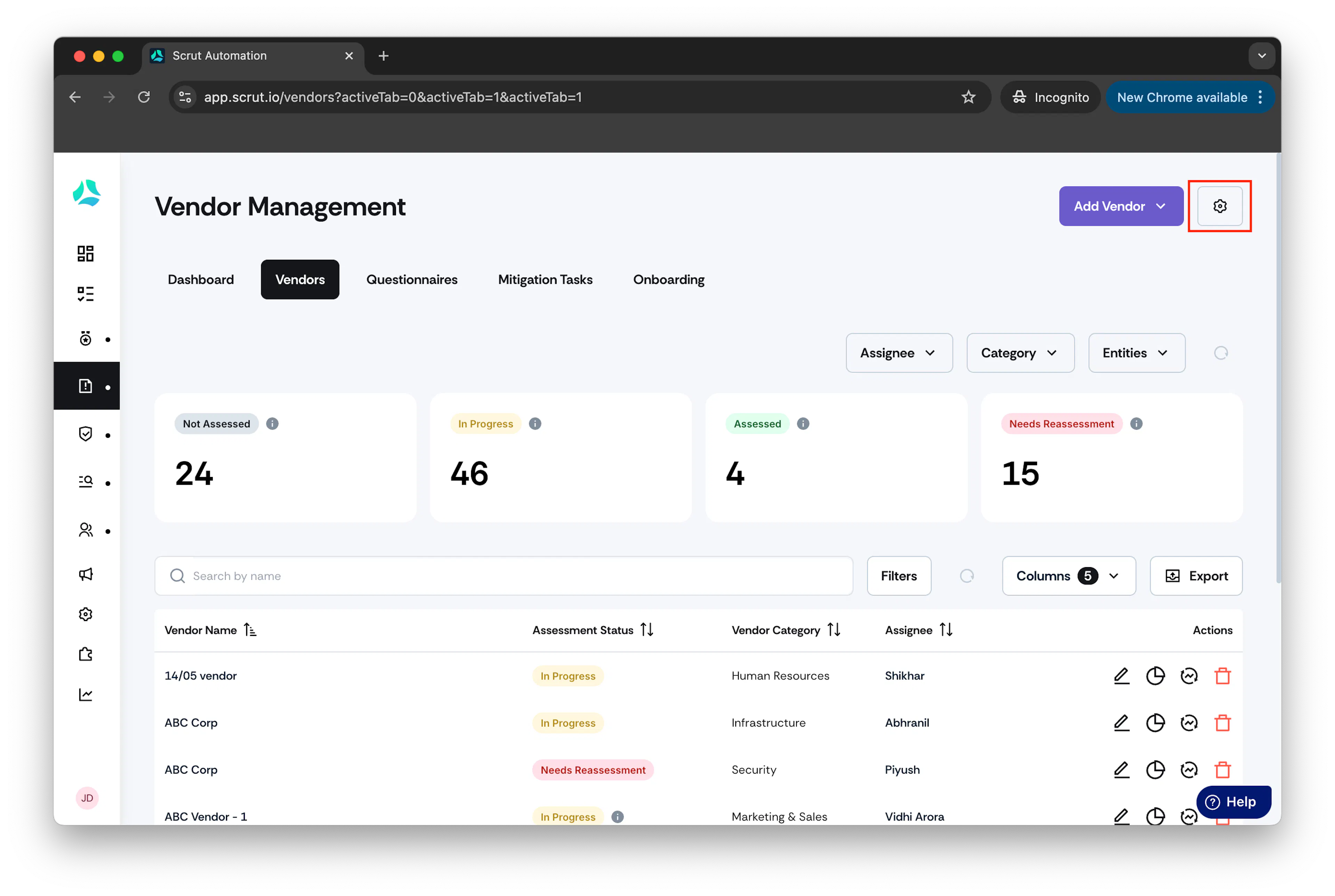
-
Click Domains.
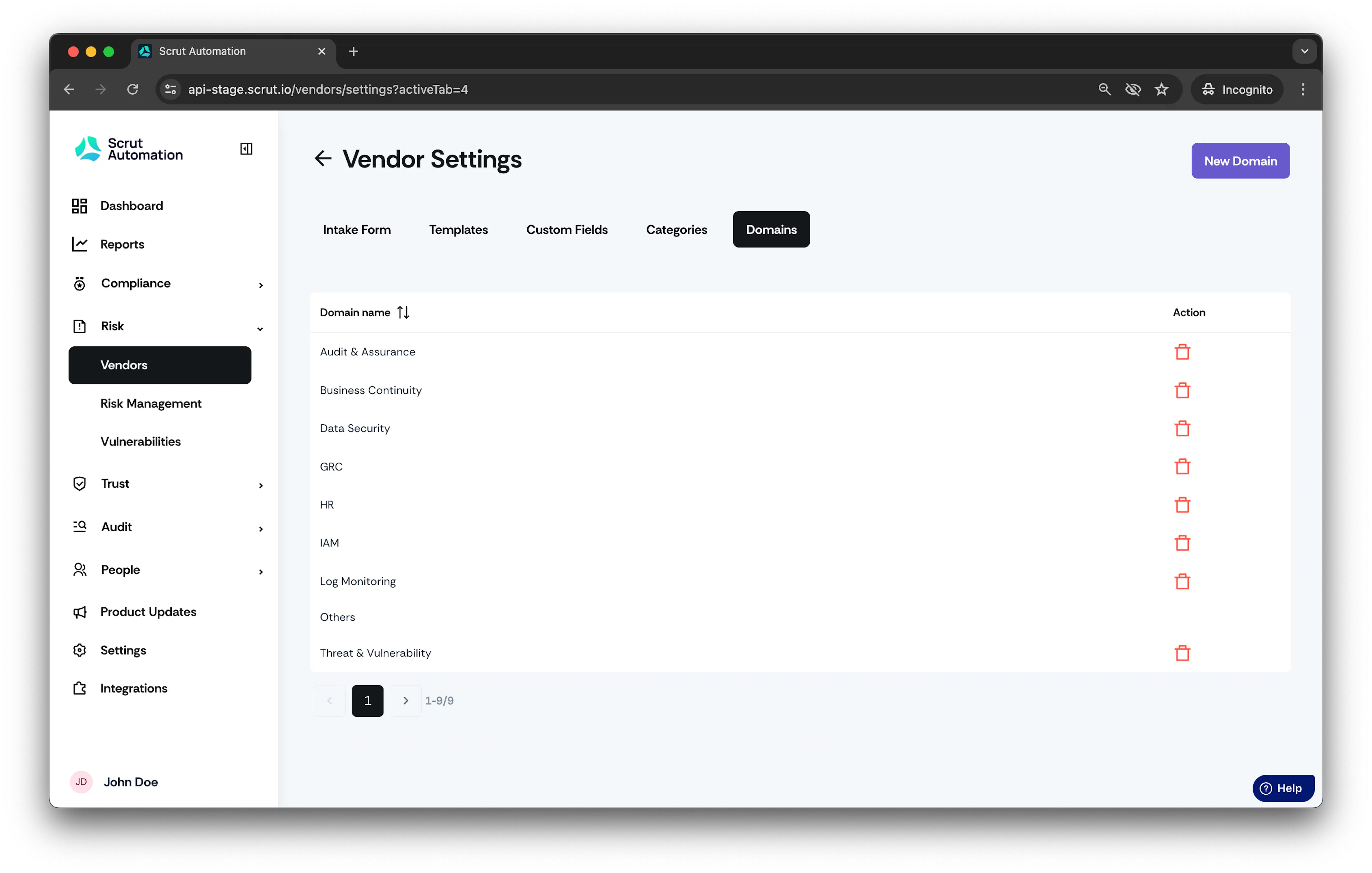
- By default, users will see 9 pre-configured domains. Users can add more domains by clicking New Domain button.
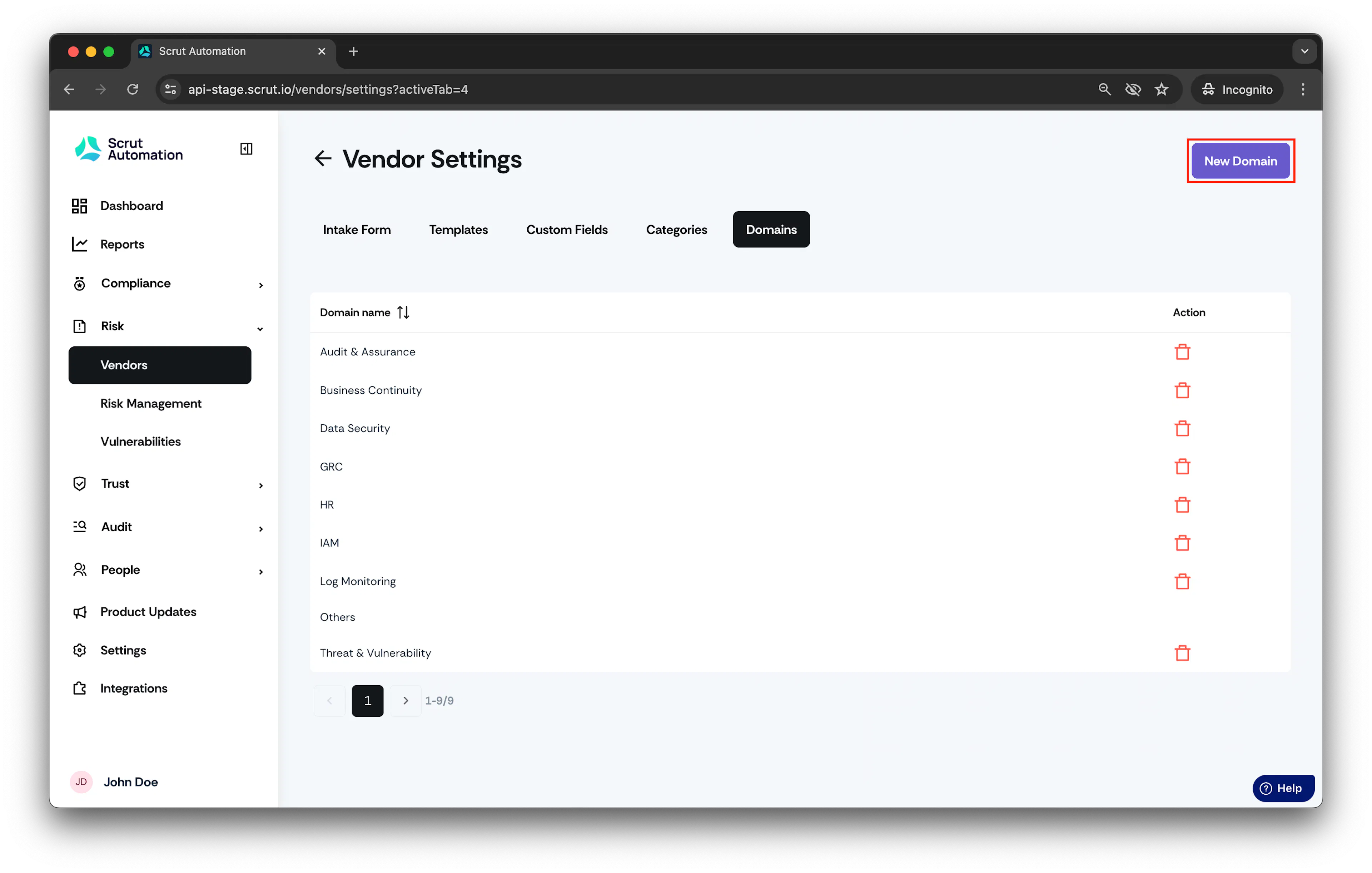
- Enter domain name and click Save.
Was this page helpful?