

Integrate Employment Hero
The Scrut - Employment Hero integration syncs employee data from your Employment Hero account to Scrut so that you can access employee details in the People → Employees module in Scrut. This article provides a step-by-step guide for integrating your Employment Hero account with Scrut.
Prerequisites
Before you begin the integration, make sure to have the following permissions for your Employment Hero account:
- Account Information: Login credentials
- Access Level: Admin access to Employment Hero to generate the client ID and secret
Pro Tip!
We recommend logging into your Employment Hero account before beginning the integration to avoid doing so later.
How to Connect Employment Hero With Scrut
Step 1: Generate Client ID and Secret in Employment Hero
-
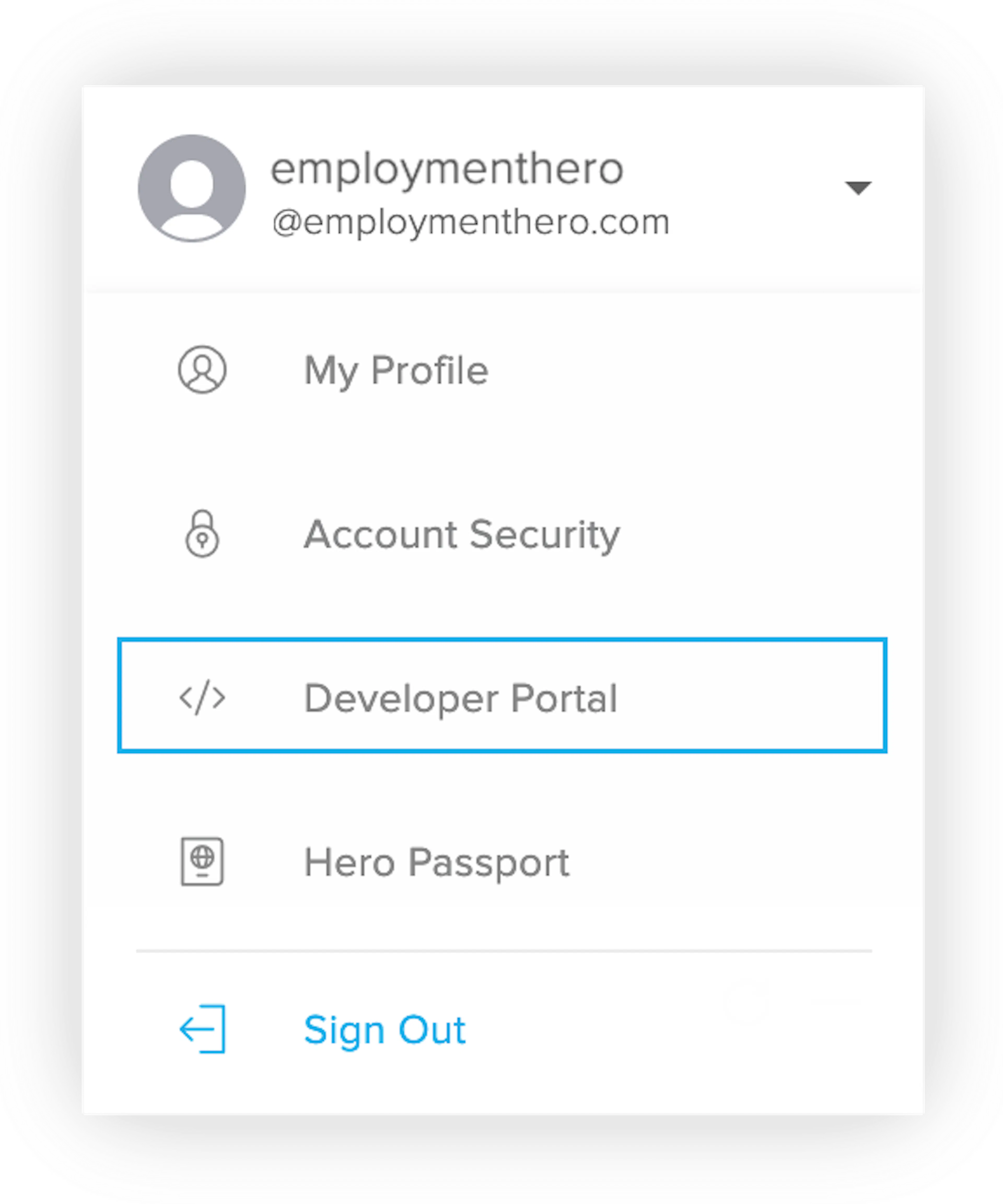
Go to the Employment Hero developer portal. To access the developer portal, sign in to your Employment Hero account and click Developer Portal under your profile name in the top right corner.
-
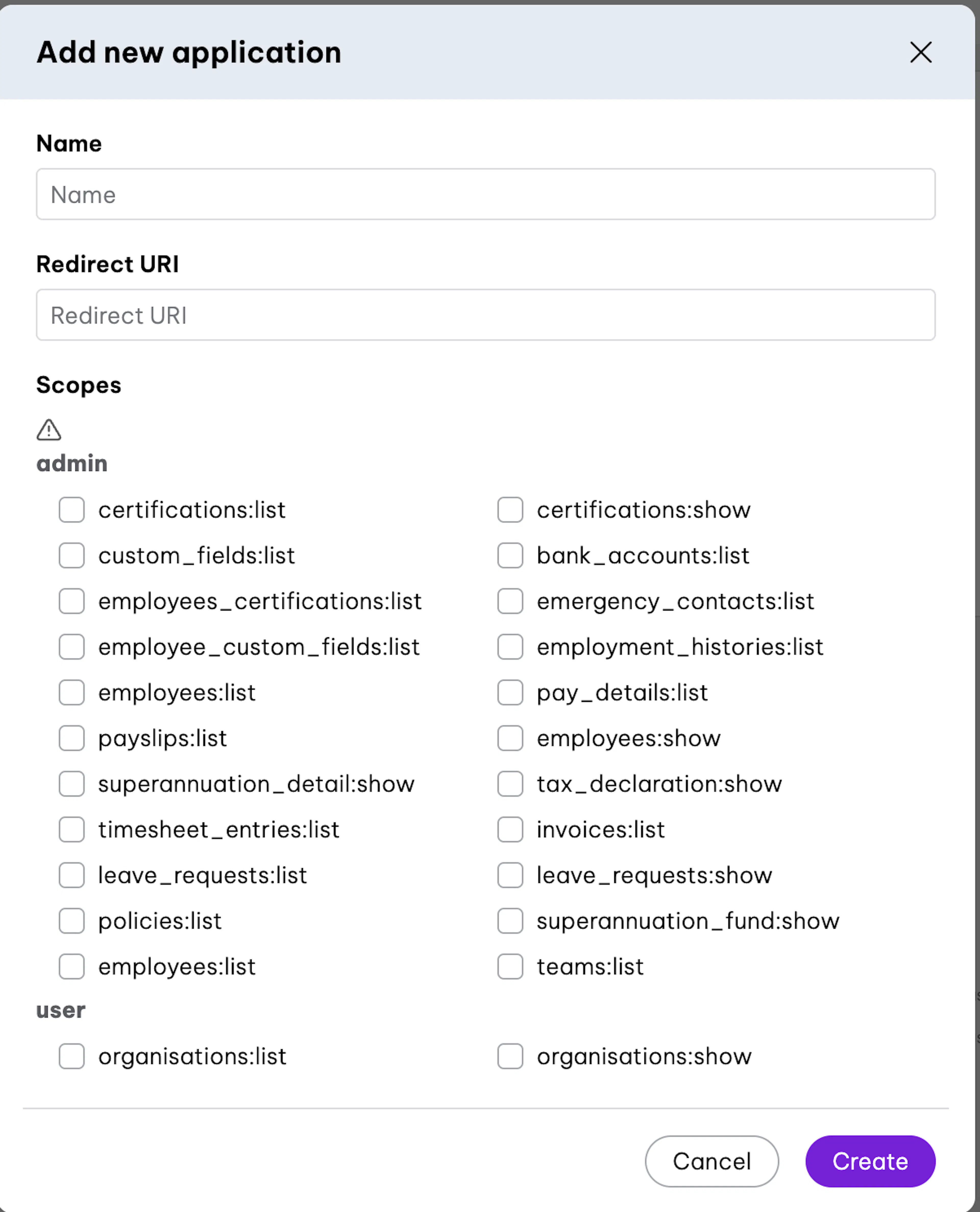
Click on Add Application and enter a name for the application, such as Scrut Automation.
-
Enter this redirect URL: https://app.getknit.dev/oauth/authorize
-
Select the following scopes:
- organisations:list
- organisations:show
- employees:list
- timesheet_entries:list
- employees:list
- employment_histories:list
- employees:show
- teams:list
-
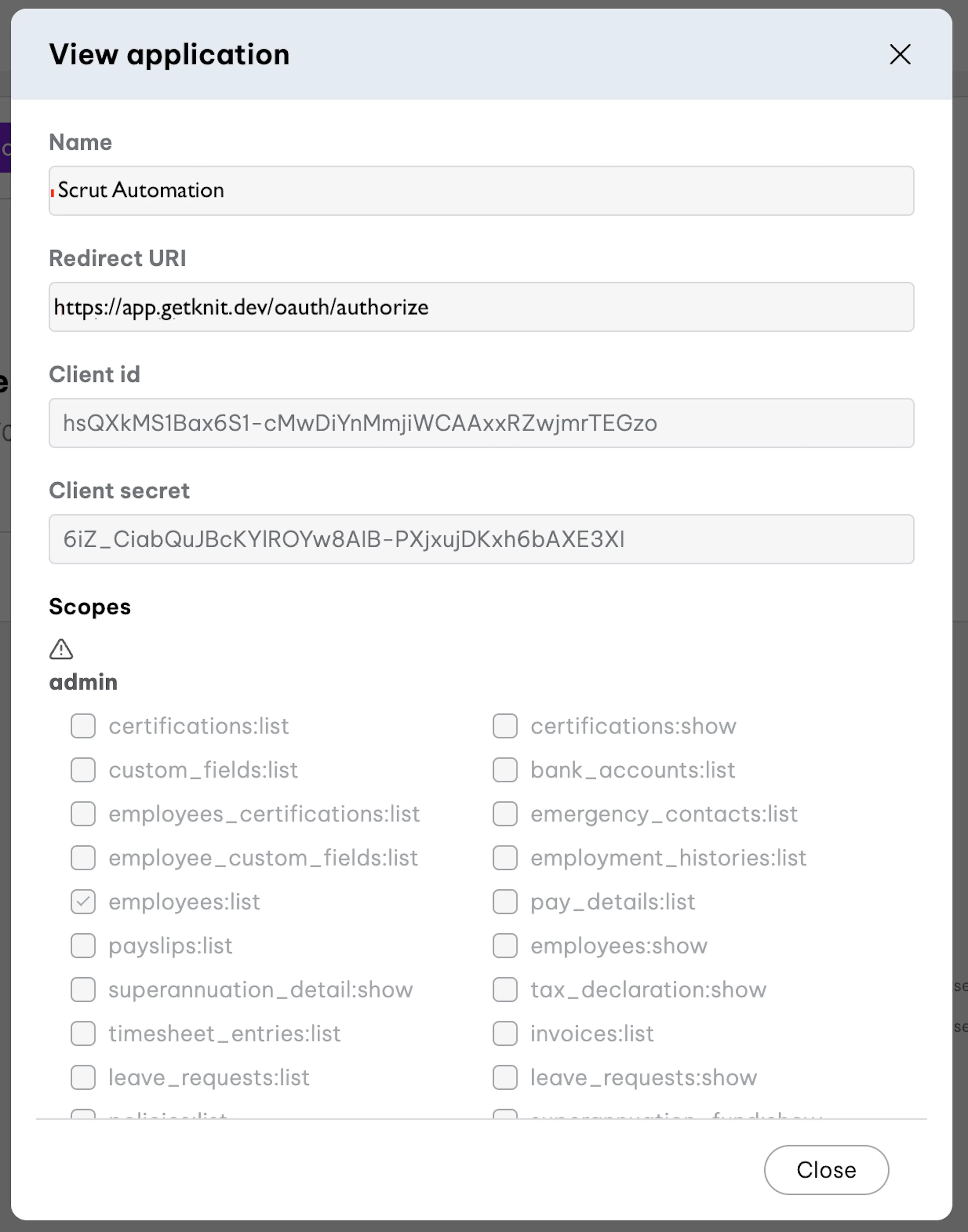
Copy the Client ID and Client Secret shown on screen. You’ll need to enter it in Scrut in the next step.
Pro Tip!
If you have trouble generating the Client ID and Client Secret, please check this help guide from Employment Hero.
Step 2: Connect Your Employment Hero Account in Scrut
-
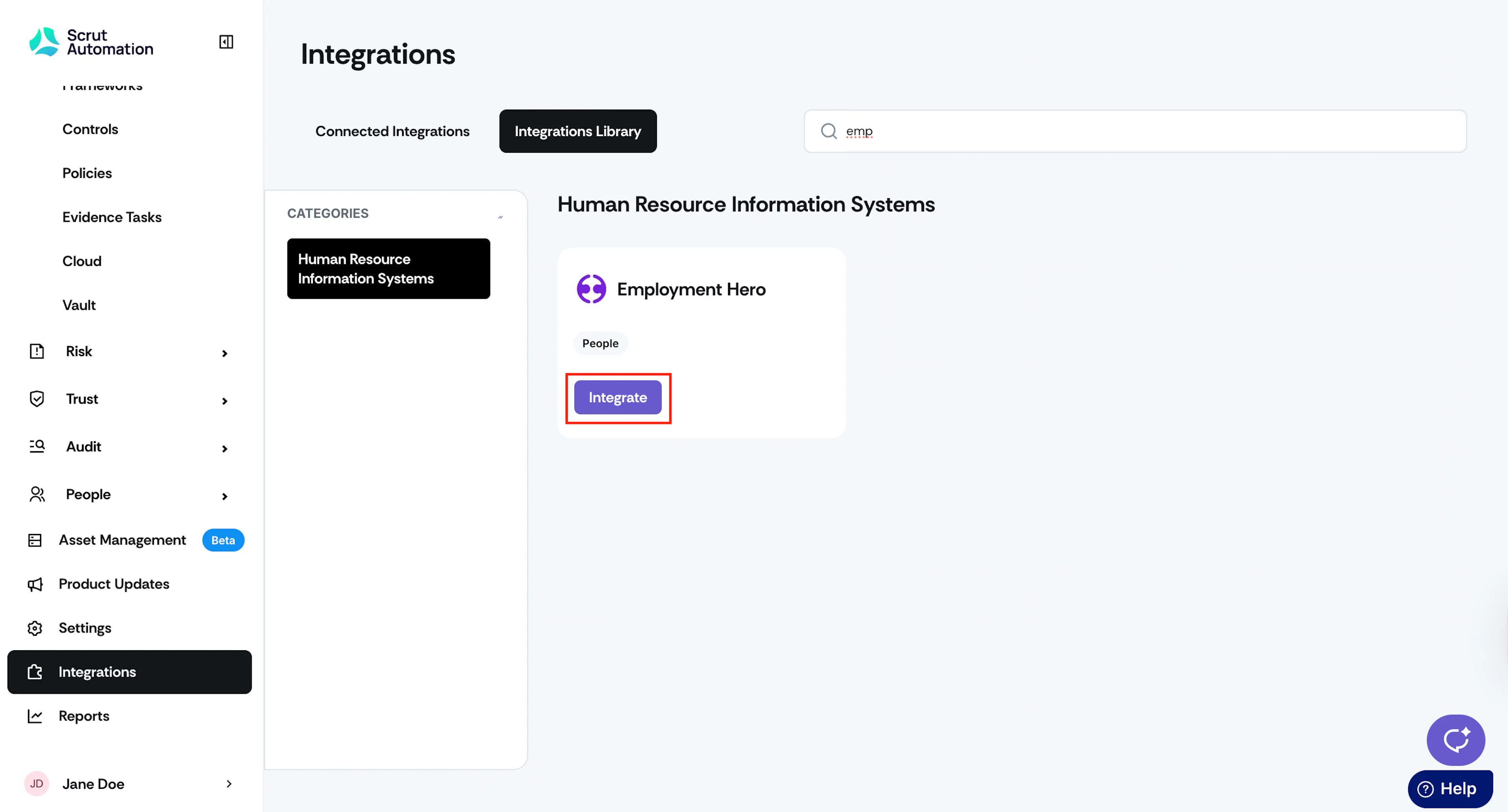
Log in to Scrut and click Integrations on the left panel.
-
Click the Integrations Library tab at the top, and in the Categories section, click Human Resources Information Systems.
-
Locate the Employment Hero card, or use the search bar at the top of the page to find it, and click the Integrate button.
-
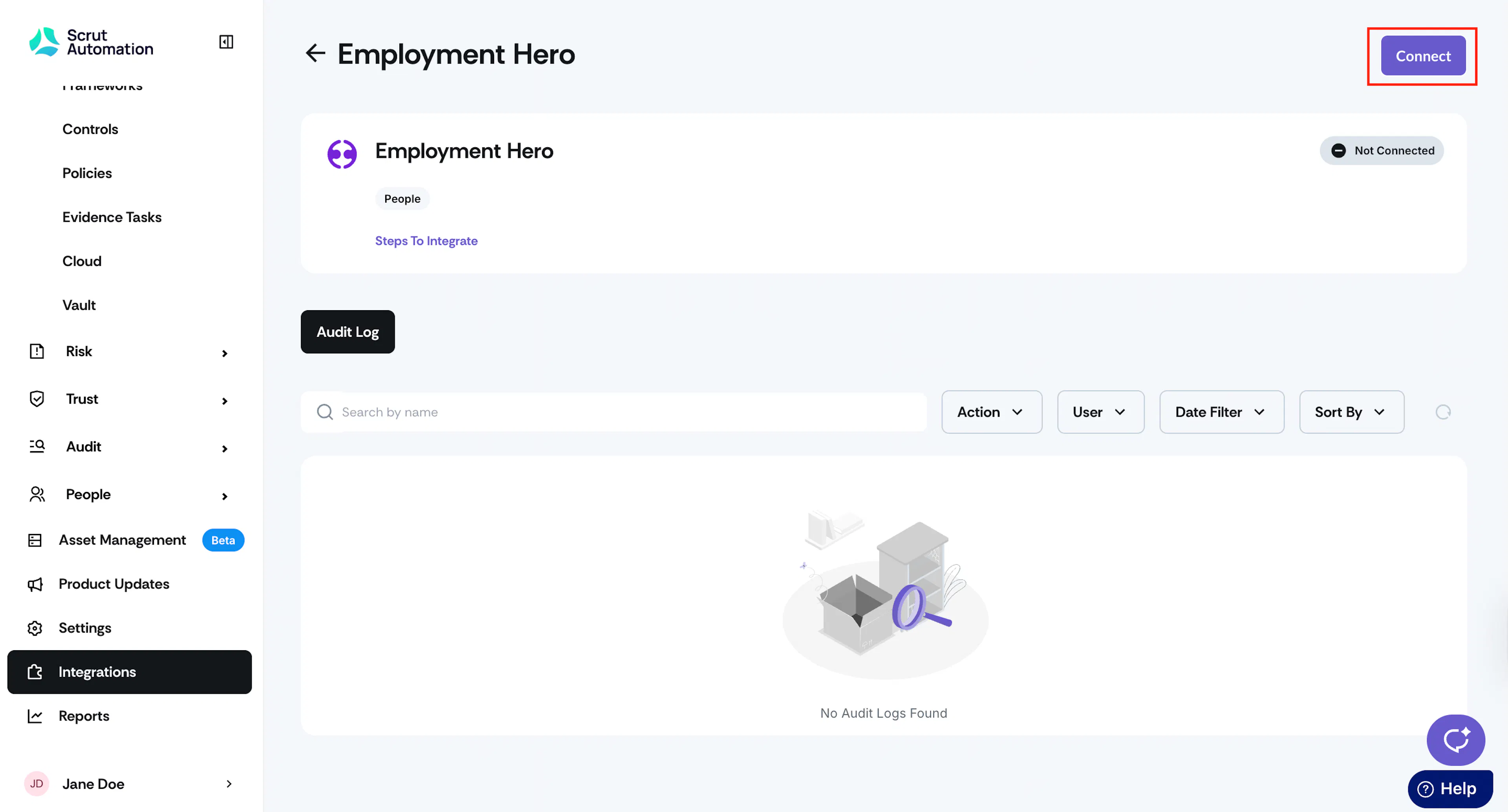
Click the Connect button on the top right of the Employment Hero integration page.
-
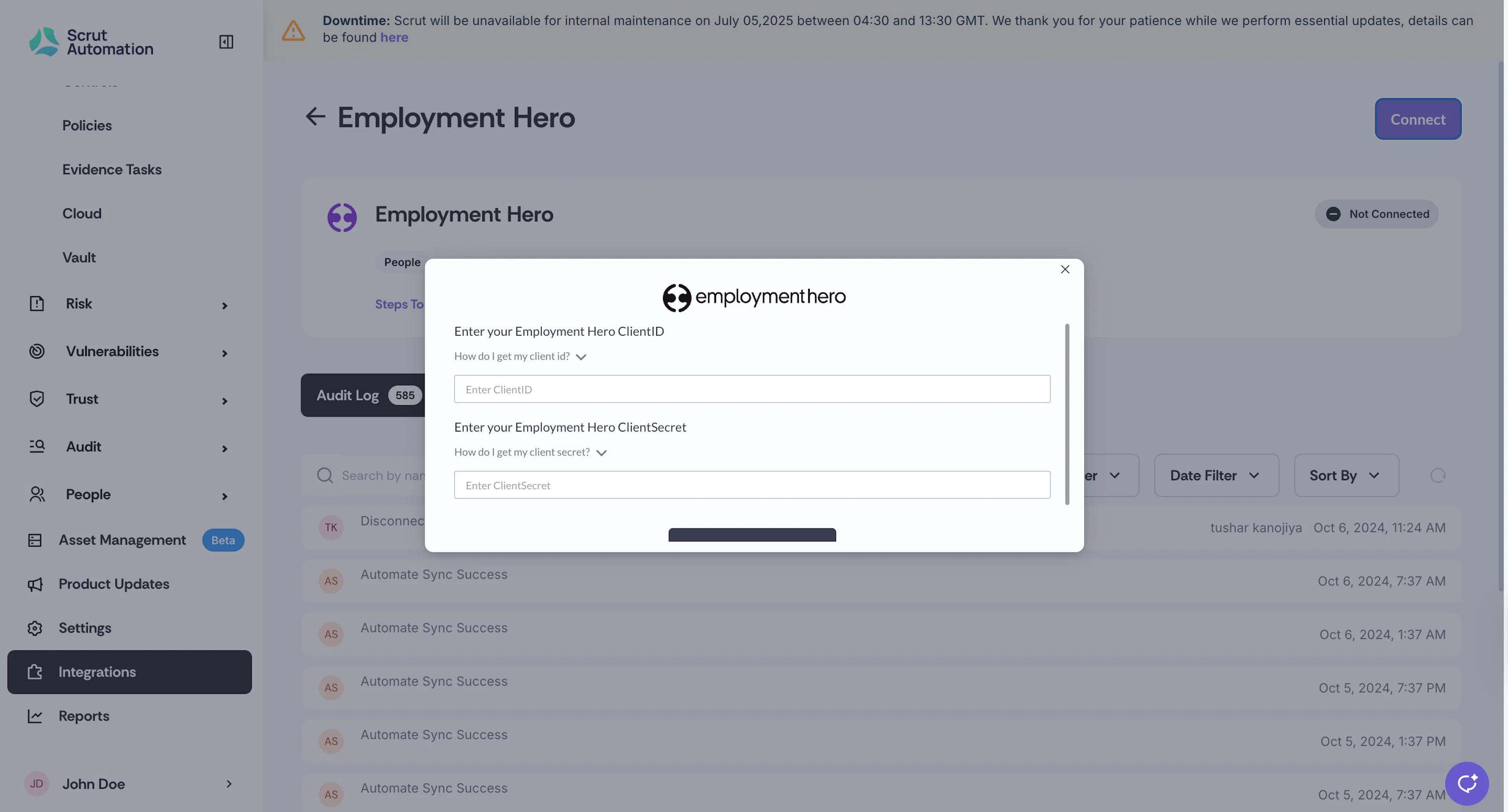
In the pop-up window, enter the Employment Hero Client ID and Client Secret you copied in Step 1.
-
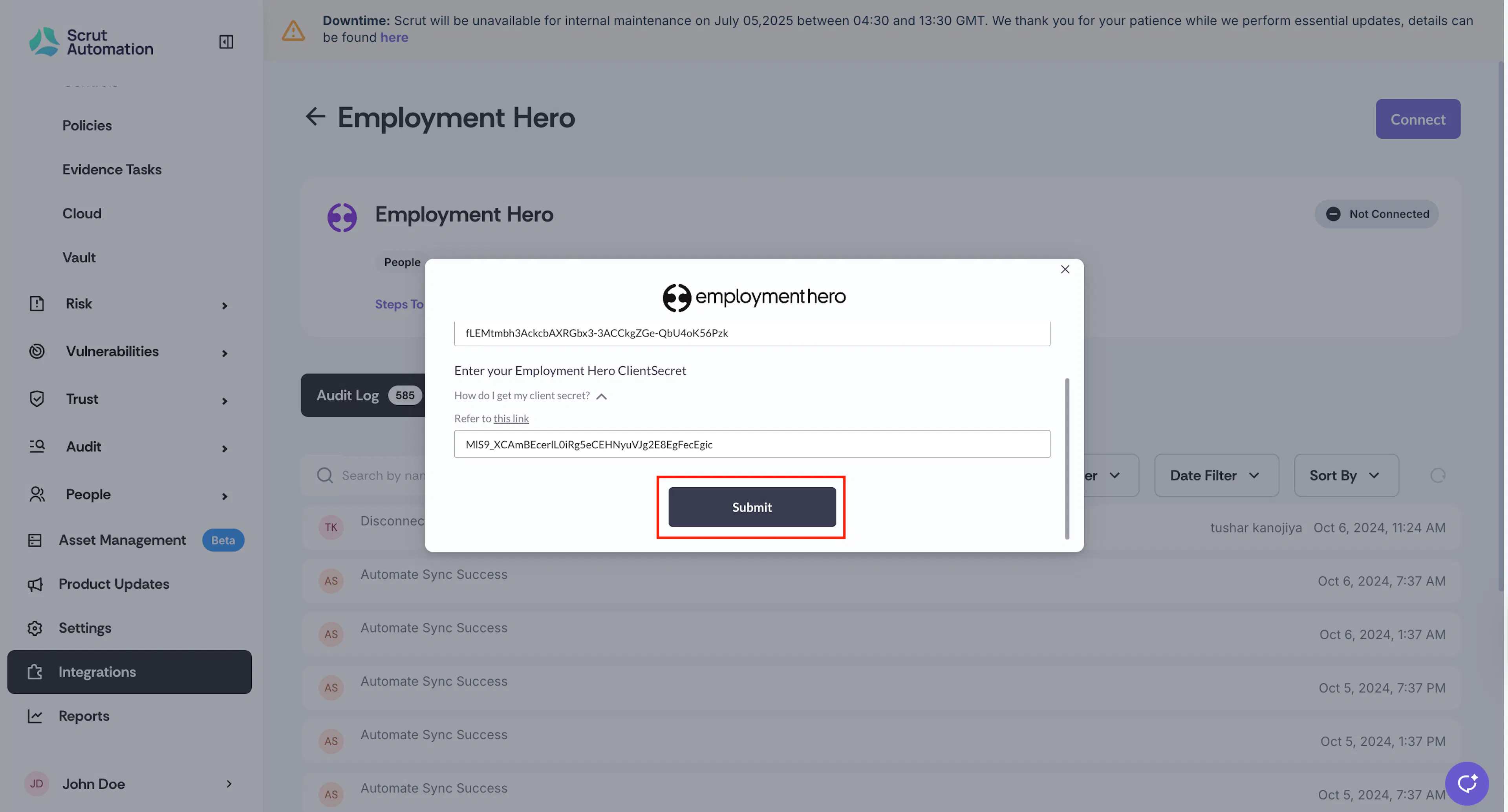
Click Submit to complete the integration.
Watch for the success notification that indicates the integration is complete.
Synchronization Details
- Initial Sync: Upon completing the integration, Scrut will immediately sync employee data from your Employment Hero account.
- Recurring Sync: After this, Scrut performs the sync every 24 hours to fetch incremental data.
- Manual Sync: You can also initiate a manual sync by clicking the Sync Now button on the Employment Hero integrations page.
Data Fetched From Employment Hero
Scrut fetches the following employee details from Employment Hero:
- Employee name (first and last name)
- Email address
- Employment start date
- Date of exit (if applicable)
- Department and role (if available)
- Email of reporting manager (if available)
- Leave data (start date, end date, and status)
Viewing Employment Hero Data in Scrut
To view Employment Hero data in Scrut:
- Go to People → Employees → All Employees.
- Click on any employee to view their details, including name, email, joining date, reporting manager, and more.
If you encounter any difficulties connecting your Employment Hero account with Scrut, please contact our support team at scrut@support.io for assistance.