

Integrate AlexisHR
Connecting AlexisHR with Scrut lets you sync your employee directory into Scrut's People module to support compliance workflows.
What This Integration Does in Scrut
- Employee Directory: Syncs employee and group data into Scrut's People module. Employees can then access the Employee Portal for training, policy acceptance, and device-related activities.
Prerequisites
- An active AlexisHR account with administrator access
- Permissions to generate an API Access Token from your AlexisHR account
Permissions and Access Requirements
For AlexisHR
- Admin access to your AlexisHR account to generate the API Access Token.
- The Access Token must be created with the type set to All to allow Scrut to fetch the required employee data.
For Scrut
- Admin access to Scrut, or a Contributor role with access to the Integration module.
Data Collected
-
Employee Name: First Name, Last Name
-
Email Address: Work Email
-
Date of Joining
-
Date of Exit (Populated only if applicable)
-
Department (Populated if available)
-
Role / Designation (Populated if available)
-
Reporting Manager Email: Manager's Work Email
-
Leave Data:
- Leave Start Date
- Leave End Date
- Leave Status
Sync Frequency
Data is synced automatically once every 24 hours. You can also manually trigger a sync from the integration settings page.
Integration Setup
Step 1: Generate an API Access Token in AlexisHR
- Log in to your AlexisHR account as an administrator.
- Click Create Access Token (or the equivalent button on the page).
- Enter a name and an optional description for the token.
- Set the type to All.
- Click Save. Your access token is generated and displayed.
- Copy the token immediately. It will not be shown again after you leave this page.
Step 2: Connect AlexisHR in Scrut
-
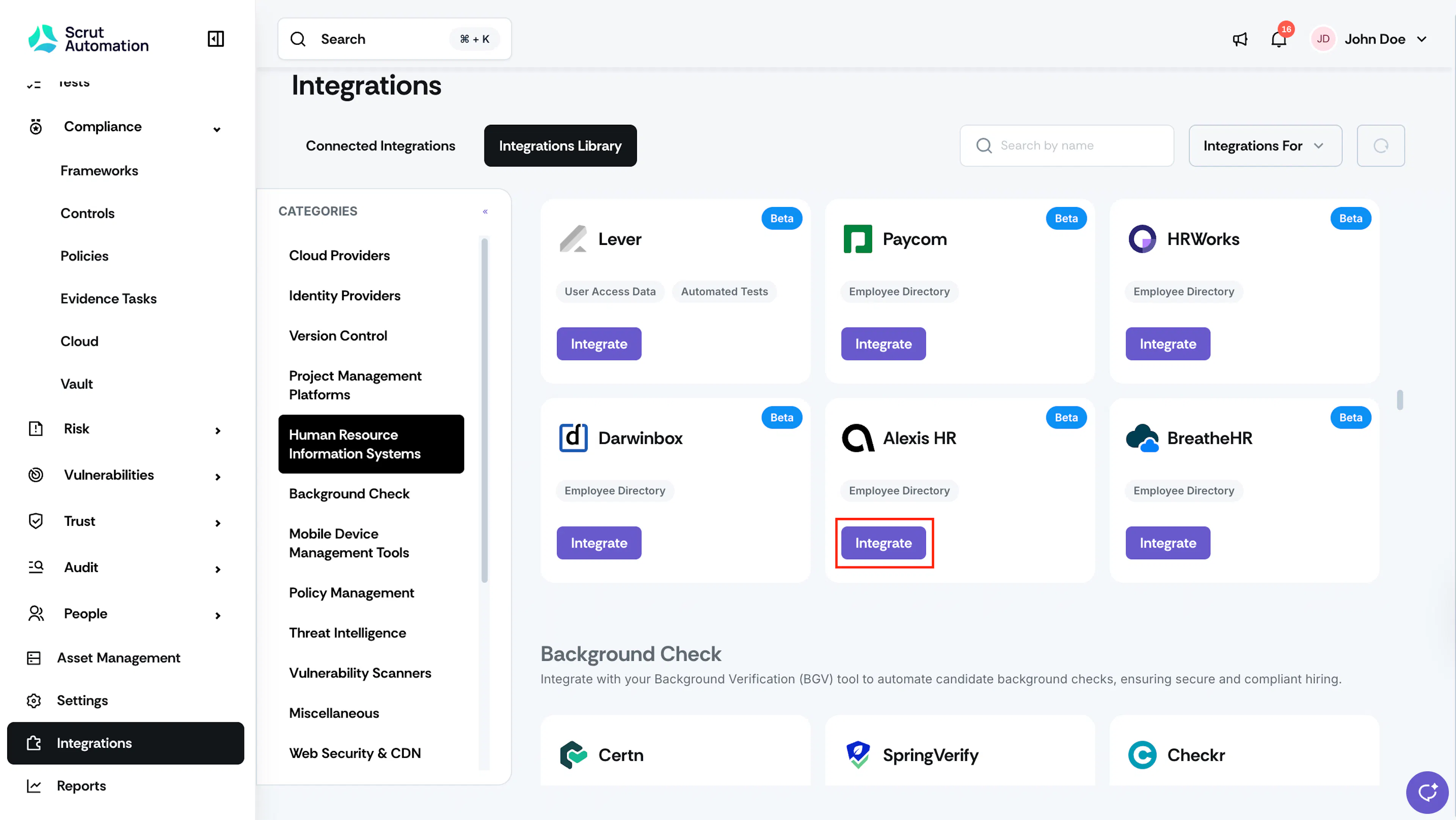
Log in to Scrut and navigate to Integrations in the left sidebar.
-
Go to the Integrations Library tab.
-
Under Human Resource Information Systems, locate AlexisHR and click Integrate.
-
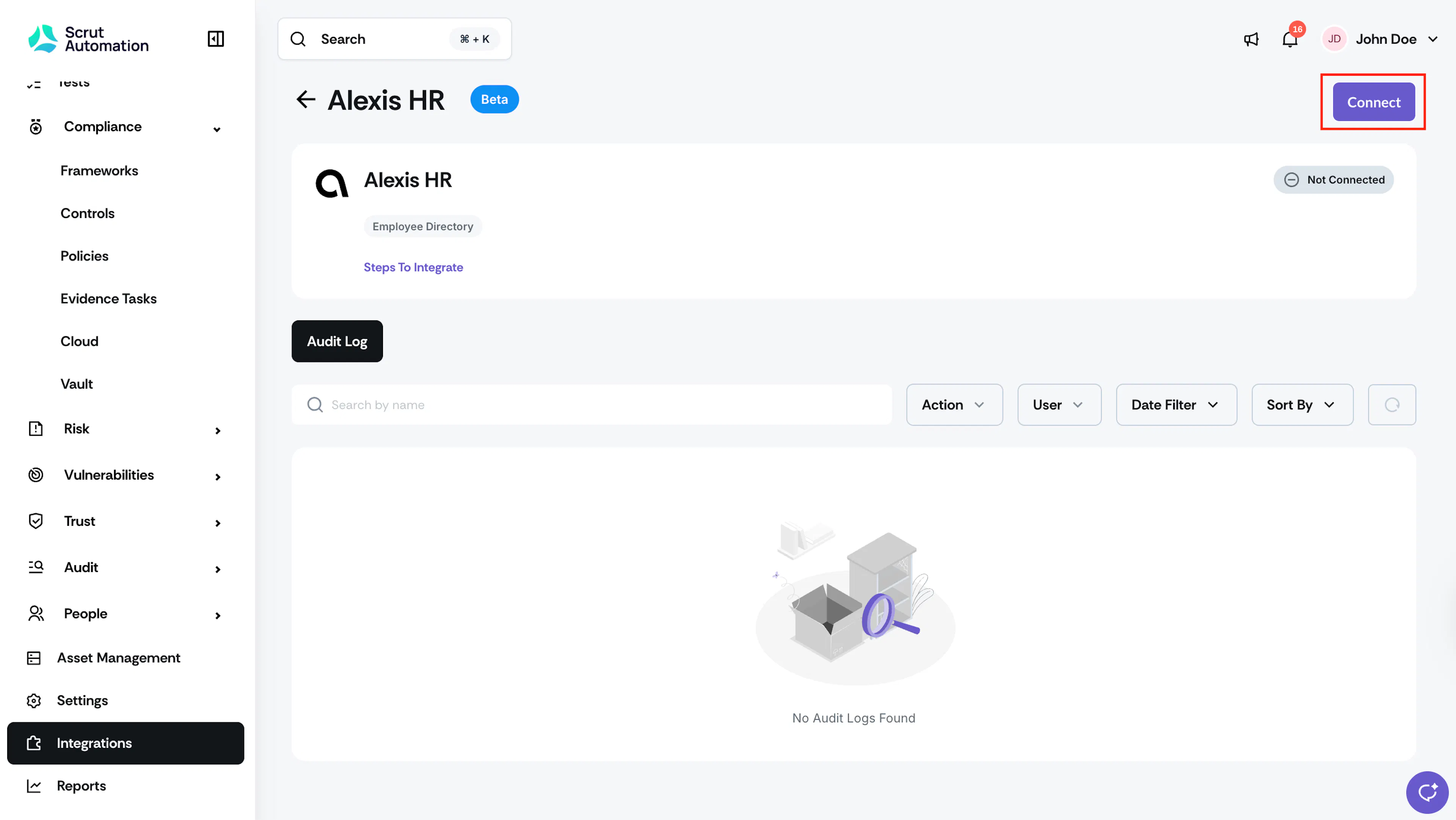
On the AlexisHR integration page, click Connect in the top-right corner.
-
In the modal that appears, paste your Access Token into the Enter Access Token field.
-
Click Submit.
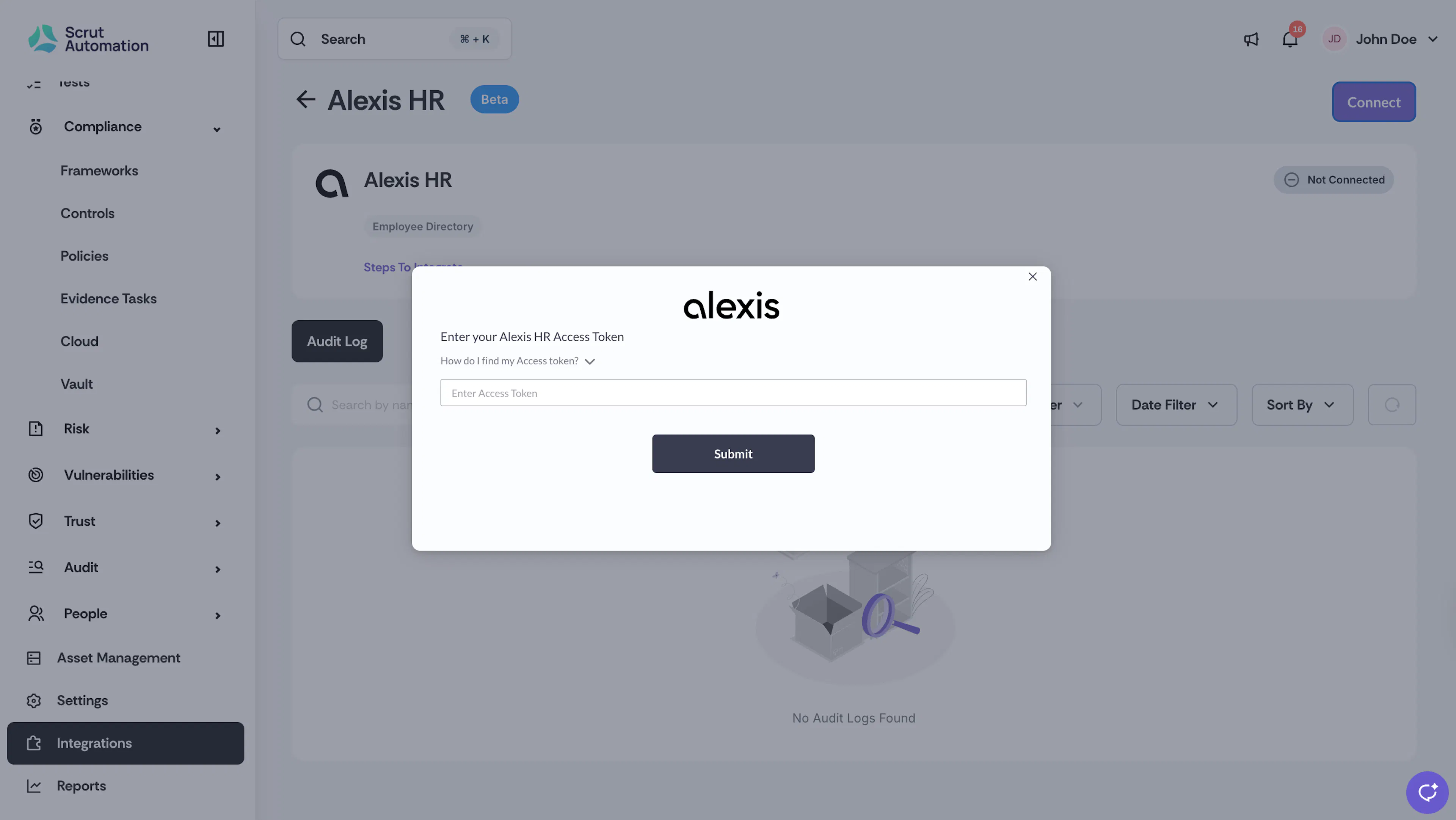
Scrut validates the token and activates the integration. The status on the AlexisHR integration page changes to Connected.
What Happens Next?
Initial data sync
Once the integration is saved, Scrut initiates the first data sync automatically. The initial sync may take some time depending on the size of your employee directory. You can monitor the sync status in Audit Logs within the AlexisHR integration settings.
Review synced data
- Navigate to People → Employees to verify that employee records have synced correctly.
Common Errors and Troubleshooting
Invalid access token
Possible solutions:
- Verify that you copied the full token without any leading or trailing spaces.
- Log in to AlexisHR and confirm that the token still exists.
- If the token was deleted or has expired, generate a new one and update it in Scrut.
- Confirm that the token type is set to All. Tokens created with a restricted type may not return the data Scrut needs.
Employee data not appearing in Scrut
Possible solutions:
- Check the Audit Logs in the AlexisHR integration settings for any sync errors.
- Confirm that the Access Token is valid and has not been revoked in AlexisHR.
- Trigger a manual sync on the integration settings page, then check People → Employees again after a few minutes.
Leave data not syncing
Possible solutions:
- Confirm that leave records exist in AlexisHR for the relevant employees.
- Check the Audit Logs for sync errors related to leave data.
- If the issue persists, contact Scrut support.
FAQs
Reach out to support@scrut.io or contact your CSM for further assistance.