

Integrate Paylocity
The Scrut-Paylocity integration fetches employee data from your Paylocity account and sends it to Scrut. Upon completing the integration, Scrut will display the fetched data in:
- People module
Data Collected
Scrut fetches the following data for all your employees from Paylocity:
- Employee name
- Email address
- Joining date
- Exit date (if applicable)
- Department and Role (if available)
- Email of reporting manager (if available)
- Leave data (start date, end date, and status)
How To Integrate Paylocity With Scrut
-
Sign in to your Scrut account and click Integrations on the left navigation panel.
-
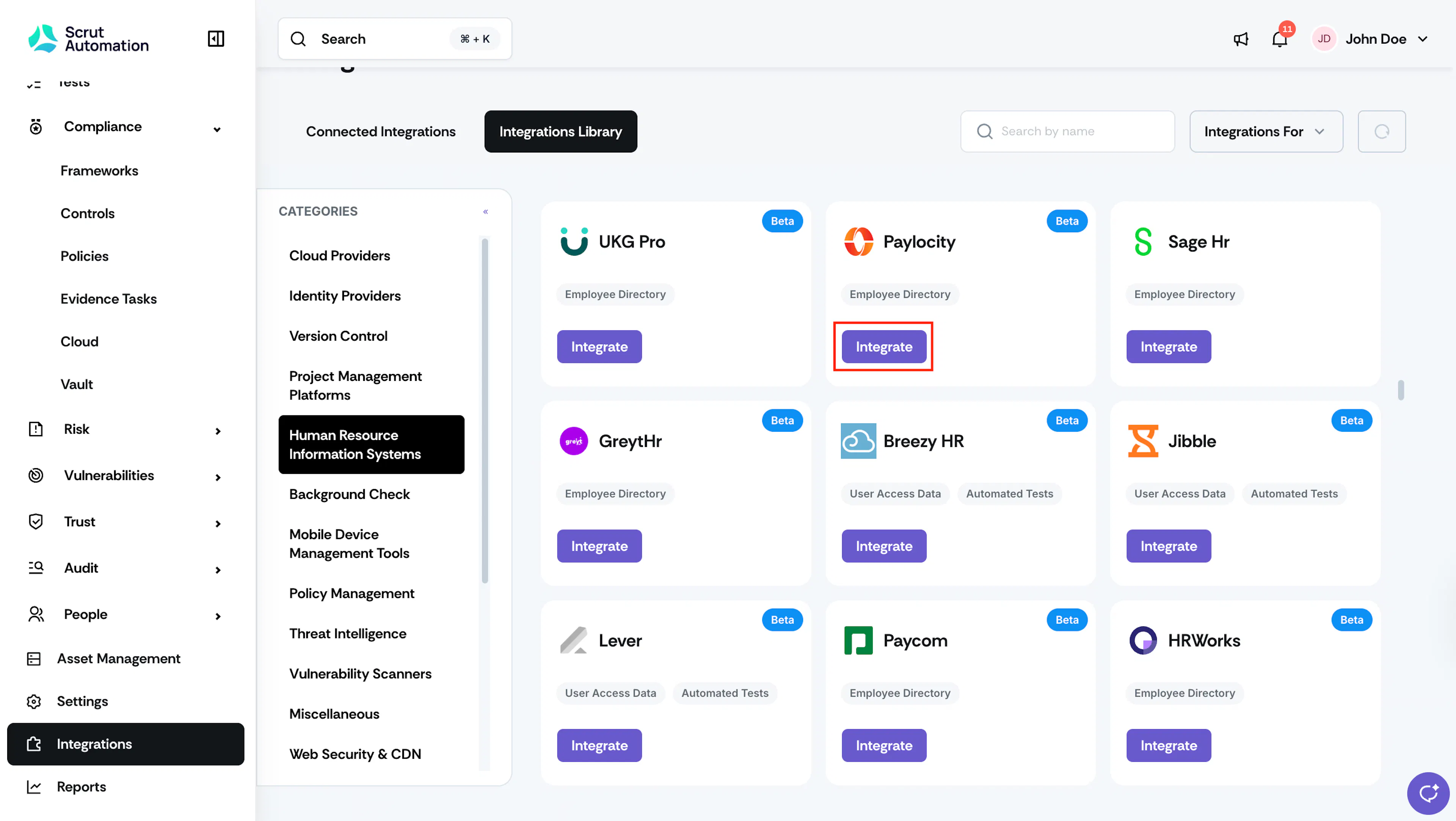
Navigate to the Integrations Library tab and select Human Resource Information Systems from the Categories section.
-
Scroll to the Paylocity tile and click Integrate.
-
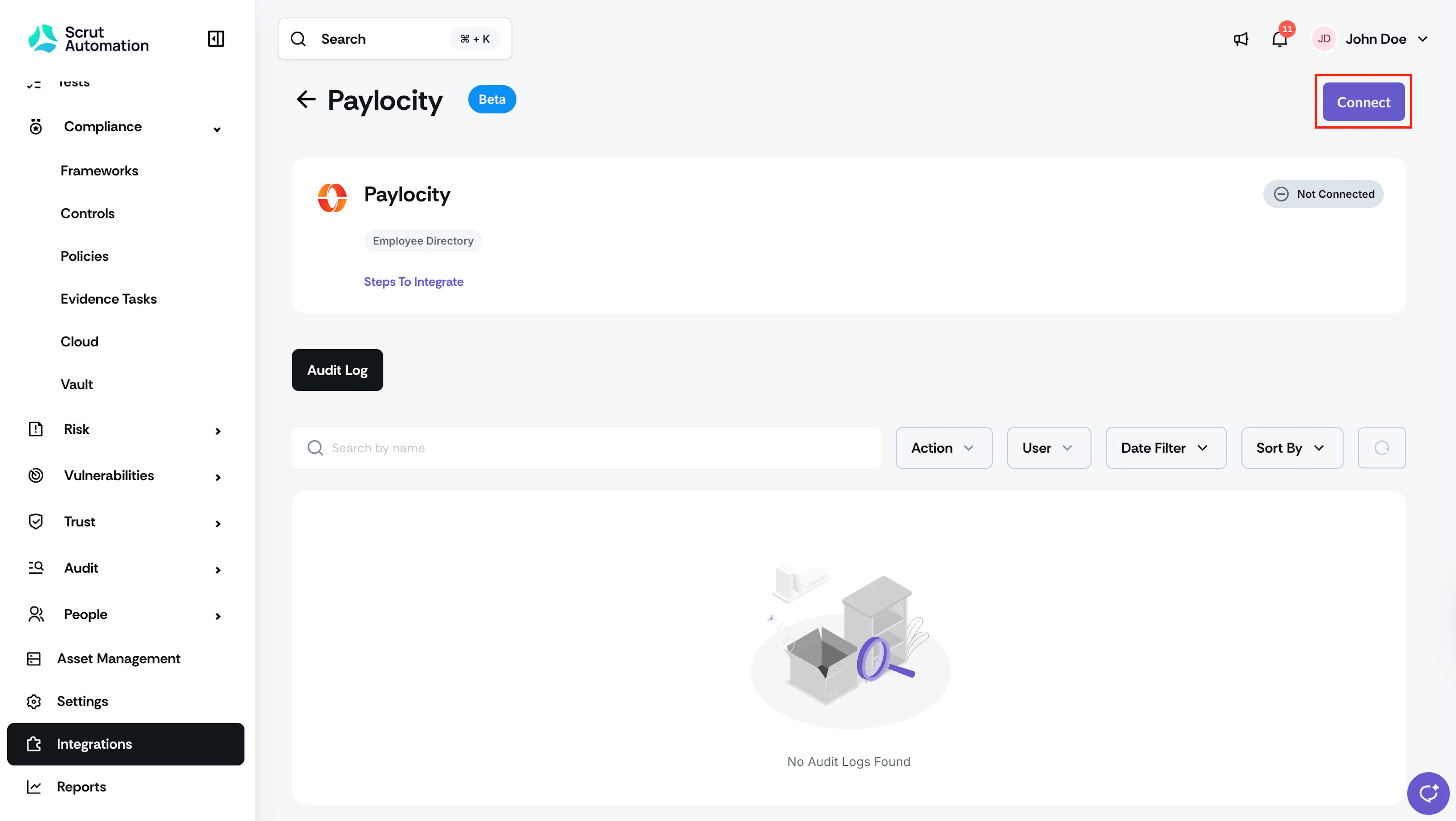
Click Connect on the Paylocity integration page.
-
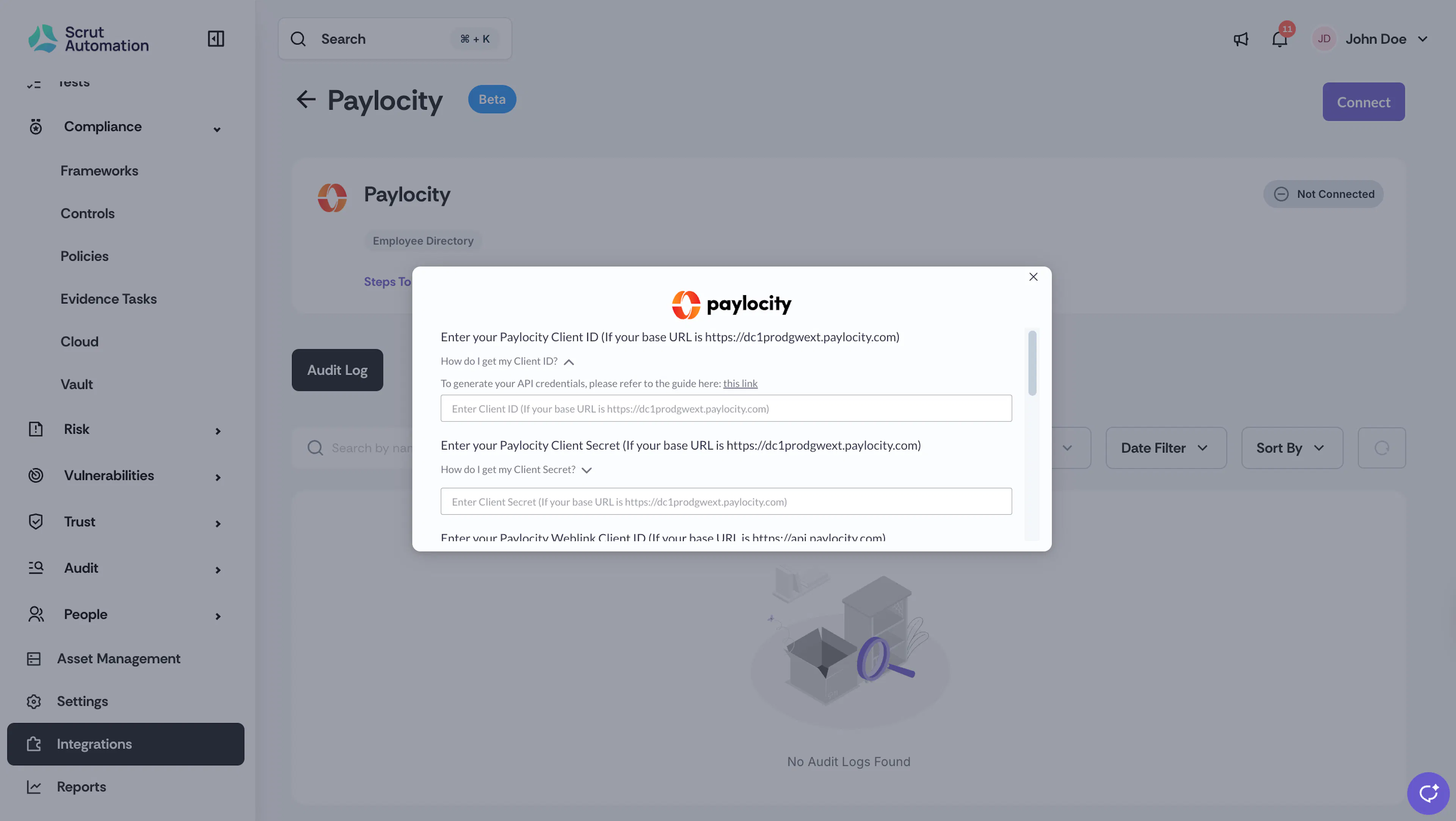
Fill in the following details:
- Paylocity Client ID and Client Secret: To generate your API credentials, email webservices@paylocity.com with the attached form completed.
- Paylocity Company ID: You can find your Company ID in the upper left-hand corner of your Paylocity portal.
- Paylocity Environment: Select whether your Paylocity environment is Sandbox or Production.
-
Enter the required credentials and click Submit.
-
Once your Paylocity account is successfully integrated with Scrut, you will see a connected flag on the screen.
What Happens Next?
- Employee data will start syncing immediately. Incremental data will be synced every 24 hours.
- Data can also be manually synced by clicking the Sync Now button on the Paylocity integration page in Scrut.
Was this page helpful?