

Integrate Zenefits
Zenefits is a human resources management system (HRMS) that covers a wide range of HR functions. Through integrating Zenefits with scrut platform, we can fetch the employee details in the scrut platform like Employee Name, email, department, reporting manager, joining date and exit date.
Integrating Zenefits
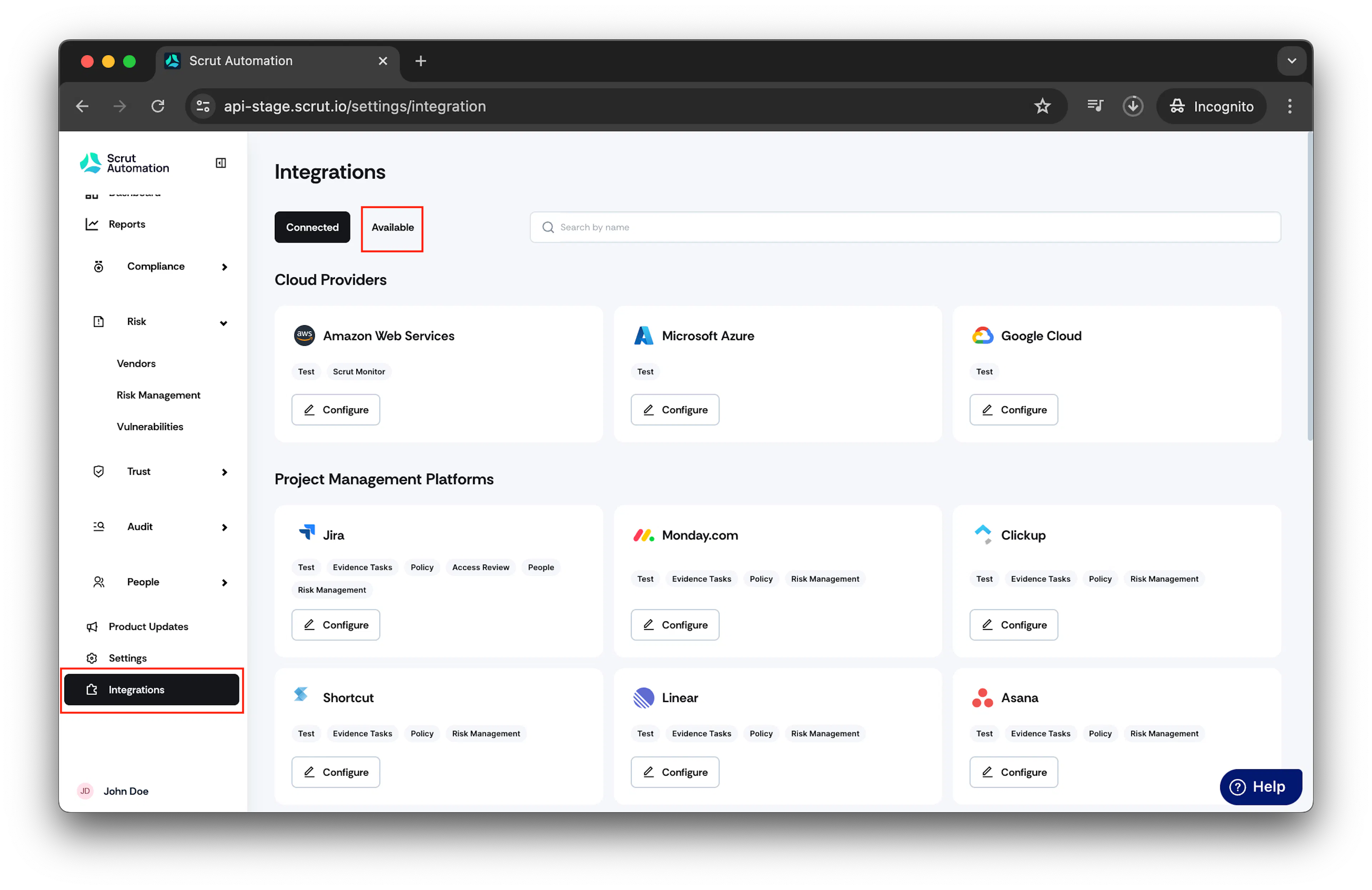
- From the left navigation panel, select Integrations.
- Click on Available.
-
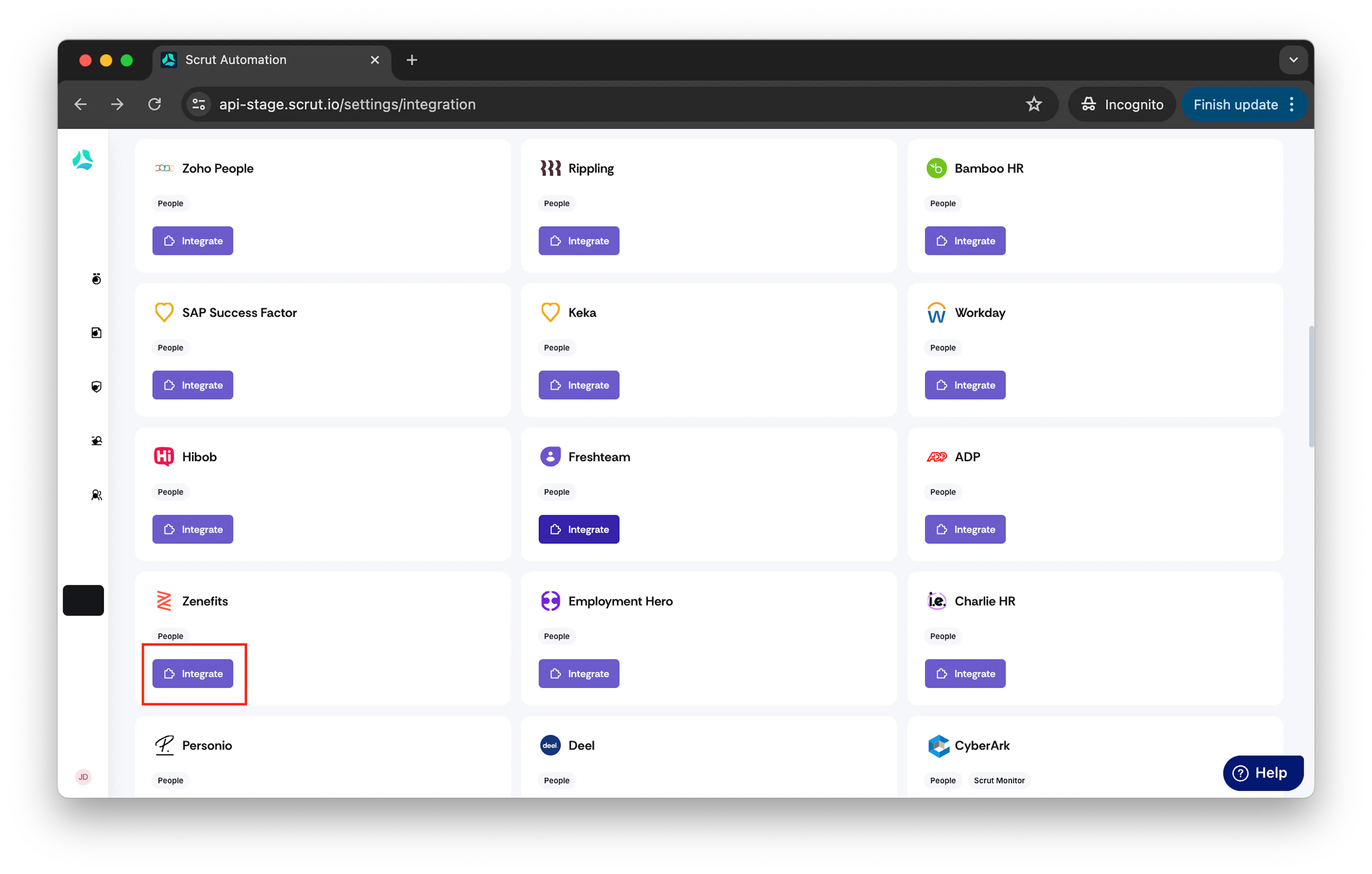
Scroll to Human Resource Information Systems section and find Zenefits.
-
Click Integrate.
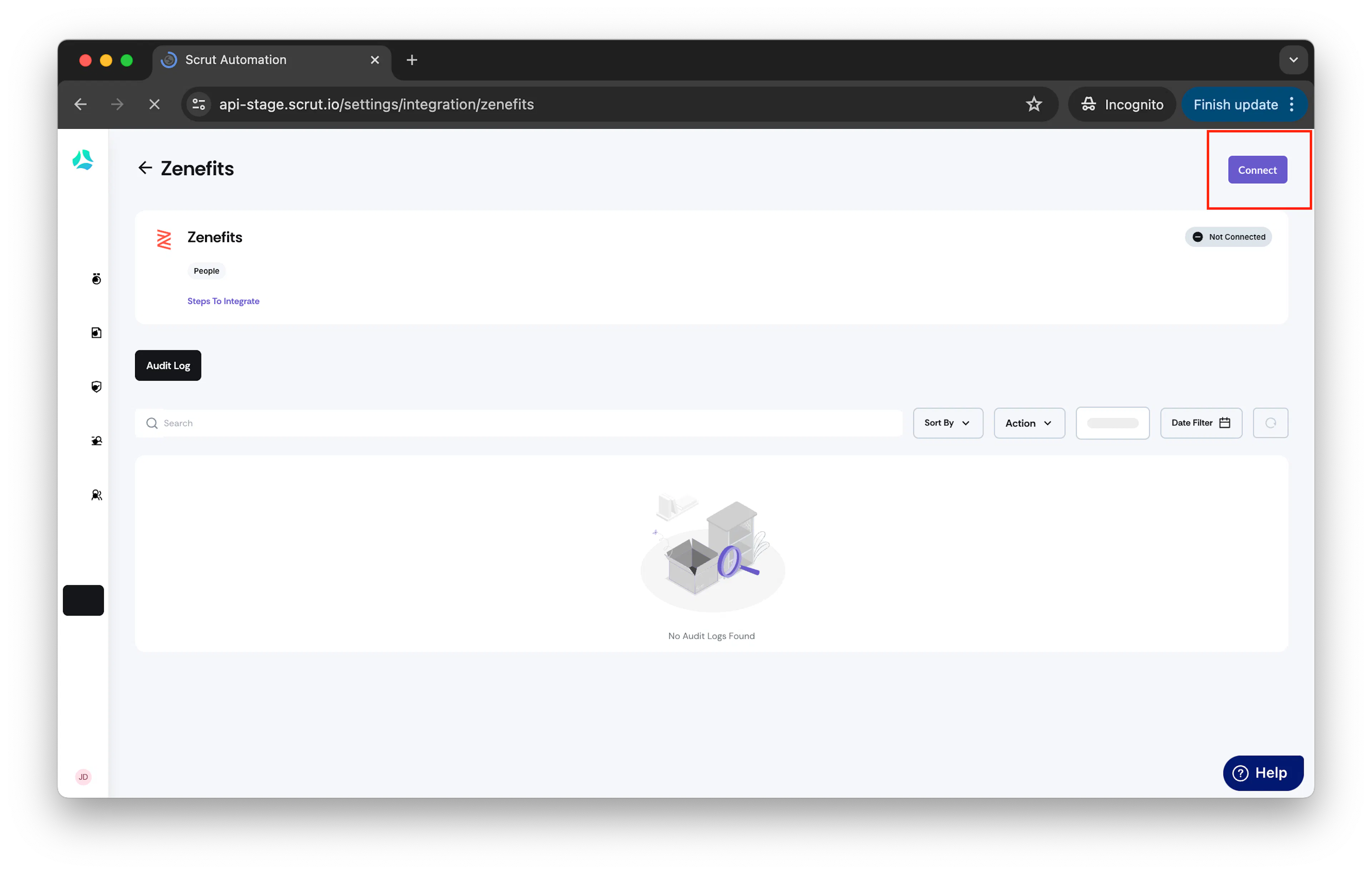
- Click Connect button.
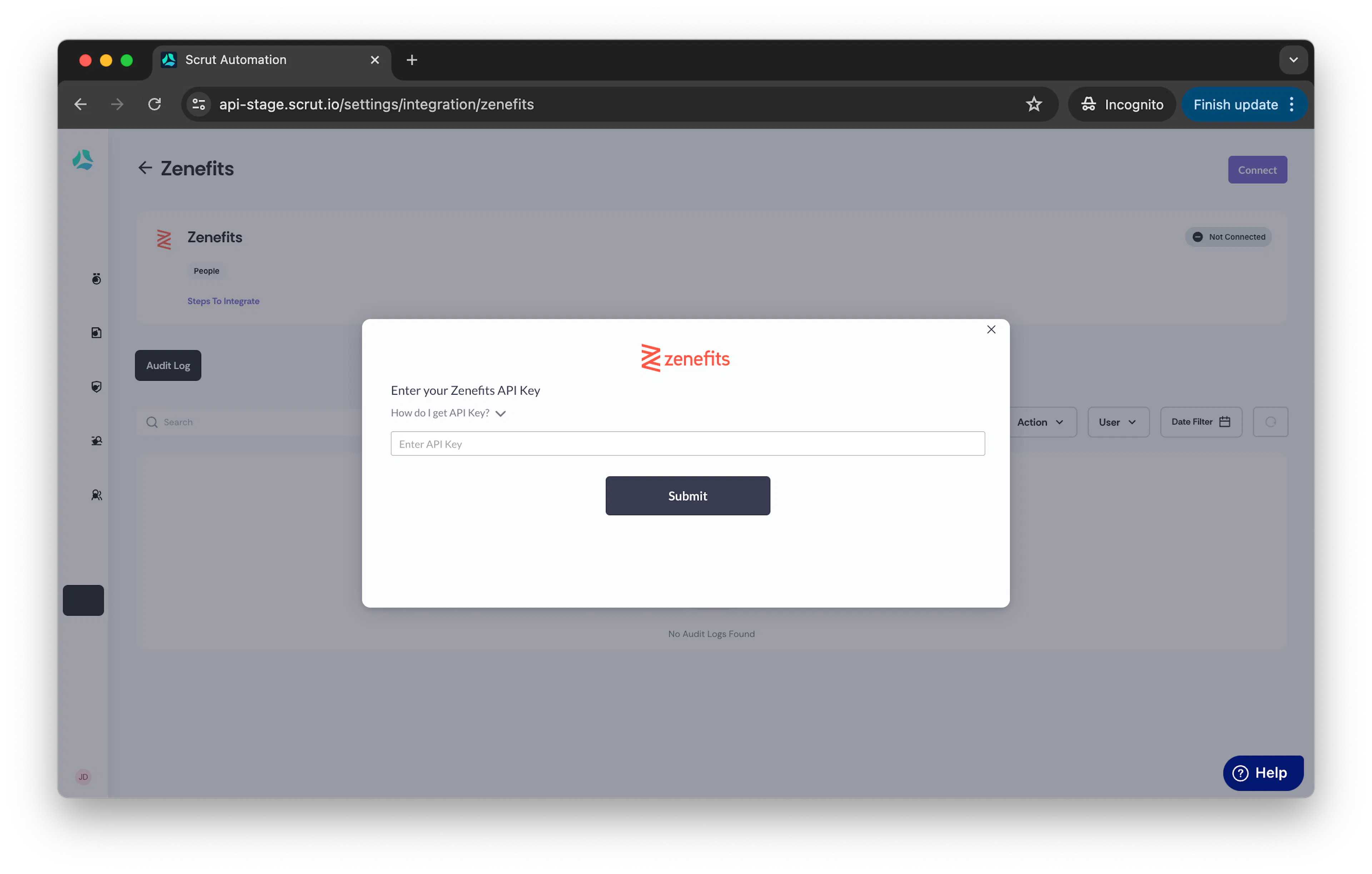
- Enter your Zenefits API Key.
How to get API Key: To generate an API key, sign in to Zenefits and go to Company Profile and then Custom Integrations. Choose Add Token, select all the permissions and click on eye icon to see/copy the token.
- Once the API key is entered, click on Submit.
- Once your Zenefits account is successfully integrated with Scrut, you will see a connected flag on the screen.
-
Employee data will start syncing immediately. Incremental data will be synced every 24 hours.
-
Data can also be manually synced by clicking the three dots and choosing the Sync Now option.