

Integrate HiBob
The Scrut-HiBob integration syncs employee directory data from your HiBob account into Scrut’s People module so that you can manage onboarding, offboarding, and other personnel compliance workflows in Scrut.
What This Integration Does in Scrut
- Employee Directory: Syncs employee and group data into Scrut’s People module. These users can then access the Employee Portal for training, policy acceptance, and device-related activities.
Prerequisites
- Permission to create an API service user for your organization’s HiBob account
- Access to configure service user permissions by data category in HiBob
We recommend logging into your organization’s HiBob account before starting the integration to avoid doing so later.
Permissions and Access Requirements
For HiBob
Scrut requires a HiBob service user with read-only access limited to the following data categories:
- Employee basic info (root): name, email, employee ID
- Work: department, title, site, manager
- Employment: start date, employment type
- Lifecycle / internal status: active, terminated, offboarding
The Scrut integration doesn’t require access to the following categories:
- Identification: passport, SSN, national ID
- Financial: bank account, routing, IBAN, SWIFT
- Payroll: NIN, salary, pension, FTE details
- Personal / home: private email, private phone, birth date, nationality, family or spouse details
- Address: home address fields, if not required
Scrut’s HiBob integration calls HiBob’s People Search API during sync. HiBob returns only the fields the service user has permission to access, even if the API call requests a broader field list.
For Scrut
- Admin access to Scrut (or Contributor with access to the Integration module)
For a walkthrough of configuring HiBob service user permissions by data category, watch this reference video.
Data Collected
Scrut only persists the fields needed to maintain your People module. It does not store sensitive categories such as government identification, financial or banking details, payroll fields, private contact information, or family and spouse data, even if HiBob returns them during sync.
People Module
| Scrut Field | Source Field / Data | Notes |
|---|---|---|
| Employee name | HiBob employee name (first and last) | |
| Work email | HiBob work email | |
| Employment start date | HiBob employment start date | |
| Employment end date | HiBob employment end date | Populated if the employee has exited |
| Employment status | HiBob lifecycle status | Reflects active, terminated, or offboarding status |
| Department | HiBob department | |
| Manager email | HiBob reporting manager’s email | |
| Approved leave dates | HiBob leave requests | Start date, end date, and status |
Sync Frequency
Data syncs automatically every 24 hours. Scrut also triggers a sync when you first connect HiBob and whenever you click Sync Now on the HiBob integration page.
Integration Setup
Step 1: Create a Service User in HiBob
- Sign in to your organization’s HiBob account and go to the Service Users configuration page to create a new service user.
- Grant the service user read-only access limited to the data categories listed in Permissions and Access Requirements. Do not grant access to Identification, Financial, Payroll, Personal/home, or Address categories.
- Save the changes, then copy the service user ID and token to a safe location. You’ll need to enter them in Scrut in the next step.
Step 2: Connect HiBob in Scrut
- Sign in to your Scrut account and click Integrations on the left navigation panel.
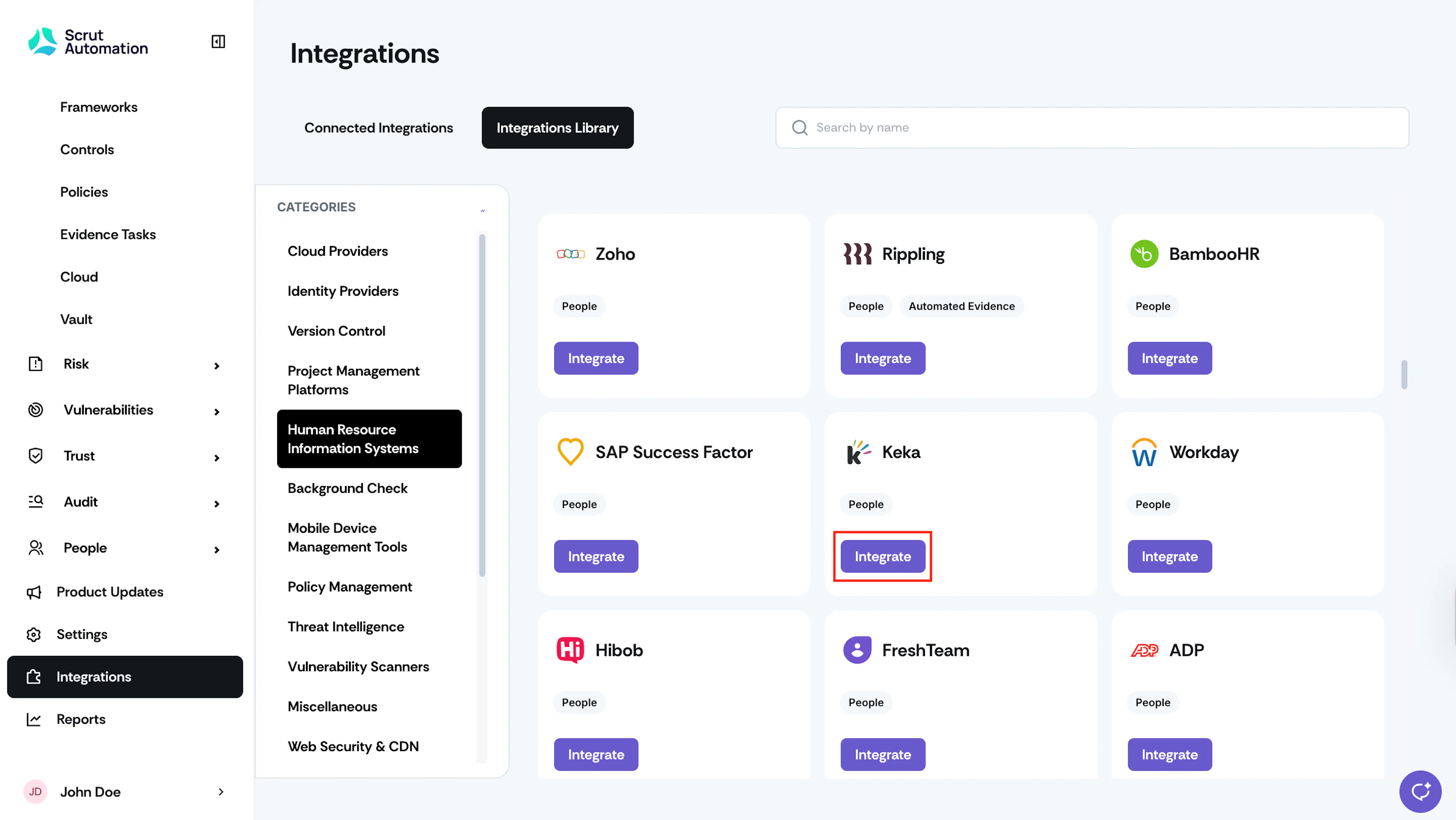
- Navigate to the Integrations Library tab and select Human Resource Information Systems from the Categories section.
- Scroll to the HiBob tile and click Integrate.
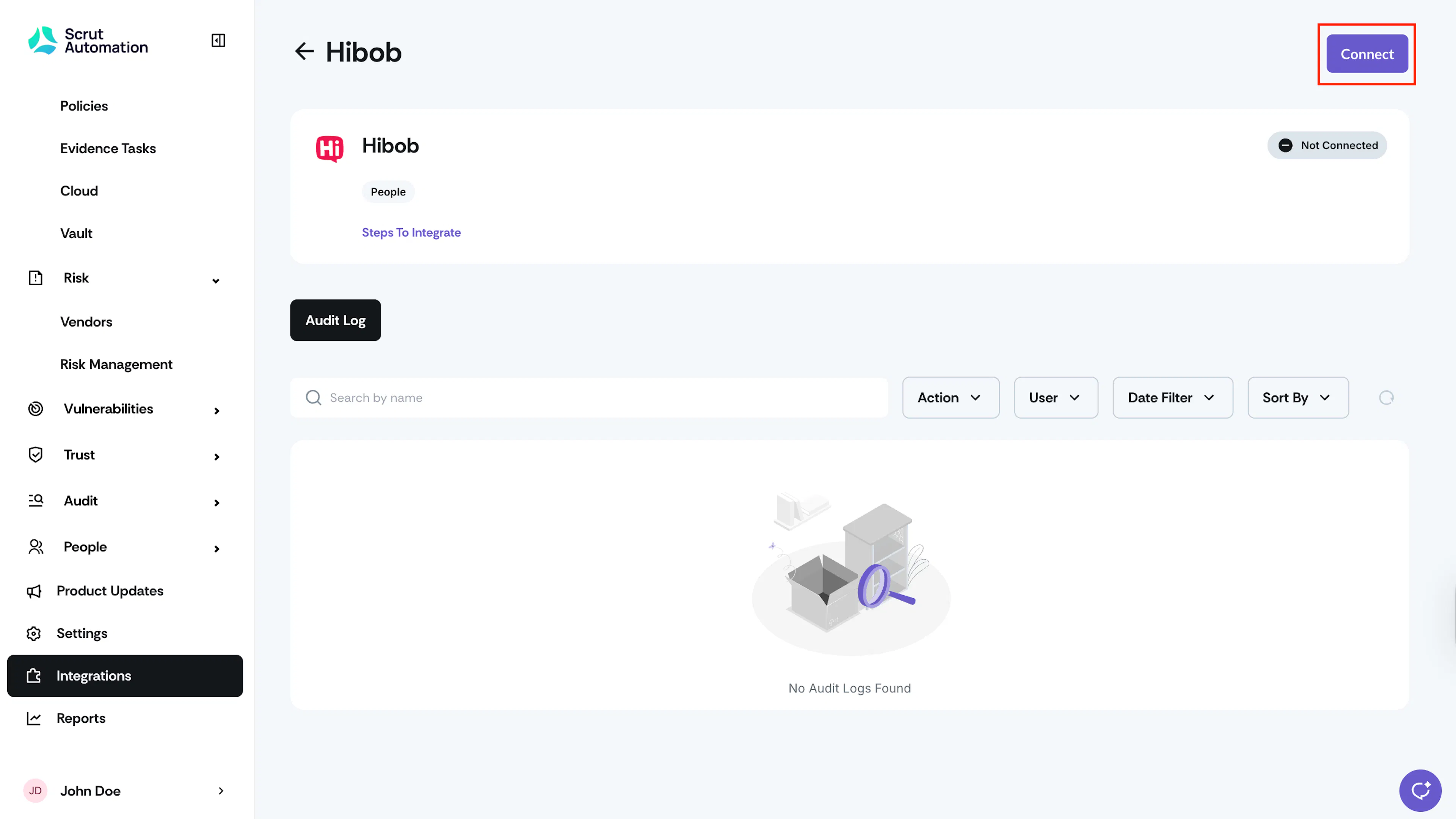
- Click the Connect button at the top right of the HiBob integration page.
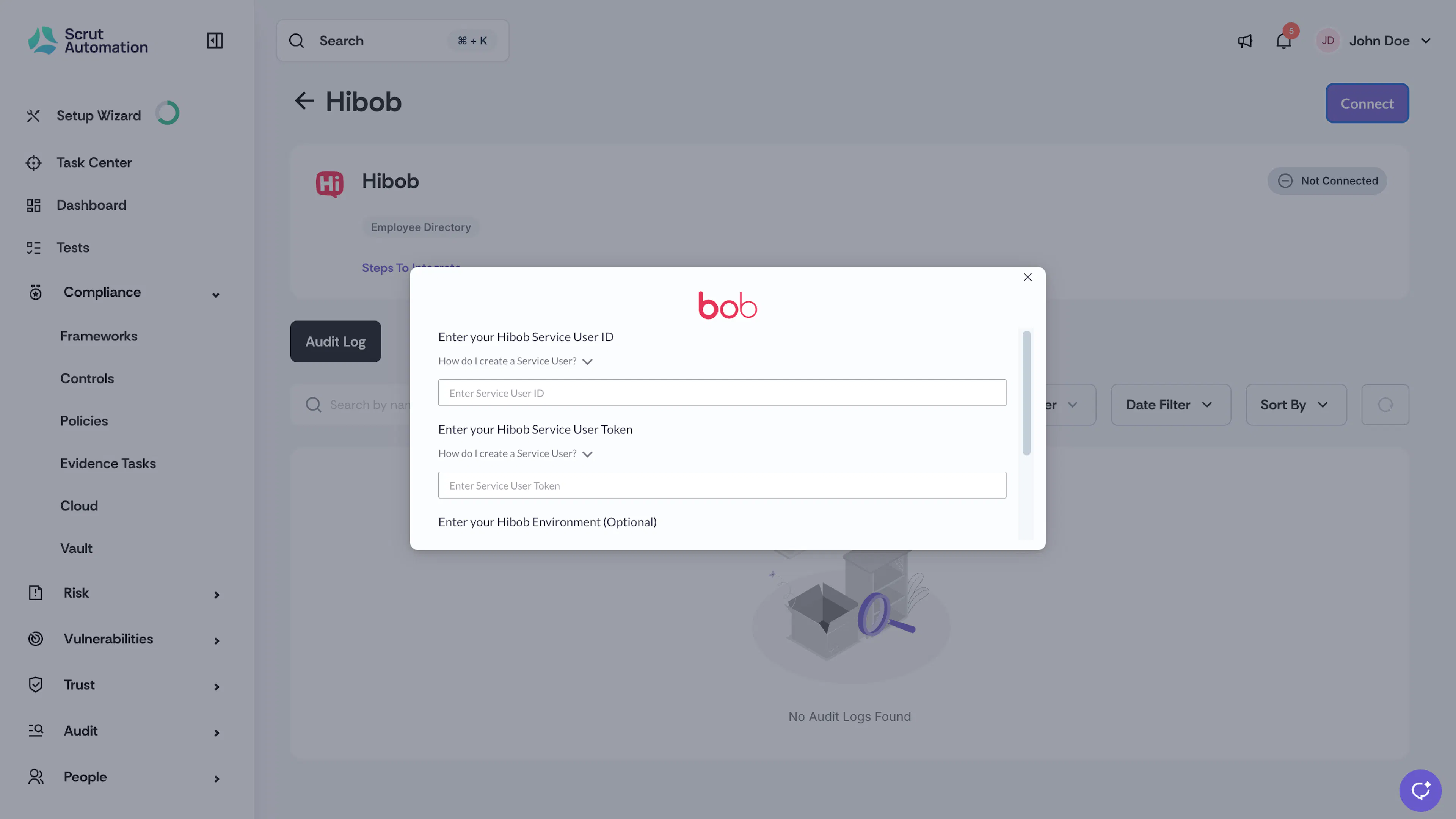
- Enter the HiBob Service User ID and Token you copied in Step 1.
- Optionally, choose the HiBob environment you want to connect with Scrut.
- Click Submit.
On successful integration, you’ll see the success toast message and the connected flag.
What Happens Next?
Initial Data Sync
The initial sync begins automatically after you complete setup. Check the Audit Log on the HiBob integration page to view sync status.
Review Synced Data
- Navigate to People → Employees → All Employees to view synced employee records.
- Click on any employee to view their details, including name, email, joining date, reporting manager, and more.
Common Errors and Troubleshooting
Invalid credentials or authentication failure
Cause: The service user ID or token entered in Scrut does not match an active HiBob service user, or the service user was deactivated in HiBob.
Possible solutions:
- Verify the service user ID and token were copied correctly from HiBob, with no leading or trailing spaces.
- Confirm the service user is still active in HiBob and has not been deactivated or deleted.
- Regenerate the token in HiBob and re-enter it in Scrut.
Data not appearing in the People module
Possible solutions:
- Check the Audit Log on the HiBob integration page to confirm whether the last sync completed successfully.
- Confirm the service user has read access to the Employee basic info, Work, Employment, and Lifecycle categories in HiBob.
- Trigger a manual sync using the Sync Now option and check again after a few minutes.
Some fields show as blank in Scrut
Cause: The service user does not have permission to view the field’s data category in HiBob, or the field is not populated in HiBob.
Possible solutions:
- Confirm the field’s data category is enabled for the service user in HiBob, as described in Permissions and Access Requirements.
- Confirm the field is populated for that employee in HiBob.
FAQs
No. Scrut’s parser maps incoming HiBob data to a minimal set of directory fields before storing it. Sensitive categories such as financial, payroll, and identification data are never written to Scrut’s database.
Contact support@scrut.io or your CSM for further assistance.