

Scrut Agent: Walkthrough
What is Scrut Agent?
The Scrut Watchdog Agent is a lightweight program that runs in the background on your computer. It's an excellent choice for organizations that don't use a Mobile Device Manager (MDM). You can use it to perform essential security checks on employee devices and enhance your organization's security posture.
It’s built on osquery, an open-source project maintained and vetted by the Linux Foundation. Originally developed by Meta, osquery is renowned for its reliability and continues to run on Meta’s fleet of employee laptops and servers.
Once an employee installs and registers the Agent, it runs quietly in the background without impacting device performance. It performs various critical security checks on the installed device, including verifying whether the hard drive is encrypted, the screen lock is enabled, and antivirus software is installed.
Key Features
- Compatible with Auth0: The Scrut Agent is fully compatible with the Auth0 migration. This ensures all your existing login options are available in Scrut Agent, including email, social login, and enterprise SSO.
- Automatic Updates: The Scrut Agent automatically updates to the latest version, so you always have the latest features and security fixes.
- Background Process: It runs in the background, similar to other MDM solutions. It doesn’t interfere with regular device operations or impact device performance.
- Continuous Operation: It remains active and continuously monitors system data.
- Secure: It’s read-only and does not change any device settings. It has limited data-reading functionality and will never transmit sensitive data, such as passwords, messages, or browsing history, to Scrut.
Device Checks
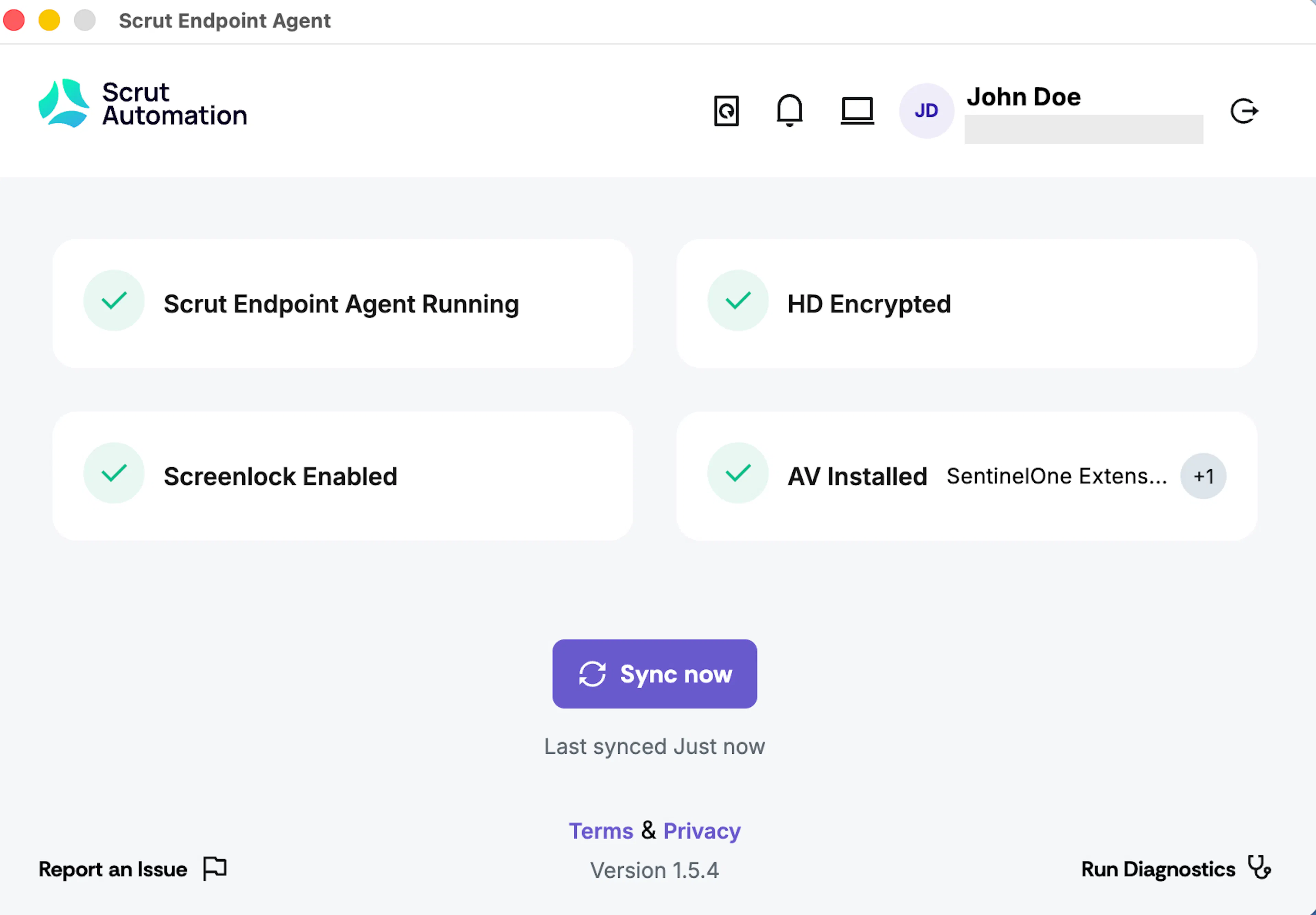
The Scrut Agent monitors and updates the following checklist tasks for employees if enabled:
- Whether the Scrut Endpoint Agent is running
- Device security, including:
- Whether the hard drive is encrypted
- Whether the screen lock is enabled
- Whether an antivirus is installed (Also fetches the names of the antivirus programs installed)
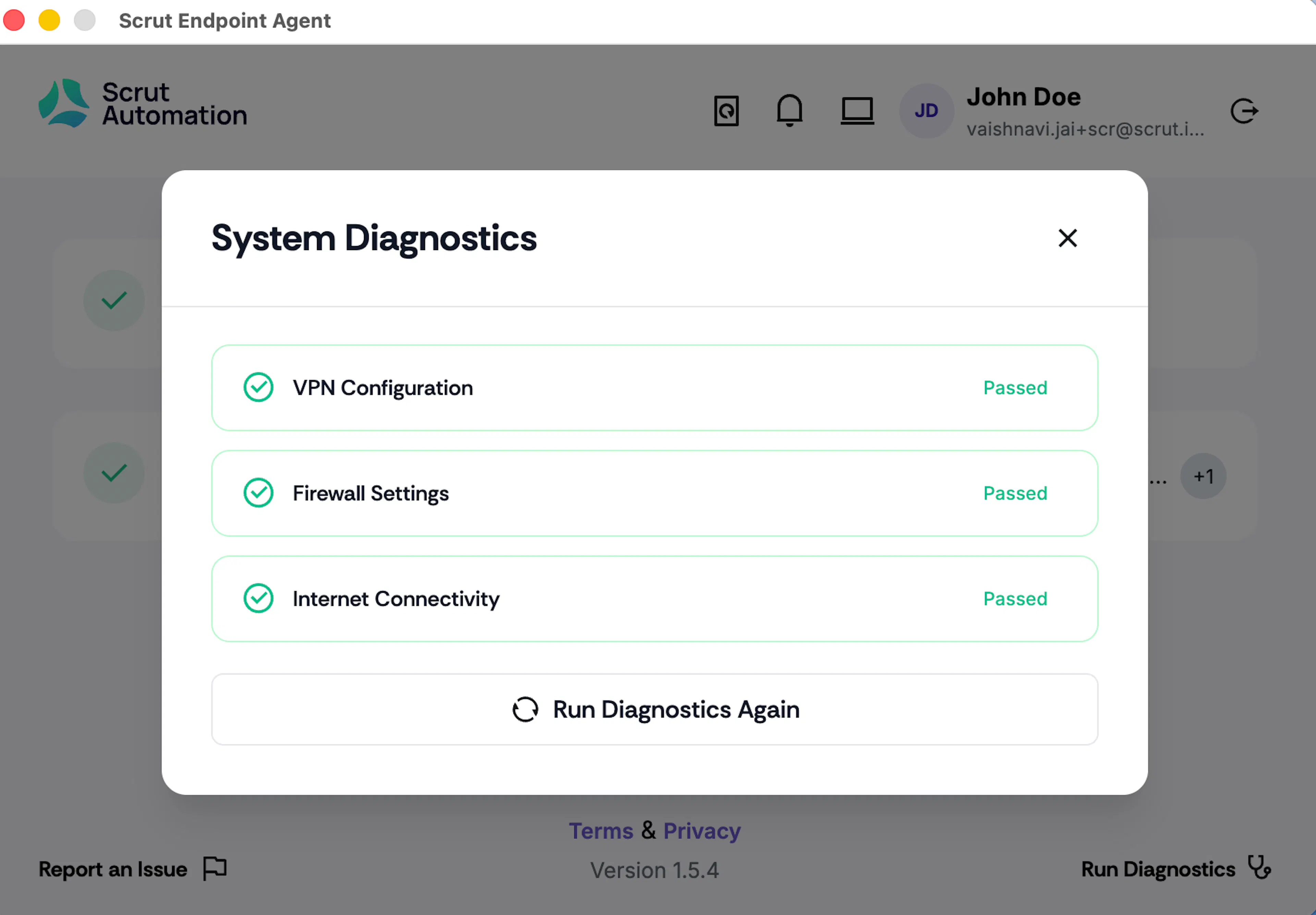
- System diagnostics, including:
- VPN Configuration: Checks for existing VPN setups that might interfere with connectivity.
- Firewall Settings: Verifies firewall rules to ensure unblocked communication.
- Internet Connectivity: Validates the system's connection to the internet
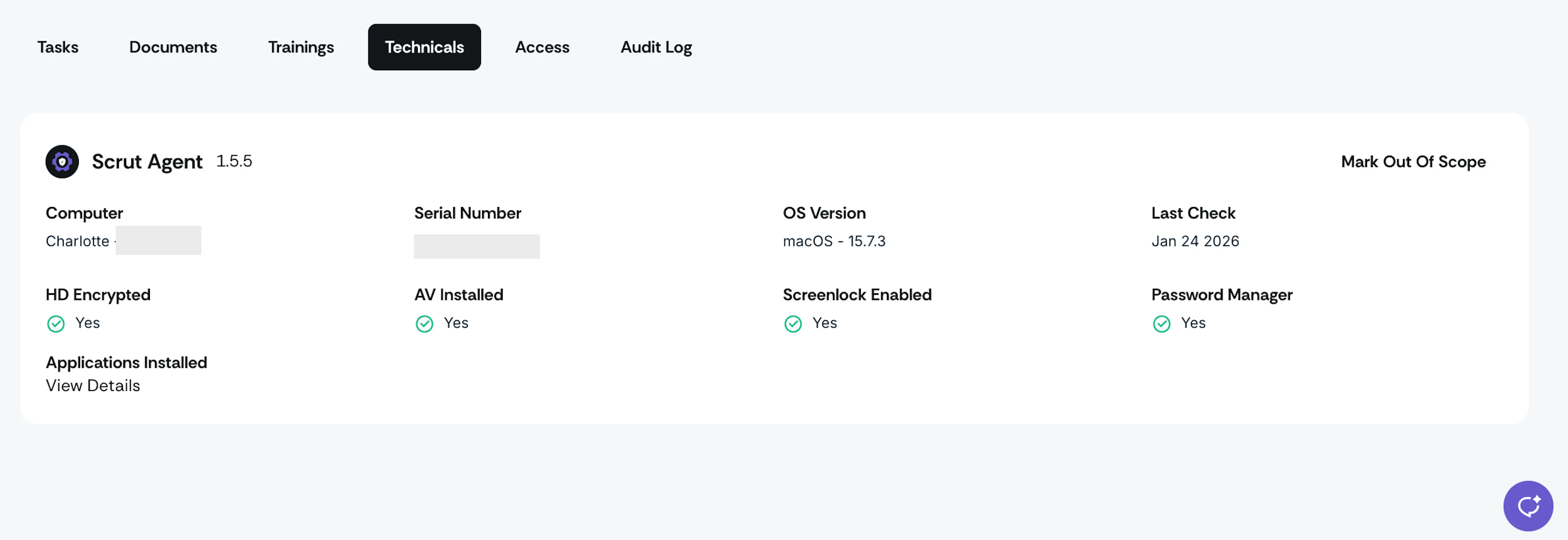
Viewing Collected Data
After installation, you can view the data collected by the agent by navigating to People → Employees → Technicals tab for each employee in Scrut.
Next Reads
Here are a few essential resources to help you get started with the Scrut Agent: