Shadow AI Governance: Review & Manage AI Apps
Who can use this feature
- Supported on Foundation, Growth, and Scale plans
Shadow AI Governance
Shadow AI is any AI-powered application in use across your organization that your team hasn't formally reviewed. Scrut surfaces AI apps and tools in the Discovered tab in People → Access Reviews → Applications. Scrut also requires you to categorize each discovered AI application, so you know exactly which ones access company data and that each one's risk has been evaluated and accepted.
For a closer look at how Scrut approaches this problem, read Introducing Shadow AI Governance.
What Counts as Shadow AI
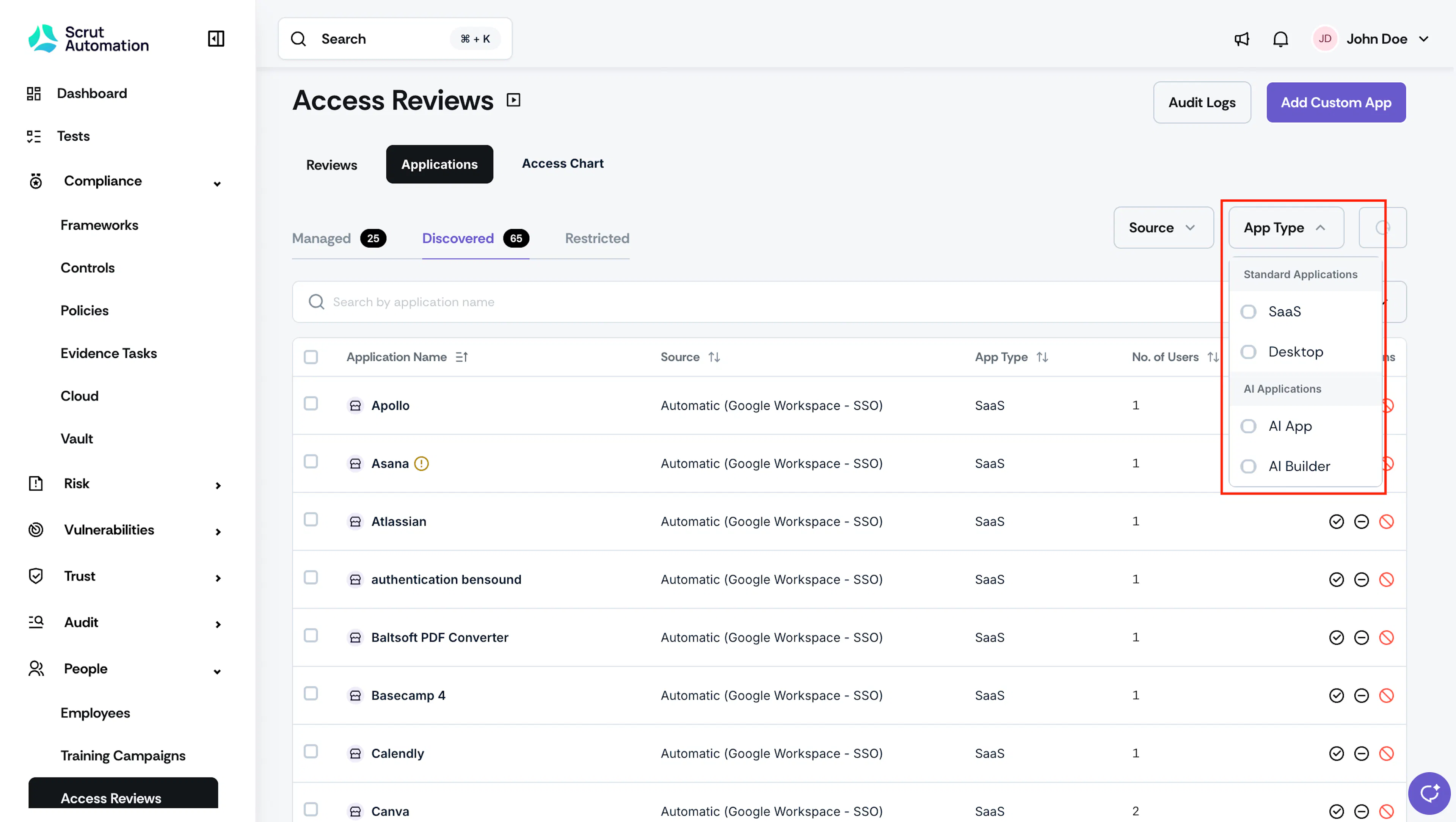
Scrut detects AI-powered applications the same way it detects any other Shadow IT application, through your connected SSO integrations. Once detected, these tools appear in the Discovered tab alongside your other SaaS and desktop applications. To isolate them, use the App Type filter on the Applications page and select AI App and AI Builder.
AI tools introduce risk that other SaaS applications don't. An unreviewed AI application may process company data to train external models, retain inputs beyond your control, or lack the security and privacy safeguards your organization requires. Leaving an AI application in the Discovered state means that risk hasn't been evaluated yet.
Shadow AI Automated Test
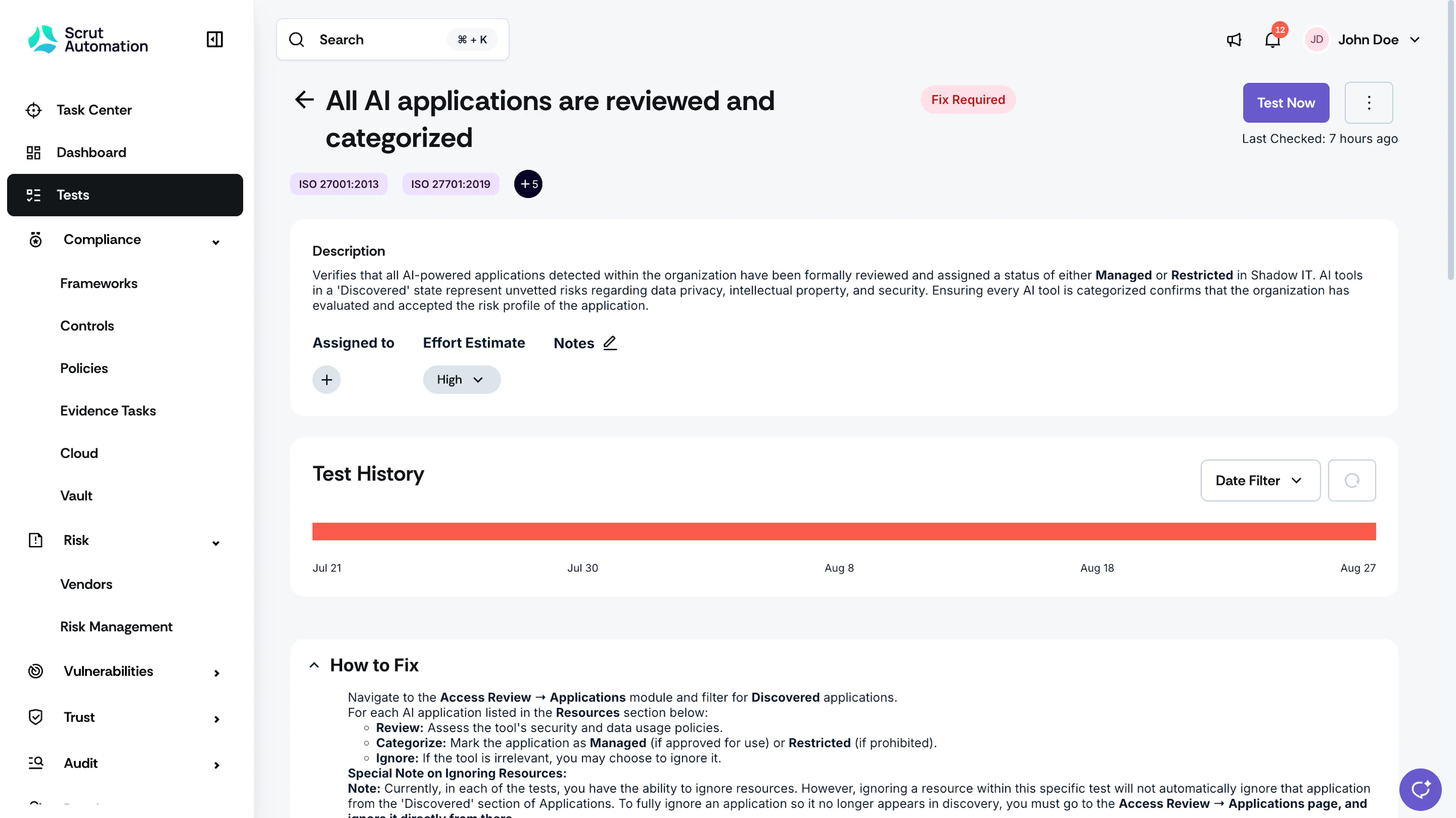
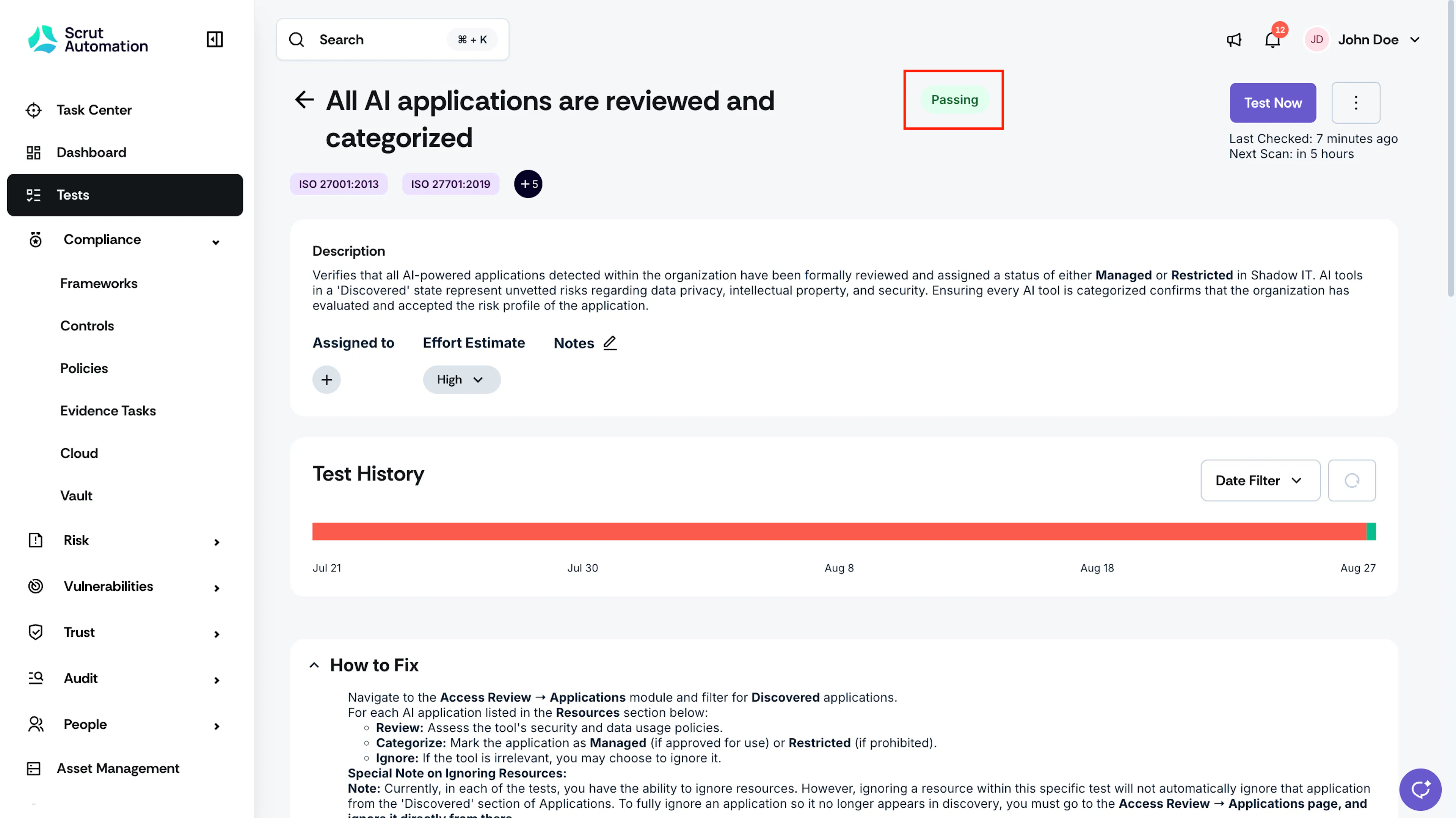
Scrut runs an automated compliance test: All AI applications are reviewed and categorized. This test checks whether your organization detects every AI application.
- This test is marked as “Passing” when no AI applications remain in the Discovered tab in People → Access Reviews → Applications.
- This test is marked as “Fix Required” if one or more AI applications remain in the Discovered state without being marked as Managed, Restricted, or Ignored.
This test runs continuously and contributes to your ongoing compliance posture.
Heads Up! Ignoring a resource from within this compliance test only excludes it from that specific test. It doesn't remove the application from the Discovered tab. To fully ignore an AI application so it no longer appears in Discovered, go to Access Review → Applications → Discovered and ignore it directly from there.
How To Review and Categorize AI Applications
- Navigate to People → Access Review → Applications and open the Discovered tab.
- Use the App Type filter and select AI App and AI Builder to narrow the list to AI-powered applications only.
- For each application, review its security and data usage policies to assess the risk it poses.
- Categorize the application based on your assessment.
- Mark it as Managed if it's approved for use, or Restricted if it's prohibited. See How To Manage Discovered Applications for the full steps on each action.
- If an AI application isn't relevant to your organization, you can Ignore it instead of categorizing it.
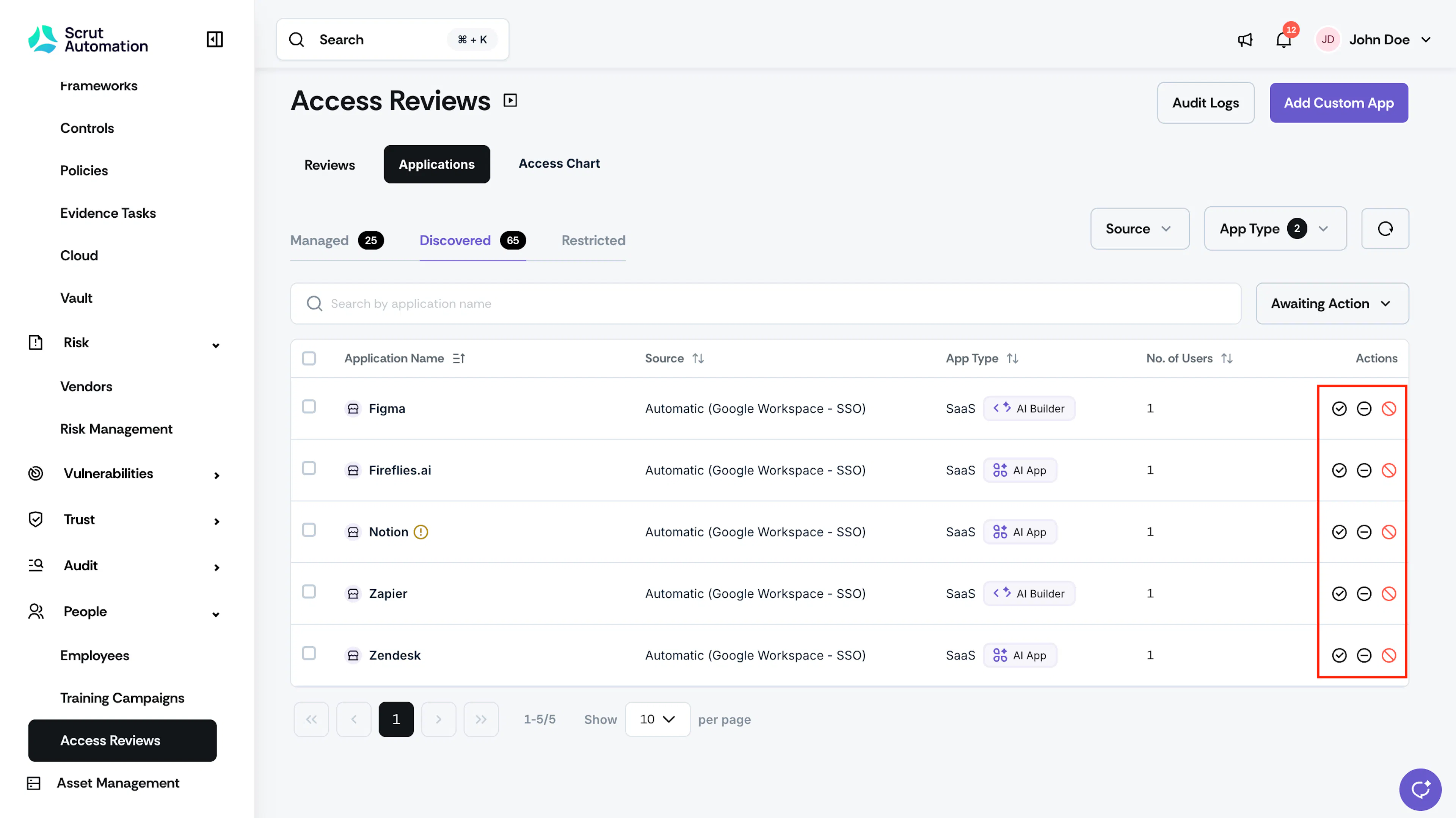
Once every AI application is marked Managed, Restricted, or Ignored, the Discovered count for AI apps drops to zero, and the test passes.