

How to Notify Users About Restricted Applications
Who can use this feature
- Supported on Foundation, Growth, and Scale plans
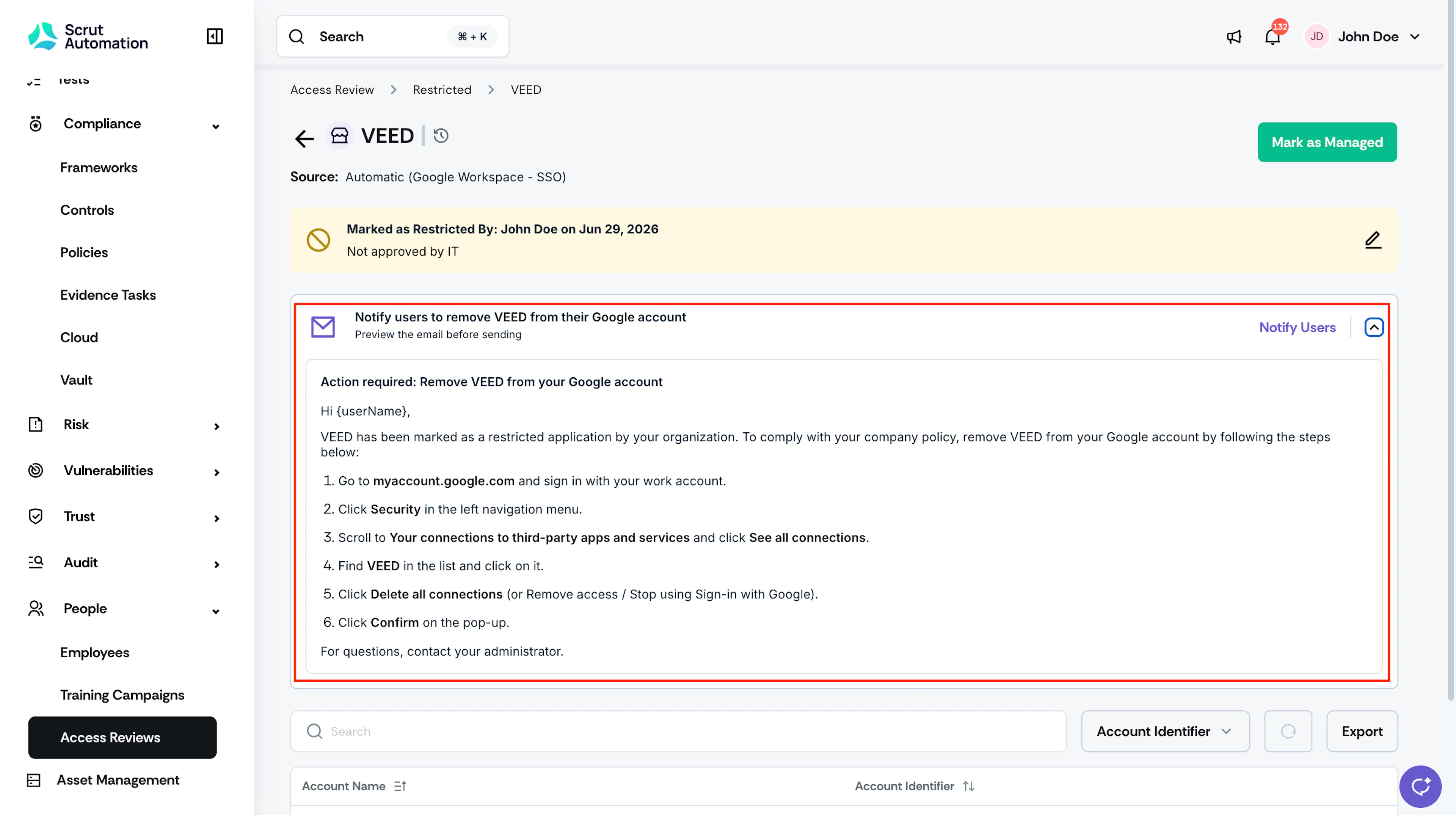
When an application is marked as Restricted, you can send removal or uninstallation instructions directly to the employees using it. Scrut generates the notification email automatically based on the application's source.
Important:
Scrut does not automatically block employee access to restricted applications. Notifications are informational and instruct employees to take action themselves.
Notify Users from the Restricted Tab
-
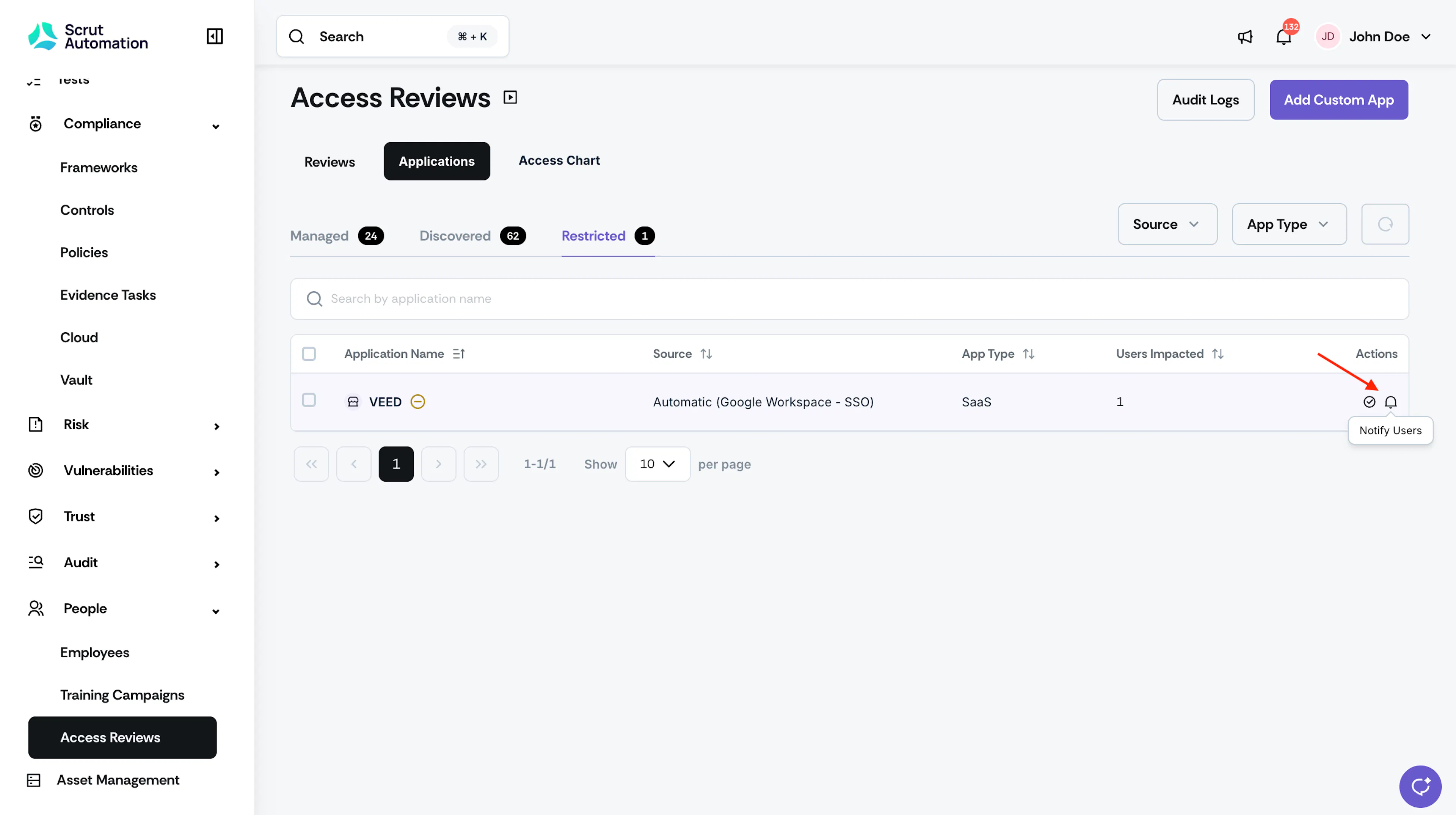
Navigate to Access Review → Applications → Restricted.
-
Locate the restricted application.
-
Click the Notify Users icon in the Actions column.
-
Alternatively, open the app and click Notify Users.
Heads Up!
Sending a notification does not confirm that employees have completed the removal or uninstallation. Follow up directly with employees or check the application's user list for updates.
Reach out to support@scrut.io or contact your CSM for further assistance.