

Shadow IT: Walkthrough
Who can use this feature
- Supported on Foundation, Growth, and Scale plans
SOC 2 (CC6.1/CC6.8) and ISO 27001 (A.8.1) require organizations to maintain an inventory of authorized software and identify unauthorized applications. The Shadow IT feature in Scrut addresses this by giving you a centralized view of every SaaS and desktop application in use across your organization. It provides a structured workflow to classify, monitor, and act on every application detected in your environment, moving apps from an unmanaged state into continuous compliance tracking.
The Applications tab within People → Access Review has three sub-tabs: Managed, Discovered, and Restricted.
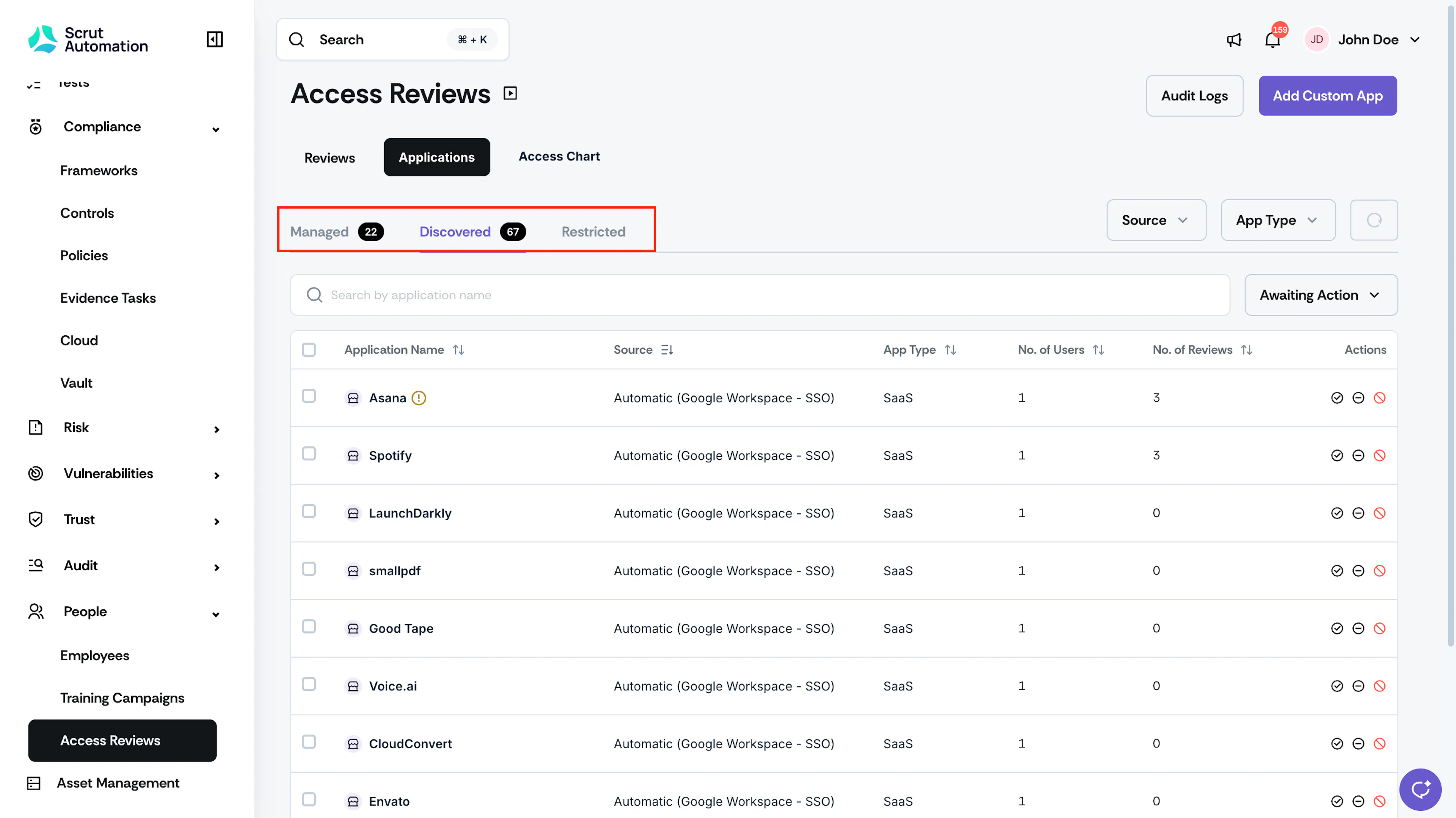
Managed
The Managed tab contains applications your organization actively oversees. These apps are included in access review workflows and compliance tracking.
Discovered
The Discovered tab shows applications automatically detected via your connected SSO and MDM integrations that have not yet been classified. From here, you can move apps to Managed, flag them as Restricted, or ignore them.
Restricted
The Restricted tab tracks applications your organization does not want employees to use.
Heads Up!
Scrut does not automatically block access to these apps; However, it tracks usage and allows you to directly send app removal notifications to employees who actively use them.
Application Types
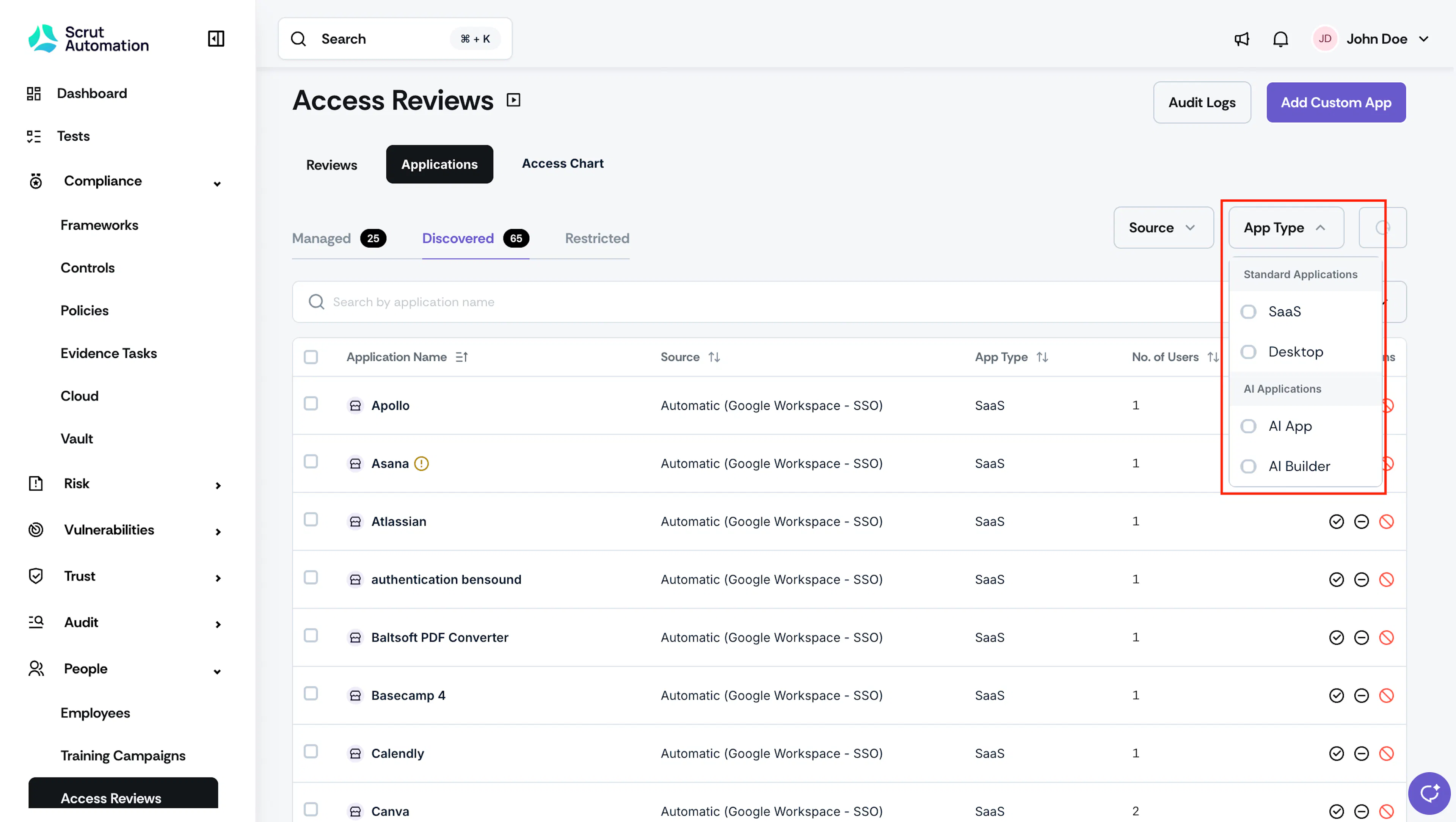
Apps are classified into the following groups across all three tabs:
-
Standard Applications
- SaaS applications are detected via SSO integrations (Google Workspace SSO, Entra SSO). They support access reviews, app reviewer assignment, and automated compliance tests.
- Desktop applications are detected via MDM integrations (Scrut Agent, Intune, JumpCloud). They are tracked for inventory and governance purposes, but are not included in the access review scope and do not generate automated tests.
- Note: You cannot manually add desktop applications in the Managed tab. They appear in the Managed tab only after you move them from Discovered or Restricted.
-
AI Applications
-
AI Apps are AI-powered tools your employees use, such as ChatGPT, Claude, Perplexity, etc.
-
AI Builder Apps are tools used to build with AI, such as Cursor, Codex, etc.
AI applications support access reviews, app reviewer assignment, and automated compliance tests.
-
How Applications Move Between Tabs
Applications flow between tabs based on the actions you take.
- Discovered to Managed
- Discovered to Restricted
- Restricted to Managed
- Auto-promotion via Access Review: Completing an access review for a Discovered or Restricted SaaS app automatically moves it to Managed. The reviewer assigned to the review is saved as the App Reviewer.
Data Sources
Scrut populates the Discovered applications tab from the following sources:
- SSO sources: Google Workspace SSO, Entra SSO
- MDM sources: Scrut Agent, Intune, JumpCloud
Note: Only apps detected via SSO OAuth, OIDC, or SAML connections are included. Apps accessed via direct signup or freemium tools outside SSO are not detected in the current version.
Reach out to support@scrut.io or contact your CSM for further assistance.