

Create a Risk from a Test Finding
There may be scenarios when:
- A test finding requires formal acceptance or executive review before it can be remediated
- Remediation will be delayed due to business constraints, resource limitations, or technical dependencies
In such cases, creating a risk directly from the test finding ensures that the finding is formally documented in your organization’s risk register, and you can manage it appropriately from the risk management module. In this article, we explain how to create a risk from a cloud test finding.
How To Create a Risk from a Cloud Test Finding
-
Click Compliance → Cloud on the left navigation panel.
-
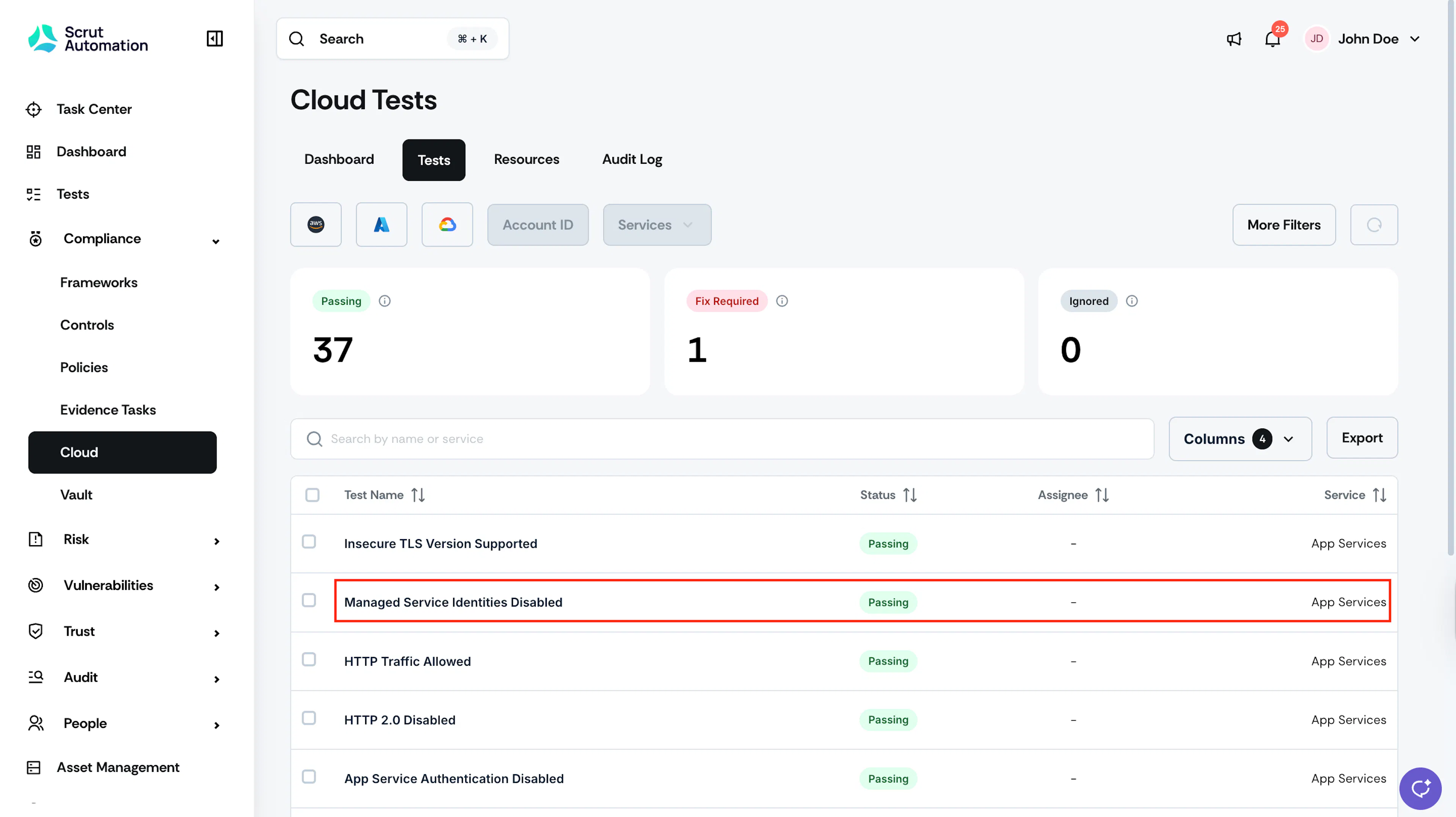
Go to the Tests tab, and click on the specific test for which you want to create the risk.
Pro Tip! Use the search bar and filters at the top to quickly locate specific tests.
-
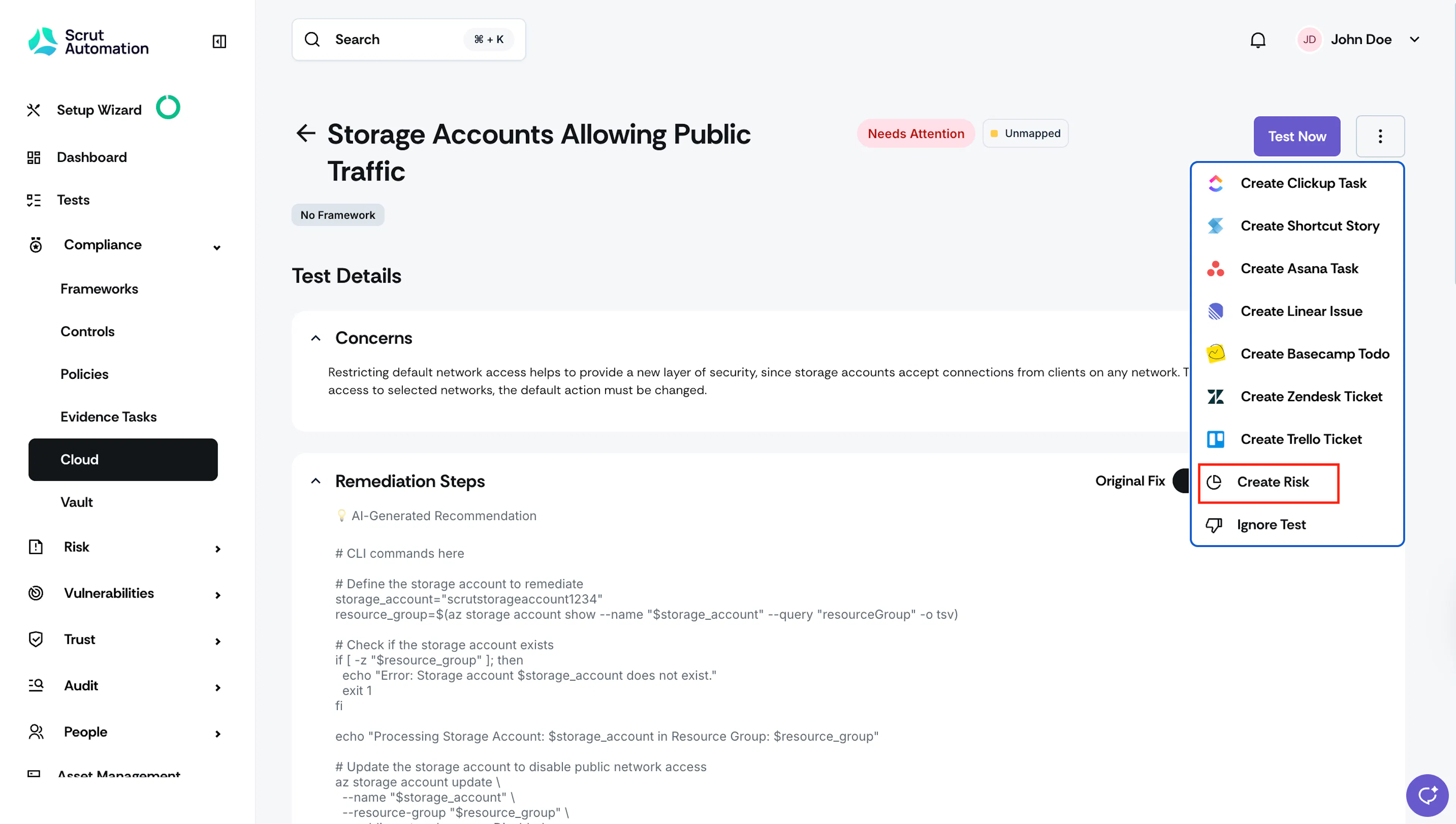
Click the three-dots icon on the top-right corner of the test findings page.
-
Select Create Risk.
-
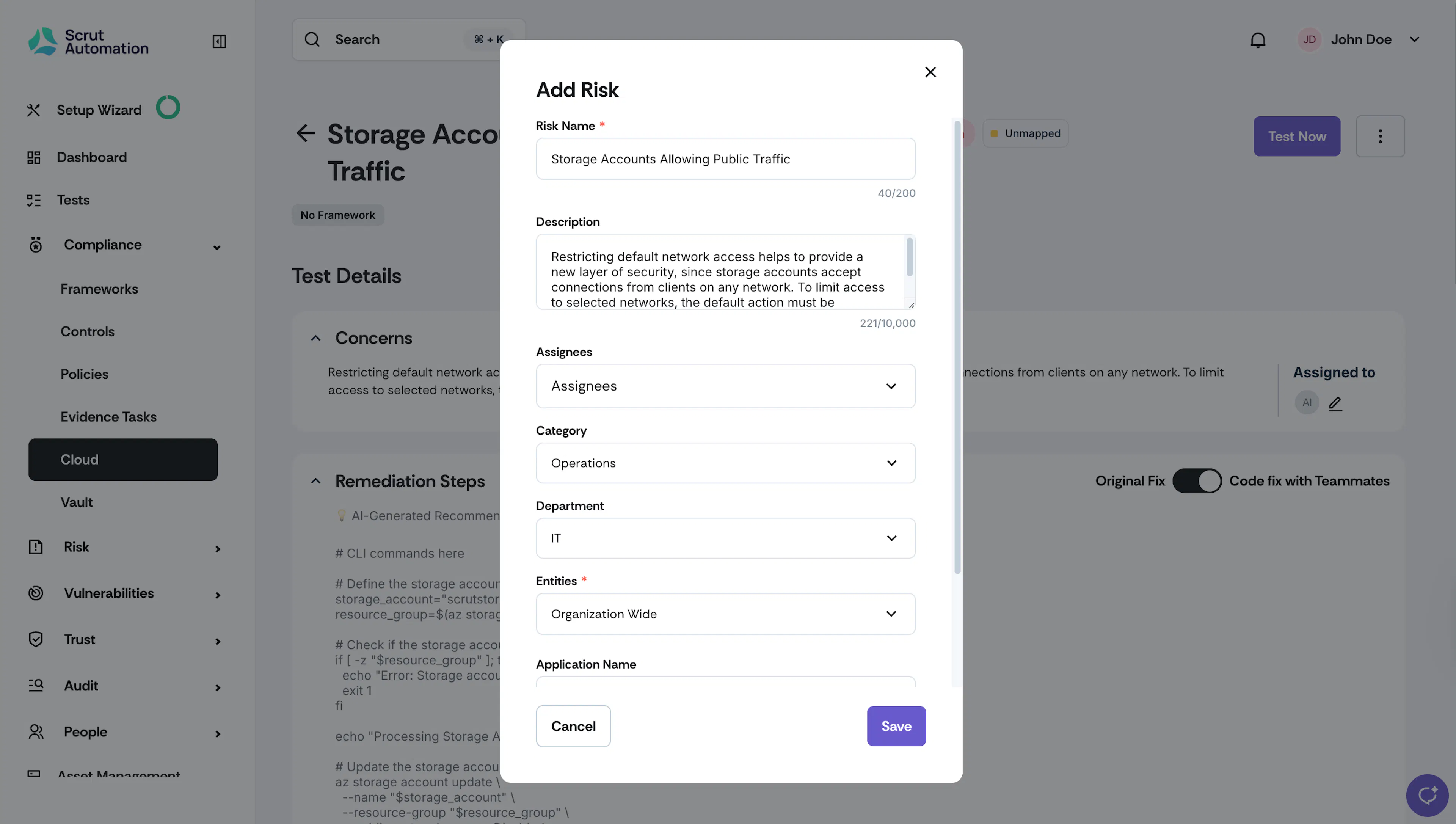
The create risk form will be pre-filled with specific details from the test finding, such as Risk Name and Description.
-
Enter the details for the other fields manually.
-
Click Save. The test creation details are captured in the audit logs.
-
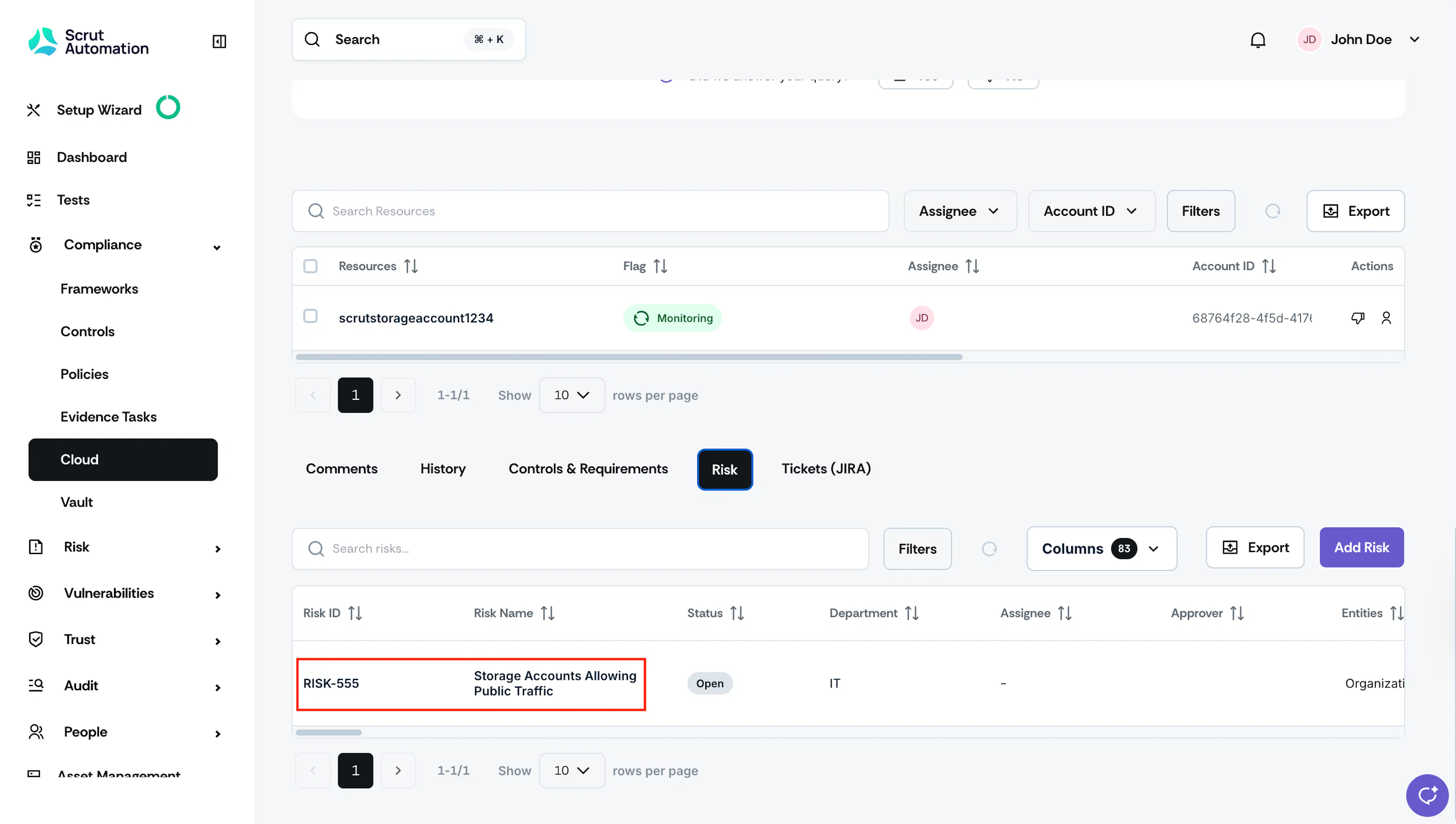
Scroll to the Risk tab in the test finding page to view the risk details.
-
Clicking on the risk details takes you directly to the Risk Register. The risk's Source Type is set to “Test,” and Source is set to the test name.
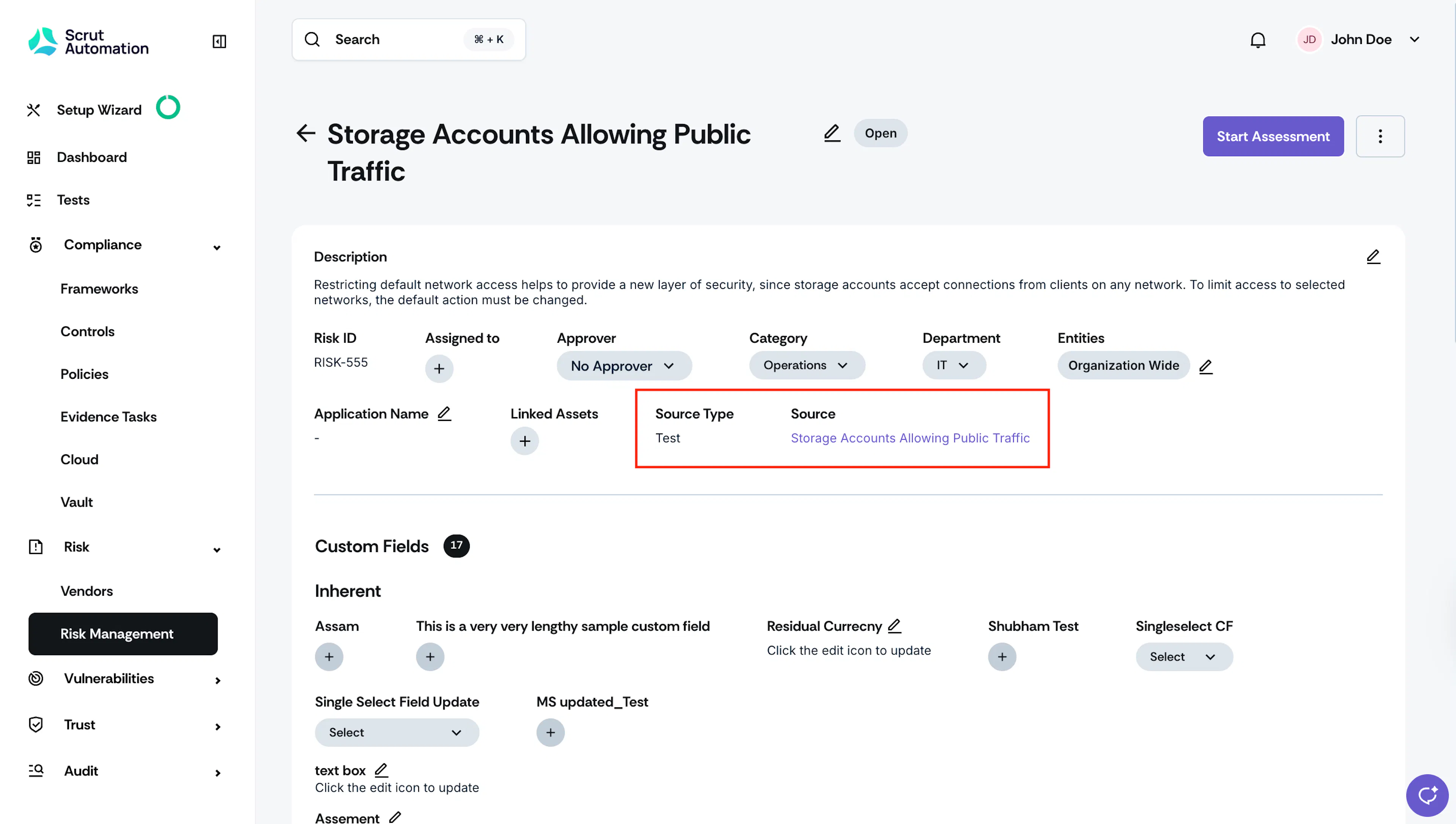
Once created, the test will appear in your Risk Register with the source and source type auto-populated from the test finding.
Best Practices
When ignoring entire tests (especially due to default configurations that cannot be modified), it's recommended to create a Risk and link it to the ignored test. This provides:
- Proper documentation for auditors
- Justification for why the test was ignored
- Context through comments and screenshots
- Audit trail for compliance purposes
Example Use Case: AWS servers with default internal policies that were configured at creation time and cannot be modified without recreating the server. Since recreating production servers is not feasible, creating a Risk with proper justification provides a compliant way to document why the test is ignored.
While not mandatory, this is the recommended approach for maintaining audit readiness.