Ignore a Test
There may be scenarios where a test finding:
- Is a false positive
- Pertains to a non-critical issue that poses minimal risk
- Has been addressed via alternative methods
In such cases, you can mark the test as ignored, so it will not be included in your compliance calculations. In this article, we explain how to ignore a cloud test finding.
Ignore a Single Test
-
Click Compliance → Cloud on the left navigation menu, and click the Tests tab.
-
Click the test that you want to mark as ignored.
-
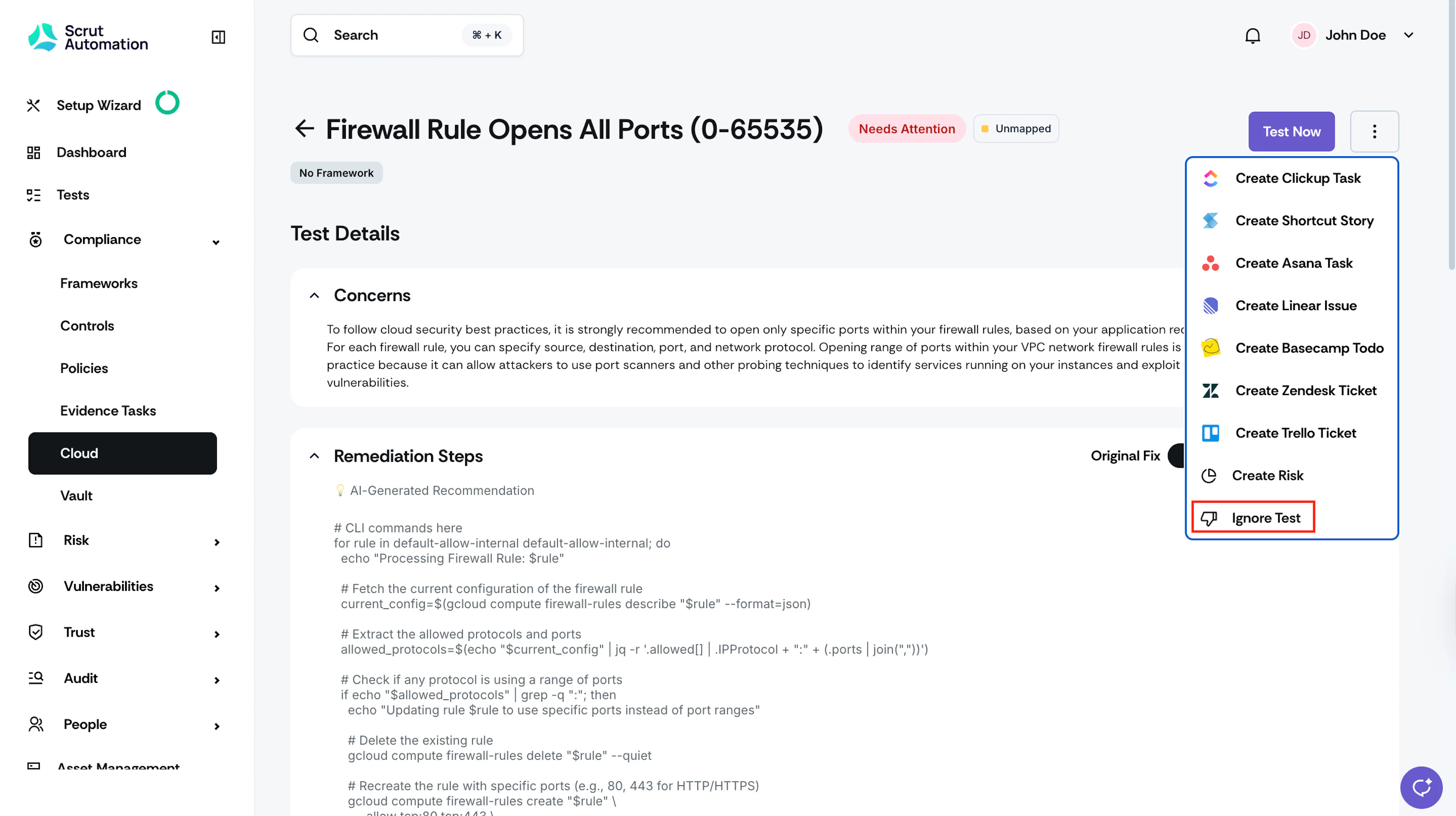
Click the More Actions (three-dots icon) and select Ignore Test.
-
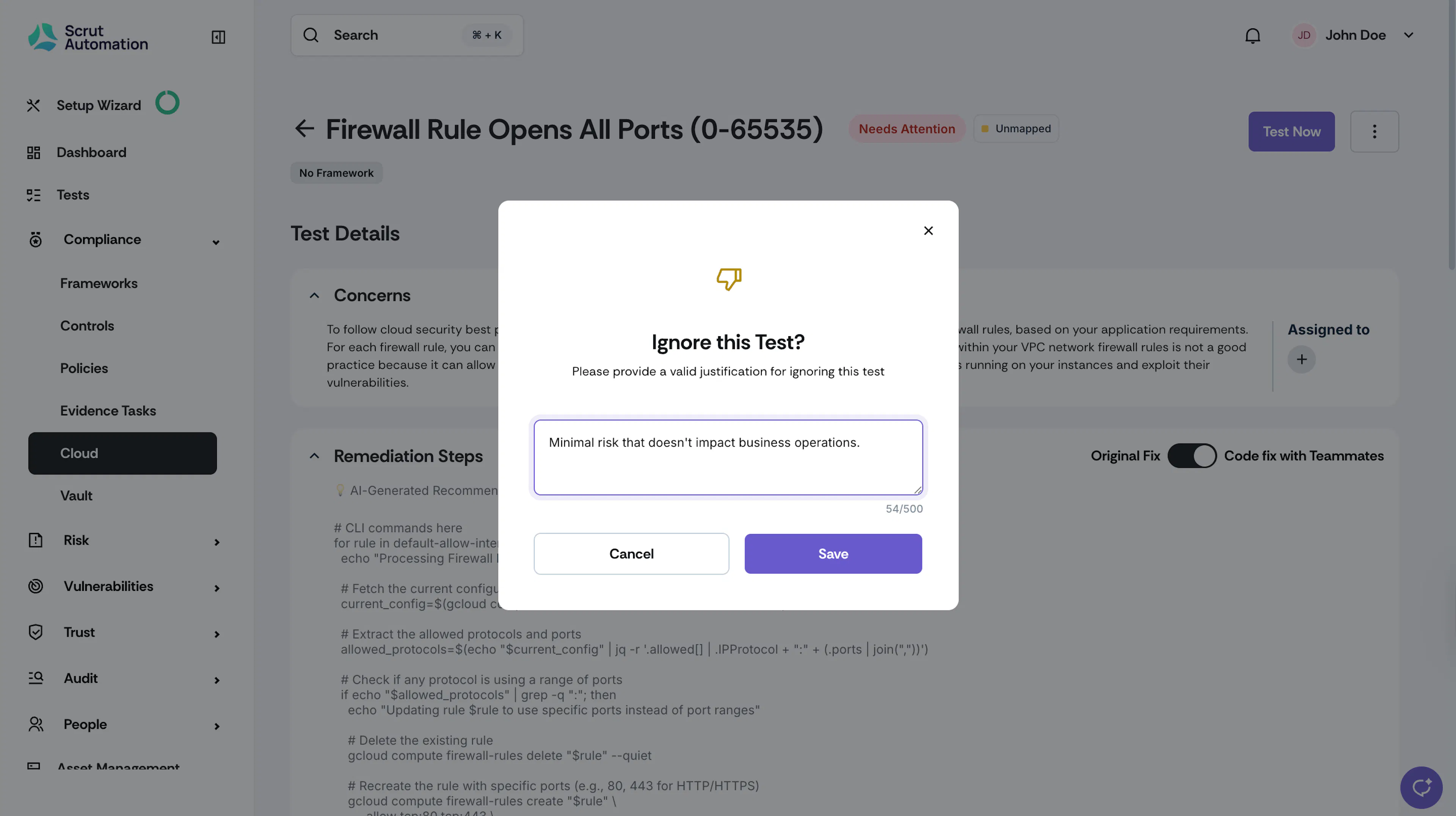
Enter your justification for ignoring the test. This is required for record-keeping purposes.
-
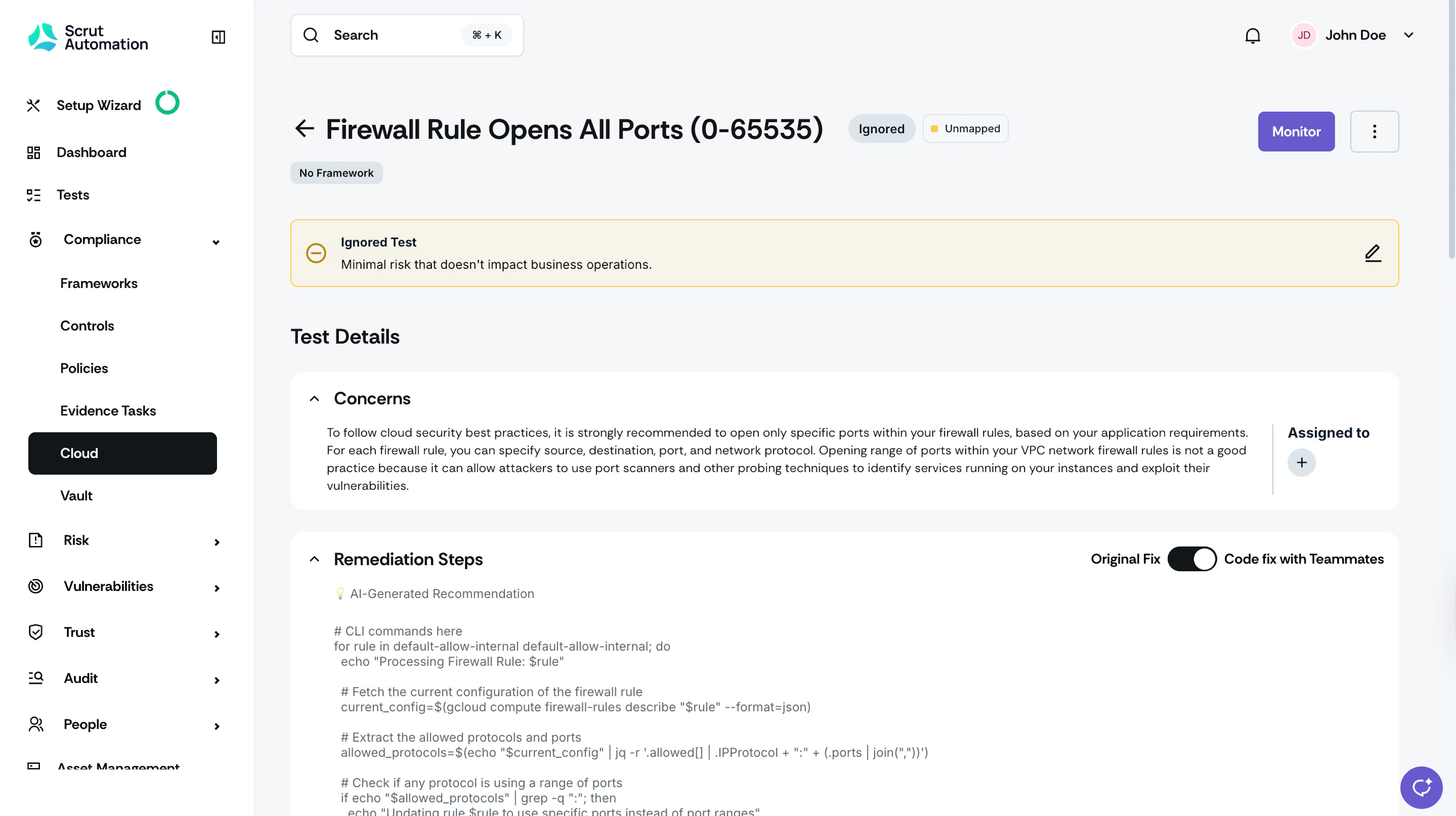
The test status changes to Ignored. You can edit the justification reason at any time by clicking the edit icon in the field.
Key Points to Know
- Once you mark a test as ignored, it won’t be included in compliance calculations, and it won’t affect your compliance progress.
- Scrut will not include ignored tests in future scans.
- You can view ignored tests in the Tests tab by clicking the Ignored metric card.
Heads Up!
To revert an ignored test back to its previous status, see monitoring a test finding.
Bulk Ignore Multiple Tests
You can also select multiple tests and ignore them in a single action.
- Click Compliance → Cloud on the left navigation menu, and click the Tests tab.
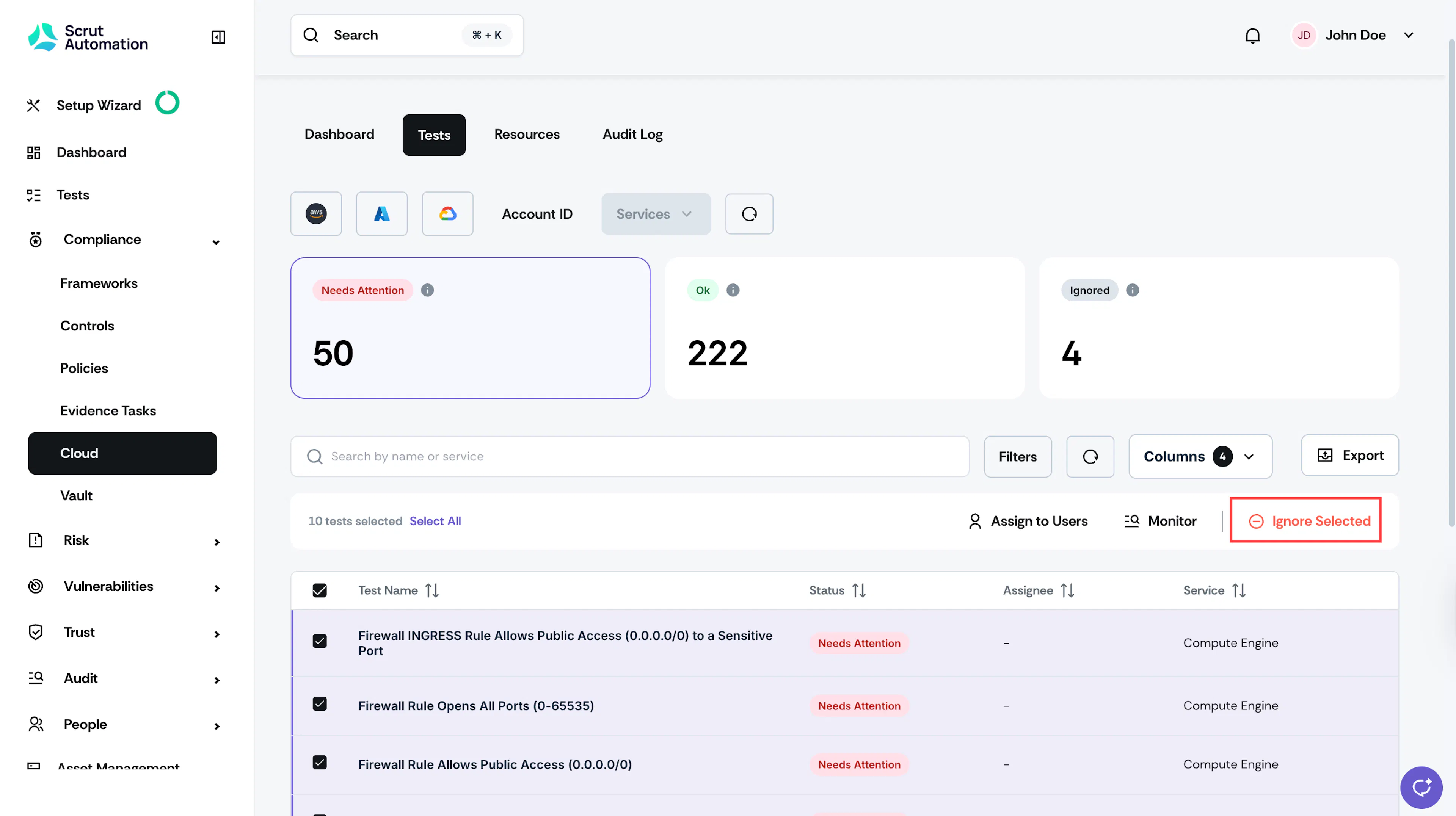
- Select the tests that you want to mark as ignored and click Ignore Selected.
- Enter the justification and click Save.