

Cloud Test Statuses
Each cloud test in Scrut is assigned a status that reflects its current compliance state. These statuses update automatically as your cloud configurations change, helping you track what needs attention and what's already compliant. Understanding how these statuses work helps you prioritize remediation, manage exceptions, and maintain an accurate view of your compliance posture.
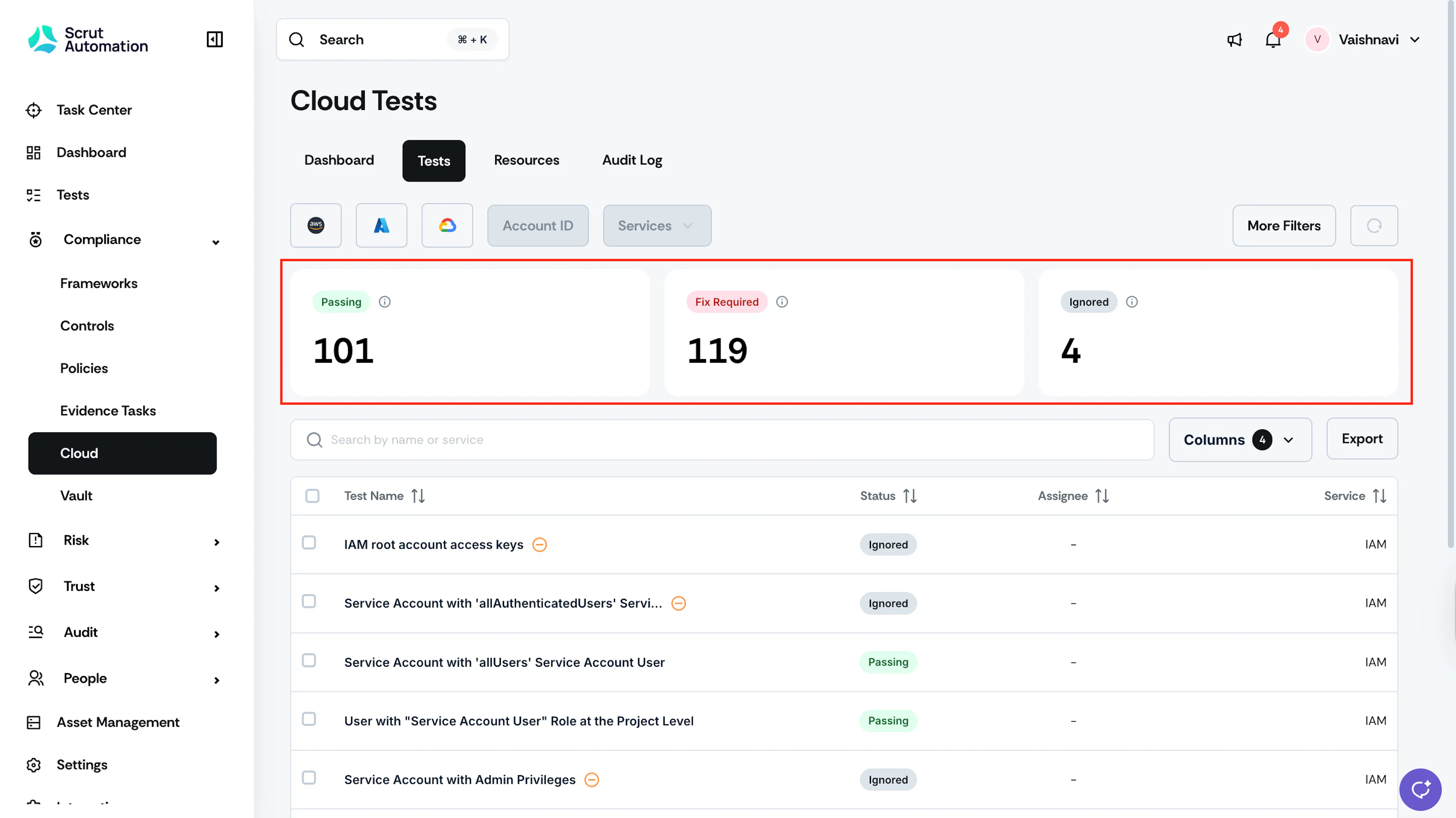
Cloud Test Statuses
Fix Required
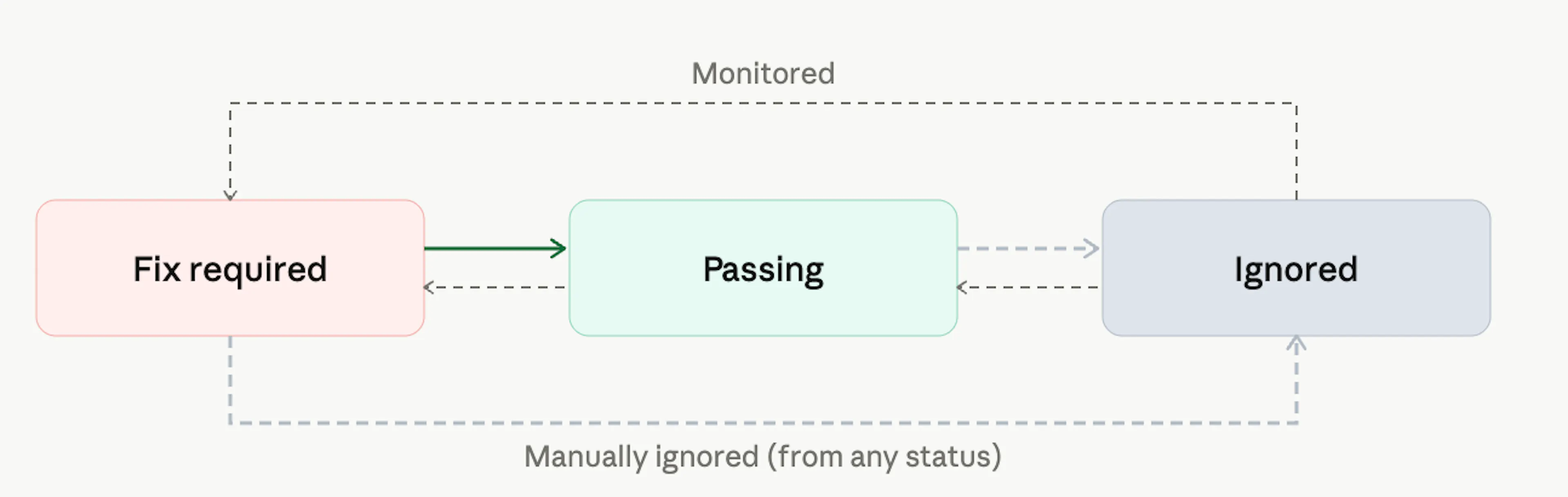
Fix Required means the cloud test has failed and requires your attention. When a test is in this status, review the remediation steps provided in the test details and resolve the underlying issue. Once the issue is resolved, the test automatically moves to Passing.
From Fix Required, you can also move a test to Ignored if the associated risk is consciously accepted due to specific business requirements. For example, if a particular cloud configuration is intentionally non-standard and will not be remediated.
Passing
Passing means the test has successfully met the expected security and compliance standards for the check being evaluated. No action is needed.
Heads Up!
A Passing test can revert to Fix Required if the underlying configuration changes or drifts. When this happens, the test will need remediation again.
Ignored
Ignored means the test has been manually excluded from your active compliance tracking. This status is used when the risk associated with a failed test is consciously accepted, such as when a cloud configuration doesn't meet a standard requirement but is intentionally set that way due to business constraints.
You can move a test to Ignored from either Fix Required or Passing. When you're ready to actively track it again, mark it as Monitored. It will move back to Fix Required or Passing, depending on its current compliance status.