Remediate a Test Finding
Remediating test findings promptly is critical to address identified compliance and security issues and avoid potential risks. Scrut gives you two ways to do this:
- Code Fix with Teammates: Use Scrut's AI-powered Teammates to generate a fix for the identified issue.
- Metadata: Leverage metadata to gain insights into the issue's context. This helps you understand the implications of the findings and make informed decisions during the remediation process.
1: Code Fix with Teammates
When a cloud test fails, Teammates generates a code fix that you can use to resolve the failing test.
-
Click Compliance → Cloud on the left navigation panel and click the Tests tab.
-
Open the failing test that you want to fix.
Pro Tip!
Click the Fix Required metric card to quickly filter the tests table to include only failing tests.
-
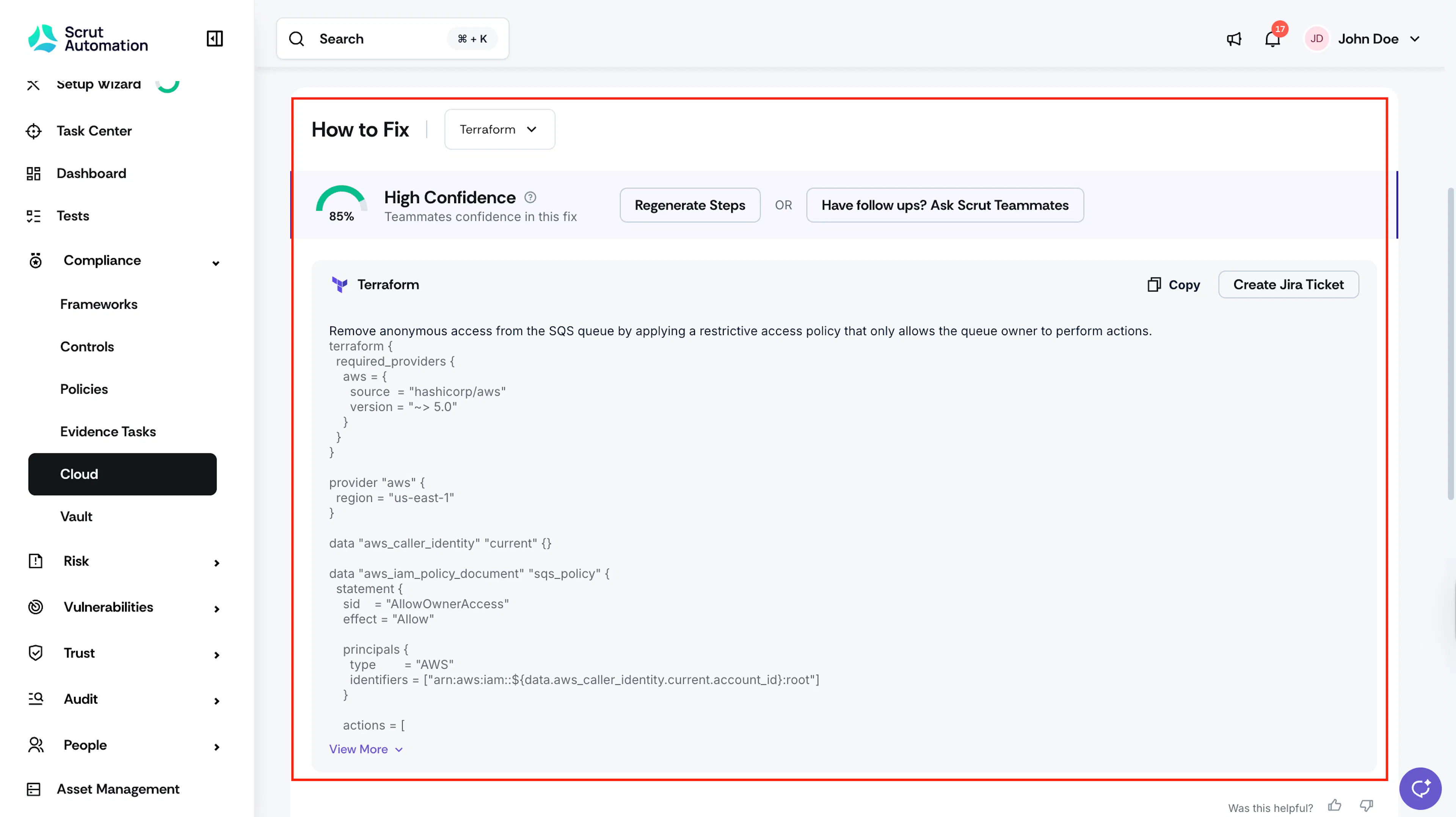
On the Test Details page, scroll to the How to Fix section to view the Teammates suggested fix for the test.
-
By default, the Terraform fix is selected. To use a different format, select AWS CLI, CloudFormation, or General from the fix type selector.
-
The confidence score shows how reliable the suggested fix is before you apply it.
-
Take action from the fix view:
- Click Copy to copy the fix to your clipboard.
- Click Create Jira Ticket to raise a ticket directly from this view.
- Type a follow-up question to ask Teammates for more context on the fix.
- Click Regenerate if the fix doesn't look right.
2: Metadata
Scrut provides comprehensive metadata for each cloud resource associated with a test finding. This helps you understand the implications of the finding and make informed decisions while fixing the test.
-
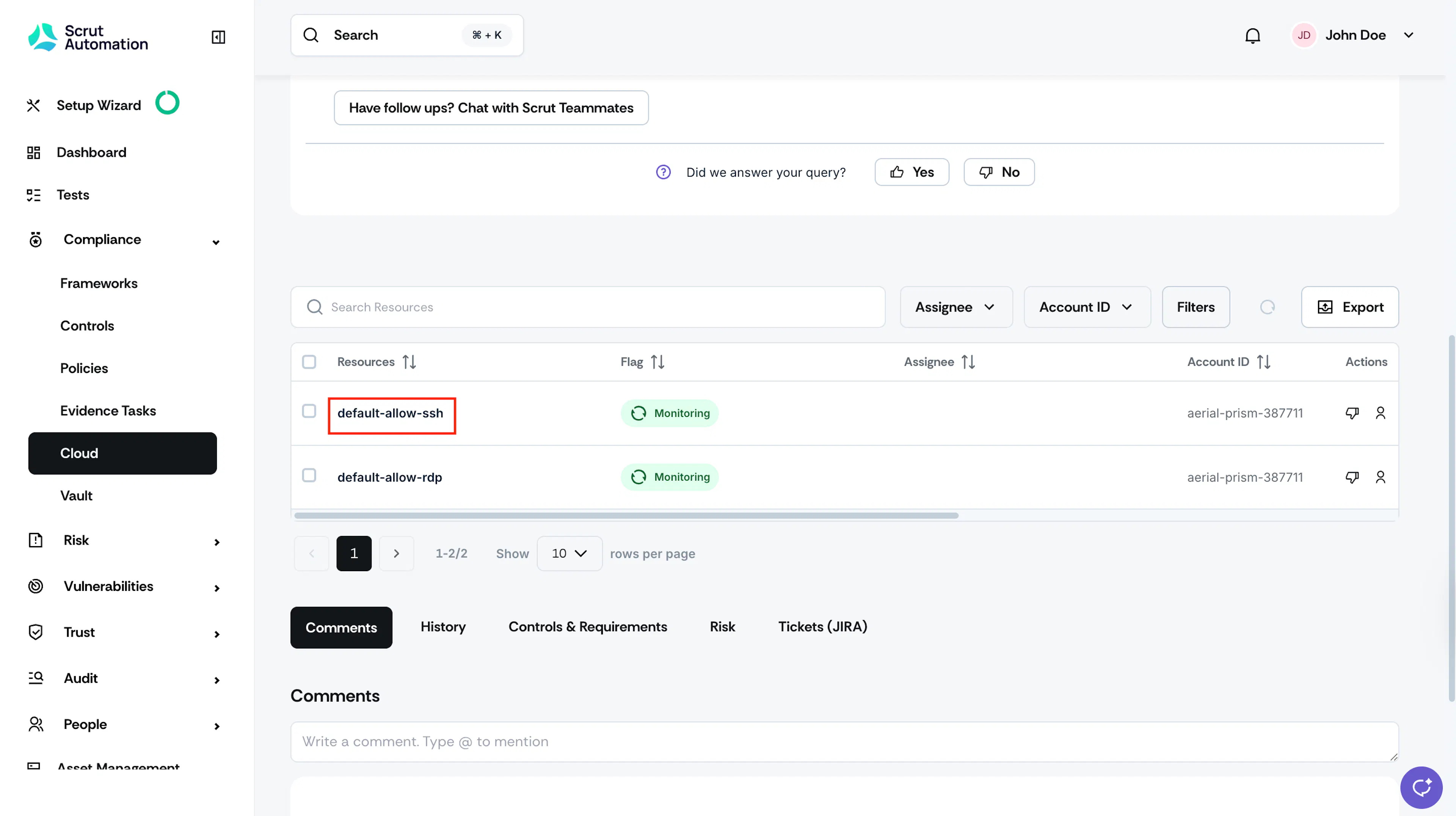
On the Test Findings page, scroll to the Resources table, and click on a resource for which you want to view metadata.
-
Expand each section to view additional data.