

Add Custom Domain
Who can use this feature
- Supported on Foundation, Growth, and Scale plans
Set up a custom domain for your Trust Portal.
You can set up your organization’s Trust Portal on a custom domain that matches your organization’s website address. This gives you a professional, easy-to-share web link for your Trust Portal that you can share with customers, prospects, and other stakeholders.
Typically, custom domains for Trust Portals use the format: prefix.company.domain. For example, https://trust.scrut.io/ is the custom domain for Scrut’s Trust Portal. Other examples include:
trust.company.comcompliance.company.comsecurity.company.com
How to Add a Custom Domain for Your Trust Portal
-
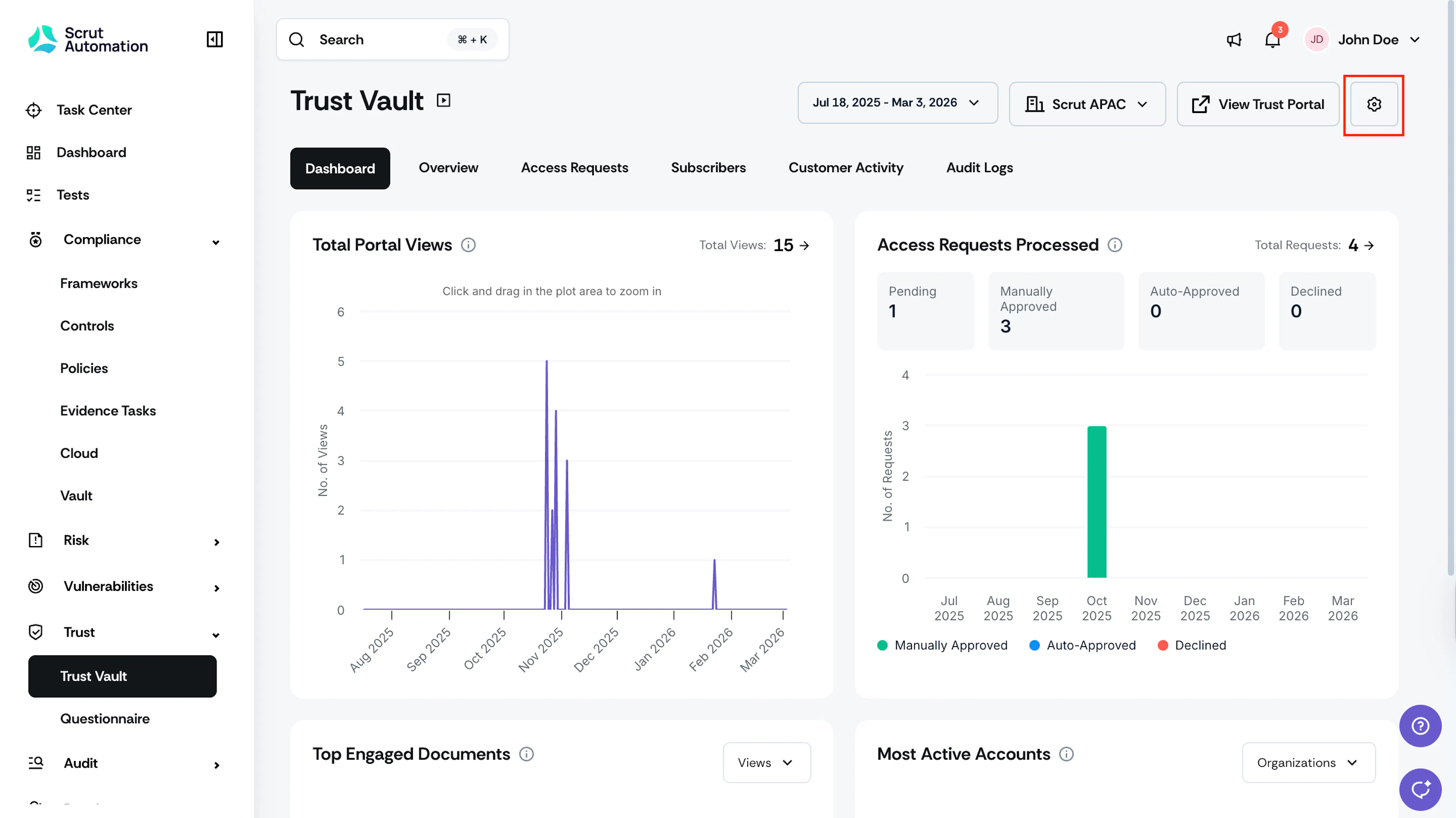
Click Trust → Trust Vault on the left navigation menu and click the settings icon on the top right of the Trust Vault module.
-
This opens the Trust Vault Settings page.
-
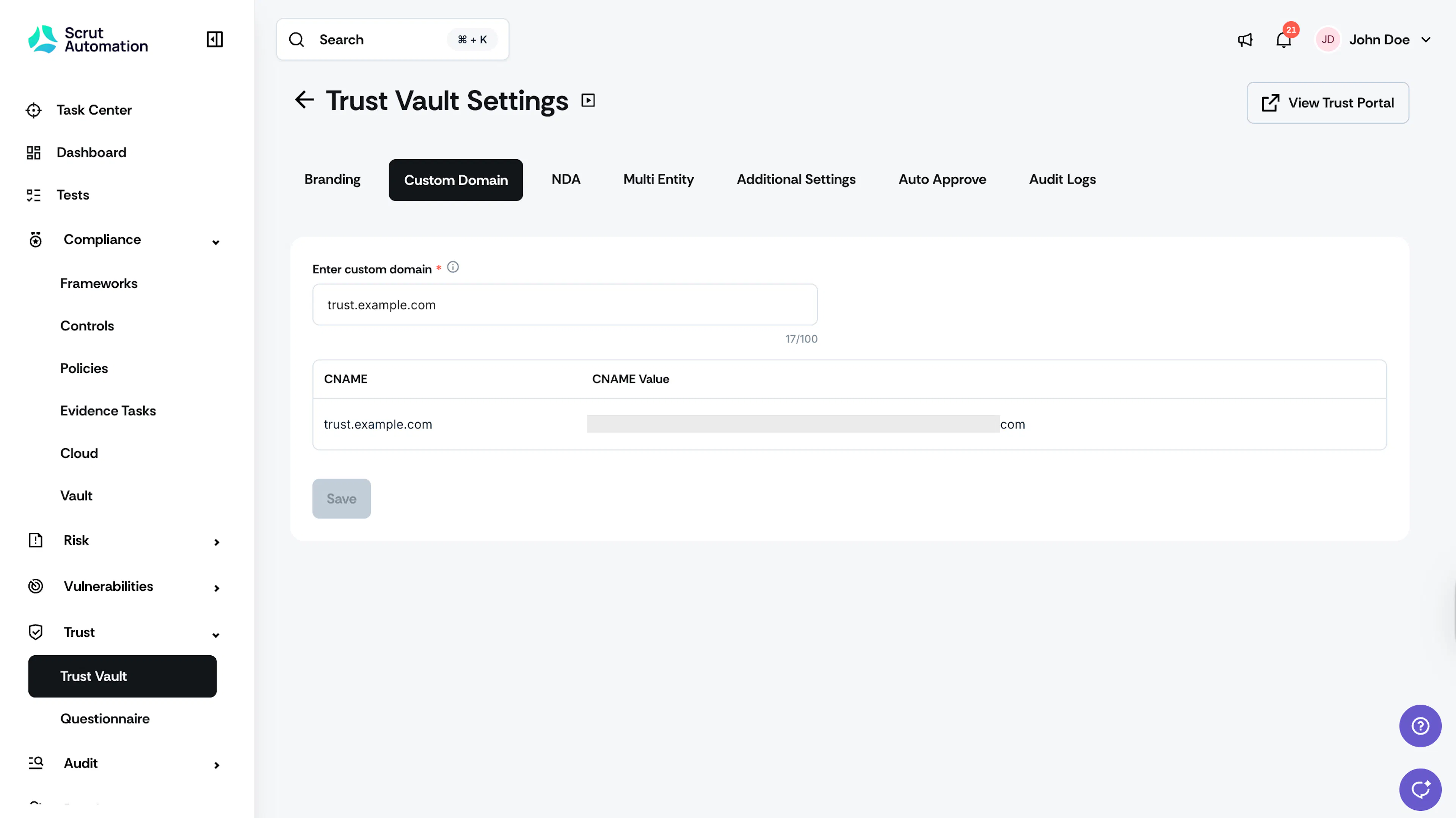
Navigate to the Custom Domain tab.
-
Enter your custom domain in the Custom Domain field. (e.g., security.example.com)
-
Click Save.
Heads Up!
It might take some time for the system to generate CNAME and CVALUE records.
- Go to your DNS provider portal (GoDaddy, Cloudflare, Route53, etc.) and in the provider, choose CNAME. Copy and paste the values for CNAME and CVALUE from Scrut.
Important:
After adding the record with your DNS provider, contact your Scrut CSM to activate your custom domain.