

Add Watermark to Downloads
Who can use this feature
- Included in the Scale plan
- Available in the Trust Advanced Add-On for Foundation and Growth plans
You can add watermarks to unencrypted PDFs downloaded from your Trust Portal. This allows you to add an extra layer of document tracking and protection.
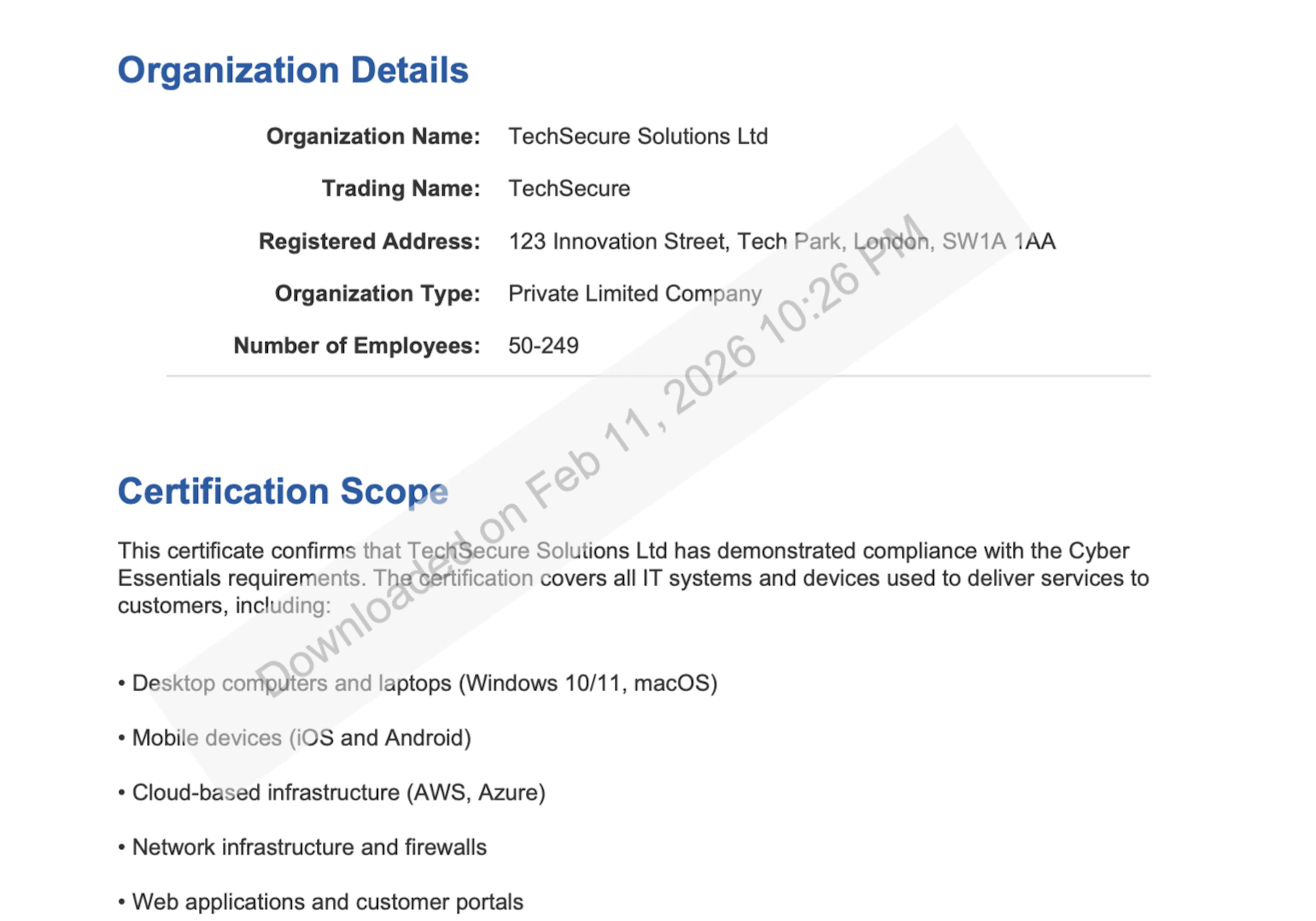
When Watermarking is Enabled
When the Enable Watermarking toggle is turned ON:
- A watermark (Downloaded on Date, Time) will be applied to every page of the PDF when visitors download it.
- The watermark helps identify the source and control the distribution of your documents.
- Access permissions still apply. Only visitors with appropriate access can download the documents.
When Watermarking is Disabled
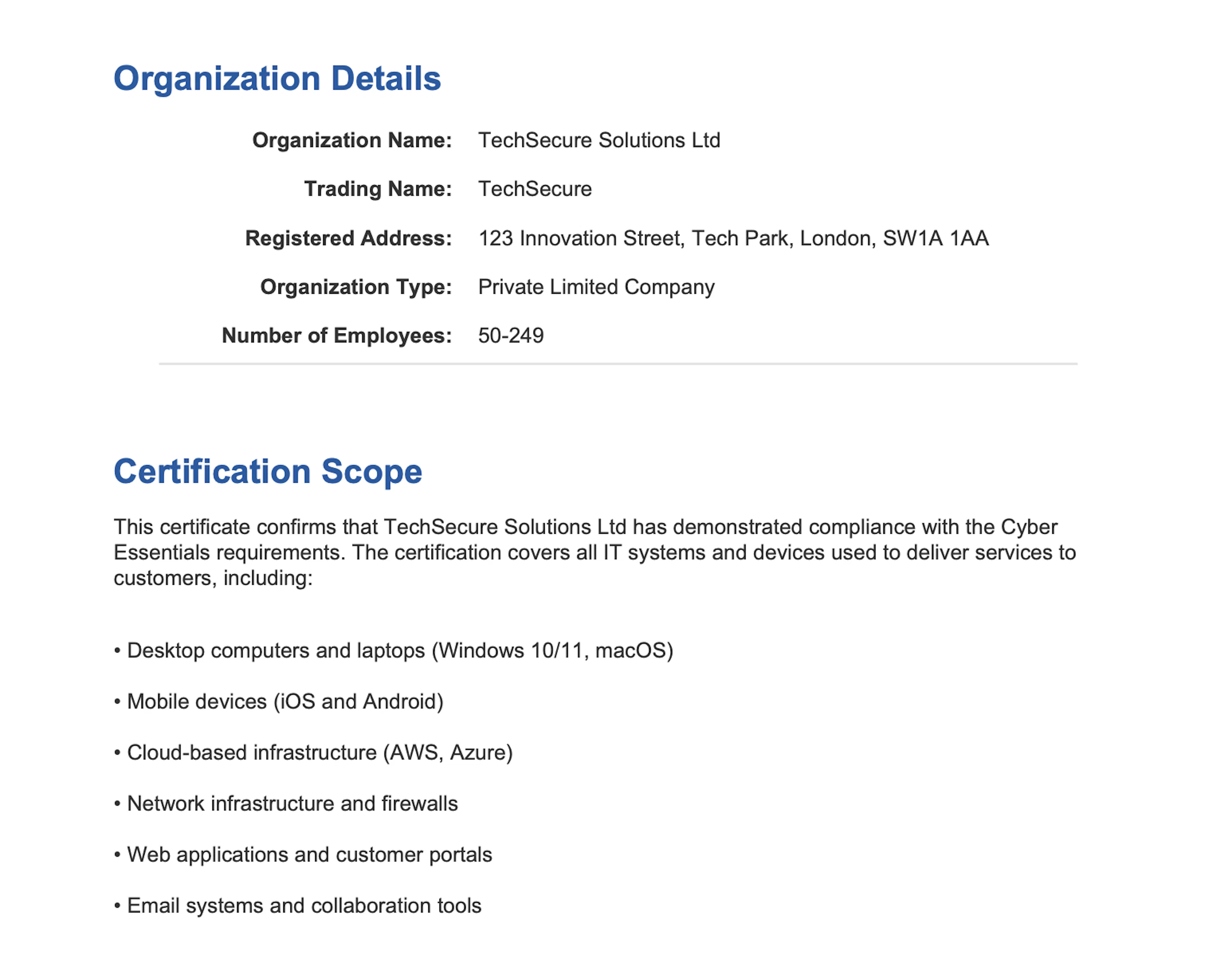
When the Enable Watermarking toggle is turned OFF:
- No watermark is added to downloaded documents.
- PDFs are provided in their original format.
- Documents can still be downloaded (if download permissions are enabled).
How to Enable or Disable Watermarking
-
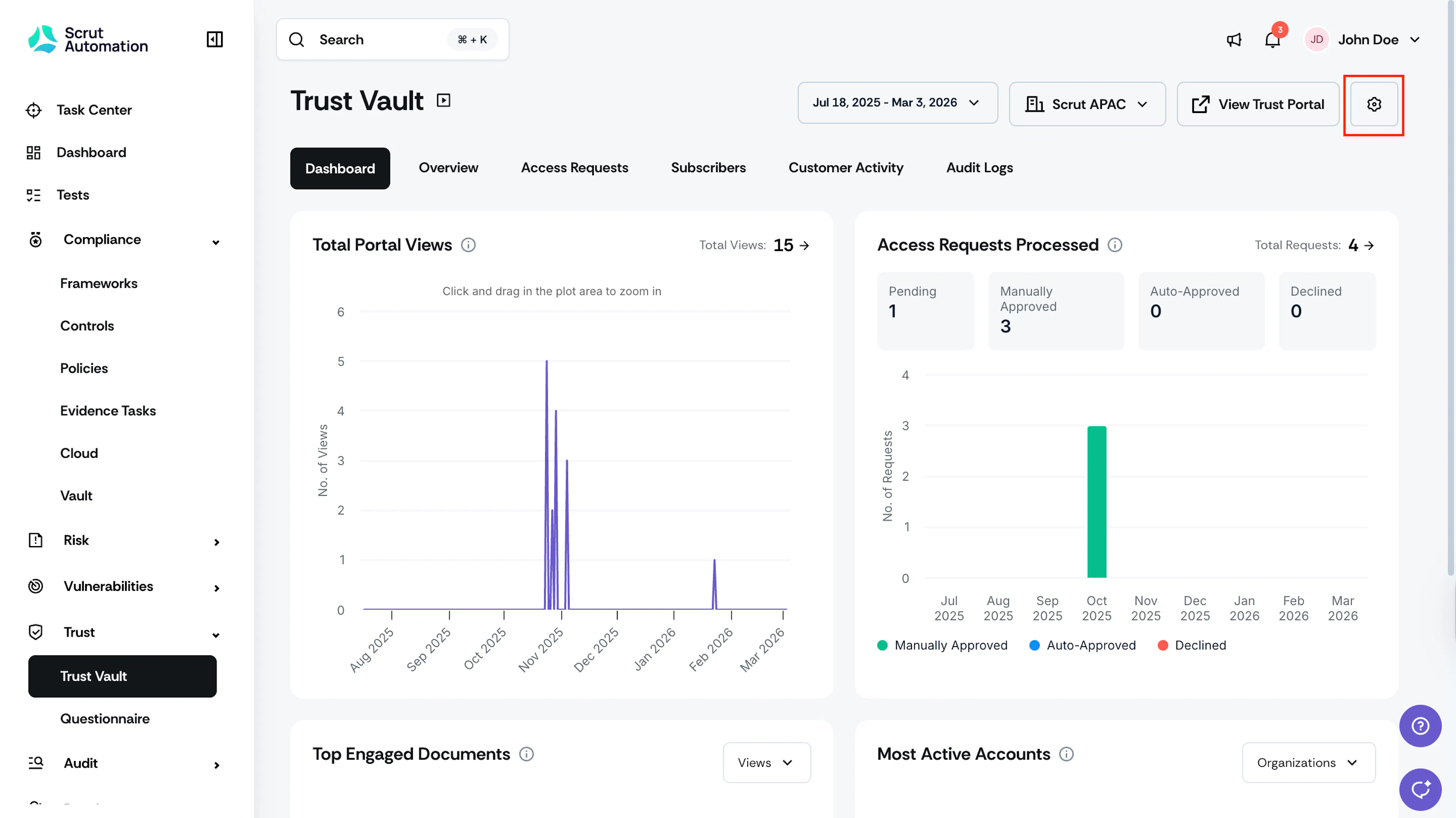
Click Trust → Trust Vault on the left navigation panel and click the Settings icon in the top-right corner of the Trust Vault module.
-
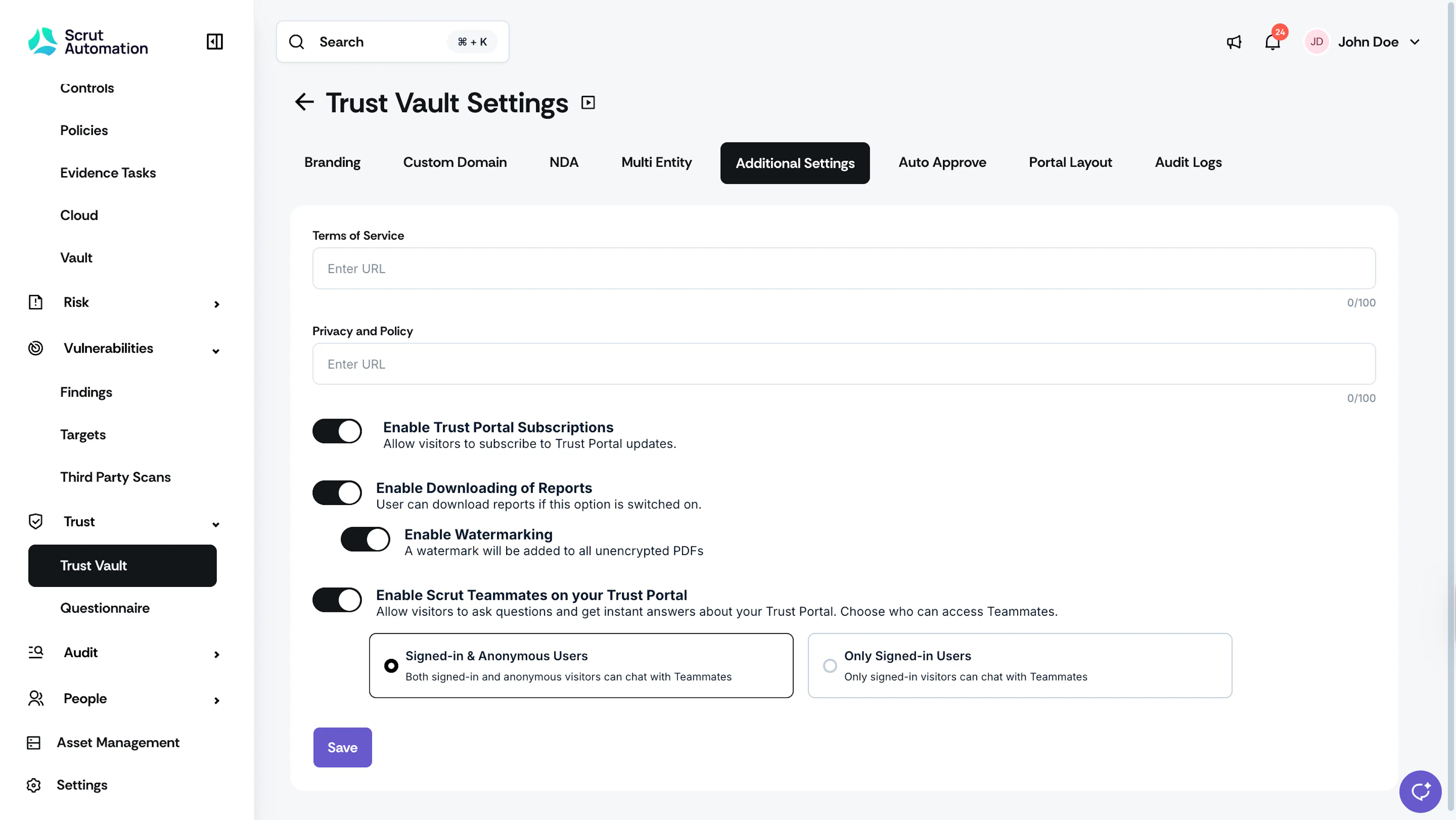
Navigate to the Additional Settings tab.
-
Turn on the Enable Downloading of Reports toggle.
-
This shows the Enable Watermarking toggle. Turn it on or off, as required.
Note: The Watermarking toggle is visible only when the Downloading of Reports toggle is on.
-
Click Save.
Your changes take effect immediately.
Was this page helpful?