

Integrate Insightly
The Scrut - Insightly integration fetches user access data, permissions, and role assignments from your Insightly account and syncs them with the Access Review module. This integration enables your organization to maintain comprehensive visibility over user access rights and streamline periodic access reviews for compliance and security.
Heads Up!
The data synced from Insightly flows into the People → Access module in Scrut.
Prerequisites
Before starting the integration, ensure you have the following credentials:
-
You must be a Scrut Admin (or Contributor with access to the Integrations module)
-
An Insightly account with permissions to generate an API Key
Note: If you don’t have access to the User Settings in Insightly, you’ll need to contact your Insightly administrator to generate an API key.
Pro Tip!
We recommend logging into your Insightly account before starting the integration to avoid doing so later.
How To Connect Insightly With Scrut
Step 1: Fetch API Key and URL from Insightly
-
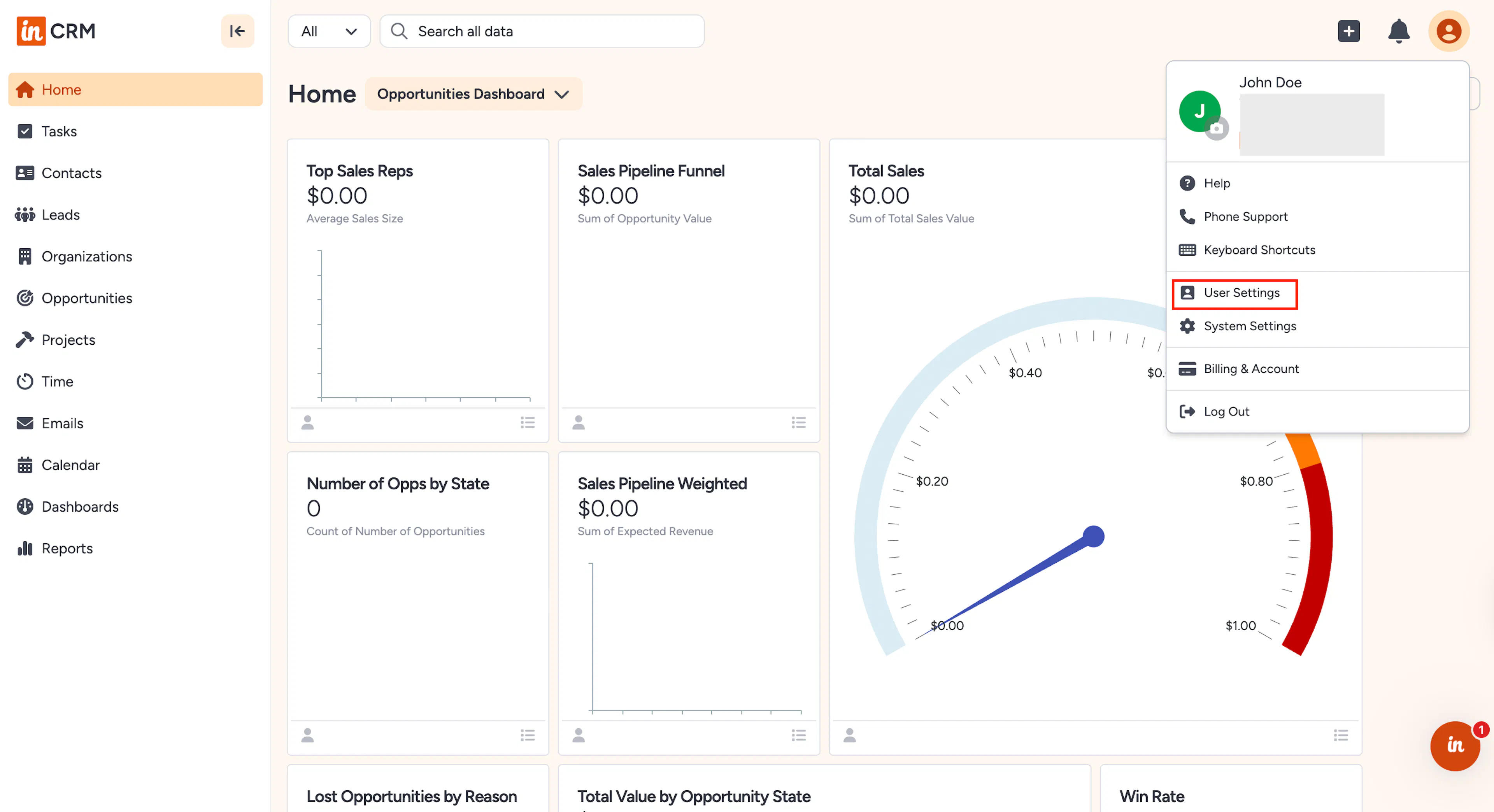
Log in to your Insightly account and click your Profile icon in the top-right corner.
-
Select User Settings from the dropdown menu.
-
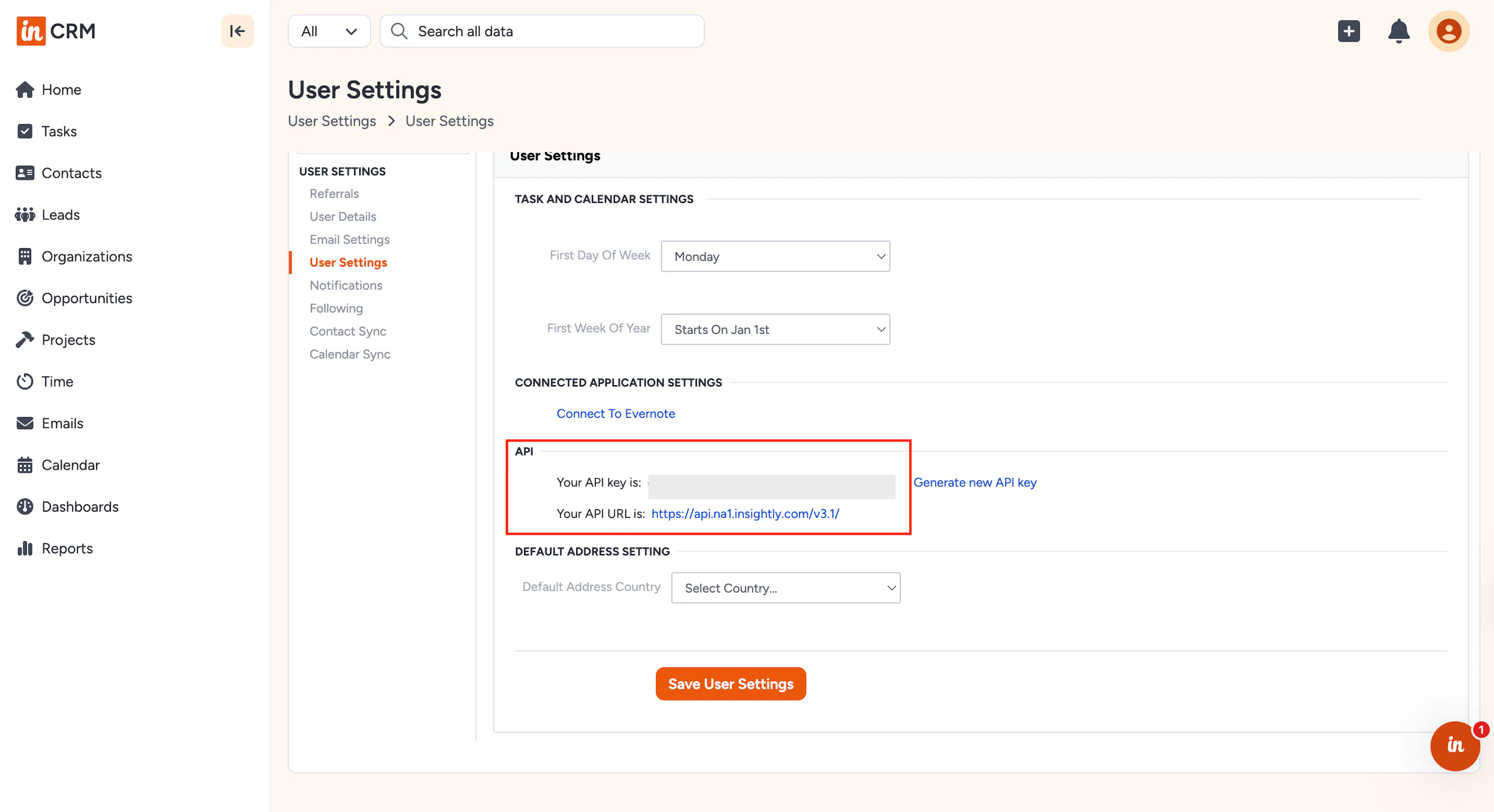
In the User Settings page, scroll to the API section and locate your API key.
-
Copy the API key and store it securely.
-
Also, note your API URL, which indicates your pod. e.g., https://api.na1.insightly.com/v3.1/
-
The pod identifier (na1, au1, eu1, etc.) is important for API configuration.
-
Copy the API Key and URL and save them in a safe location. You must enter them in Scrut in the next step.
Step 2: Go To Integrations in Scrut
-
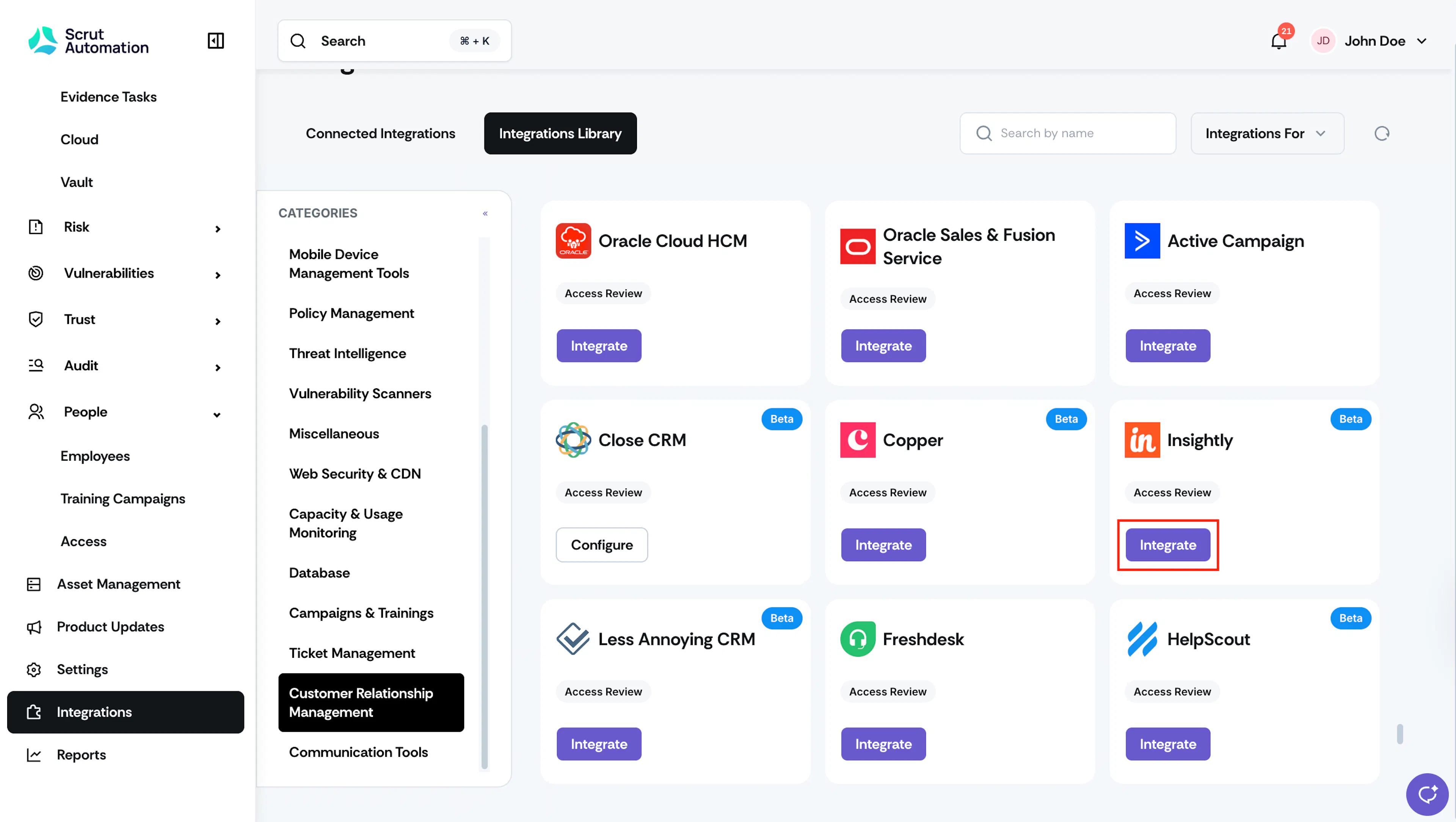
Sign in to Scrut and click Integrations on the left navigation panel.
-
Navigate to the Integrations Library tab, and choose Customer Relationship Management in the Categories section.
-
Scroll to the Insightly tile and click Integrate.
-
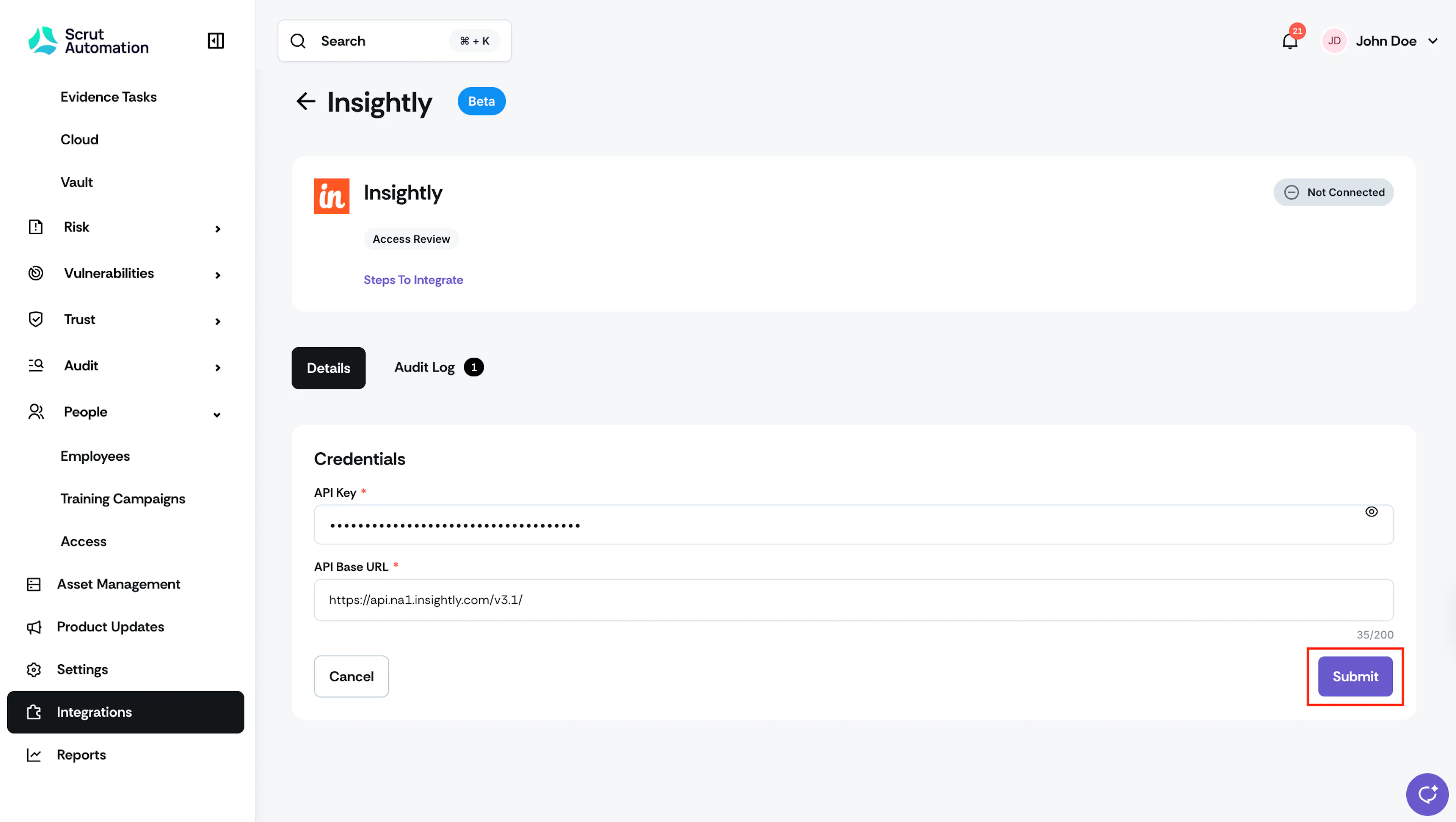
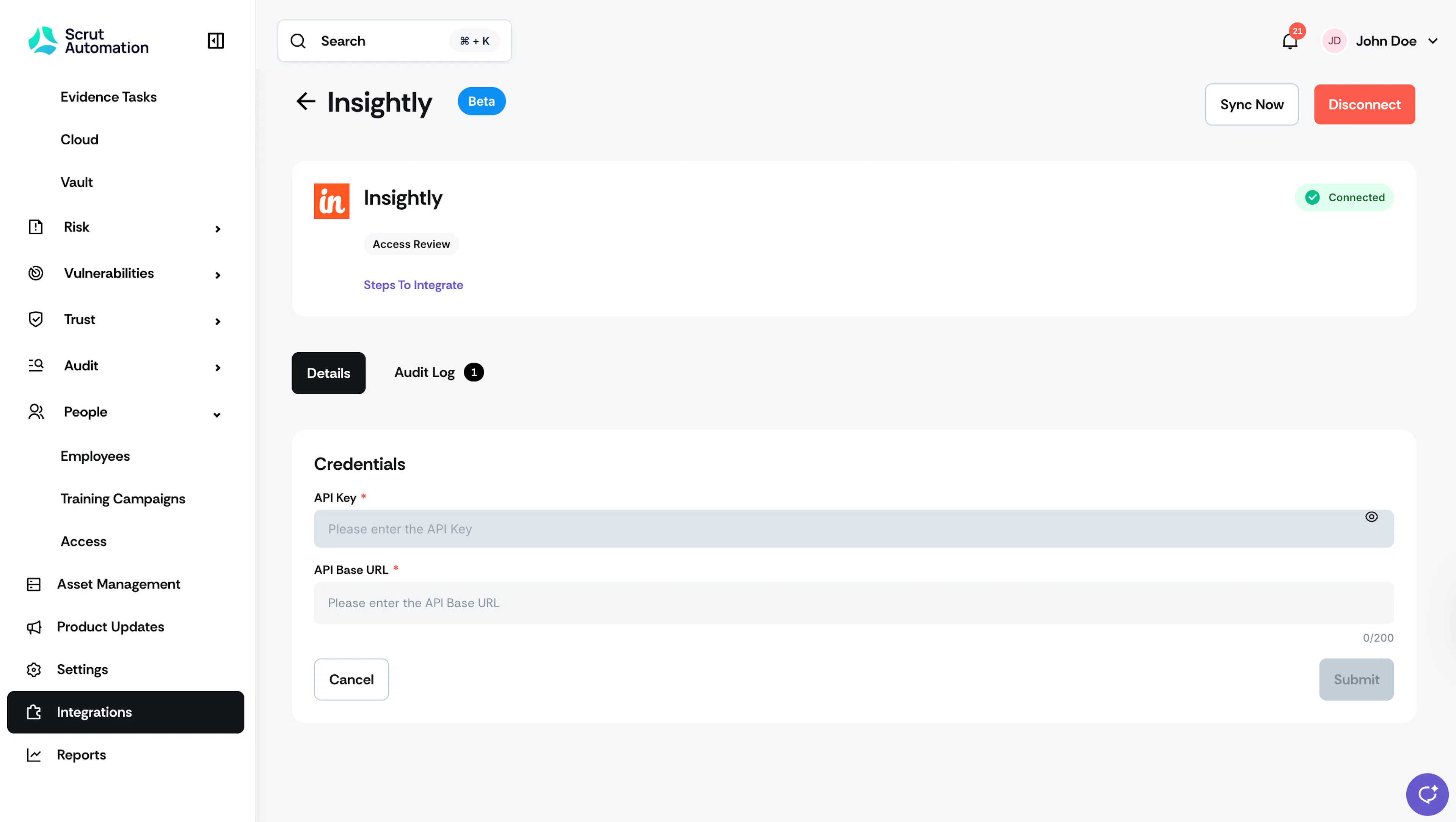
On the integration page, paste the API Key and API URL obtained in Step 1.
-
Click Submit.
-
Once authorization is done, you’ll see the success toast and the Connected status indicator.
Synchronization Details
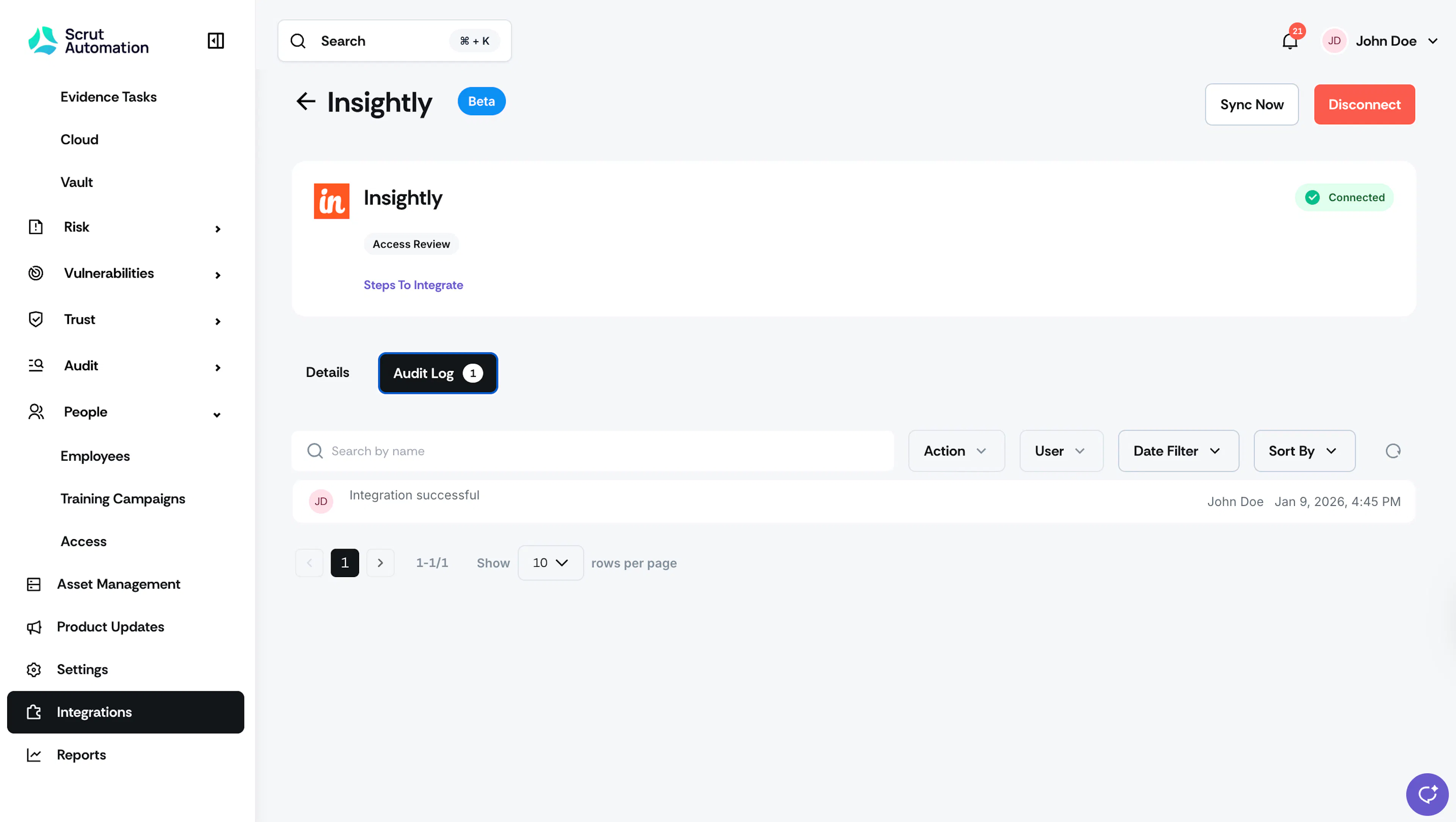
- Initial Sync: Upon completing the integration, Scrut will start syncing user data from Insightly. This process typically takes a few hours to complete. Check the Audit Log on the Insightly integration page in Scrut to review the status.
- Recurring Sync: After this, Scrut performs a sync every 24 hours to fetch incremental data, such as new users, role changes, and permission updates.
- Manual Sync: You can also click the Sync Now button to trigger an immediate data refresh.
Data Fetched from Insightly
Scrut fetches the following access-related data points from Insightly:
- User Name
- User Email
- User Role
Viewing Insightly Data in Scrut
To view the data fetched from your Insightly account, go to the People → Access → Overview tab. On this page, you can see the user details for your Insightly account.
You can also create an Access Review (or edit an existing one) and include the Insightly application in scope. Refer to this guide for step-by-step instructions on creating an access review.
Follow these steps to create a new access review for Insightly:
- Go to People → Access and click Create New.
- Enter Review Details: Name, Description, Owner, and Review Days.
- In step 2, search for and select Insightly in the Applications in Scope.
- Select Reviewer and Approver.
- Review the details and click Save Review.
From the Access Review page, click Insightly to view user details in Scrut.
If you face any difficulties connecting Insightly with Scrut, please contact the Scrut support team at support@scrut.io.