

Delete Controls & Categories
Who can use this feature
- Included in the Scale plan
- Available in the Trust Advanced Add-On for Foundation and Growth plans
How To Delete a Control
-
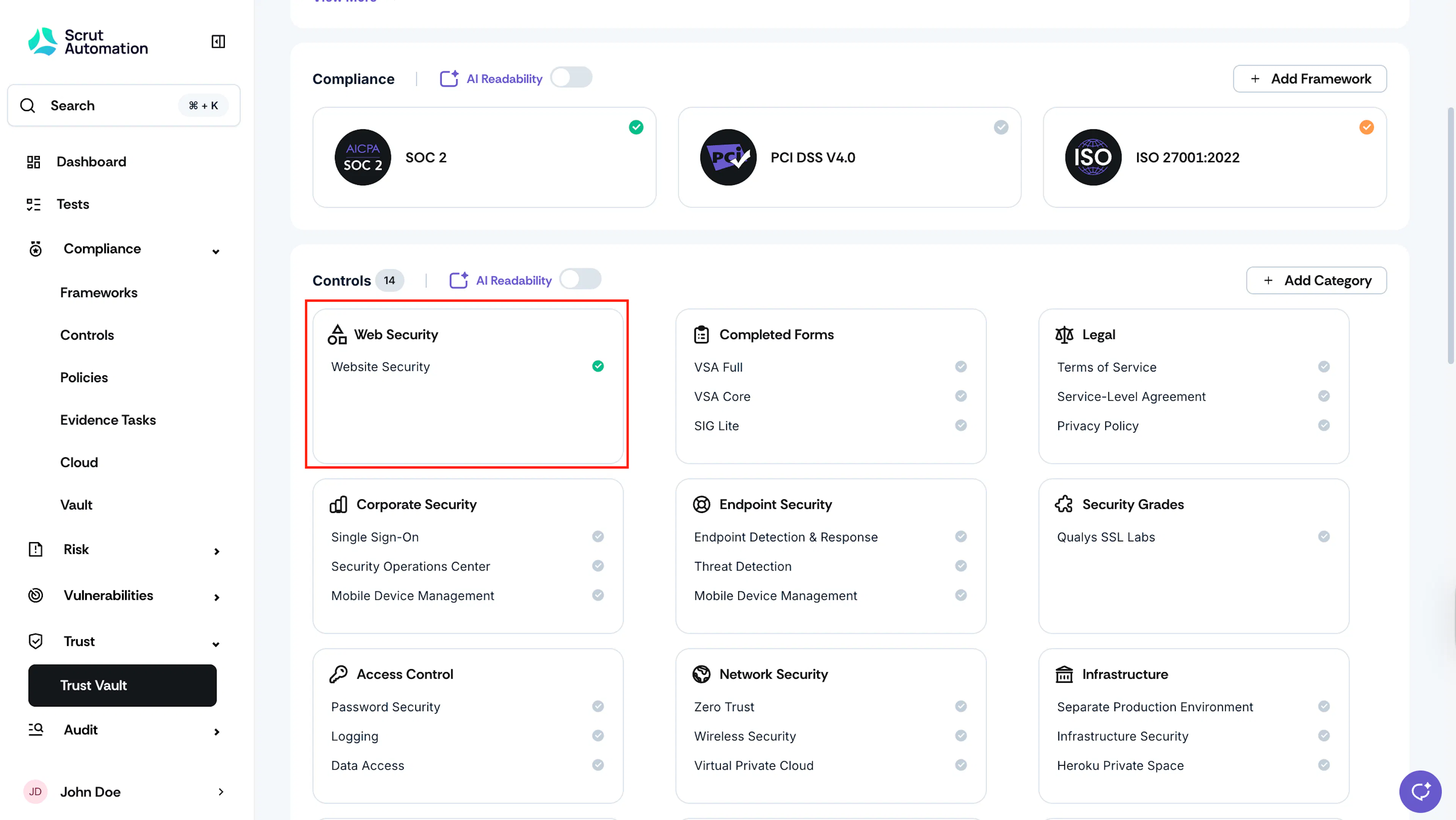
Navigate to Trust → Trust Vault → Overview and scroll to the Controls section.
-
Click the category card of the control you want to delete.
-
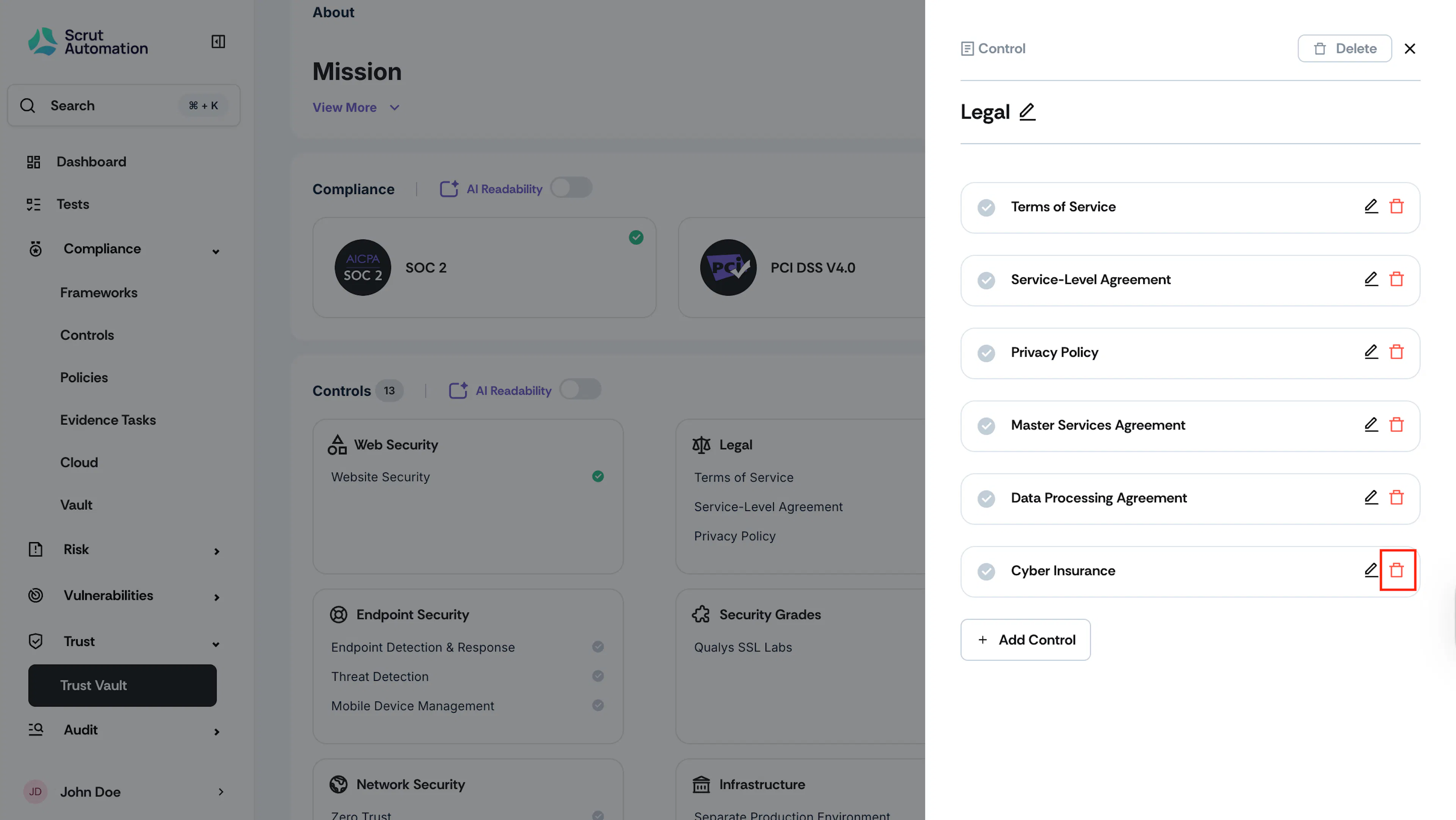
Click the trash can icon beside the control name to delete it.
-
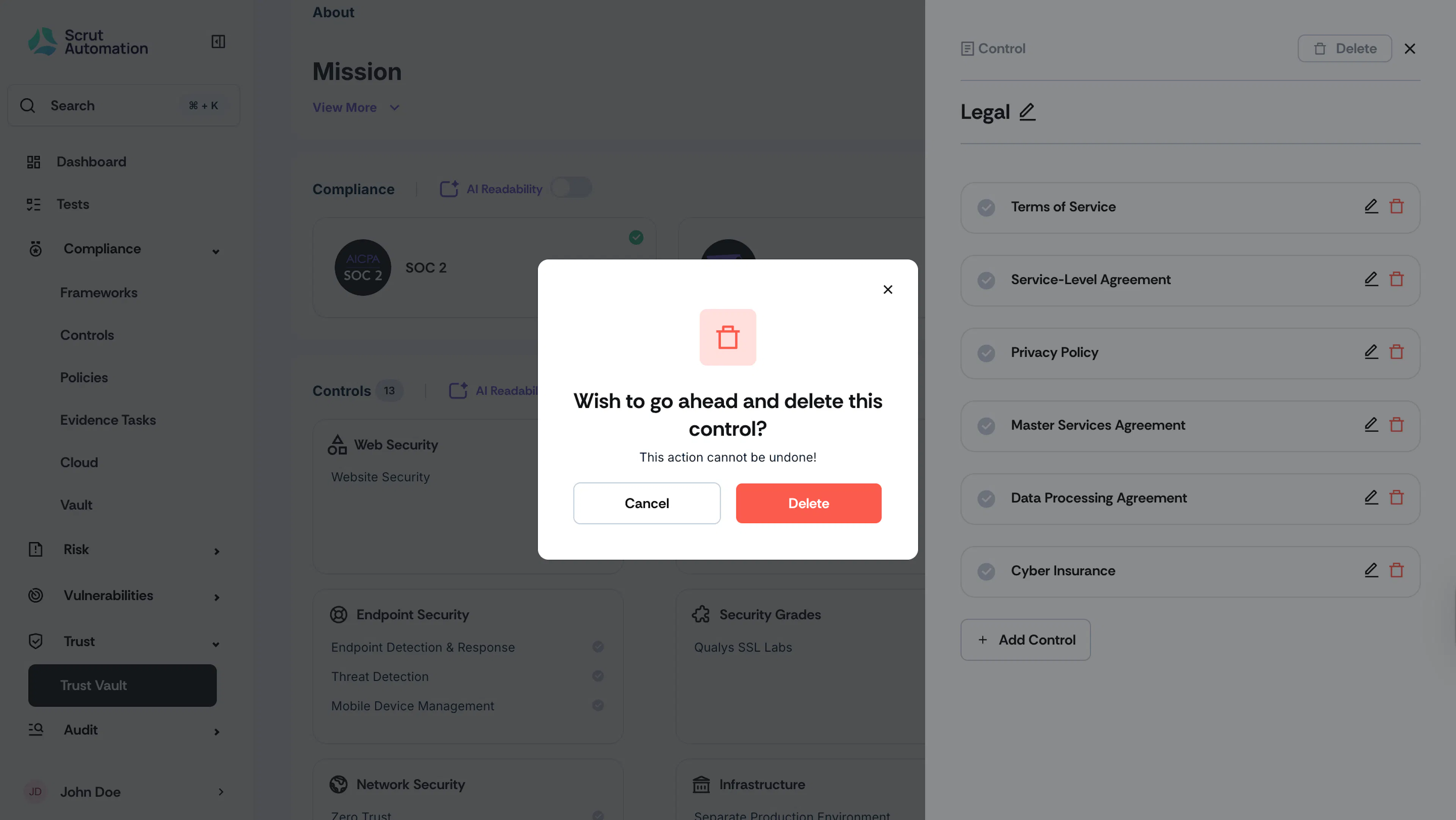
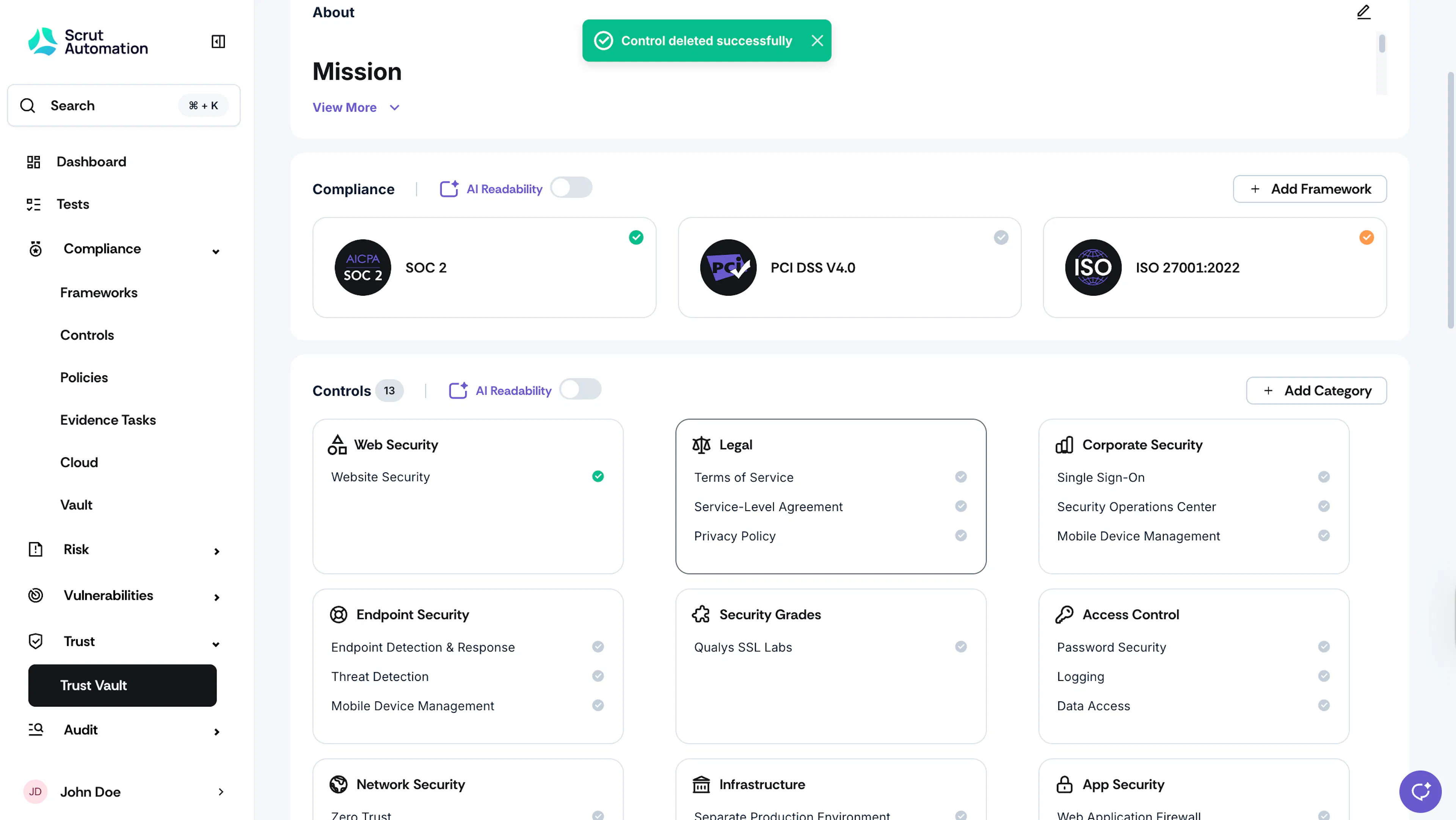
Click Save.
How To Delete a Category
-
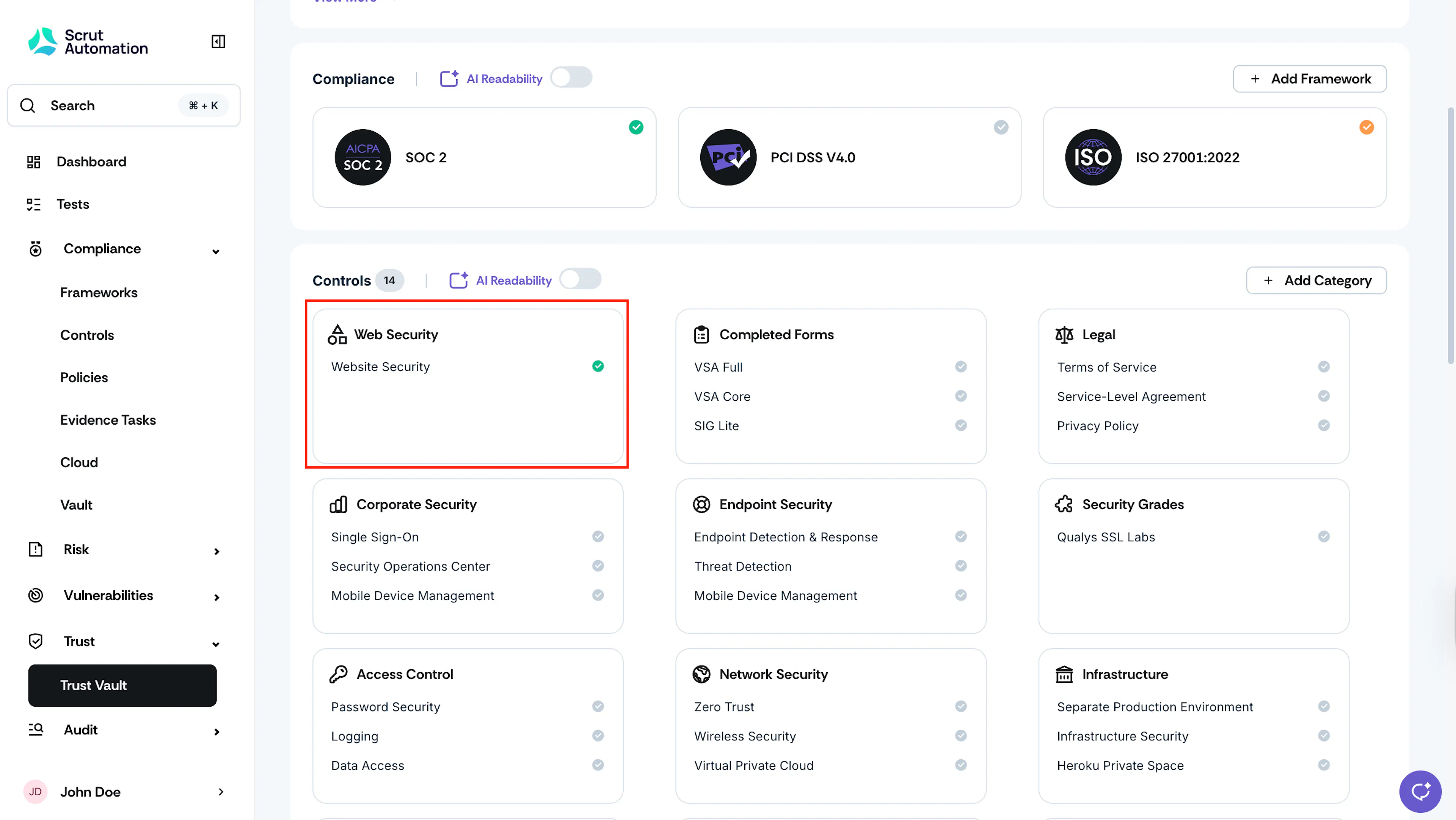
Navigate to Trust → Trust Vault → Overview and scroll to the Controls section.
-
Click the category card you want to delete.
-
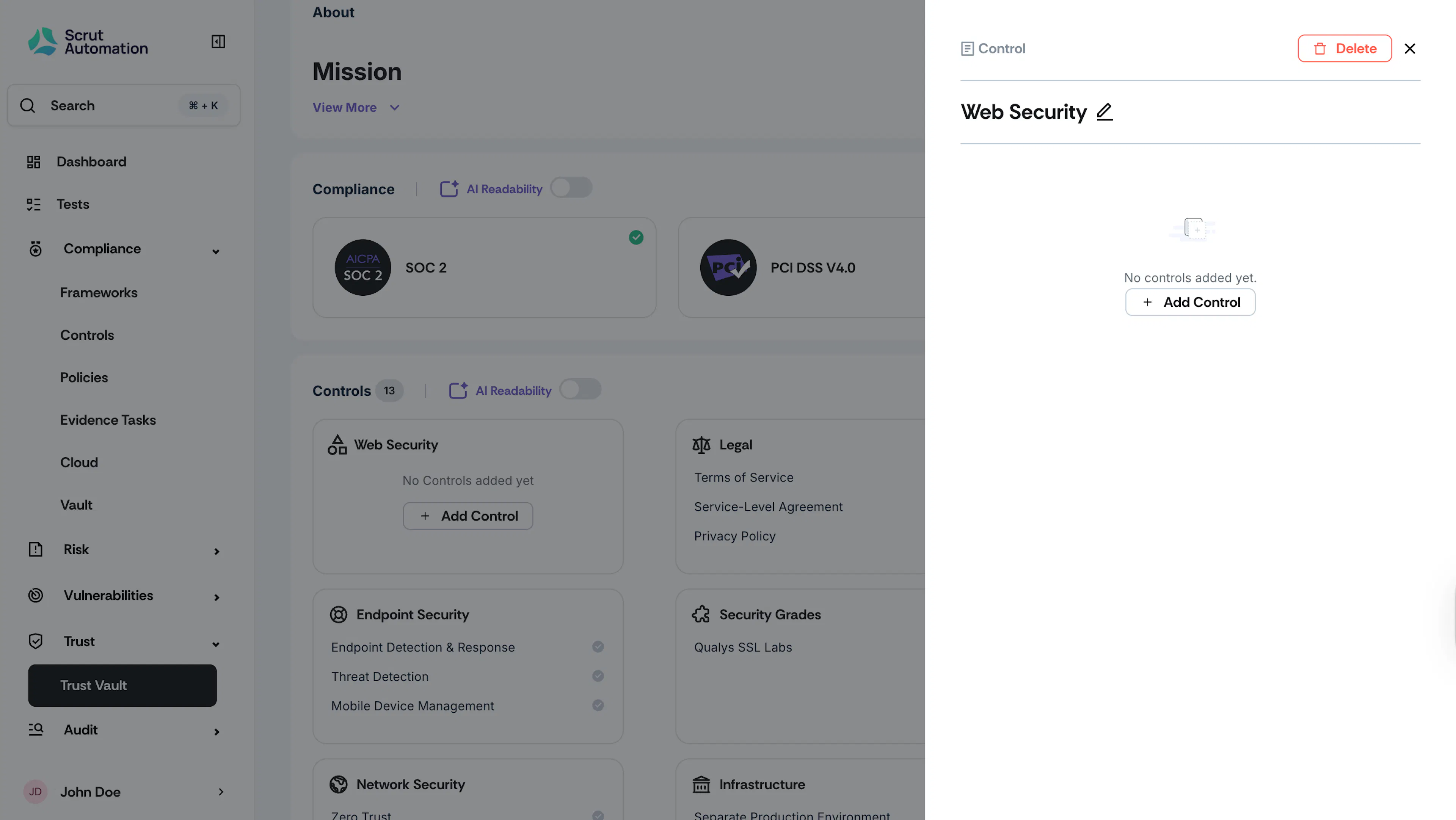
Click the trash can icon to delete it.
Heads Up!
To delete a category, you have to first delete all controls within it.
Was this page helpful?