

Create a Custom Category
Who can use this feature
- Included in the Scale plan
- Available in the Trust Advanced Add-On for Foundation and Growth plans
In addition to the 13 predefined control categories included by default in the Trust Vault, you can create custom categories to organize controls tailored to your organization's needs. Custom categories allow you to group related security controls that may not fit neatly into the standard framework categories, helping you present a complete picture of your security posture to customers and stakeholders.
How To Create a Custom Category
-
Sign in to Scrut, click Trust → Trust Vault on the left navigation panel.
-
Go to the Overview tab.
-
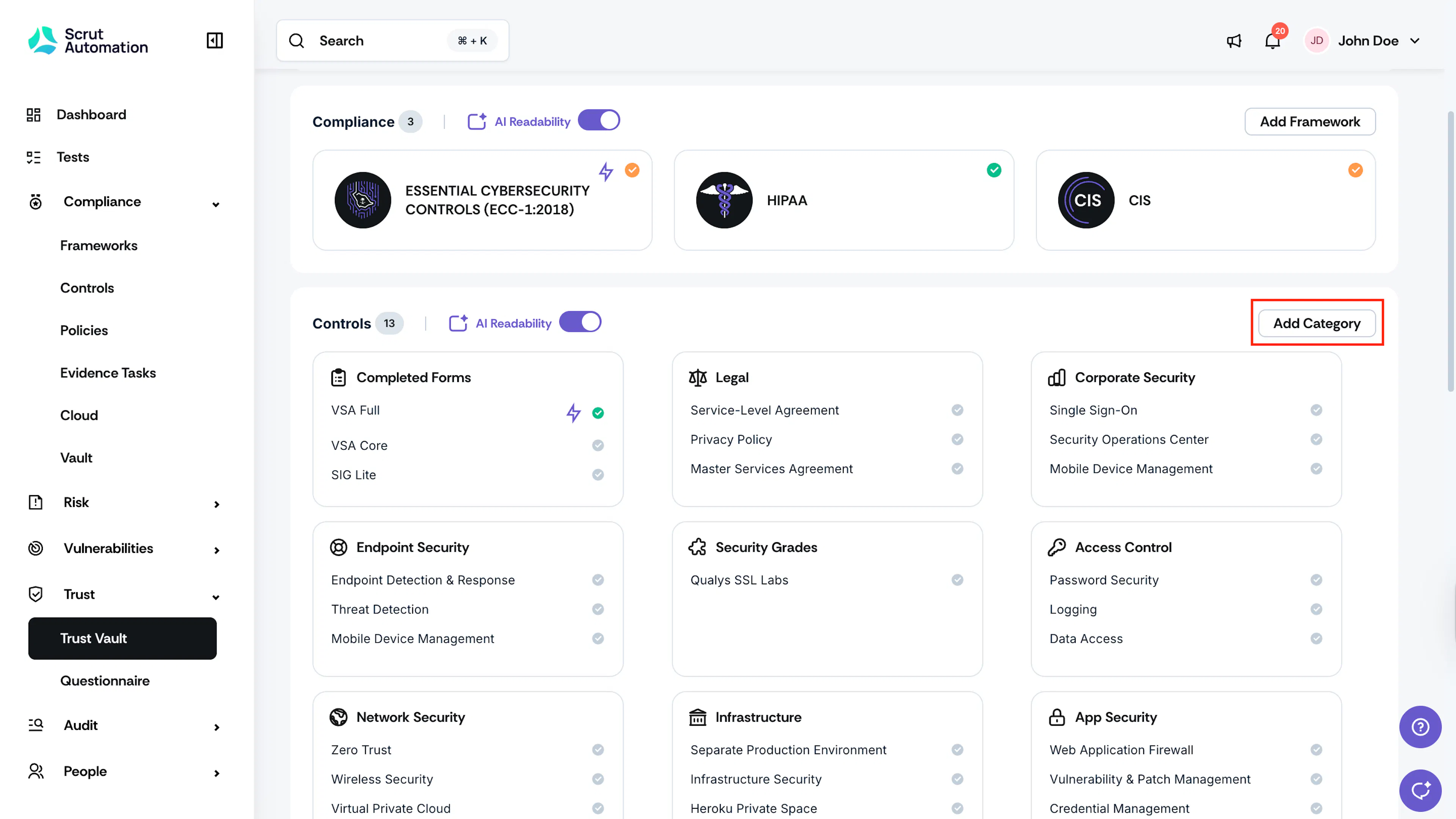
Click Add Category.
-
Enter the Category Name.
-
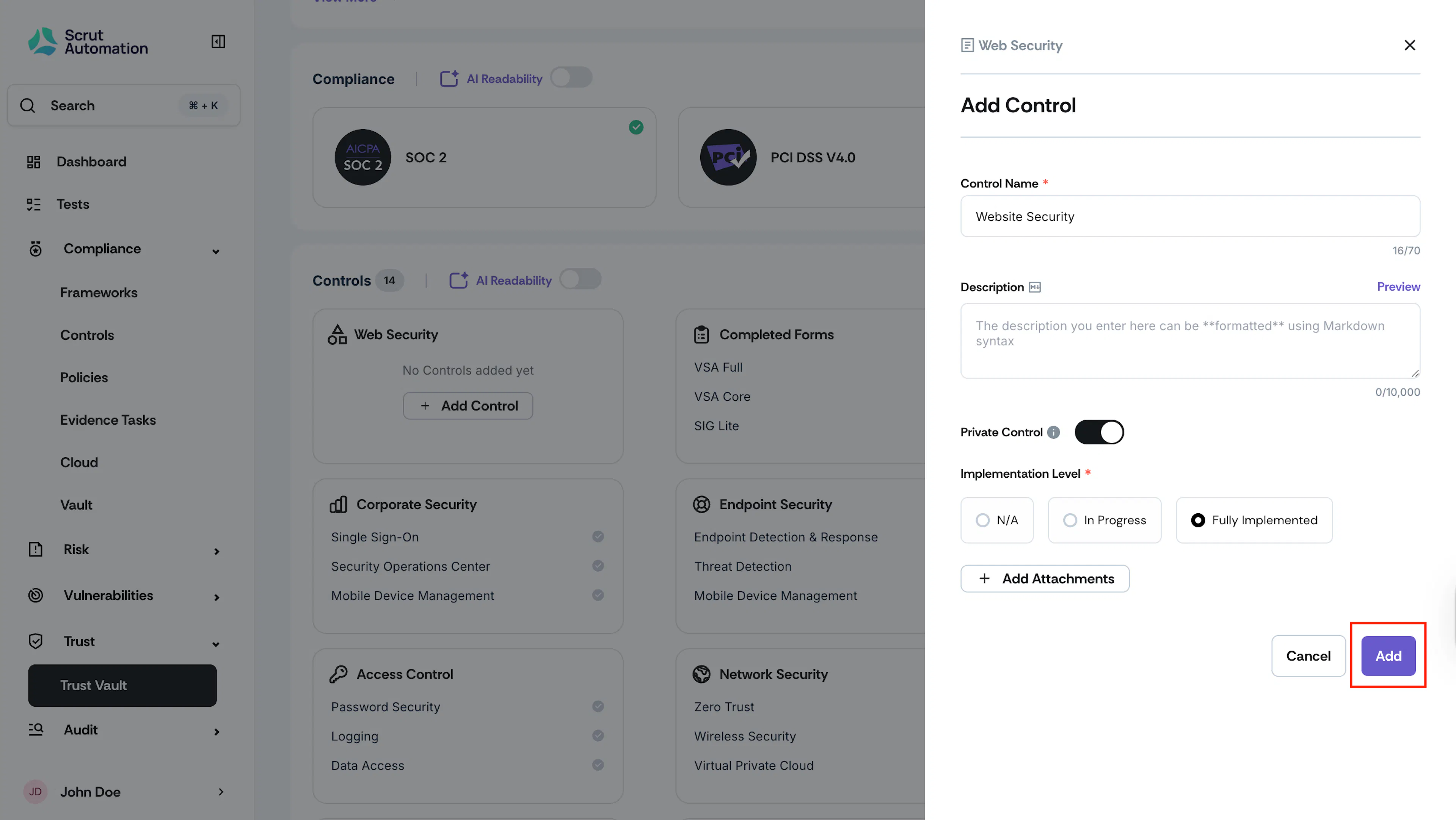
Click Add and Continue.
-
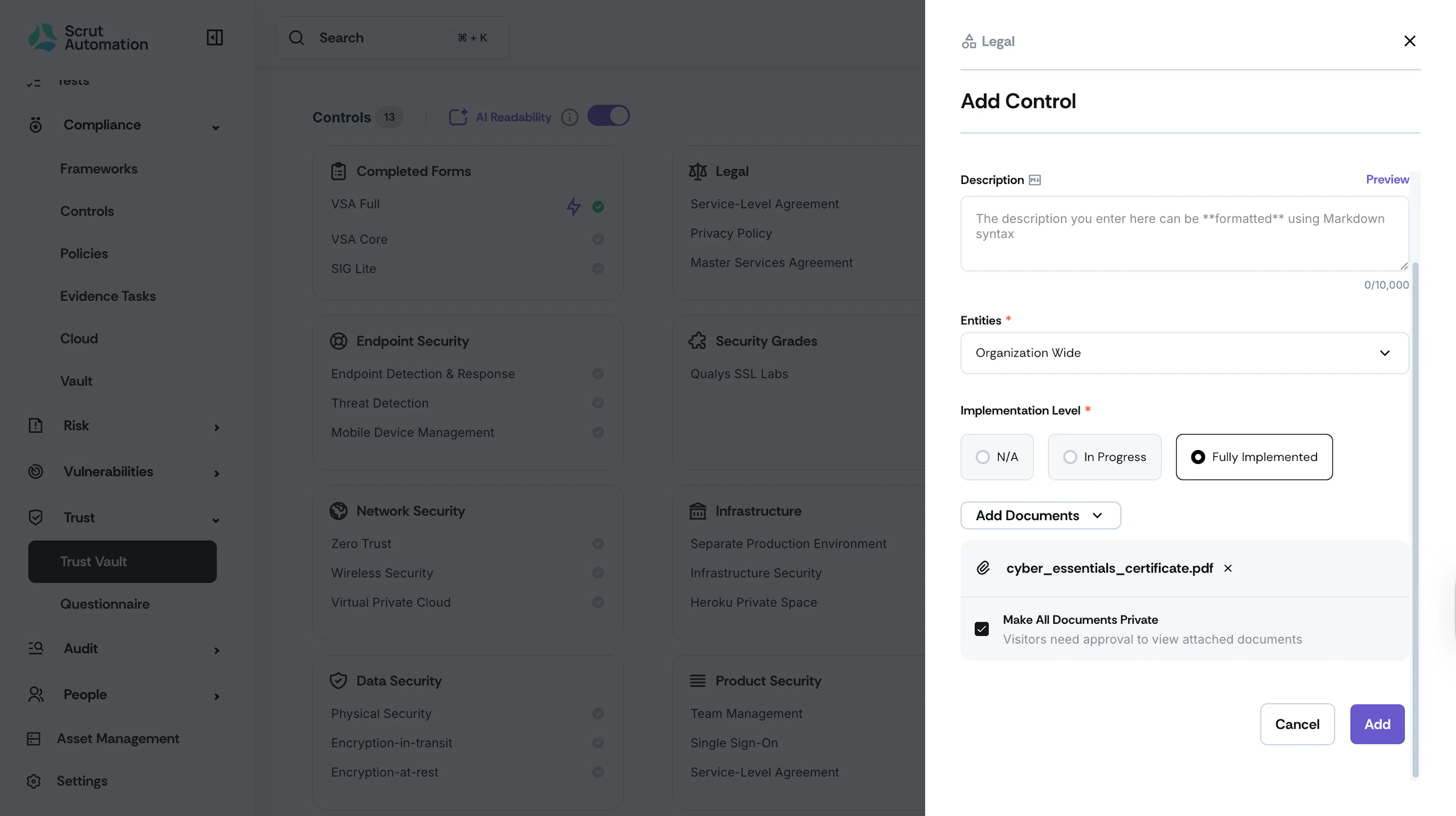
Enter the following details to add a control to this custom category:
- Control Name & Description: Enter a suitable name for the control and a clear description.
- Implementation Level: Select either Not Applicable, In-progress, or Fully Implemented.
- Click Add Documents to upload compliance certification, reports or other relevant documents.
- Select the Make All Documents Private checkbox if you want visitors to require authorization to view attached documents.
-
Click Save.
-
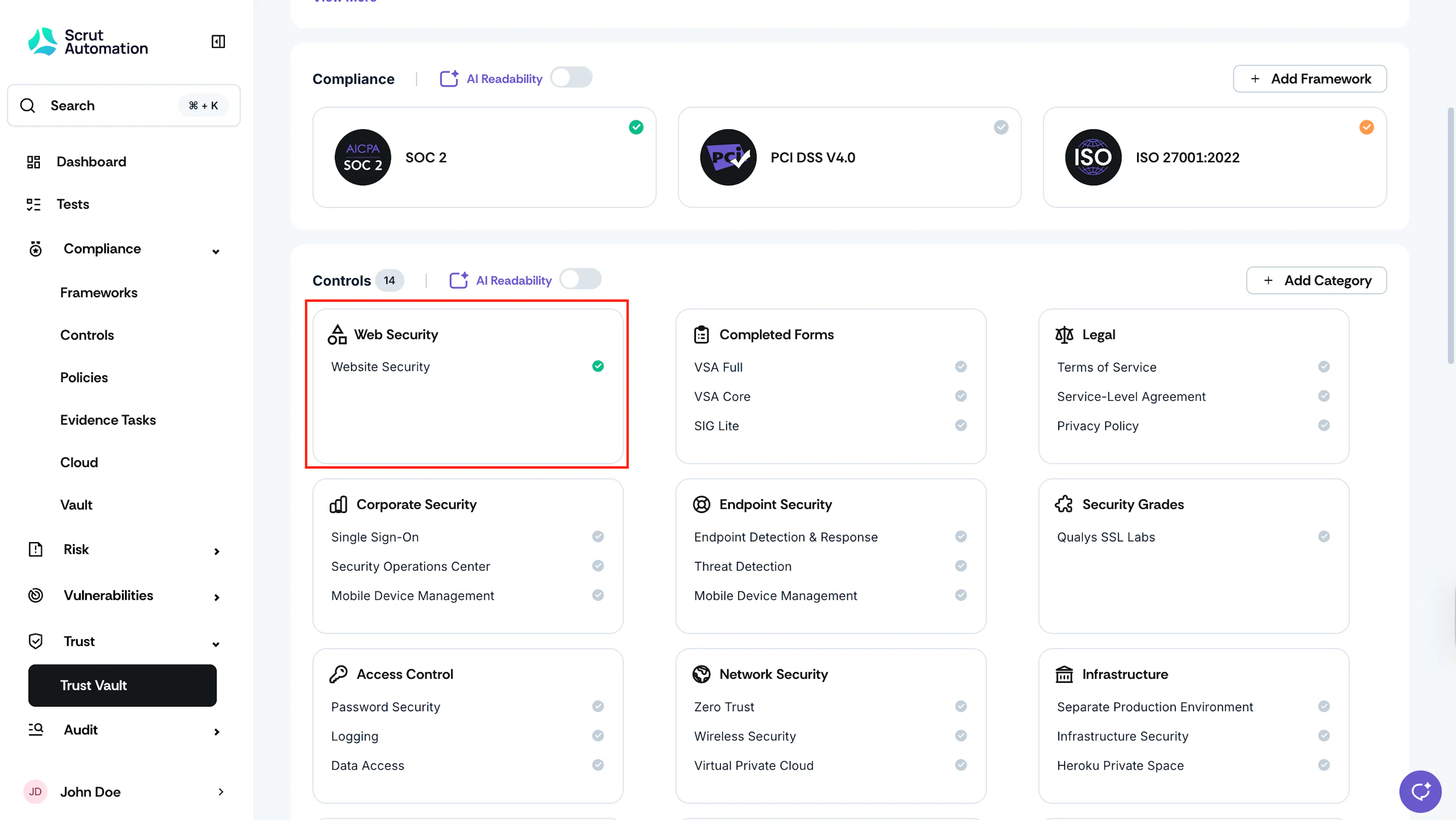
You can view it under the Controls grid.
-
To add another control to this category, click on the Category card and click the Add Control button.
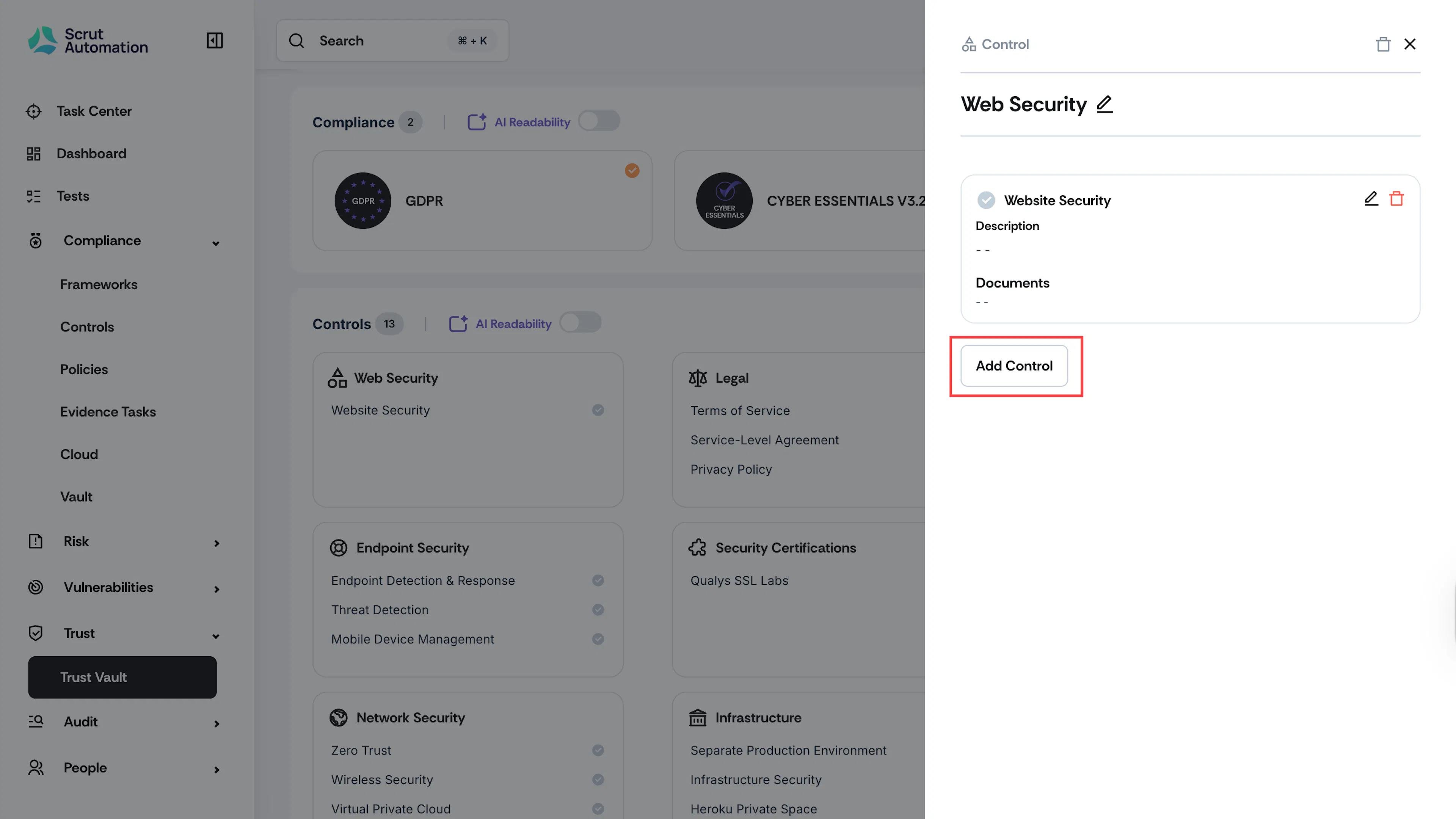
-
Repeat the steps above for each control you want to list under this category.