

View Audit Logs for Risks
Who can use this feature
- Supported on Foundation, Growth, and Scale plans
Audit logs give you a running history of changes made across Risk Management, so you can see who did what and when. Scrut tracks this in two places: activity on an individual risk and configuration changes in Risk Settings.
Audit Logs for an Individual Risk
This log tracks the activity on one specific risk, such as status changes, treatment strategy updates, score edits, and resets.
- Navigate to Risk -> Risk Management in the left navigation panel.
- Go to the Risk Registertab and click on the risk you want to review.
- On the risk details page, scroll to the Audit Logs tab.
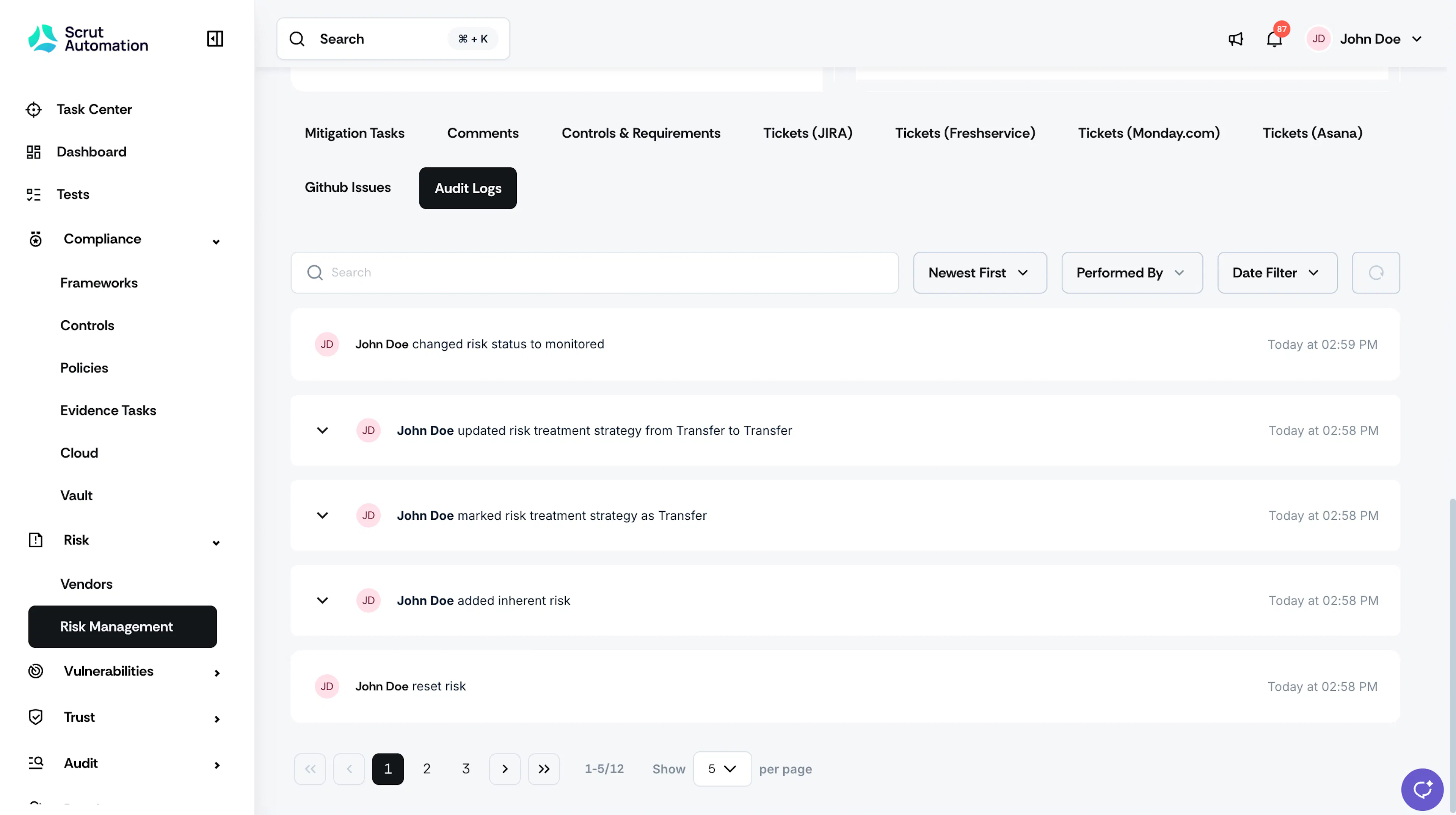
Each entry shows who made the change and when. Some entries have an expand arrow you can click for more detail.
Use the Search bar, the Newest First or Oldest First sort, the Performed By filter, and the Date Filter to narrow down the list. Use the pagination controls at the bottom to move between pages or change how many entries show per page.
Audit Logs for Risk Settings
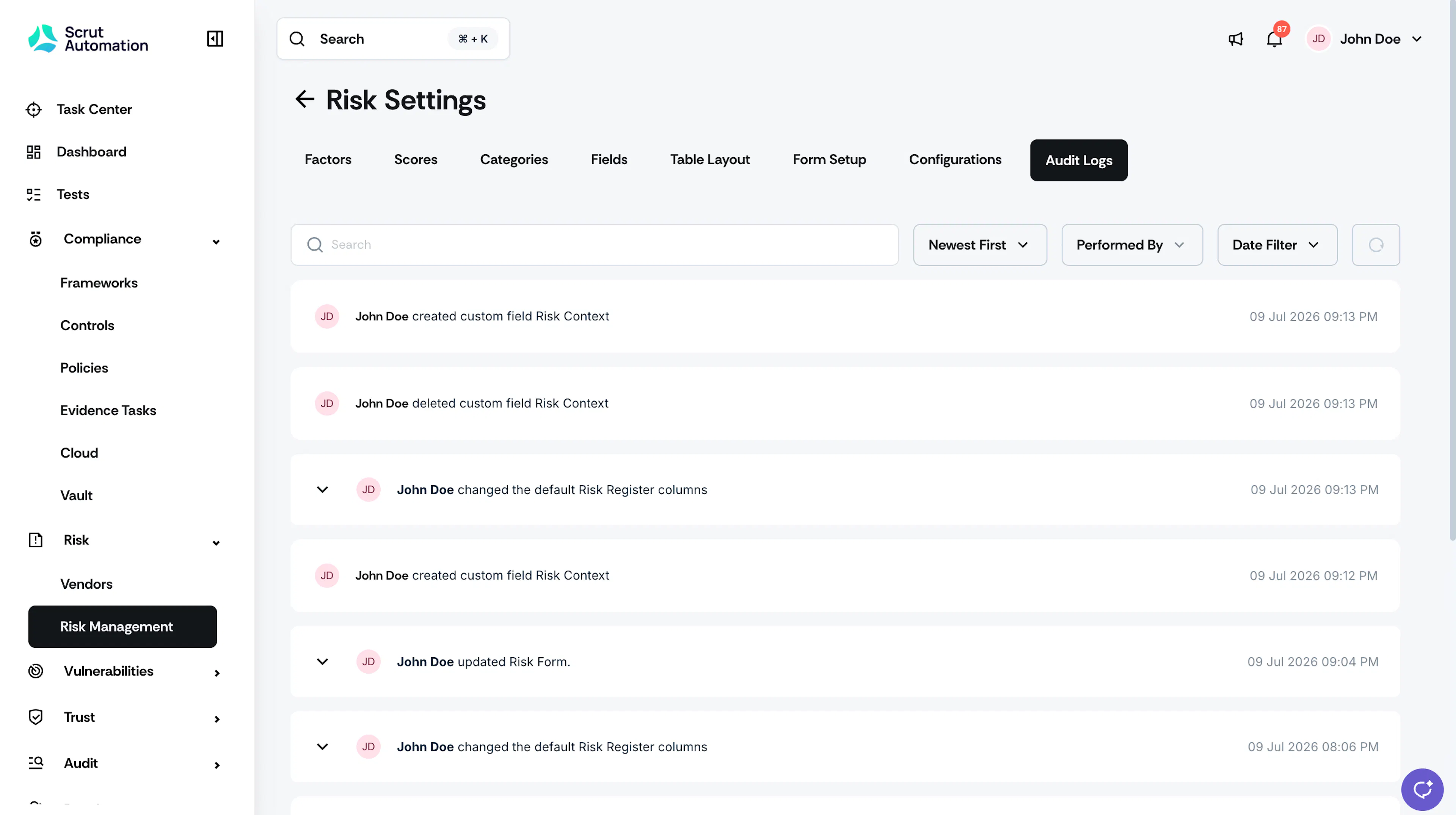
This log tracks configuration-level changes made in the Risk Settings section.
- Navigate to Risk -> Risk Management in the left navigation panel.
- Click the Settings icon in the top right.
- Click the Audit Logs tab.
The same Search, sort, Performed By, Date Filter, and pagination controls are available here.
Reach out to support@scrut.io or contact your CSM for further assistance.